
Approved Apps For Kids With ADHD: Parent-Recommended Picks for Focus, Learning, Chores, and Emotional Regulation

 Discover a Free Education Video App for Kids
Pastory uses AI to personalize educational video content based on your child’s interests and personality. Safe, engaging, and built for curious young minds. Sign up now to stay updated and enjoy early access with a free trial
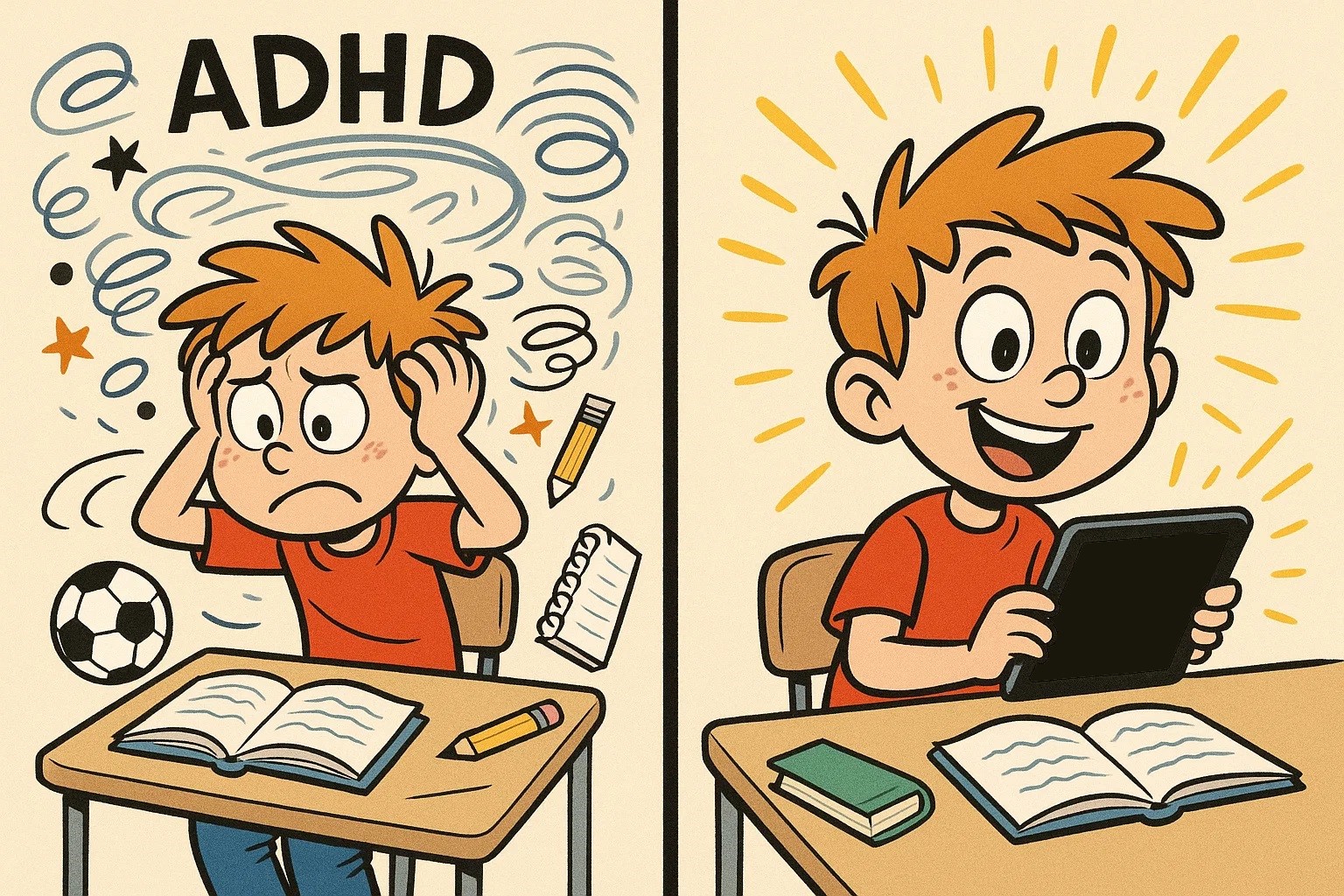
Navigating the digital world as the parent of a child with ADHD can feel overwhelming. While screen time is often approached with caution, a well-designed app for neurodivergent learners can be a helpful support. The right apps can help kids navigate everyday challenges by breaking complex tasks into manageable, step-by-step actions.
This curated list includes apps that support executive function, emotional regulation, and academic growth. Whether you are looking for interactive games to build math fluency or a timer to support time management, these recommendations focus on safety, age-appropriate content, and ADHD-friendly structure.
Key Takeaways
- Holistic Support: The best ADHD-friendly apps address more than academics; they support routines, organizational skills, and social-emotional skills.
- Safety First: Parents of children with ADHD should prioritize tools that are age-appropriate, easy to use, and supported by strong parental controls.
- Supplemental Tool: No app is a “cure”; these tools work best when integrated into consistent family routines and a professionally guided ADHD treatment plan.
- Diverse Categories: The list includes educational apps, visual learning tools, and routine-support resources, many of which are available on the App Store, Google Play, or the web.
- Personalized Choice: Selection should be based on a child’s ADHD profile, developmental stage, and motivation style.
Best Picks by Need
| Goal | Recommended App | Key Benefit |
| Time Management | Time Timer | Visualizes remaining time to reduce transition stress. |
| Routine & Chores | Homey | Connects household responsibilities with rewards and savings goals. |
| Math Skills | Monster Math | Gamified arithmetic practice that builds math-fact fluency. |
| Reading | Epic! | Digital library that encourages kids’ love of reading. |
| Emotional Regulation | Breathe, Think, Do with Sesame | Teaches problem-solving and helps children manage big feelings. |
| Executive Function | Todoist | Helps older kids and teens break tasks into manageable steps. |
Selection Criteria for ADHD-Friendly Apps
For an app to be effective for students with ADHD, it should meet clear usability and safety standards. ADHD-related challenges often include distractibility, so apps for children should have a clean interface, limited distractions, and no aggressive advertising.
The best tools for shorter attention spans use bite-sized content and real-time feedback. Reliability is also key: parents of children with ADHD need strong privacy standards, easy setup, and clear visual cues that help children use the tool independently without becoming frustrated.
Safe Screen-Time Reminder
While apps can help significantly, they are intended to support real-life habits, not replace them. A child psychologist would likely emphasize that digital tools should not come at the expense of physical activity, restorative sleep, or face-to-face support. Use these apps as a bridge to essential life skills, making sure they complement outdoor play, sleep, school support, and parent-child interaction.
How Apps Help Kids with ADHD
Managing ADHD often involves supporting executive functions such as working memory, flexible thinking, and self-control. Many apps now offer gamified environments where kids can practice these skills through trial and error, without the high stakes of a classroom setting.
Time Management
People with ADHD often experience “time blindness,” a common way to describe difficulty sensing the passage of time. A visual timer or digital countdown can help children with ADHD see how much time is left for a task, making transitions between preferred and less-preferred activities smoother.
Focus Support
Many focus-support apps include features such as focus modes, timers, streaks, or rewards that give children quick feedback for staying on task. By breaking a project into manageable chunks, these tools can reduce the sense of overwhelm that often leads to task avoidance in children with ADHD.
Skill Building
Educational apps for children often use animation and interactive games to teach core subjects. For example, Monster Physics lets kids experiment with building and simple physics concepts, while Khan Academy offers videos, lessons, and practice exercises that let students learn at their own pace.
Emotional Regulation
Children are better able to learn when they feel safe and emotionally regulated. Apps that focus on mindfulness or calm-down routines can help children practice breathing, problem-solving, and self-regulation skills. These tools can give your child a simple digital toolkit to use when they feel overwhelmed.
Planning
Organizational skills are a common area where children with ADHD may need extra support. Planning platforms use visual supports, such as digital sticker charts or color-coded calendars, to help students with ADHD track homework, school tasks, and bedtime routines.
Interactive Learning
Many kids respond well to interactive apps because they provide frequent feedback. Unlike a static worksheet, many adaptive learning apps adjust to the child’s level, keeping the challenge engaging without making it too frustrating.
Stress Regulation
For many children with ADHD, stress regulation is essential for maintaining focus. Apps that offer audio stories, breathing exercises, or guided meditation can help some children feel more grounded. These activities can provide a sensory reset, especially after a long day at school.
Progress Tracking
Parents of children with ADHD benefit from progress tracking dashboards. These features show learning streaks and completed tasks, helping parents see where a child may need support and where they are building confidence.
Parent Monitoring
Effective ADHD support requires oversight. High-quality apps for kids often include parent dashboards where caregivers can set limits, manage privacy, and review learning reports to make sure the content remains age-appropriate.
Social Skills
Some social skills can be practiced in a safe, controlled digital environment. Apps can help children practice empathy, turn-taking, and conversation cues through animation and social scripting, which may make real-world interactions feel more manageable.
ADHD-Friendly App Checklist for Kids with ADHD
Before downloading any new app, use this checklist to make sure the tool provides learning value without adding unnecessary stress.
Age Fit
A digital resource must be tailored to the child’s developmental stage. Younger children often benefit from visual prompts, simple characters, and open-ended play, while older kids and teens may need tools that support independence and more advanced organizational skills.
ADHD-Friendly Design
Look for a clean screen with clear instructions. ADHD-related difficulties can be exacerbated by cluttered interfaces. The right app should use visual cues and short tasks to keep the user engaged without causing sensory overload.
Privacy and Safety
Look for ad-free or low-ad environments whenever possible. Apps for children should have strong privacy protections, in-app purchase controls, and restricted or no chat features to create a safer digital space for your child with ADHD.
Learning Value
Make sure the tool supports a clear skill, rather than simply adding more screen-based entertainment. Look for educational apps that align with school standards or specific ADHD support goals like time management, emotional regulation, or math fluency.
Motivation Style
Does your child respond to badges, streaks, storylines, or a friendly character? Choose a platform that matches how your child is most likely to stay engaged. Gamified elements should provide a sense of accomplishment to keep them coming back.
Parent Workload
The best ADHD-friendly tools should make family routines easier, not harder. Choose a resource that is easy to set up and provides automated reports, reducing the need for constant manual check-ins.
Best Time Management and Routine Apps
1. Time Timer

Time Timer uses a disappearing colored disk to make remaining time visible, which can help children who struggle with abstract clocks. It is designed to support focus during homework or morning routines by showing how much time remains.
2. Todoist for Kids and Teens

Todoist can help older kids and teens support executive functioning by organizing school projects into step-by-step tasks. This tool allows parents or teens to set recurring tasks, helping children stay on top of their responsibilities.
3. Google Calendar

For teens and older kids, Google Calendar offers color-coded scheduling. It is available on major platforms and can support independence through shared family calendars and school deadline reminders.
4. Choiceworks Calendar

Choiceworks Calendar is a picture-based calendar app for younger children who need visual learning support. It uses images to create daily schedules, helping kids visualize their day and manage transitions between activities.
5. Homey — Chores and Allowance

Homey helps teach life skills by connecting chores, allowance, rewards, and savings goals. It helps kids learn the value of work and money habits through a gamified interface where they can see their progress toward savings goals.
Best Focus and Executive Function Apps
6. SuperBetter

SuperBetter builds resilience by turning real-life goals into game-based challenges. It can help older kids and teens tackle everyday challenges by identifying strengths, obstacles, and small next steps.
7. Conversation Planner

Conversation Planner supports social skills by providing scripts for common social scenarios. It helps children practice what to say in new situations, which can build confidence and reduce social anxiety.
8. The Neurodiversity Alliance

The Neurodiversity Alliance focuses on self-advocacy and understanding learning differences. They can help students with ADHD understand their strengths, identify support needs, and communicate those needs to teachers and parents.
9. Breathe, Think, Do with Sesame

Breathe, Think, Do with Sesame teaches younger children Sesame’s “Breathe, Think, Do” strategy for calming down and problem-solving. It is a helpful tool for emotional regulation, helping children practice breathing and problem-solving through interactive animation.
Best Math Learning Apps
10. Monster Math

Monster Math provides math-fact fluency practice through an engaging game format. It is an interactive app that adapts to a child’s skill level, making arithmetic practice more engaging than traditional worksheets.
11. DoodleMath

DoodleMath uses a personalized learning path to fill gaps in math knowledge. The developer recommends short daily practice sessions and provides parents with progress tracking.
12. Sushi Monster

Sushi Monster is a gamified tool from Scholastic that focuses on addition and multiplication. Its fast-paced, bite-sized sessions may work well for children with ADHD who benefit from quick feedback.
Best Reading and Language Apps
13. Epic! Kids’ Books and Videos

Epic! is a large digital reading platform with thousands of children’s books, audiobooks, comics, and read-aloud options. It can support reading motivation through Read-To-Me books and audiobooks, which may help children who find sustained reading difficult.
14. Teach Your Monster to Read

Teach Your Monster to Read is a gamified phonics and early reading tool. Children create a monster character and move through a playful learning path, making phonics practice feel more engaging.
Best Science and Problem-Solving Apps
15. Monster Physics

Monster Physics allows kids to build contraptions using parts such as engines and rockets. It promotes creativity and problem-solving by letting active learners see the results of their experiments in real time.
16. Crazy Gears

Crazy Gears is a logic game that teaches spatial thinking. It is open-ended and helps children learn how gears interact through trial and error, without the pressure of a timer.
Best Multi-Subject Learning Apps
17. SplashLearn

SplashLearn covers math, reading, phonics, and problem-solving for children ages 2–11. It provides a personalized learning experience that aligns with school curricula, making it a useful option for parents of children with ADHD.
18. Khan Academy

Khan Academy offers free access to lessons, videos, articles, and practice exercises across many subjects. Its video lessons allow students with ADHD to pause and rewind, which can support focus and comprehension.
Which Apps Fit Your Child?
Best Picks for Kids Under 10
For younger children, prioritize visual learning, simple navigation, short activities, and playful characters. Tools like Breathe, Think, Do with Sesame and Teach Your Monster to Read provide short activities and animation that keep children engaged without requiring heavy reading.
Best Picks for Tweens
Tweens may benefit from resources like DoodleMaths, Choiceworks, or Todoist, depending on their reading level and need for independence. These tools offer more structure while still providing the visual cues and reward motivation needed to manage daily schoolwork and chores.
Best Picks for Teens
Teens often need tools that support executive functioning, independence, and organizational skills. Google Calendar, Todoist, and Homey can help them build essential life skills like time management and financial literacy as they transition toward adulthood.
Screen-Time Tips for ADHD Families
- Start with one app: Avoid overwhelming your child by introducing only one tool at a time.
- Set clear limits: Use app limits to ensure digital time does not interfere with sleep.
- Use apps within routines: Pair a visual timer with homework to create a predictable structure.
- Review progress weekly: Sit with your child to review wins, challenges, and progress.
- Watch for overstimulation: If a digital tool leads to frustration, shutdowns, or meltdowns, it may be too intense for your child’s ADHD profile.
ADHD Support Beyond Apps
While apps can help, they are part of a broader support system. Parent routines, school accommodations, behavioral strategies, and professional support remain the foundation of managing ADHD. If challenges persist, seek professional support from a pediatrician, child psychologist, or qualified ADHD specialist to refine your child’s ADHD treatment plan.
FAQs
What apps help kids with ADHD most?
Visual timers, routine tools, and engaging learning apps are often the most useful, depending on the child’s age, goals, and support needs.
Are ADHD apps safe for kids?
They can be, provided they are age-appropriate, have strong privacy protections, limit ads and in-app purchases, avoid unmonitored chat features, and offer parental controls.
Can apps improve ADHD symptoms?
Apps can help children practice routines, time management, and executive-function skills, but they do not cure ADHD or replace professional care.
What type of app helps kids with ADHD focus?
Visual timers, short-task planners, and low-distraction learning tools can help children stay focused without becoming overwhelmed.
Are games for kids with ADHD useful for learning?
Yes, carefully chosen games for kids with ADHD can make learning feel more manageable and motivating. Gamified learning apps can include short tasks, rewards, and visual feedback that help build essential skills while making it easier to focus.
What age are ADHD-friendly apps ideal for?
Many ADHD-friendly apps are designed for kids ages 4 and up, but the best choice depends on your child’s developmental stage, reading level, and support needs. Always check the recommended age range for the specific app version before downloading. An age-appropriate app version with simple instructions, visual cues, and short activities for kids is often ideal for children who need extra structure.
How should parents use the app at home?
Parents can use the app as part of a predictable routine, such as homework time, chores, or bedtime preparation. Apps like visual timers, chore trackers, and planning tools can support organizational skills and help children improve daily habits without replacing parent guidance or professional ADHD care.

Take a short quiz to find out what your everyday choices say about your parenting style
When your child is curious about something new, what’s your instinct?
Take a short quiz to find out what your everyday choices say about your parenting style
“Can I download this app?” What happens next?
Take a short quiz to find out what your everyday choices say about your parenting style
When it comes to rules at home, which sounds most like you?
Take a short quiz to find out what your everyday choices say about your parenting style
If you could give your child one life skill today, what would you pick?
Take a short quiz to find out what your everyday choices say about your parenting style
Your child gets to choose what to watch. What would your ideal setup look like?
Take a short quiz to find out what your everyday choices say about your parenting style
Pick your parenting superpower ✨



