
8 Best Apps to Track Kids Location: GPS and Family Locator Picks

 Discover a Free Education Video App for Kids
Pastory uses AI to personalize educational video content based on your child’s interests and personality. Safe, engaging, and built for curious young minds. Sign up now to stay updated and enjoy early access with a free trial
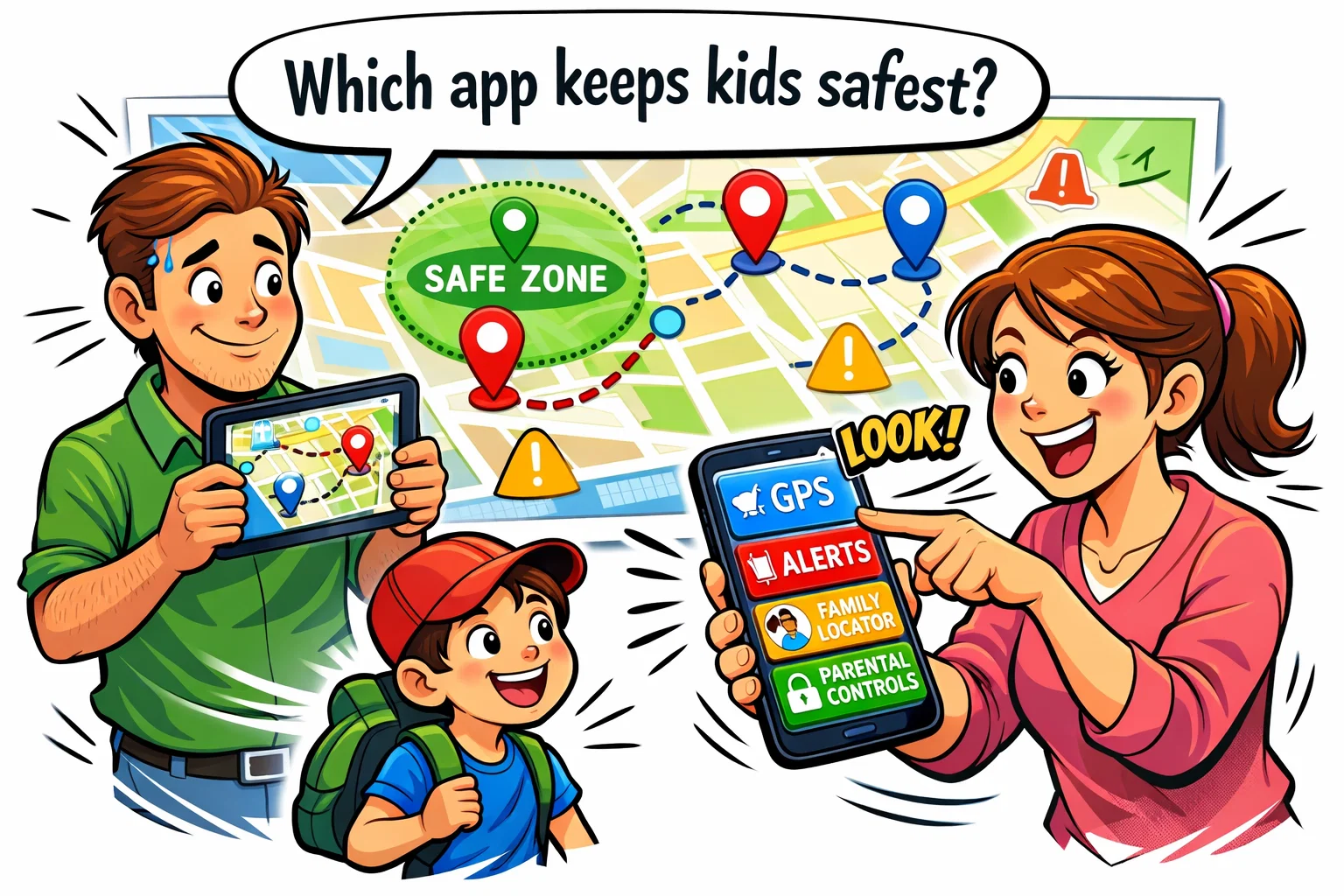
Finding the best apps to track kids location means weighing real-time GPS accuracy, ease of setup, and how well each app fits your child’s age and your family’s devices. This article ranks 8 options — from full-featured family locators like Life360 to specialized tools like AngelSense for special needs safety — so you can compare them side by side before deciding.
Each pick is evaluated on tracking reliability, parental controls, pricing, and the specific family situations it serves best. Whether you need a free Android solution, a GPS watch companion, or teen-focused monitoring, there is a clear recommendation here for your household.
Key Takeaways
- This article ranks 8 apps to track kids location, covering GPS tracking, family locators, and parental control tools.
- Life360 is the top overall pick for mixed-device families, while Google Family Link is the best free option for Android households.
- Bark focuses on teen online safety alerts, and AngelSense is designed specifically for children with special needs.
- Each app is compared by GPS accuracy, geofencing, screen time controls, pricing, and best-fit family type.
- A quick comparison table and use-case guide help narrow down the right pick for school commutes, GPS watch users, and more.
What Is Tracking App for Kids?
Core Purpose
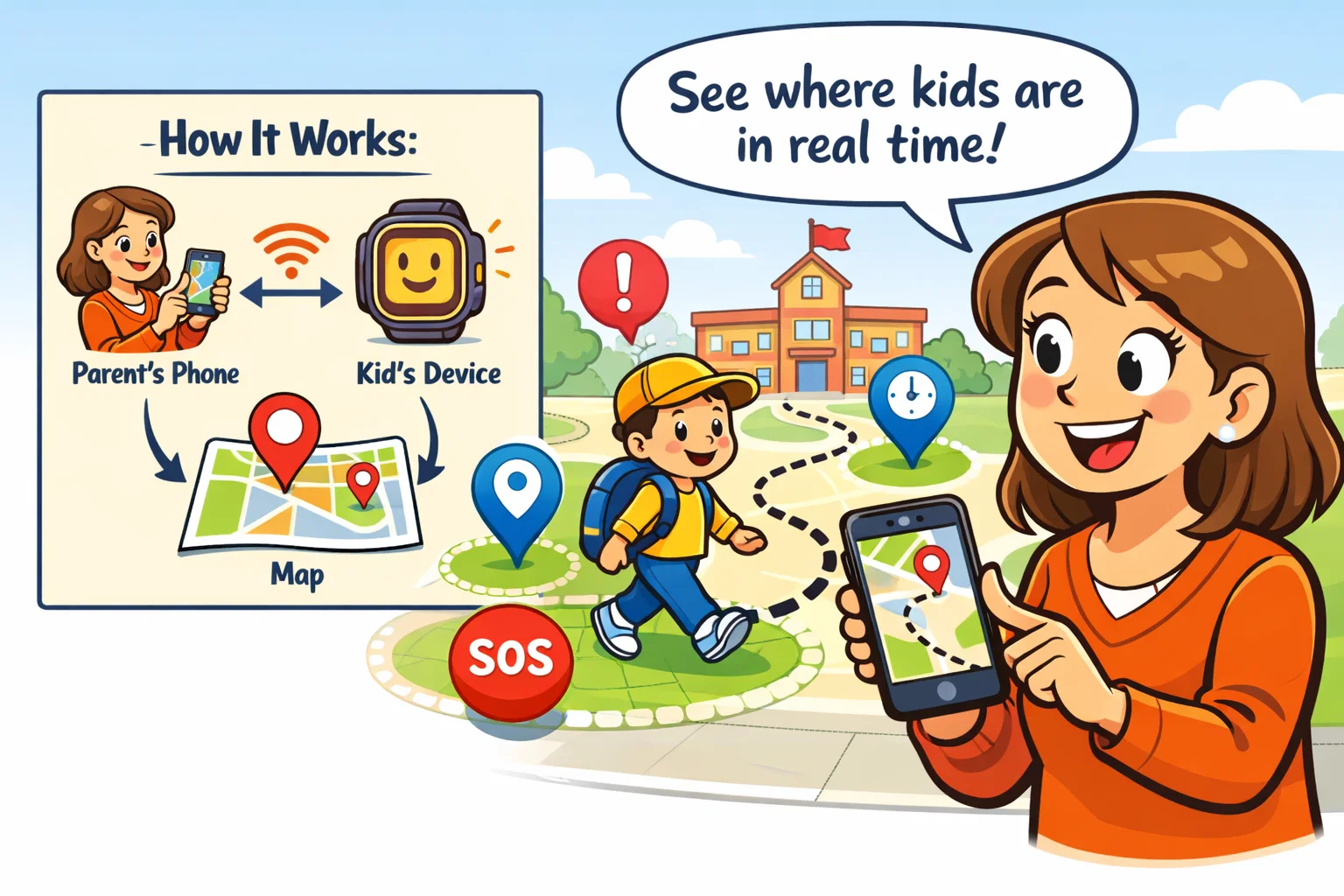
A tracking app for kids is a software solution that utilizes the GPS chip in a mobile app or wearable to transmit real-time location data to a parent’s device. The objective is to ensure child safety through visibility and historical data.
App Types
- Family Locators: Focus on the map and real-time tracking (e.g., Life360).
- Parental Control Suites: Focus on app usage and web filtering (e.g., Qustodio).
- OS-Native Tools: Built into the phone (e.g., Apple “Find My”).
Quick Summary and Top Picks
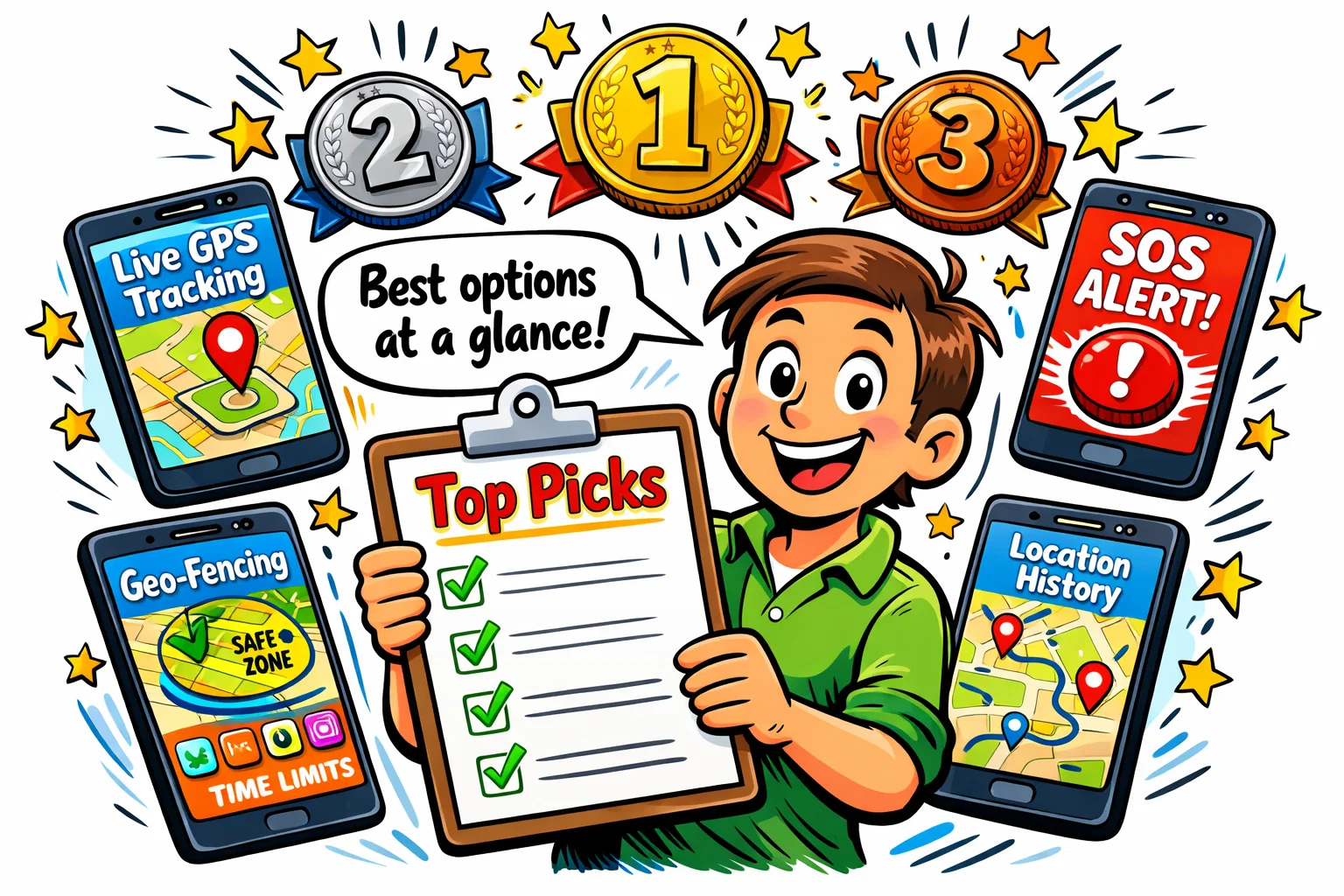
The following table summarizes elite options currently available on the market.
| Category | Top Pick | Key Strength |
| Best Overall | Life360 | Superior real-time location sharing and driving safety reports. |
| Best Free Option | Google Family Link | Native Android integration with no subscription fees. |
| Best Choice: Younger Kids | Find My Kids | Exceptional support regarding GPS watches and “Sound Around” tools. |
| Best Choice: Teens | Bark | Advanced content alerts and non-intrusive location tracking. |
| Mixed-Device Leader | FamiSafe | Seamless performance across Android and iOS platforms. |
Best Overall Pick
Life360 is the best overall option due to its high-frequency location update cycle and robust “Circles” infrastructure. It delivers accurate location tracking with minimal latency, ensuring family members view live location data on a shared map.
Best Free Pick
Google Family Link is the best free app for Android users, offering essential GPS location data and app usage limits. While it lacks some advanced “live” features found in premium competitors, it establishes a solid foundation to ensure child safety without monthly costs.
Best Option for Younger Kids
Find My Kids specifically targets the “school-age” demographic, where smartphones might not yet be appropriate. It is especially strong for families using a compatible GPS watch or the Pingo companion app on a child’s phone.
Best Pick for Teens
Bark focuses on “trust but verify” mechanics, making it ideal to protect older kids. Instead of constant mapping, it prioritizes alerts when your child encounters digital risks, combined with a reliable location history feature.
Best Pick for Mixed-Device Families
FamiSafe solves the common headache of the android and iphone divide. It ensures that accurate gps tracking remains consistent whether the parent uses a MacBook or the child carries an android device.
Best Tracking Apps Ranked
- Life360: The gold standard regarding real-time location tracking and family coordination.
- Find My Kids: Top choice regarding younger kids using wearable gps tracking hardware.
- FamiSafe: Provides the best balance to track your child while managing digital habits.
- Qustodio: A comprehensive all-in-one family safety suite with powerful filtering.
- Bark: Specifically tuned to meet safety needs of older kids and teenagers.
- Google Family Link: Most effective free app for parents using the Android ecosystem.
- Norton Family: Best choice to provide broader device oversight across PCs and mobiles.
- AngelSense: Specialized leader regarding kids safe monitoring to help those with special needs.
1. Life360 — Best Overall for Mixed-Device Families
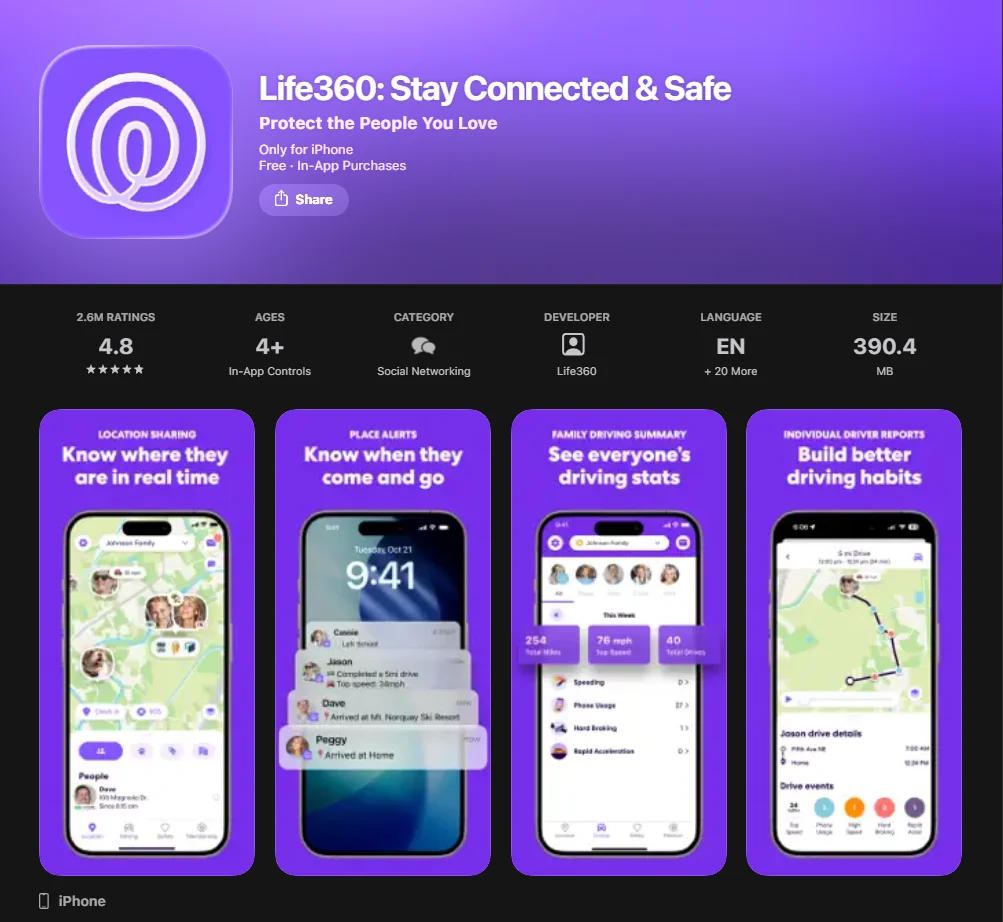
Life360 functions as a comprehensive family locator app, designed to keep every member of the “Circle” connected. The transparency of shared location tracking can reduce parental anxiety by up to 30% in urban environments.
Key Features
Life360 provides real-time GPS tracking with a high refresh rate. It includes “Bubbles” for more private location sharing. Location history length depends on the plan: the free plan includes 2 days, while higher tiers offer longer history. Driving insights can include top speed, hard braking, and rapid acceleration.
Best Fit
This family locator is perfect for assisting households with teen drivers or families who frequently coordinate pick-ups. Because it works equally well on iphone and android, it remains the best family tracking tool to manage diverse hardware setups.
Weak Spots
The primary drawback is battery usage associated with constant live tracking. Additionally, the mobile app can be overwhelming with notifications if “Place Alerts” are not carefully configured.
Pricing and Value
The free version offers basic GPS location and two place alerts. Gold and Platinum tiers provide “Roadside Assistance” and “ID Theft Protection,” which may be overkill; however, the $14.99/month price point remains competitive.
2. Find My Kids — Best for Younger Kids and GPS Watches
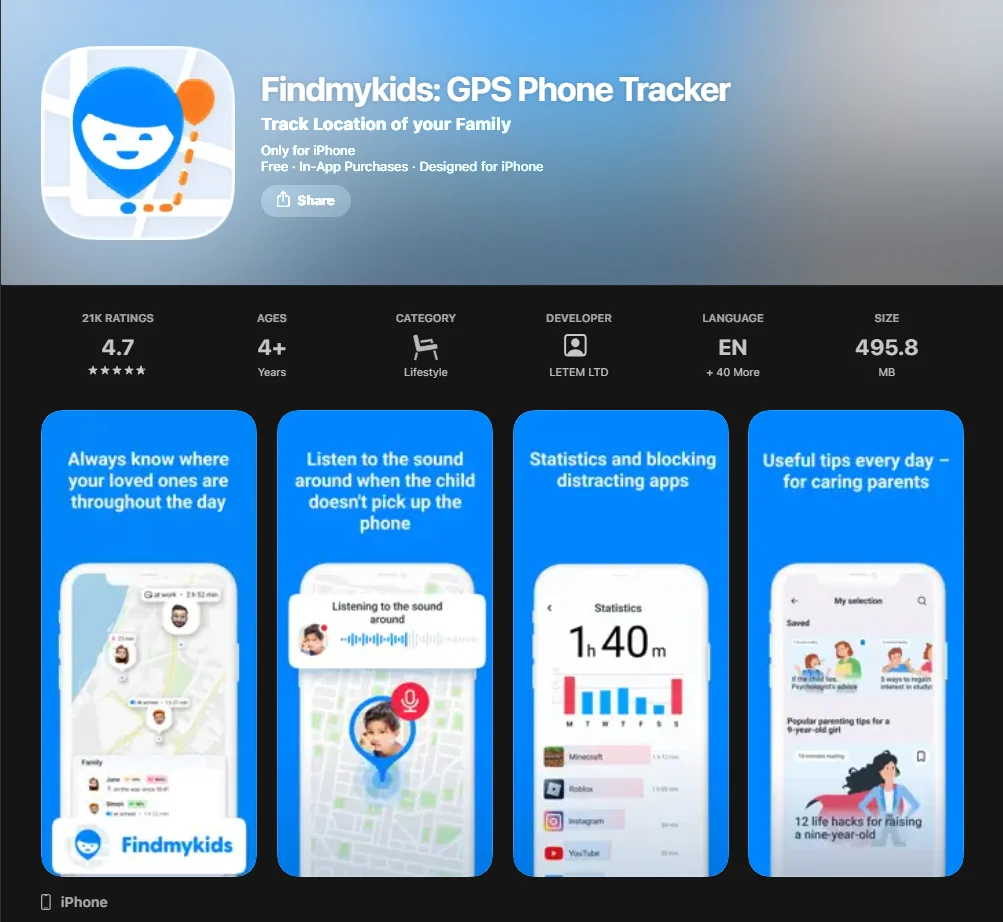
Find My Kids addresses specific safety concerns regarding children aged 5 to 11. It emphasizes accurate location tracking during the school commute, providing peace of mind when children are out of direct sight.
Key Features
The app includes a unique “Sound Around” feature (Android only) and a loud signal that can be sent even if the child’s phone is on silent mode. It is highly compatible with a variety of GPS tracking devices, including smartwatches.
Best Fit
It is the best family tracking app for parents of younger kids who are not yet ready for a full smartphone. The interface is simplified, focusing on “Safe Zones” and SOS alerts.
Weak Spots
Compared to parental control apps like Qustodio and Norton Family, Find My Kids has limited screen time management features. It is a tracker first and a management tool second.
Pricing and Value
Pricing is very accessible, often available through a one-time lifetime fee or a low monthly subscription. For parents whose priority is simple location tracking, this provides the highest ROI.
3. FamiSafe — Best Balance of Tracking and Parental Controls
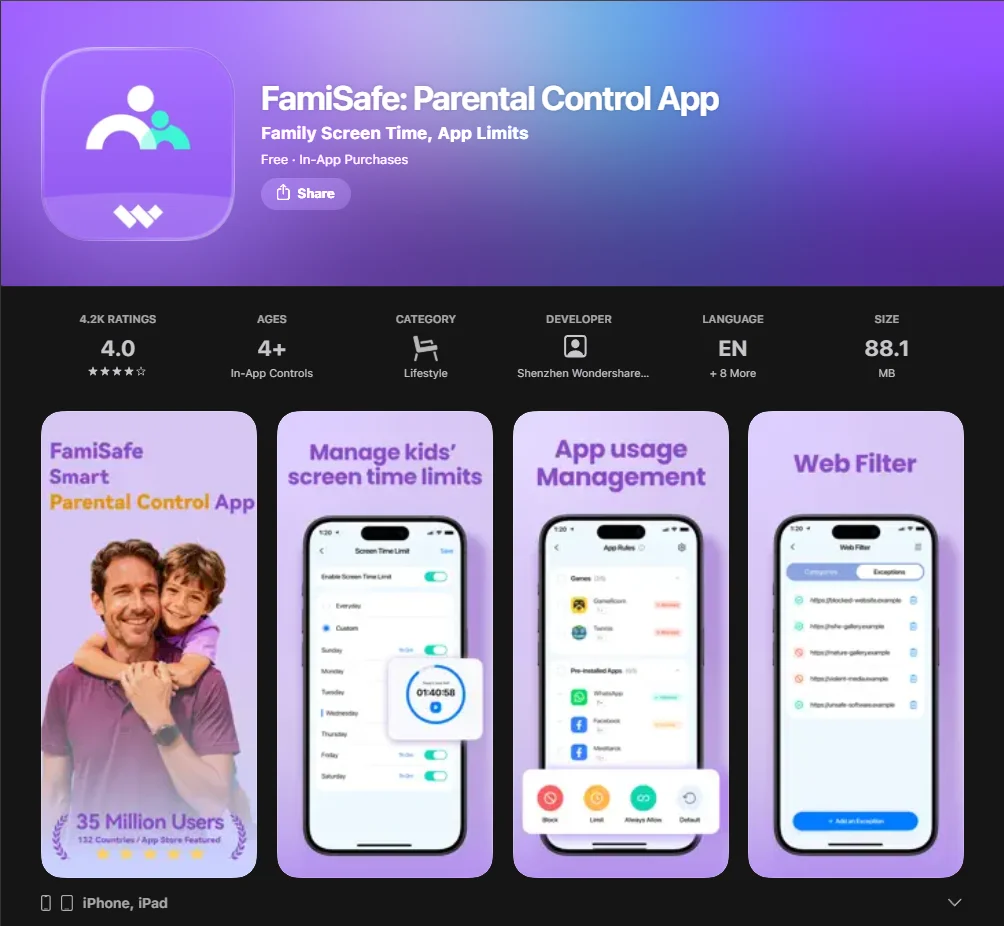
FamiSafe, developed by Wondershare, is a hybrid monitoring app. It bridges the gap between a GPS location tool and a digital boundary setter, making it a versatile app for tracking both physical and digital movement.
Key Features
Beyond real-time tracking, FamiSafe offers features such as Explicit Content Detection and TikTok History on supported platforms. Its location tracking and web-filtering tools work across Android and iOS, but feature parity is not identical across platforms. Android currently supports a broader set of monitoring tools than iOS.
Best Fit
Families who want a single app for parents to manage everything from gps tracking to YouTube history will find this most beneficial. It is excellent to manage “Mixed-Device” households.
Weak Spots
Setup on iOS can take longer than on Android, and some monitoring features are more limited on iOS. Some android users report the Weak Spots can be aggressive in closing background processes to save battery.
Pricing and Value
FamiSafe usually costs around $60 per year. Given that it replaces both a family locator and a screen-time manager, the value is significant for parents seeking a “single pane of glass” view.
4. Qustodio — Best All-in-One Family Safety Pick
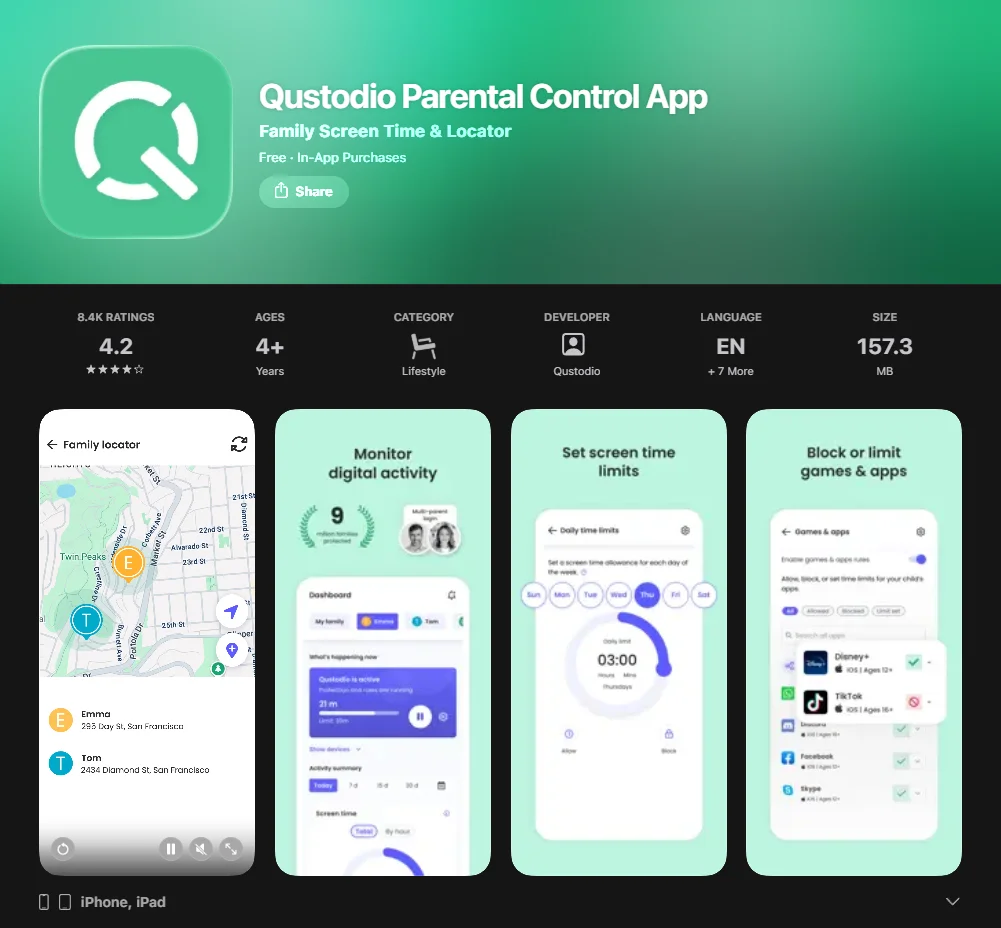
Qustodio is frequently cited by educational frameworks as a leader regarding digital wellbeing. It approaches tracking your child as one part of a larger “digital diet” that includes social media limits and game blocking.
Key Features
The app provides location monitoring, and it also offers a Panic Button on supported Android devices. However, its strength lies in its app usage reports and the ability to set “downtime” on the child’s phone during night hours.
Best Fit
It is the best app for tracking kids in households where digital addiction or “screen-time battles” are a primary concern.
Weak Spots
Qustodio is one of the more expensive parental control apps. Furthermore, the location tracking refresh rate is slightly slower than Life360, making it less ideal to track a moving vehicle in real-time.
Pricing and Value
The Basic plan starts at $59.95/year, while the Complete plan is $109.95/year. While higher than a basic gps tracker, the depth of the monitoring app justifies the cost to families requiring strict digital oversight.
5. Bark — Best for Teens and Online Safety Alerts
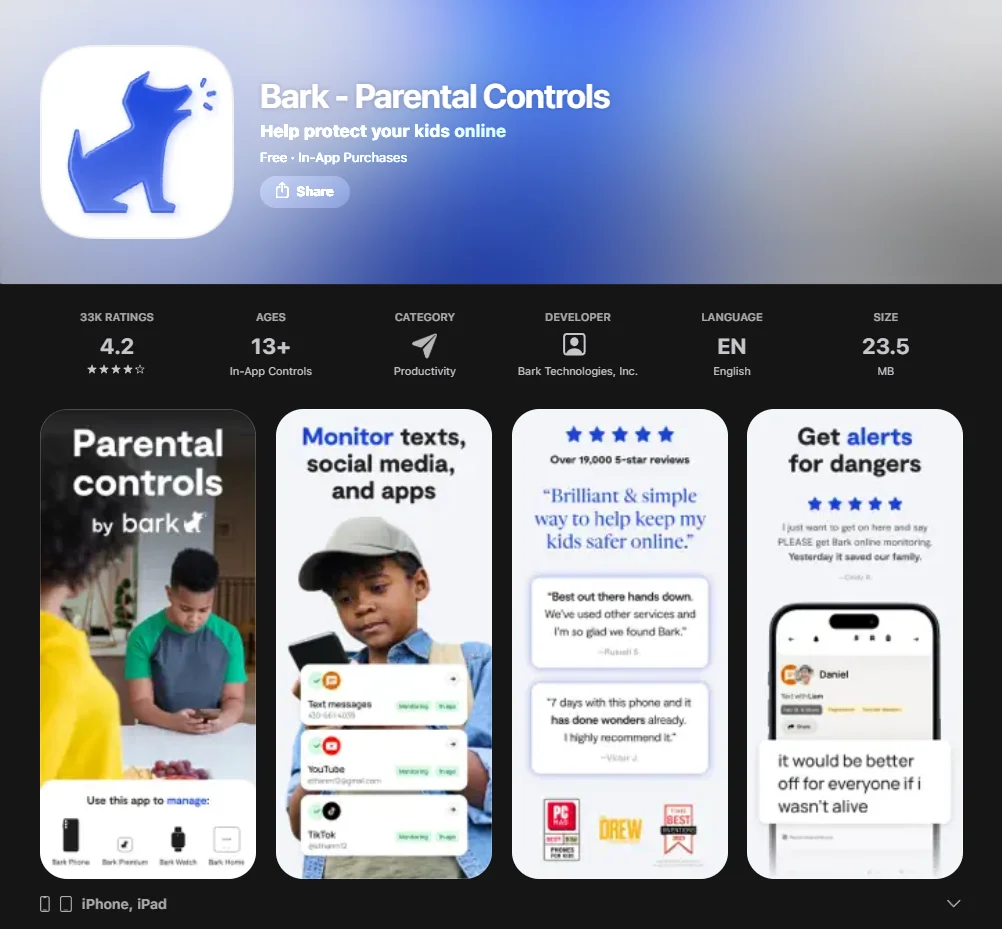
Bark was developed in collaboration with child psychologists to protect older kids from online predators, cyberbullying, and signs of self-harm. It is less about “watching” and more about “alerting.”
Key Features
Bark uses AI to scan 30+ social media platforms. For location tracking, Bark offers a real-time map, location alerts, check-ins, and location history. Its broader positioning is less about constant manual monitoring and more about surfacing potential digital risks.
Best Fit
This is the best overall choice to protect teenagers. It balances child safety with trust, only notifying parents when potential risks are detected within location data or messages.
Weak Spots
If you require real-time location updates every 30 seconds, Bark will disappoint. It is an app for tracking risks, not a high-frequency gps tracker.
Pricing and Value
At $14/month for the full suite, it is a premium service. However, for parents of older kids navigating the complexities of social media, the apps offer a level of security that competitors cannot match.
6. Google Family Link — Best Free Pick for Android Families
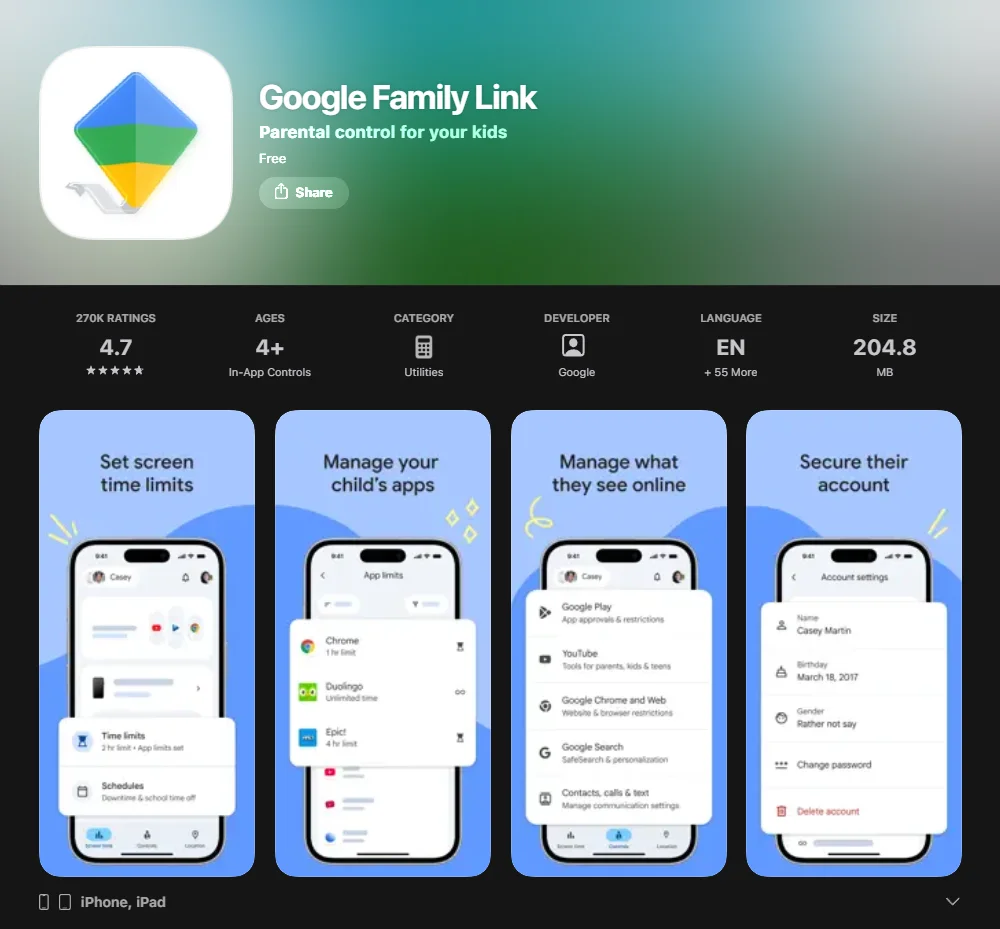
Google Family Link is a built-in solution that serves as the best child tracking app to assist those on a tight budget. It leverages Google’s infrastructure to provide reliable GPS location data.
Key Features
Parents can view the child’s location on a map, manage app permissions, and lock the android device remotely. It provides real-time location tracking that is surprisingly accurate.
Best Fit
It is the natural choice to support android users. Since it is developed by Google, it has the deepest integration with the android operating system, making it very difficult to bypass.
Weak Spots
Many parental control apps don’t offer the same level of customer support as paid versions. Family Link is primarily an Android-first solution. On iPhone and iPad, most Family Link supervision settings do not work, including screen time limits, device location, app activity, app blocking, and Chrome restrictions.
7. Norton Family — Best for Broader Device Oversight
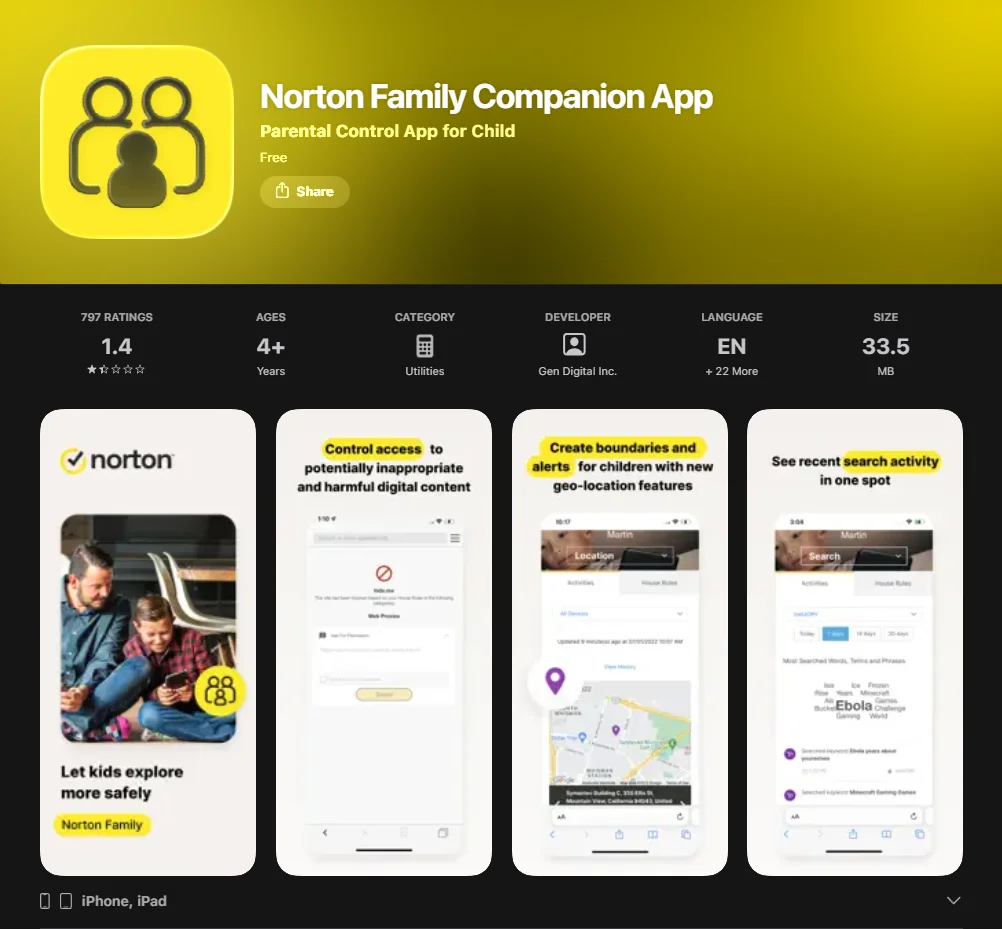
Norton Family supports child devices on Windows PC, Android, and iOS, while parents can monitor and manage activity from Windows, Mac, iOS, Android, or a browser dashboard.
Key Features
It offers accurate location tracking and a “School Time” mode allowing only educational websites. The location history is clear and easy to navigate.
Best Fit
Best suited to families who already use Norton Antivirus and want to track family members through a familiar interface.
8. AngelSense — Best for Special Needs Safety
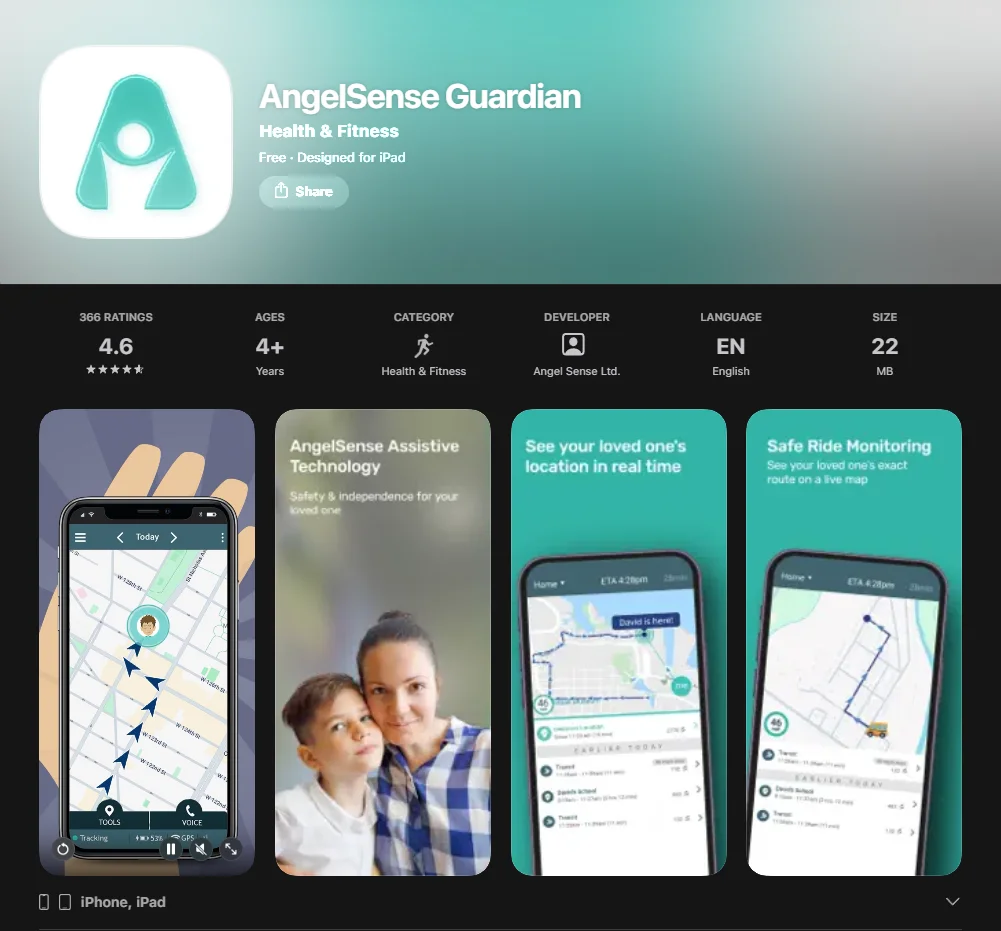
AngelSense is a specialized assistive-technology solution that combines a wearable device, caregiver app, embedded SIM service, and continuous GPS monitoring for children and teens with special needs who may be prone to wandering. It is a “safety-first” tool rather than a general family locator.
Key Features
It features “continuous monitoring,” a “non-removable” wearable tracker, and an “auto-answer” voice feature so parents can communicate with their child at any time.
Best Fit
Families where the child has a high risk of “elopement” (wandering). It provides a level of real-time GPS tracking that consumer apps like Life360 cannot match.
Quick Comparison Table
Choosing the right monitoring app requires weighing features against hardware compatibility.
| Feature | Life360 | Find My Kids | FamiSafe | Qustodio | Bark |
| Platform | iOS, Android | iOS, Android, Watch | iOS, Android, Kindle | Windows, Android, iOS, Mac, Kindle | iOS, Android |
| Real-Time GPS | Yes (High Freq) | Yes | Yes | Yes | Yes; Bark offers a real-time map, location alerts, check-ins, and location history |
| Geofencing | Unlimited | Yes | Yes | Yes | Yes |
| Screen Time | No | No | Yes | Yes | Yes |
| SOS Button | Yes | Yes | Yes | Yes | No |
| Price (Starting) | Free / $7.99/mo (Silver), Gold at $14.99/mo | Pricing varies by plan, platform, and region; avoid a single hardcoded “starting price” unless you specify the exact plan | $9.99/month; $19.99 billed quarterly; $59.99 billed annually | $54.95/yr | Bark Jr starts at $5/month or $49/year; Bark Premium starts at $14/month or $99/year |
Apps and Platforms
The app store and Google Play Store offer various apps like Life360, but platform parity is rare. Android users often enjoy more granular app blocking, while apps for iphone are occasionally limited by Apple’s sandboxing policies regarding location data.
GPS, Alerts, History, SOS
A functional tracker must include real-time tracking and location history. The best app for tracking kids should provide “Place Alerts,” notifying parents and kids the moment a child leaves or arrives at a designated safe zone.
Screen Time, Filtering
While a basic gps tracker only shows coordinates, many parental control apps like Qustodio include web filtering. These apps offer a “downtime” feature, which is essential to maintain healthy sleep hygiene and focus during school hours.
Pricing, Trial, Refund
Most apps for kids operate on a “Freemium” model. Life360 offers a generous free tier. Always look into a 7-day trial to test accurate location performance within your specific neighborhood.
Best Fit by Family Type
- Active Families: Life360 (optimized to track driving and location)
- Toddlers/Elementary: Find My Kids (tailored to gps tracker for kids watches)
- Digital Natives: Bark (effective regarding social media monitoring)
- Budget Conscious: Google Family Link
Best Tracking App by Use Case
Different scenarios require different tracking app strengths.
Best Pick for School Commutes
Find My Kids wins here. Its geofencing is highly sensitive, providing accurate location alerts the moment a child enters the school gates.
Best Pick for Teens
Bark or Life360 (with driving reports) are leaders. They provide real-time location tracking without being overly restrictive of a teen’s autonomy.
Best Pick for Mixed iPhone and Android Families
Life360 and FamiSafe are the most stable. They ensure that location update frequency remains high even across platform lines.
Best Pick for GPS Watch Users
Find My Kids is the industry leader in supporting GPS trackers for kids’ watches, compatible with hundreds of different “no-name” and branded models.
Key Features That Matter Most
Real-Time GPS Accuracy
Accurate gps tracking depends on how often the app pings the satellite. High-end apps for parents ping every few seconds, while apps like Family Link might refresh every few minutes to save battery.
Geofencing and Arrival Alerts
Geofencing allows you to draw virtual boundaries around “Safe Places.” When a child leaves or enters, you receive an accurate location alert. This is often more useful than staring at a live location map.
Practical Factors Before Choosing App
- Battery Usage: High-accuracy GPS tracking will drain a child’s phone faster.
- Network Dependence: Apps work best on 4G/5G. Without location data or Wi-Fi, the tracker may show a “stale” location.
- Data Security: Ensure the app uses end-to-end encryption. Your location history is sensitive data that must be protected.
How to Set Up Tracking App
- Parent Phone Setup: Download the parental control app from the app store or Google Play and create an account.
- Child Device Setup: Install the child tracking app version on the child’s phone.
- Permissions: This is a critical step. You must allow “Always On” location tracking and “Background App Refresh” for the app to track correctly.
- Testing: Walk around the block carrying the child’s phone to ensure the real-time location updates on the parent’s map.
Frequently Asked Questions
What is the best tracking app for kids?
For most families, Life360 is the best overall due to its balance of speed and features. Regarding younger kids, Find My Kids is the top choice.
Can tracking apps work without the internet?
No. While GPS satellites can find the phone, the mobile app needs an internet connection (data or Wi-Fi) to send that location data to the parent.
Is it legal to track my child?
In most jurisdictions, it is legal to track minor children to ensure safety. It is recommended that parents and kids have an open conversation about why the app is used to build trust.

Take a short quiz to find out what your everyday choices say about your parenting style
When your child is curious about something new, what’s your instinct?
Take a short quiz to find out what your everyday choices say about your parenting style
“Can I download this app?” What happens next?
Take a short quiz to find out what your everyday choices say about your parenting style
When it comes to rules at home, which sounds most like you?
Take a short quiz to find out what your everyday choices say about your parenting style
If you could give your child one life skill today, what would you pick?
Take a short quiz to find out what your everyday choices say about your parenting style
Your child gets to choose what to watch. What would your ideal setup look like?
Take a short quiz to find out what your everyday choices say about your parenting style
Pick your parenting superpower ✨



