
Internet Safety Tips for Kids: 15 Rules Parents Can Use Today

 Discover a Free Education Video App for Kids
Pastory uses AI to personalize educational video content based on your child’s interests and personality. Safe, engaging, and built for curious young minds. Sign up now to stay updated and enjoy early access with a free trial
Navigating the digital world requires proactive guidance to help children explore online spaces safely. As children spend more time online for education and entertainment, parents must understand the modern digital landscape. This guide provides actionable strategies, evidence-based insights, and child development principles to help you establish a secure environment for your family. By balancing technological tools with open communication, you can empower children to develop responsible online behavior.
Key Takeaways
- Proactive Education: Teach kids about online safety early to build digital resilience and critical thinking skills.
- Layered Defenses: Combine parental control software with clear family rules to protect children from online risks.
- Privacy First: Teach children to protect personal information, use strong and unique passwords, and manage app permissions carefully.
- Open Communication: Maintain an ongoing dialogue about online experiences so kids feel safe reporting cyberbullying, suspicious contacts, or uncomfortable situations.
Main Online Risks Kids Face
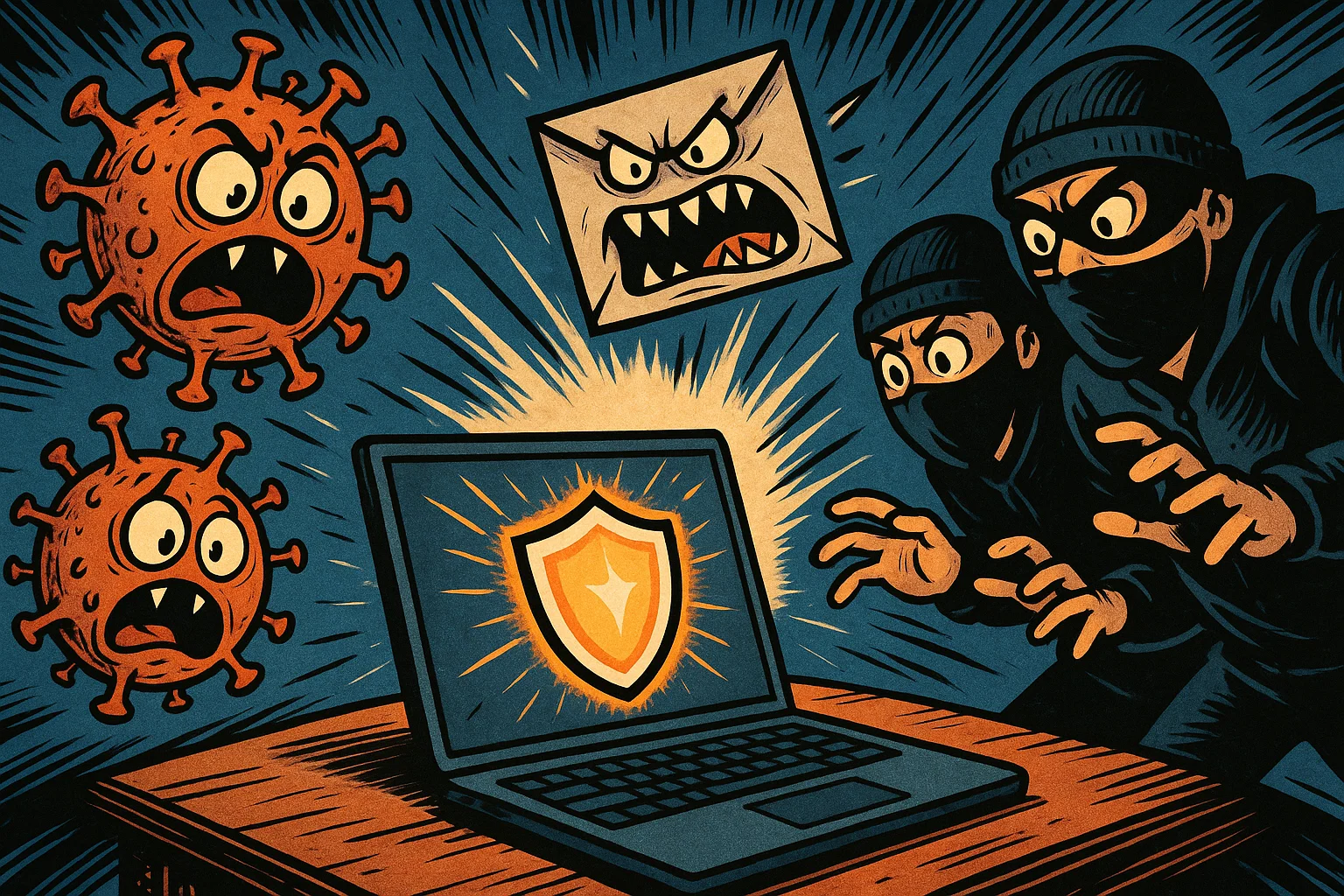
The online world exposes children and teens to several digital risks that require parental awareness, guidance, and age-appropriate oversight. Cyberbullying is a significant risk and can occur through text messages, social platforms, gaming chats, and group messaging apps. Phishing and scams target young internet users through deceptive links, fake giveaways, and malicious downloads that compromise account security. Some online predators exploit the anonymity of the internet, using games, social media apps, and messaging platforms to build trust with minors. Additionally, excessive or poorly timed screen use can contribute to sleep disruption and emotional overload, while pervasive tracking systems can create long-term privacy risks.
Most Important Safety Rules
To stay safer online, children should follow foundational safety and security practices across their digital activities. First, kids need to protect personal details such as full names, home addresses, phone numbers, and school names. Second, children should avoid private or personal conversations with people they do not know offline and decline requests to move conversations to private or less-monitored apps. Third, young users must learn to report cyberbullying immediately to a trusted adult rather than responding to harassment. Fourth, downloading files, games, or browser extensions requires explicit parental permission to help prevent malware infections. Finally, keeping passwords private, even from close friends, is essential for protecting account security.
Parents’ Role in Online Safety
Parents play a central role in teaching, guiding, and protecting children online. Establishing clear rules regarding allowed online activities and time limits helps children build balanced digital habits. Using parental control software can help you filter inappropriate content, monitor app usage, and set age-appropriate boundaries. Regularly reviewing apps and privacy settings helps ensure that platform configurations remain safer over time. Most importantly, modeling safe online habits yourself reinforces the behaviors you want your children to practice.
| Parent Responsibility | Core Action Required | Expected Benefit |
| Rule Setting | Establish daily time limits and approved app lists. | Helps families reduce excessive screen time and create more predictable digital routines. |
| Technical Monitoring | Deploy parental control filters and safe search tools. | Helps block many categories of explicit or age-inappropriate online content. |
| Open Dialogue | Conduct weekly check-ins about digital experiences. | Makes children more likely to report uncomfortable or unsafe online experiences. |
| Role Modeling | Maintain device-free zones during family meals. | Reinforces healthy offline boundaries organically. |
Why Kids Need Protection Online

Children can be especially vulnerable to online risks because their cognitive, emotional, and social skills are still developing. The American Academy of Pediatrics notes that the prefrontal cortex, which helps regulate impulse control, planning, and risk assessment, continues maturing into young adulthood. This developmental factor can make children more vulnerable to social pressure, impulsive decisions, and targeted scams. Furthermore, gamified platform features can make online experiences more rewarding and harder to stop, which may affect a child’s judgment around privacy and safety.
Cyberbullying Risk
Cyberbullying involves the use of digital communication tools to deliberately harass, humiliate, or exclude an individual. Research from the Cyberbullying Research Center indicates that, across its recent U.S. studies, about 30% of surveyed teens reported being cyberbullied at some point in their lives. This behavior manifests as rude messages, public shaming, exclusionary tactics, or the spreading of malicious rumors within school chats and gaming communities. Because digital content can spread rapidly, cyberbullying may contribute to anxiety, school avoidance, and depressive symptoms.
Online Predator Risk
Some online predators use grooming tactics to exploit children’s trust, curiosity, or desire for connection online. Organizations like the National Center for Missing & Exploited Children warn that online enticement can occur through social media, messaging apps, gaming platforms, and other digital spaces. These adults may adopt fake personas to appear as peers, offer digital gifts or game currency, and gradually build emotional trust. Over time, they may attempt to isolate the child by requesting private photos or moving the conversation to unmonitored, encrypted messaging platforms.
Privacy Risk
Children may share sensitive personal information online without fully understanding the permanence of their digital footprint. A Pew Research Center report found that 71% of teen social media users posted their school name, 71% posted their city or town, and 16% had set their profile to automatically include location information in posts. This inadvertent sharing of personal details can make it easier for bad actors to infer a child’s routines, location, or interests and target them with scams. Without guidance, young internet users may not understand how companies collect, combine, and use their data for profiling or targeted advertising.
Device and Account Risk
Malware and account hijacking are significant technical risks for household internet security. Children searching for free game mods, cheats, or streaming media may click suspicious links or download infected apps. These actions can introduce spyware, ransomware, or keyloggers onto family devices, compromising sensitive financial or personal records. Weak or shared passwords increase this risk, making it easier for unauthorized users to take over accounts and impersonate the child.
Online Risks: Dangers of Internet for Kids
Looking at the broader digital landscape helps parents understand how platform design can affect children’s safety. Understanding these structural risks allows parents to shift from reactive restriction to proactive digital wellness education.
Communicating Online Can Be Unsafe
Modern digital communication features public forums, multiplayer voice channels, and unmoderated direct messaging systems that expose kids to inappropriate interactions. Within gaming voice channels and public comment sections, children may be exposed to toxic behavior, adult language, and harmful ideologies. The peer-to-peer nature of these platforms makes it difficult for automated filters to catch harmful content in real time. As a result, unrestricted communication channels can give bad actors opportunities to manipulate young users.
Spending Time Online Can Affect Kids’ Health
For children under 5, the World Health Organization recommends limiting sedentary screen-based time as part of a balanced daily routine that includes physical activity and sleep. More broadly, excessive or poorly timed screen use can interfere with a child’s physical and psychological well-being. Constant notifications and algorithmic feeds can make it harder for children to disengage from screens, which may interfere with sleep, focus, and emotional regulation. Prolonged sedentary behavior can also contribute to physical health concerns, while repeated social comparison on media feeds may affect self-esteem and body image. Over time, this emotional overload can undermine a child’s capacity for deep focus and real-world social interaction.
Going Online Can Expose Kids’ Privacy
Many digital interactions generate data trails through cookies, tracking pixels, device identifiers, and location permissions. Many applications operate with permissive default settings that may share a child’s location, device information, or usage patterns with third parties. When children upload photos or fill out interactive quizzes, they may unintentionally reveal details about their family’s schedule, routines, or location. This erosion of privacy can expose children to targeted advertising, commercial profiling, and other data-driven risks.
Misinformation Can Shape Bad Decisions
The spread of fake news, manipulated videos, deepfakes, and viral internet challenges can make it harder for children to evaluate information critically. Algorithmic recommendation engines often prioritize sensational or misleading information to maximize user engagement. Children may believe false health advice, participate in physically dangerous challenges, or fall for scam giveaways promising free electronics. This distorted view of reality can affect their academic choices, financial decisions, and real-world relationships.
Websites and Apps Kids Use Most
To protect kids online, parents must understand the specific environments where children spend their time. Different categories of apps present distinct safety challenges that require tailored management strategies.
Social Media Apps
Social media platforms rely heavily on public profiles, algorithmic content recommendations, and direct communication features. These systems can expose children and teens to unvetted friend requests, cyberbullying, and recommendation loops that surface mature content. Location tags embedded in shared media can inadvertently reveal a child’s physical location to anyone viewing the profile. Managing these platforms effectively may involve limiting public visibility, restricting direct messages, and adjusting recommendation and privacy settings.
Online Games and Gaming Chats
Multiplayer online games integrate highly interactive virtual worlds with voice and text chat systems. In these environments, children interact with global player bases where older users can mask their identities. Peer pressure can push kids to share gamertags, trade digital assets, or move conversations to less-moderated external chat platforms such as Discord. Furthermore, monetization features such as loot boxes, in-game currencies, and limited-time offers can encourage impulsive spending or unauthorized purchases.
Video Platforms and Livestreams
Video streaming platforms often use autoplay features and personalized recommendations to increase viewing time, which can sometimes lead children toward inappropriate or low-quality content. Livestream channels introduce real-time risks, as unmoderated chat feeds may run alongside live broadcasts, exposing viewers to adult commentary and malicious links. Influencer culture can create social and commercial pressure, encouraging children to buy specific products or participate in risky viral trends. Reducing these risks may involve turning off autoplay, using youth-oriented versions of streaming services, and reviewing watch history and recommendations regularly.
Messaging Apps and Group Chats
Messaging apps and group chats create spaces where screenshots can be taken and private content can be forwarded without consent. The closed nature of group chats can amplify peer pressure, social exclusion, and cyberbullying outside adult supervision. Disappearing message features can embolden children to send inappropriate photos or text messages under the false assumption that the data vanishes permanently. Unknown contacts may also add children to large, unmonitored group chats that contain explicit material.
Privacy Laws and Child Data Protections
Legal frameworks provide important guardrails intended to protect children from commercial data exploitation and unauthorized data collection. Understanding these protections helps parents hold digital platforms accountable and make informed decisions about which apps to allow.
Children’s Online Privacy Protection Act
The Children’s Online Privacy Protection Act (COPPA) is a federal law enforced by the Federal Trade Commission that restricts the collection of personal information from children under the age of 13. COPPA generally requires covered operators to provide notice and obtain verifiable parental consent before collecting, using, or disclosing personal information from children under 13, subject to limited exceptions. This regulation gives parents important rights, including notice, consent, the ability to review or delete certain information, and limits on how covered operators collect and retain children’s data. Checking for COPPA-related notices, parental consent flows, and privacy practices can help parents evaluate whether an app offers appropriate child data protections.
State Laws Regarding Children’s Online Privacy and Safety
In addition to federal regulations, individual states have enacted or proposed stricter privacy protections to help secure children and teens online. For instance, California’s Age-Appropriate Design Code Act was designed to impose child-safety and privacy obligations on businesses whose online services are likely to be accessed by children, but its enforceability has been affected by ongoing litigation and partial injunctions. These local rules may influence how companies design youth-facing services and how schools evaluate digital platforms, but requirements vary by jurisdiction. Parents should check local regulations and school guidance to ensure their household apps align with relevant privacy protections.
COPPA Violations and Warning Signs
Despite strict regulations, certain applications may violate privacy laws by using aggressive data collection techniques or deceptive interface designs. Parents should watch out for apps that demand unnecessary permissions, such as requesting access to contacts or location data for a simple puzzle game. Default public profiles, vague privacy policies, and persistent prompts asking children to link social media accounts are significant red flags. Identifying these warning signs helps you remove non-compliant software before it compromises your family’s privacy.
| Law / Framework | Target Demographic | Core Protection Feature |
| COPPA | Children under the age of 13 | Generally requires verifiable parental consent before covered operators collect, use, or disclose personal information from children under 13, subject to limited exceptions. |
| State Design Codes | Minors, depending on the state law | Often focus on privacy-by-default, risk assessments, data minimization, and safer design; exact obligations vary and may be affected by litigation. |
| GDPR Article 8 / EU Child-Consent Rules | Children below the applicable digital-consent age, usually 13–16 depending on the EU member state | Requires parental authorization for certain online services when the child is below the applicable consent age; GDPR also provides broader data-subject rights, including erasure rights in some circumstances. |
What Parents Can Do to Protect Kids Online
Securing a safe online environment requires combining robust technical controls with clear family communication. Taking practical steps helps protect children from online risks while building their digital literacy.
Set Ground Rules
Establishing clear family rules provides a predictable framework for how your children use the internet safely. Define clear boundaries regarding daily time online, approved categories of apps, and explicit rules against making online purchases without permission. Keep devices out of bedrooms after bedtime to protect sleep quality and reduce unmonitored late-night browsing. Writing these boundaries into a shared family media agreement can help children understand their digital responsibilities more clearly.
Use Parental Controls
Parental control software provides an essential technical layer to filter inappropriate content and manage access schedules. Configure built-in device settings to enforce safe search defaults across all browsers and restrict app downloads without parental approval. Set daily time limits on entertainment apps to prevent overuse and encourage healthy offline breaks. Use platform-specific safety features, such as YouTube Restricted Mode, to reduce exposure to mature content.
Manage and Monitor Internet Access
Supervising a child’s online experiences requires matching their level of monitoring with their age and maturity. For younger children, keep shared computers and gaming systems in common areas of the home where adults can provide support and supervision. Periodically review device activity reports, router-level parental-control summaries if available, and installed apps to ensure no unapproved software is running on family devices. As your children grow and demonstrate responsible online behavior, gradually grant them more digital freedom.
Give Kids Trust and Respect
Building long-term digital safety relies on cultivating open trust rather than relying solely on hidden surveillance. Explain the underlying reasons behind your safety rules, helping children understand that boundaries are designed for protection rather than punishment. Avoid overreacting or revoking all device access when your child reports an online problem, because harsh punishments can discourage them from asking for help in the future. This respectful approach encourages kids to seek your guidance whenever they experience uncomfortable situations online.
Use Security Software Across the Household
Deploying security software across family devices protects your home network from automated online threats, malware, and data breaches. Install reputable antivirus or anti-malware tools where appropriate, especially on computers and Android devices, to help detect malicious downloads. Implement a secure password manager to generate and store complex, unique credentials for every household account. Keep all operating systems and applications updated automatically to ensure critical security patches are always active.
Internet Safety Rules Checklist for Kids
Share these 15 actionable safety rules directly with your children to help them navigate digital spaces securely and responsibly.
1. Report Cyberbullying and Avoid Rude Online Behavior
If you see someone online sending mean messages, posting embarrassing photos, or excluding others, do not join in or respond with insults. Save evidence of the harassment by taking screenshots, block the person responsible, and report the behavior to a trusted adult immediately. Treating others with kindness online helps build a safer, more positive digital community for everyone.
2. Ask Permission Before Downloading Anything
Never download a new game, app, browser extension, or game mod without getting permission from your parents first. Many unauthorized files contain hidden malware, spyware, or tracking tools designed to steal personal information or break your device. Checking with an adult before clicking a download link helps ensure that files are verified and safe to use.
3. Avoid Suspicious Links and Clickbait
Steer clear of pop-up ads, flashing buttons, and shocking headlines that claim you have won a prize or must click a link immediately. These links often lead to fake login pages designed to steal your passwords or compromise your account security. If an offer or headline looks too good to be true, it is likely a scam designed to deceive you.
4. Never Share Sensitive Information
Keep your full name, home address, school name, phone number, and family schedules completely private from anyone you meet online. Sharing these personal details can allow strangers to track your physical location or target your family with sophisticated scams. Before posting or sending a message, double-check that it does not accidentally reveal these private details.
5. Choose Online Friends Carefully
Only accept friend requests, game invites, or follow requests from people you know face-to-face in real life. Remember that users online can easily create fake profiles, use stolen photos, and pretend to be someone they are not. Restricting your digital network to real-life friends keeps your personal updates and photos more secure.
6. Check Whether Online Information Is True
Not everything you read, see, or watch online is accurate, truthful, or based on real facts. Develop the habit of comparing multiple reliable websites, checking author credentials, and asking an adult when you see shocking news. Critical thinking helps you spot fake news, deepfakes, scams, and dangerous online challenges before believing, joining, or sharing them.
7. Know When Personal Information Should Stay Private
When creating usernames, digital avatars, or profile descriptions, avoid using your real name, birth year, or school acronyms. Ensure that your profile pictures do not display identifiable backgrounds, school uniforms, or street signs that reveal your location. Keeping your public profiles anonymous helps prevent data tracking networks from profiling your identity.
8. Keep Passwords Secure and Private
Create strong passwords using a mix of letters, numbers, and special symbols, and never share them with anyone outside your parents. If a friend learns your password, they could log into your profile, read your private chats, or post inappropriate content pretending to be you. Using unique passwords for each account helps ensure that if one account is hacked, your other accounts remain safer.
9. Do Not Talk to Strangers Online
If an unknown user sends you a private message or asks personal questions in a game chat, do not reply. Be highly suspicious of anyone who asks you to keep secrets, offers free in-game currency, or pressures you to move to a different messaging app. Cut off the interaction immediately and inform your parents if a stranger attempts to deepen a conversation with you.
10. Block and Report Online Bullies
When a user behaves rudely, threatens you, or makes you feel unsafe, use the platform’s built-in block and report tools right away. Blocking stops the person from sending you further messages, while reporting alerts platform moderators so they can review the account and take appropriate action. You do not owe anyone an explanation or an argument before blocking them.
11. Remember Online Posts Can Last Forever
Before you post a comment, share a photo, or send a video, remember that digital content can be captured via screenshots and shared indefinitely. Even if you use disappearing message features, other users can save and repost your content without your knowledge. A single impulsive post can follow you for years, potentially affecting your real-world friendships, school standing, and future opportunities.
12. Think Before Accepting Cookies or Permissions
When an app or website asks to access your microphone, camera, contacts, or location, select “deny” unless the tool absolutely requires it to function. Many applications collect these broad permissions simply to track your habits and display targeted ads. Asking a parent before accepting tracking cookies helps protect your device from pervasive background monitoring.
13. Keep Devices Updated
Whenever your phone, computer, or gaming console alerts you that a system update is available, let your parents know so they can install it. These updates often include security fixes that patch software vulnerabilities and reduce the risk of exploitation. Keeping your applications updated helps ensure that your favorite platforms run with the latest security protections.
14. Use Safe Privacy Settings
Regularly access the settings menu on every app you use to verify that your profile visibility is switched to “Private” or “Friends Only.” Restrict comment sections, disable public direct messaging, and turn off any features that display your active location to others. Keeping your privacy settings strict helps ensure that only pre-approved individuals can interact with your digital content.
15. Tell a Trusted Adult When Something Feels Wrong
If you ever see a scary video, receive an inappropriate message, make a mistake online, or feel uncomfortable, tell your parents or a trusted teacher immediately. You should be able to ask for help without fear of harsh punishment or losing all internet access. Adults are there to support you, help fix digital mistakes, and ensure you remain safer in the online world.
When Parents Should Act
Recognizing behavioral changes and technical warning signs early can help parents step in before digital issues escalate. Timely action can help reduce the risk of ongoing psychological distress and technical security problems.
Warning Signs of Cyberbullying
Children experiencing cyberbullying often show noticeable changes in their daily routines, emotional patterns, and tech habits. Look for sudden drops in academic performance, school anxiety, or a strong reluctance to attend social activities with peers. A child may become visibly upset, anxious, or secretive during or immediately after using their phone or computer. Sleep disturbances, frequent headaches, and a sudden desire to delete social media accounts can also indicate ongoing online harassment.
Warning Signs of Grooming
Grooming behaviors often cause a child to become increasingly isolated and secretive about their digital interactions. Pay close attention if your child receives unexplained packages, digital gift cards, or physical gifts from an unverified online acquaintance. They may go to great lengths to hide their screens from view, use devices late at night, or use coded language when discussing online friends. A child who becomes intensely defensive about a specific online relationship or expresses a desire to meet someone from the internet needs calm, immediate adult attention and safety planning.
Warning Signs of Scams or Phishing
Technical anomalies and unusual account behavior often indicate that a child’s profile or device may have been compromised by a scam. Watch out for unexpected password reset emails, account lockout notifications, or unrecognized purchases on linked credit cards or app stores. If your child’s social media profiles begin broadcasting automated spam links or sending unusual direct messages to friends, the account may have been hijacked. Device slowdowns, rapid battery drain, and unexplained pop-up ads are also signs of possible malware infections from unsafe links.
Steps Parents Should Take First
When you confirm an online safety issue, staying calm and methodical is essential for securing your child’s well-being. Document relevant evidence carefully, such as harassing messages, suspicious profiles, or fraudulent transactions, and avoid forwarding or resharing any sexual content involving minors; report suspected child exploitation to the appropriate platform, NCMEC’s CyberTipline, or law enforcement. Block the malicious accounts across all platforms and use the service’s reporting tools to alert moderators to the violation. Update all compromised passwords to strong, unique combinations, enable two-factor authentication, and contact law enforcement or school administrators if physical safety is threatened.
Response Flow:
[Confirm Threat] → [Take Detailed Screenshots] → [Block & Report Accounts] → [Update Credentials] → [Contact School, Platform, NCMEC, or Law Enforcement if Needed]
How to Talk with Kids About Internet Safety
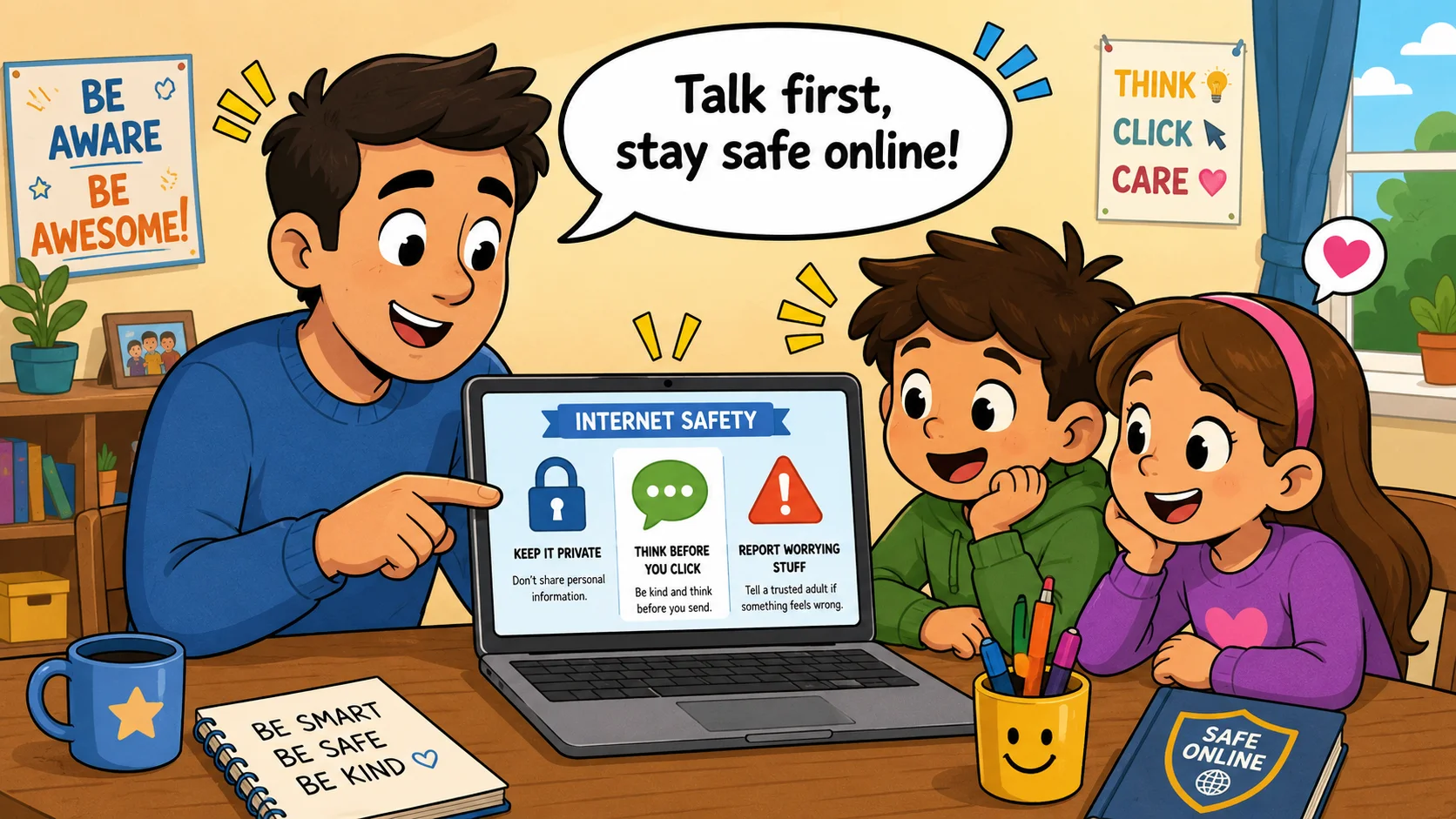
Maintaining an open, supportive dialogue about digital wellness ensures that children view safety guidelines as a protective tool rather than a restriction. Use these conversation strategies to build trust and digital literacy.
Talk About Online Safety Early
Initiate conversations about digital safety before your children receive their first personal devices or register for social media accounts. Introduce basic security concepts, such as protecting personal information and recognizing digital boundaries, while browsing the internet together. Early conversations help set healthy expectations and establish internet safety as a normal, everyday topic in your household. This proactive education builds a strong foundation for safe browsing habits before children face complex digital environments.
Explain How and Why You Monitor Online Use
Be completely transparent with your children about the presence of parental control software and monitoring tools on family devices. Frame these tools as essential safety equipment, comparing them to seatbelts or bicycle helmets designed to protect them while they learn. This transparency prevents children from feeling spied on and reduces the likelihood that they will try to bypass filters. Knowing the reasons behind the monitoring encourages kids to respect established boundaries.
Ask What Is Going On in Kids’ Online Lives
Engage with your child’s digital world by asking open-ended questions about their favorite games, online creators, and current trends. Ask questions like, “What is your favorite part of this game?” or “Have you seen any funny videos or strange challenges today?” This curious, nonjudgmental approach shows your child that you are genuinely interested in their online world. Creating an open space for discussion makes them far more likely to share uncomfortable or confusing online moments with you.
Teach Kids How to Take Action Themselves
Equip your children with practical, actionable scripts and steps they can use independently when they encounter uncomfortable digital situations. Teach them to use phrases like, “I’m not allowed to share that information,” or “I’m not comfortable with this conversation, so I’m leaving the chat.” Show them exactly where the block and report buttons are located on their favorite platforms. Giving kids these practical tools builds confidence and helps them make safer choices when they are online on their own.
Involve Kids in Decision-Making
Include your children in discussions when setting family media agreements, reviewing new apps, and establishing screen time limits. Sit down together to read app store age ratings, review privacy requirements, and decide if a requested platform is appropriate for their maturity level. As children grow older, collaborate on adjusting their digital boundaries to reflect their demonstrated responsibility. This collaborative approach encourages children to take ownership of their online behavior and follow family rules willingly.
Focus on Positive Online Experiences
Balance discussions about online risks by highlighting the many positive educational opportunities the internet provides. Encourage your children to use digital tools for creative writing, learning new coding skills, exploring science topics, and keeping in touch with extended family. Highlight how curated educational feeds and interactive learning platforms support critical thinking, artistic expression, and problem-solving skills. Shifting the focus from fear to digital literacy helps kids develop a healthy, productive relationship with technology.
Screen Time Limits and Healthy Online Habits
Cultivating digital wellness requires clear time boundaries that balance screen use with important offline developmental activities. Establishing these habits helps protect a child’s physical health, sleep quality, and emotional focus.
Set Time Limits for Devices
Establishing consistent daily time constraints prevents digital overuse and ensures technology remains a balanced part of a child’s day. Use device settings to enforce clear limits, such as a consistent recreational screen-time window on school nights. Implement strict device-free zones during family meals and social gatherings to encourage direct, face-to-face communication. Clearly defining when screens must be turned off helps children transition smoothly between digital play and daily responsibilities.
Protect Sleep and Focus
Supporting your child’s sleep quality may involve removing electronic devices from bedrooms at least one hour before bedtime. The blue light emitted by screens can suppress melatonin production, which may disrupt natural sleep cycles and make it harder to fall asleep. Disable non-essential app notifications during homework hours to help children focus and prevent attention fragmentation. Protecting these quiet times allows children to rest properly, retain what they learn, and manage daily stress more effectively.
Encourage Offline Balance
Actively encourage a variety of offline activities, such as organized sports, reading, outdoor play, creative projects, and face-to-face time with friends. Physical movement and unstructured play are essential for developing fine motor skills, spatial awareness, and real-world problem-solving abilities. Ensure that recreational screen time does not regularly replace physical activity, family responsibilities, sleep, or hands-on hobbies. Encouraging a balanced lifestyle helps kids understand that digital entertainment is just one small part of a rich, active life.
Model Healthy Digital Behavior
Children learn more by observing their parents’ daily tech habits than they do from rules alone. Practice healthy boundaries yourself by putting your own phone away during family conversations, meals, and dedicated outings. Avoid checking work emails or scrolling through social feeds continuously while interacting with your children. Demonstrating mindful device usage shows your children that offline relationships and real-world presence are valuable priorities.
App Review Checklist for Parents
Before allowing your child to use a new website or download a new app, use this evaluation framework to inspect its safety features, privacy settings, and community risks.
Check Age Ratings
Review official app store age ratings and, for games, content ratings such as ESRB or PEGI to understand the baseline maturity level recommended for a platform. Remember that age ratings are helpful starting points, but they do not guarantee that an app’s live community content is safe. Look deeper into the specific content descriptors, such as references to mild violence, adult language, or user-to-user interactions. This step helps you determine if the app’s basic themes match your child’s developmental stage.
Review Privacy Settings
Open the application’s configuration menu to review how user accounts manage data sharing, profile visibility, and location tracking. Verify that the app allows you to set the profile to “Private” by default, block public search indexing, and completely disable location permissions. Check whether the platform allows you to opt out of targeted advertising and third-party data collection. Making sure strong privacy controls are available can help protect your child’s personal information from unnecessary sharing or commercial tracking.
Look for Chat and Sharing Features
Examine whether the application includes unmoderated direct messaging, open public comment sections, live streaming, or photo sharing features. Platforms that allow users to upload unvetted media or join open voice channels require significantly closer parental supervision. Determine if the app allows you to turn off direct messages entirely or restrict communications to pre-approved real-life friends. Understanding these communication features helps you block potential avenues for online harassment and predator contact.
Read Reviews and Safety Policies
Consult dedicated parent review platforms, such as Common Sense Media, to gain unbiased insights into hidden app risks, cyberbullying frequency, and adult themes. Review the platform’s official safety center to see what reporting tools, automated filters, and moderation systems are available. Check whether your child’s school or local education authority recommends or discourages using the application. Gathering this expert feedback helps you make informed choices about which apps are appropriate for your child.
| App Feature to Inspect | Safety Criteria Required | Action Item for Parents |
| Default Account Visibility | Should support hidden or “Friends Only” profiles. | Switch visibility to private before allowing use. |
| Location Access Rules | Should function normally with location tracking turned off unless location is essential to the service. | Deny location permissions in device settings when they are not necessary. |
| Communication Settings | Should allow turning off or limiting direct messages from strangers. | Lock down message settings using a parental PIN. |
| In-App Purchasing | Should require password approval for every purchase. | Enable purchase approvals for the account. |
Safe Online Environment for Growing Kids
Maintaining a safe digital environment is an ongoing process that should evolve as your child grows, matures, and gains digital experience. By combining consistent technical protections with open, trust-based communication, you can help your children explore the digital world safely and confidently.
Build a Safety Routine
Incorporate digital safety checks into your family’s regular monthly routine to ensure your security settings stay up to date. Sit down with your children once a month to review installed apps, update account passwords, and check active privacy settings. Use these check-ins as casual opportunities to discuss recent digital trends, favorite online games, or any strange messages they may have seen. Routine reviews help keep internet safety top of mind without causing undue anxiety or fear.
Adjust Rules as Kids Grow
As children transition into adolescence, their need for independence, digital exploration, and social connection naturally increases. Gradually adjust family boundaries by granting older teens more privacy and flexibility, while keeping clear lines of accountability in place. Shift your role from direct supervisor to trusted consultant, encouraging them to analyze online risks critically on their own. This balanced approach helps teens develop self-regulation and prepares them to navigate the internet responsibly as young adults.
Keep Internet Safety Practical
Ultimately, effective internet safety is not about using fear to restrict access; it is about giving children the practical skills, support, and boundaries they need to thrive online and offline. Focus on building digital resilience, critical thinking, and respectful online behavior through everyday conversations. Ensure your children know that no matter what digital mistakes they make, they can always turn to you for guidance and support. Providing this reliable foundation helps your family confidently make the most of the modern digital world.

Take a short quiz to find out what your everyday choices say about your parenting style
When your child is curious about something new, what’s your instinct?
Take a short quiz to find out what your everyday choices say about your parenting style
“Can I download this app?” What happens next?
Take a short quiz to find out what your everyday choices say about your parenting style
When it comes to rules at home, which sounds most like you?
Take a short quiz to find out what your everyday choices say about your parenting style
If you could give your child one life skill today, what would you pick?
Take a short quiz to find out what your everyday choices say about your parenting style
Your child gets to choose what to watch. What would your ideal setup look like?
Take a short quiz to find out what your everyday choices say about your parenting style
Pick your parenting superpower ✨



