Digital Literacy for Kids: An Essential Guide for Parents and Teachers

 Discover a Free Education Video App for Kids
Pastory uses AI to personalize educational video content based on your child’s interests and personality. Safe, engaging, and built for curious young minds. Sign up now to stay updated and enjoy early access with a free trial
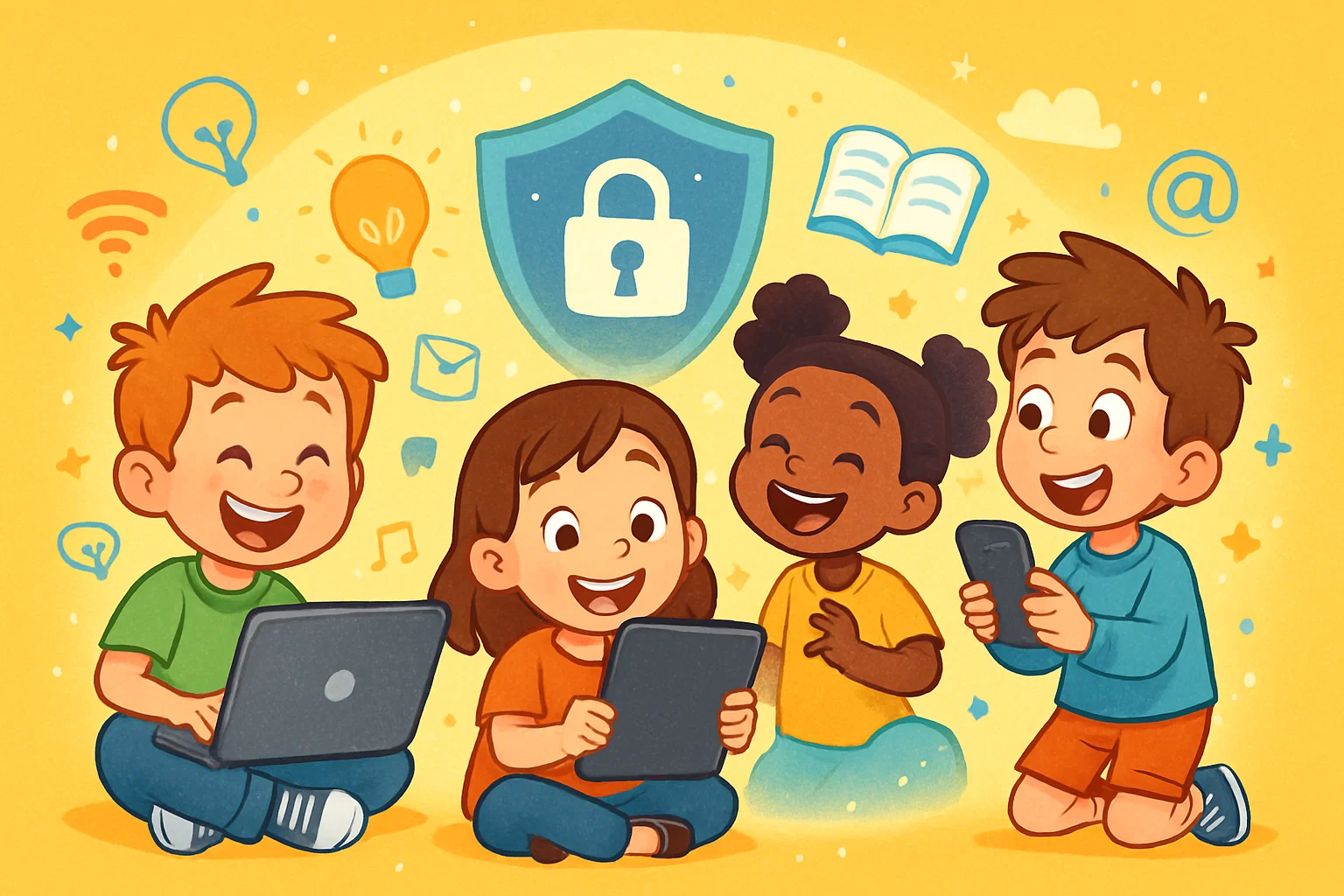
In today’s educational landscape, digital literacy for kids means much more than simply using devices. Developing these skills involves online safety, critical thinking, respectful communication, creativity, digital citizenship, and healthy digital habits. As young learners navigate the online world, parents and educators should work together to teach digital literacy in a clear, consistent way.
This comprehensive guide provides actionable strategies, educational frameworks, and age-specific benchmarks to help children build essential digital literacy skills from an early age.
Key Takeaways
- Holistic Skill Development: Digital literacy helps kids use technology safely, responsibly, and creatively – not just swipe screens or play games.
- Core Competencies: Essential digital literacy skills include online safety, data privacy, critical thinking, information evaluation, content creation, and respectful communication.
- Adult Guidance: Parents and teachers play key roles in building healthy tech habits by modeling positive behaviors and having frequent conversations about technology use.
- Responsible Citizenship: Teaching digital citizenship helps children manage online identity, build a positive digital footprint, respect others, and avoid plagiarism.
- Classroom Integration: Age-appropriate activities and structured routines make digital literacy easier to teach across different subjects.
- Future Readiness: Strong digital skills prepare kids for academic research, STEM learning, AI-supported tools, and future career environments.
Core Skill Snapshot
A strong digital literacy framework includes five core skill groups that help children thrive in an increasingly connected world.
First, safety focuses on protecting personal data, creating secure passwords, and identifying online risks. Second, research skills help students evaluate digital content, cross-check information, and identify reliable sources. Third, communication skills help kids interact respectfully online and understand tone, context, and audience. Fourth, creativity involves using digital tools to design multimedia projects, code simple programs, and create digital stories. Finally, technical confidence helps young learners troubleshoot basic device issues, manage files efficiently, and adapt to new digital tools.
Parent and Teacher Role Snapshot
Adults should shift from passive restriction to active mentorship when helping students navigate digital spaces safely. Instead of relying only on parental control software or total device bans, parents and educators should guide kids through real-world examples, structured rules, collaborative activities, and ongoing conversations about digital literacy.
By co-viewing media, testing new tools together, and openly discussing online behavior, adults can turn abstract rules into everyday habits. This proactive guidance helps children develop the decision-making skills they need when they encounter digital spaces without adult supervision.
Future Readiness Snapshot
Building strong digital literacy skills early can support academic growth and future career readiness in the digital age. A foundational understanding of digital technology can prepare students for more advanced areas such as programming, data analysis, and artificial intelligence.
When students master basic digital literacy skills, they become better prepared for complex tasks such as writing precise prompts for AI tools, analyzing data sets, and participating in online learning environments. Ultimately, integrating digital literacy into early education helps students move beyond passive consumption and learn to use technology as a tool for learning, creativity, and problem-solving.
What Is Digital Literacy for Kids?
Digital literacy is the ability to locate, evaluate, organize, create, and communicate information using digital technologies. For young learners, this competency goes beyond knowing how to use devices; it also involves understanding how digital systems work and how they affect people and communities.
Educational frameworks such as the ISTE Standards for Students frame digital literacy as part of broader student competencies, including digital citizenship, knowledge construction, creative communication, and computational thinking.
Digital Literacy in Simple Terms
In simple terms, digital literacy is the ability to use digital tools safely, effectively, and responsibly to learn, create, communicate, and solve problems.
For a child, this might mean searching for a school topic without clicking on ads, checking whether a website is trustworthy, and sending a kind message to a classmate. It also means understanding that online actions have consequences, knowing how to create a digital presentation, and recognizing when it is time to turn off a screen to protect physical well-being.
Digital Literacy Beyond Device Use
True digital literacy goes beyond the ability to tap a touchscreen, swipe through video feeds, or launch a game. While young children often show high mechanical confidence with digital devices, this surface-level familiarity does not automatically lead to deeper understanding or safety awareness.
Children need explicit guidance to recognize that many digital spaces are curated, commercialized, trackable, and sometimes archived. Without guidance, a child may easily navigate an app interface while still being vulnerable to data tracking, manipulative advertising, and unsafe online interactions.
Digital Literacy in Everyday Learning
In modern classrooms, educators use digital tools to transform passive consumption into active, project-based learning. Students routinely use digital platforms to access reading assignments, collect scientific data, draft essays, and create digital presentations.
For example, during a social studies unit, a digitally literate student might use online libraries to gather historical documents, cross-check facts across reliable sources, and compile findings in a shared cloud document. This kind of integration shows how digital literacy is increasingly woven into daily academic work.
Digital Literacy vs. Traditional Literacy
While traditional literacy focuses on processing printed text, digital literacy requires students to navigate complex, layered digital environments. Traditional reading and writing remain the foundation of education, but the digital age requires children to manage interactive, non-linear forms of information that combine text, audio, video, and hyperlinks.
| Literacy Type | Core Medium | Primary Cognitive Processes | Key Output/Production |
| Traditional Literacy | Printed books, paper documents, physical handwriting | Linear reading, sequential comprehension, spelling, grammar | Essays, handwritten reports, printed letters |
| Digital Literacy | Websites, mobile apps, search engines, digital media platforms | Hypertext navigation, source verification, multimedia synthesis, algorithmic awareness | Coding projects, digital presentations, blogs, videos |
Reading and Writing Skills
Traditional reading comprehension and writing skills remain foundational because children rely on them to complete basic digital tasks. For instance, students need strong reading skills to enter precise search terms and evaluate the snippets displayed on a search results page.
Typing emails, formatting collaborative documents, and publishing blog posts also require vocabulary, syntax, and audience awareness. In this way, traditional literacy provides the foundation on which digital literacy skills are built.
Media and Information Skills
Media literacy is a vital part of digital literacy because it teaches students to evaluate images, videos, sponsored ads, and social media posts critically. In today’s online world, some content is designed to provoke strong emotional reactions rather than simply communicate facts.
Children should be taught to analyze an author’s intent, identify hidden advertising, and recognize altered or AI-generated images. Developing this critical eye helps young learners distinguish educational content from manipulative media designed mainly to generate clicks.
Technology Navigation Skills
Technology navigation includes the practical knowledge students need to use digital systems efficiently and securely. This technical skill set includes using browser features, organizing files in logical cloud folders, typing efficiently, and navigating learning management systems such as Google Classroom.
It also covers basic security habits, such as creating strong passwords, adjusting app privacy settings, and installing software updates safely. These operational skills reduce technical friction and allow students to focus more fully on academic content.
Why Digital Literacy Matters for Kids

Digital literacy matters because children now learn, socialize, create, and communicate in online spaces from an early age. When schools and families prioritize digital literacy education, children become better prepared to make safer online choices, think critically, complete academic tasks, and express themselves creatively.
Safer Online Choices
When adults explicitly teach kids about online risks, children are more likely to make safer choices related to personal safety and data privacy. Digitally literate children can recognize common hazards, such as phishing links disguised as game downloads, suspicious direct messages from unknown accounts, and deceptive pop-up advertisements.
Understanding that platforms can track user behavior helps kids recognize the risks of sharing personal details, location tags, or school names. This awareness helps students set safer personal boundaries online.
Stronger Critical Thinking
Digital literacy education strengthens critical thinking by teaching students to question unverified online claims. When children regularly practice evaluating digital information, they develop healthy skepticism toward sensational headlines, viral social media claims, and biased search results.
Instead of accepting the first answer from a search engine as absolute truth, digitally literate students cross-reference multiple independent sources, analyze data points, and identify potential conflicts of interest.
Better School Performance
Students who develop digital literacy skills early may become more confident researchers, collaborators, and creators in school. Mastery of digital tools helps students complete research tasks, organize information, build presentations, and work with peers through cloud-based platforms.
These skills also support technology-based assessments, online assignments, and independent learning routines. They help students participate more fully in modern classroom environments.
More Creative Confidence
Design and creation tools can support creativity by helping children manipulate shapes, layers, audio, video, proportions, and visual layouts in hands-on projects.
Access to creative digital platforms can help children move from passive media viewing to active production. Using specialized digital tools, kids can produce animated stories, compose original music, write code for simple games, and build layered visual designs.
Rather than passively following video recommendations, children can use digital media tools to express their ideas and turn creative concepts into shareable projects.
Core Digital Literacy Skills Kids Need
To prepare young learners effectively, digital literacy education should target specific, actionable skills. The following six domains provide a practical framework for helping children interact safely and productively with technology.
1. Online Safety and Privacy
Online safety and privacy focus on protecting a child’s identity, personal information, and digital data. Children should learn to create strong, unique passwords that do not include easily identifiable information such as birthdays, pet names, or school names.
Educators and parents should also teach students to recognize secure connection indicators, understand the risks of downloading unverified attachments, and ask an adult before sharing personal information online.
Criteria for Safe Account Creation
- Passwords should contain at least 12 characters, including uppercase letters, numbers, and symbols.
- Multi-factor authentication should be activated whenever the platform permits it.
- Profile pictures should use non-identifying avatars instead of actual faces when appropriate.
- Location services and GPS tracking should be disabled unless they are clearly needed and approved by an adult.
- Personal fields, including full names, home addresses, and school names, should be left blank whenever possible.
2. Critical Thinking and Information Evaluation
This skill area teaches children to question digital content before accepting it as factual. Students should check who created the content, when it was published, and what evidence supports it.
They also need guidance on how algorithms, ads, and ranking systems can shape what appears first in search results. Understanding these systems helps kids recognize that the most visible information is not always the most accurate or reliable.
3. Digital Citizenship
Digital citizenship covers the ethical and behavioral norms needed to participate constructively in online communities. This area teaches children that online actions can affect real people’s feelings, relationships, and reputations.
Responsible digital citizenship requires kids to communicate with empathy, avoid online harassment, and respect intellectual property rights by citing creators when sharing digital content.
4. Technical Skills
Technical skills are the basic practical abilities children need to use hardware and software confidently. Students need practice with typing, file naming, cloud folder organization, and basic file management.
They should also learn to use learning management systems, keyboard shortcuts, and basic troubleshooting steps such as restarting frozen applications, checking internet connections, or confirming that cables are properly connected.
5. Content Creation
Content creation shifts a child’s role from consumer to active designer, writer, and creator. This competency involves learning to use digital design tools, multimedia editing software, presentation applications, and introductory block-coding platforms.
When kids learn to structure presentations, write blog posts, or design educational videos, they build visual organization, storytelling, and technical problem-solving skills.
6. Sharing and Communication
Digital communication focuses on the rules and expectations that shape text-based and multimedia interactions. Students should learn email etiquette, use clear subject lines, and adjust their tone depending on whether they are writing to a teacher, classmate, or another audience.
This domain also teaches kids to manage collaborative document comments, navigate group chats safely, and understand how the lack of non-verbal cues can lead to misunderstandings online.
Digital Citizenship for K–12 Learners
As students move through the K–12 educational pathway, digital citizenship education should adapt to their growing independence. Some education experts recommend framing digital citizenship around agency and social responsibility rather than fear and restriction.
A strong curriculum in this area can cover privacy, online footprint, media balance, relationships, communication, cyberbullying, hate speech, and responsible participation in online communities.
Respectful Online Behavior
Cultivating respectful online behavior requires children to communicate as kindly online as they would face-to-face. Because online communication often lacks immediate facial expressions and vocal tone, children may struggle to recognize how written comments can hurt or upset others.
Educators can use structured role-play exercises to help students understand how their messages may affect others. Teaching kids to step away from the keyboard when they feel angry can prevent impulsive comments and support a healthier online environment.
Online Identity Management
Online identity management involves teaching students that public posts, comments, uploaded images, and shared videos can contribute to a digital footprint. Public posts and shared content may be seen later by schools, teams, scholarship committees, or future employers.
Children should learn to manage their online footprint by choosing non-identifying usernames, deleting unused accounts, and adjusting privacy settings. Managing digital identity responsibly helps a child’s public presence reflect character, integrity, and good judgment.
Plagiarism and Fair Use
The ease of copying and pasting online content makes it important to teach kids about plagiarism, copyright, and ethical remixing. Students should understand that digital media, artwork, text, and code belong to their original creators and cannot be claimed as original work.
Steps for Using Online Sources Responsibly
- Identify the original creator: Locate the author, artist, or institutional publisher of the content.
- Verify usage permissions: Check whether the media is protected by copyright or available under a Creative Commons license.
- Format the citation: Record the URL, author name, article title, publication date, and access date if required.
- Use quotation marks: Place quotation marks around any directly copied text.
- Create bibliography entries: Compile all source citations clearly at the end of the project.
Cyberbullying Prevention
Cyberbullying prevention strategies help students recognize targeted harassment, document incidents properly, and report harmful behavior to trusted adults. Children should understand that cyberbullying can include spreading malicious rumors in group chats, excluding peers from online learning groups, or posting embarrassing photos without consent.
Actionable Steps for Cyberbullying Mitigation
- Do Not Retaliate: Avoid responding directly to harassing comments, because replies can escalate the situation.
- Preserve Evidence: Take screenshots of the harmful text, images, or account profiles.
- Use Blocking Tools: Use the platform’s blocking features to stop contact with the abusive account.
- Report the Abuse: Report the abuse through the platform’s reporting tools.
- Notify Trusted Adults: Share the evidence with a parent, school counselor, teacher, or administrator.
How Parents and Teachers Can Teach Digital Literacy
Teaching kids digital literacy requires coordination between home and school. By using active teaching strategies rather than passive rules, adults help children build a practical framework for navigating modern technology.
Integrated media literacy lessons can help students practice source verification, compare evidence, and recognize misinformation across subjects.
Start Early With Age-Friendly Lessons
Adults should introduce basic digital literacy skills early and match lessons to the child’s developmental stage. For early learners, this means establishing basic physical rules, such as washing hands before touching a keyboard, holding tablets with two hands, and always asking an adult before clicking an unfamiliar button.
Simple, repeated phrases can help young children remember to keep private details private and use kind language online.
Use Real-World Examples
Using real-world scenarios during daily technology use creates powerful teaching moments for children. For example, when running a Google search for a school assignment, a parent can point out the small “Sponsored” tag on the top results to show how search placement can be bought.
Similarly, examining a spam email or a manipulative video thumbnail together allows adults to show kids how clickbait works. This turns passive media consumption into an active lesson in media analysis.
Integrate Digital Literacy Across Subjects
Teachers can integrate digital literacy into core subjects such as reading, science, math, and social studies rather than treating it as an isolated computer lab topic.
In science class, students can evaluate conflicting online claims about climate data to practice source verification. In history lessons, comparing primary source text with modern summaries can show how historical narratives change online. This cross-subject approach helps students understand that source evaluation is useful in every area of learning.
Encourage Hands-On Projects
Transitioning students from consumers to creators is best achieved through hands-on projects that require problem-solving and design thinking.
Recommended Digital Literacy Projects
- Classroom Blogging: Students write informative articles, practice digital layout design, and give peer feedback.
- Scratch Video Game Coding: Children use block coding to learn sequencing, conditional logic, and debugging.
- Multimedia Podcasts: Students draft interview scripts, record audio files, and edit sound clips.
- Digital History Map Design: Kids use interactive mapping tools to pin historical events and cite primary sources.
- Collaborative Slide Presentations: Students use cloud applications to co-author slide decks and practice digital collaboration.
Involve Parents and Guardians
Schools should build strong partnerships with families so that safety rules taught in the classroom are reinforced at home. School districts can support parents by hosting digital literacy workshops, sharing family media agreements, and providing curated lists of vetted educational apps.
When educators and parents use consistent language about data privacy, screen balance, and online behavior, children adapt to these expectations more easily.
Fun Ways to Teach Digital Literacy
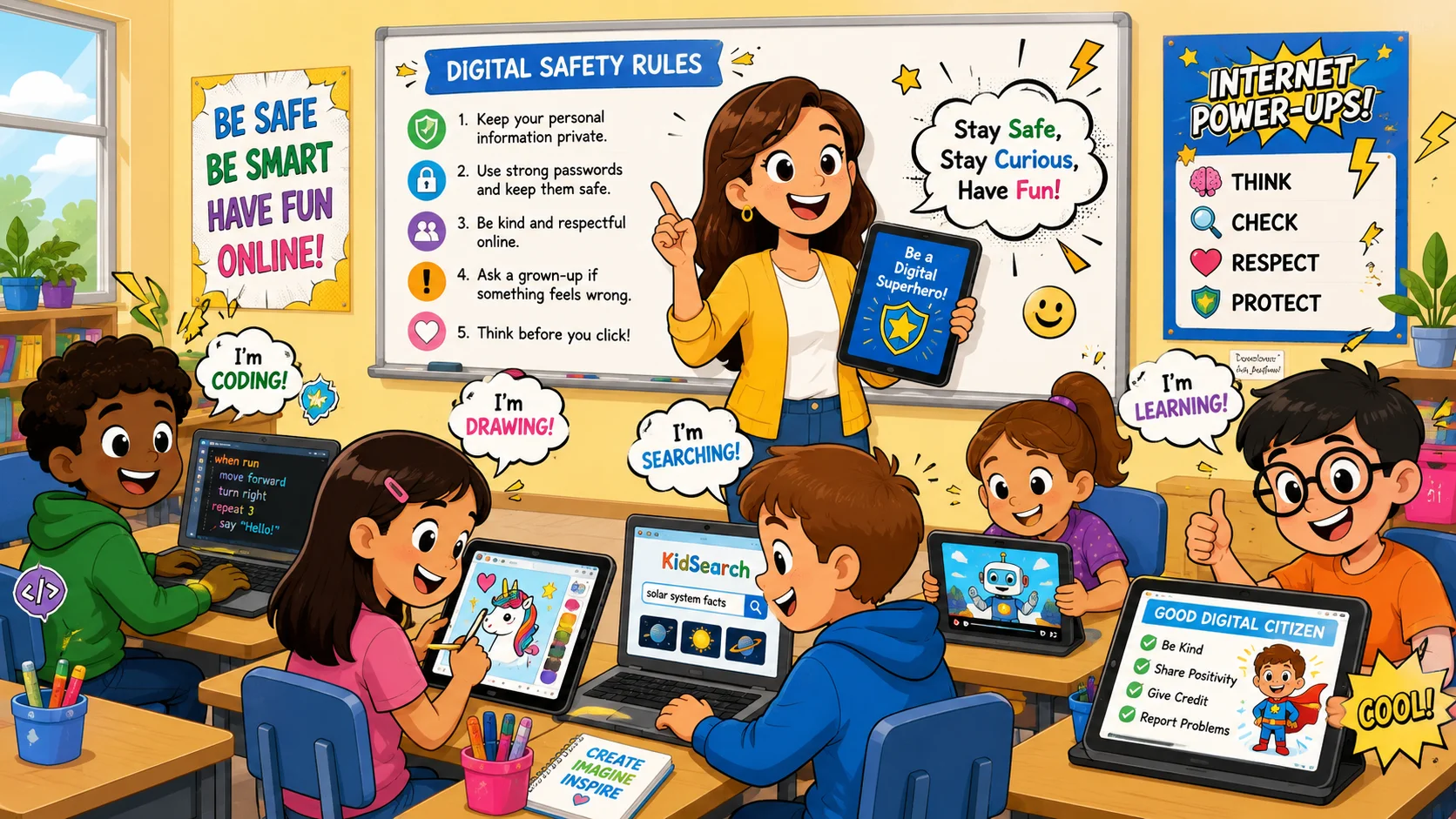
Teaching digital literacy does not have to rely on dry lectures or long lists of restrictions. Gamified learning, creative challenges, and collaborative activities can keep children engaged while they build essential technical and analytical habits.
1. Try Educational Apps
Vetted educational apps can help parents and teachers use gamified activities to teach concepts such as coding, early literacy, and logical reasoning.
| Application Name | Target Age Group | Primary Skill Focus | Key Educational Mechanism |
| ScratchJr | Ages 5–7 | Introductory block coding, logical sequencing | Visual drag-and-drop code blocks, custom character animation |
| Interland | School-age children | Digital citizenship, online safety, privacy | Gamified levels focused on phishing, cyberbullying, and oversharing |
| Duolingo ABC | Ages 3–8 | Early literacy, interface navigation | Phonics mini-games, progressive reward tracks, sound matching |
| Tynker | Ages 5–18 | Advanced coding, STEM problem-solving | Story-driven code puzzles, JavaScript and Python transitions |
2. Use Digital Storytelling
Digital storytelling challenges children to turn creative ideas into structured multimedia projects using slides, audio recordings, or basic video editing software.
For instance, a child can write a short story, illustrate the scenes with digital drawing apps, record voice narration, and combine everything into a shareable video. This process teaches kids how to organize media files, adjust audio levels, format text layouts, and understand how different media elements work together to tell a compelling story.
3. Practice Safe Search
Adults can turn web research into an engaging game by hosting structured “Safe Search Safaris” that teach children how to find reliable information online.
Parents or teachers can give kids a specific question – such as finding the average weight of an emperor penguin – and ask them to confirm the answer using three reliable sources. During this activity, adults can guide kids to use child-safe search tools, test keyword variations, avoid sponsored ads, and check author credentials.
4. Explore Creativity Tools
Giving children access to open-ended creativity tools encourages them to experiment with digital media production without the pressure of rigid grading systems.
Drawing canvases, stop-motion animation apps, vector design programs, and music sequencers let kids learn through play. As they test brushes, layer audio tracks, or edit animation frames, children naturally learn about file formats, aspect ratios, and user interfaces.
5. Play a “Spot the Fake” Game
The “Spot the Fake” game is an effective way to build media literacy by teaching children to analyze online content for signs of misinformation.
Teachers or parents can gather a collection of real and altered headlines, websites, edited images, and sponsored ads, then ask kids to inspect them for clues. Children look for clues such as strange shadows, exaggerated language, missing dates, or unfamiliar web addresses. This playful challenge teaches them to question suspicious content instead of accepting everything they see online.
Tools and Resources for Digital Literacy Education
To build an effective digital literacy program, educators and parents need access to high-quality tools and well-structured curricula. Selecting the right resources helps keep lessons structured, age-appropriate, and aligned with relevant learning standards.
Structured curricula give teachers a consistent way to teach data privacy, online safety, and responsible technology use across grade levels.
Educational Apps and Platforms
When choosing online platforms for children, adults should look for features that support a safe, high-quality learning experience. Quality educational apps should have a clear privacy policy, follow applicable children’s privacy laws such as COPPA, and explain how student data is collected, used, and shared.
Platforms should also avoid commercial pop-up ads, offer parent or teacher dashboards, and provide content that matches the child’s developmental stage.
Criteria for Vetting Learning Platforms
- Compliance with applicable privacy laws and school data-protection requirements, including U.S. laws such as COPPA and FERPA where relevant.
- No third-party advertisements or hidden in-app purchases.
- Parent or teacher dashboards for monitoring student progress.
- Adaptive learning features that match difficulty to student performance.
- Offline support materials and curriculum guides.
Coding and STEM Programs
Structured coding and STEM initiatives help children build computational thinking, spatial reasoning, and logical problem-solving skills. Programs such as Scratch, Code.org, and LEGO Education kits teach kids how to break large problems into smaller, manageable steps.
By writing code sequences, testing their work, and fixing bugs, students learn that mistakes are part of the learning process. This helps them build resilience when using technology.
Online Research Resources
To teach proper research habits, educators should guide children toward curated, child-safe search tools and online libraries rather than relying only on open search engines.
Resources such as Britannica Kids, Sweet Search, and school-sponsored databases can give students access to age-appropriate information with fewer distractions and lower exposure to inappropriate content. Learning to use structured databases teaches kids how to search by topic, filter results, and recognize high-quality information.
Classroom Digital Literacy Curriculum
A comprehensive school digital literacy program should cover online safety, digital citizenship, research skills, media literacy, data privacy, and creative production across grade levels.
Rather than focusing only on technical skills such as typing speed, the curriculum should build critical thinking and ethical habits. By aligning lessons with recognized standards such as the ISTE Student Standards, schools can help students graduate with practical skills for higher education and modern careers.
Healthy Digital Habits and Screen Balance
Building digital literacy should include teaching children how to maintain a healthy relationship with technology. Health organizations often emphasize the importance of sleep, physical activity, and balanced routines when discussing children’s screen use.
Clear screen boundaries, thoughtful media choices, and regular offline activities help children use technology in ways that support learning and well-being.
Screen Time Boundaries
Setting healthy screen time limits should focus on content quality and the child’s developmental needs rather than only counting minutes. Families can create a personalized media plan that prioritizes essential offline activities such as sleep, physical exercise, outdoor play, and face-to-face family time.
Structured device-free routines, especially around bedtime, can support healthier sleep habits and reduce screen-related distractions.
Digital Distraction Management
Teaching children how to manage distractions is an important sub-skill that helps them stay focused during online learning. Because many apps are designed to capture attention, kids need practical strategies to protect their focus.
Teachers and parents can guide students to close unneeded browser tabs, turn off non-essential notifications, use focus modes, and set timers to divide work into focused blocks with active screen breaks.
Family Media Rules
Family media agreements can include device-free meals, screen-free bedrooms, and shared rules for downloading apps or using new platforms.
Establishing clear, consistent family media rules helps prevent screen-related arguments and sets clear boundaries for device use at home. Effective household guidelines may include keeping screens out of bedrooms overnight, turning off devices during meals, and requiring adult approval before downloading new apps.
Parents should actively model these habits themselves, showing children that offline family time and rest take priority over notifications.
Healthy Online-Offline Balance
A balanced lifestyle ensures that children enjoy the benefits of technology without missing out on essential real-world experiences. Parents and teachers should encourage offline activities such as reading physical books, playing sports, exploring arts and crafts, and socializing in person.
Showing how physical play and online learning can complement each other helps children see technology as a tool for specific tasks rather than their only source of entertainment.
Challenges in Teaching Digital Literacy
While the benefits of digital literacy are clear, parents and teachers often face practical challenges when trying to teach these skills. Recognizing these barriers allows communities to develop proactive solutions so that more children can access meaningful technology-supported learning.
Rapid Technology Changes
The fast pace of technological innovation – especially the rise of generative AI tools and new social media apps – can leave adults feeling overwhelmed. Rules that worked well a year ago may not address the risks found in new online spaces today.
To manage this constant change, parents and teachers should focus on core values such as critical thinking, respect, safety, and data privacy rather than only learning specific app interfaces. These values help kids apply digital literacy skills to new technologies as they emerge.
Digital Divide
The digital divide remains a major barrier to equal digital literacy education. Many students still lack reliable high-speed internet access or modern computers at home.
This gap can leave underserved children with fewer opportunities to build technical confidence and research skills than peers with reliable technology access. Public schools, community libraries, nonprofit programs, and local governments can help bridge this gap by providing hardware loans, community Wi-Fi access, and learning support.
Misinformation and Fake Content
The large amount of viral misinformation, altered images, clickbait, and AI-generated text online creates a constant challenge for young learners trying to find accurate information.
Some algorithms may amplify shocking or highly emotional content, making it easier for children to confuse viral popularity with verified information. Educators can counter this by consistently teaching media literacy, showing students how to double-check sources, spot logical fallacies, and use reliable fact-checking tools.
Privacy and Data Risks
Many children’s apps and school-approved platforms raise privacy concerns because they may collect data quickly, rely on third-party trackers, or use policies that are difficult for families to evaluate.
Modern platforms may use extensive data tracking, cookies, and complicated privacy policies that children are unlikely to understand on their own. Some apps also encourage kids to share personal information in exchange for rewards or social features.
Parents and teachers can reduce these risks by auditing app permissions, disabling unnecessary tracking features, and teaching children not to share personal data without adult guidance.
Age-Appropriate Content
Filtering out inappropriate content while helping children become independent internet users requires a careful balance of parental controls and active guidance.
Content filters and safe-search settings can block some explicit material, but they cannot replace open conversations about what to do when children encounter disturbing content. Adults should use parental tools as a supportive safety net while building a child’s internal judgment and confidence.
Digital Literacy by Age Group
Digital literacy skills develop in stages that match a child’s cognitive and social growth. To help children learn effectively, parents and teachers should introduce technical skills and safety rules according to age-appropriate milestones.
Preschool and Kindergarten
At this early stage, technology education focuses on basic device care, simple boundaries, and high-quality interactive learning content rather than passive viewing.
Developmental Benchmarks: Ages 3–5
- Demonstrates proper physical handling of hardware, including carrying devices with two hands.
- Follows household screen limits and transitions to offline activities with adult support.
- Asks a parent or teacher for permission before opening an app or clicking an unfamiliar button.
- Uses vetted, ad-free educational apps alongside an adult.
- Uses kind words and gentle actions when sharing screens with siblings or peers.
Elementary School
As children enter elementary school, they begin using technology for basic school research, foundational safety rules, and simple projects.
Developmental Benchmarks: Ages 6–10
- Creates secure, memorable passwords and keeps them private from friends.
- Runs simple web searches using child-safe search tools and avoids clicking sponsored links.
- Identifies basic file types and saves school projects in organized cloud folders.
- Understands that online content can sometimes be untrue, biased, or altered.
- Uses basic creativity tools, such as presentation slides or introductory block coding.
Middle School
Middle schoolers often gain more independence online, making it important to focus on social media safety, privacy settings, and online footprint management.
Developmental Benchmarks: Ages 11–13
- Begins to manage privacy settings on educational and social platforms with adult guidance.
- Recognizes common online risks such as phishing scams, catfishing, and manipulative advertisements.
- Understands the long-term impact of an online footprint and avoids posting private or identifying information.
- Avoids plagiarism by citing web sources, photos, and media in school assignments.
- Identifies cyberbullying behavior early and knows how to block users and report incidents to adults.
High School
High school students refine more advanced tech skills needed for higher education and modern careers, including data literacy, professional communication, and responsible use of AI tools.
Developmental Benchmarks: Ages 14–18
- Evaluates more complex research materials, recognizes possible bias, and checks facts using reliable databases and sources.
- Uses professional communication habits when emailing teachers, mentors, or potential employers.
- Understands data tracking, targeted ads, and how platforms may use personal data commercially.
- Uses advanced tools such as spreadsheets, programming languages, and media editing software for school projects.
- Uses generative AI tools responsibly by writing clear prompts and critically verifying AI-generated outputs for accuracy.
Digital Literacy for Future Learning and Careers
One major goal of digital literacy education is to prepare students for higher education, lifelong learning, and technology-rich workplaces. As automated systems, artificial intelligence, and data analytics continue to shape many industries, foundational digital literacy can support broader access to academic, creative, and career opportunities.
STEM and Coding Readiness
Building strong digital literacy skills early gives children the foundational logic needed to succeed in STEM fields such as robotics, engineering, and computer science. Learning how devices process instructions helps students shift from simply using technology to understanding the logic behind it.
This early training builds computational thinking: the ability to break complex problems down, find patterns, and design step-by-step solutions. These skills are useful for solving advanced technical challenges later.
Data Literacy for Young Learners
Data literacy empowers students to read charts, analyze trends, spot statistical errors, and present data-driven conclusions clearly. In a world full of infographics and viral statistics, children must learn to ask where data came from, look for sample bias, and question misleading visual scales.
Mastering these skills ensures that students do not simply accept graphs at face value. Instead, they learn to use real data to support their own academic arguments.
AI Readiness
As generative artificial intelligence becomes more common in schools and workplaces, students need to learn how to use these tools responsibly and ethically.
AI readiness means teaching students how to write clear prompts, recognize when an AI system invents information, and understand why submitting AI-generated work as their own may violate academic integrity rules. Focusing on critical verification helps students treat AI as a brainstorming and learning tool rather than an effortless shortcut.
Future Career Skills
Many modern workplaces require adaptability, clear communication, and confidence with collaborative tools. From managing cloud-based projects to analyzing performance metrics, many future careers will require people to learn new software quickly.
By prioritizing digital literacy today, parents and teachers give children the technical agility, critical mindset, and communication habits they need to learn, create, and participate confidently in tomorrow’s technology-rich world.
FAQs About Digital Literacy for Kids
What Is Digital Literacy for Kids?
Digital literacy for kids is the ability to use technology safely, responsibly, and effectively to learn, create, communicate, and solve problems. Digital literacy encompasses online safety, critical thinking, information evaluation, content creation, respectful communication, and healthy technology habits.
Why Is Digital Literacy Important for Children?
The importance of digital literacy has grown because children now learn, play, communicate, and explore in an increasingly digital world. Digital literacy is essential because it helps kids stay safe online, make thoughtful choices, evaluate information, and build the confidence they need to navigate the digital world.
What Are the Basics of Digital Literacy?
The basics of digital literacy include knowing how to use devices safely, protect private information, search for reliable information, communicate respectfully, and recognize misleading content. Children should also understand that their online actions can affect real people, relationships, and reputations.
What Digital Literacy Skills for Kids Should Parents Teach First?
The most important digital literacy skills for kids begin with safety, privacy, and respectful communication. Parents can help kids understand why they should ask before clicking unfamiliar links, avoid sharing personal details, use strong passwords, and talk to a trusted adult when something online feels confusing or unsafe.

Take a short quiz to find out what your everyday choices say about your parenting style
When your child is curious about something new, what’s your instinct?
Take a short quiz to find out what your everyday choices say about your parenting style
“Can I download this app?” What happens next?
Take a short quiz to find out what your everyday choices say about your parenting style
When it comes to rules at home, which sounds most like you?
Take a short quiz to find out what your everyday choices say about your parenting style
If you could give your child one life skill today, what would you pick?
Take a short quiz to find out what your everyday choices say about your parenting style
Your child gets to choose what to watch. What would your ideal setup look like?
Take a short quiz to find out what your everyday choices say about your parenting style
Pick your parenting superpower ✨