15 Top Rules for Online Classroom Behavior

 Discover a Free Education Video App for Kids
Pastory uses AI to personalize educational video content based on your child’s interests and personality. Safe, engaging, and built for curious young minds. Sign up now to stay updated and enjoy early access with a free trial
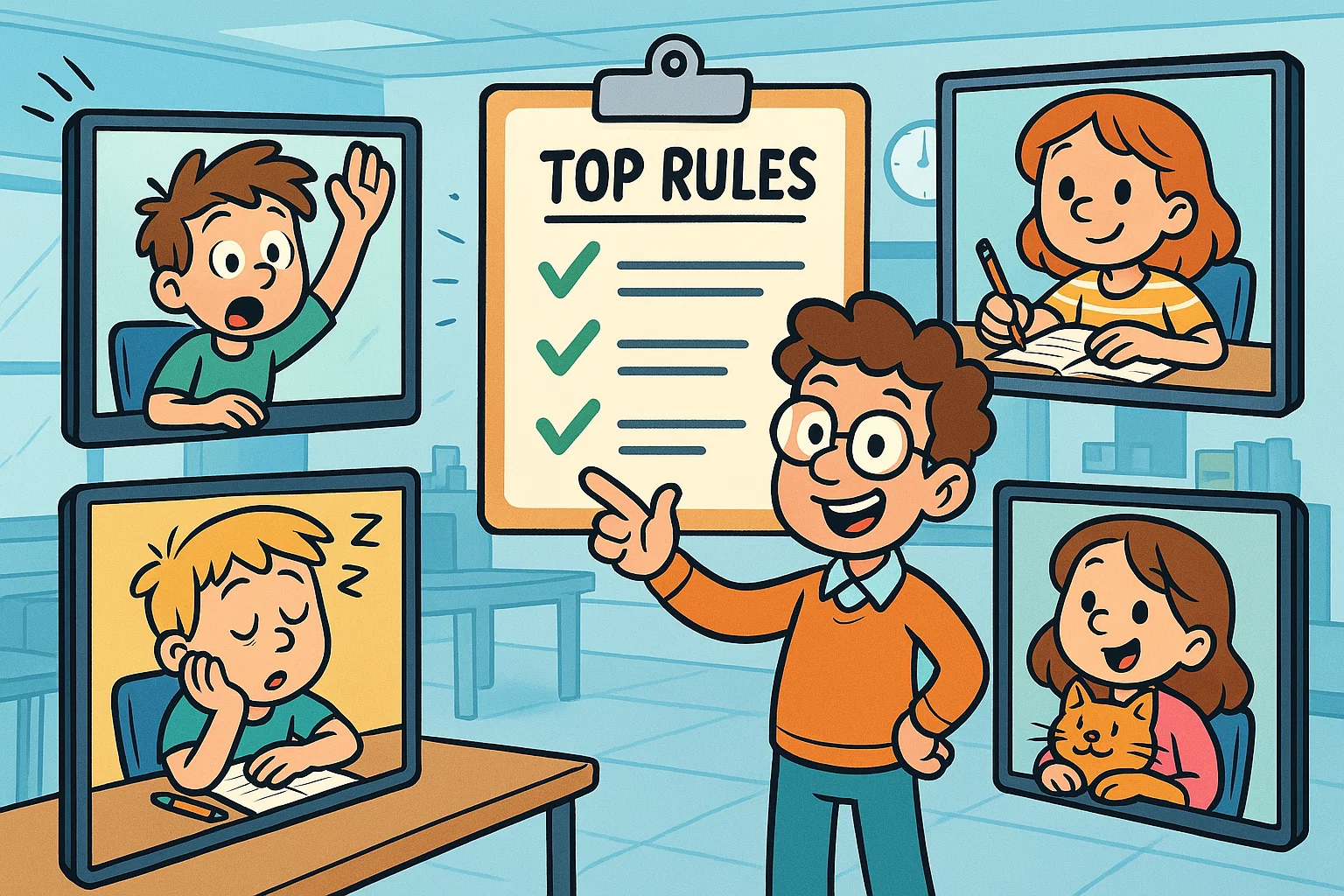
Establishing a structured online learning environment requires clear guidelines that protect instructional time for both students and teachers. In a virtual classroom, the lack of physical boundaries can lead to distractions, technical disruptions, and lower engagement. Creating a clear set of virtual classroom rules helps online platforms become safer, more stable, and more productive spaces for teaching and learning.
Consistent routines and clear media-use boundaries can support children’s focus, emotional regulation, and healthier digital habits. When students, educators, and parents or guardians align on these digital expectations, the e-learning experience becomes more predictable, inclusive, and effective.
Key takeaways
- Punctuality supports focus: Joining a virtual class a few minutes early helps prevent technical delays from taking away valuable instructional time.
- Audio discipline reduces distractions: Keeping the microphone muted until it is time to speak reduces background noise and helps everyone hear the lesson clearly.
- A focused environment improves attention: Students are more likely to stay focused when they work in a quiet, distraction-free space without extra screens or devices nearby.
- Digital courtesy builds community: Using platform features, such as the “raise hand” button, supports fair participation and helps prevent students from interrupting one another.
- Privacy rules protect everyone: Not sharing passwords, meeting links, or screenshots without permission helps protect every participant’s privacy and online safety.
Core online classroom behavior points
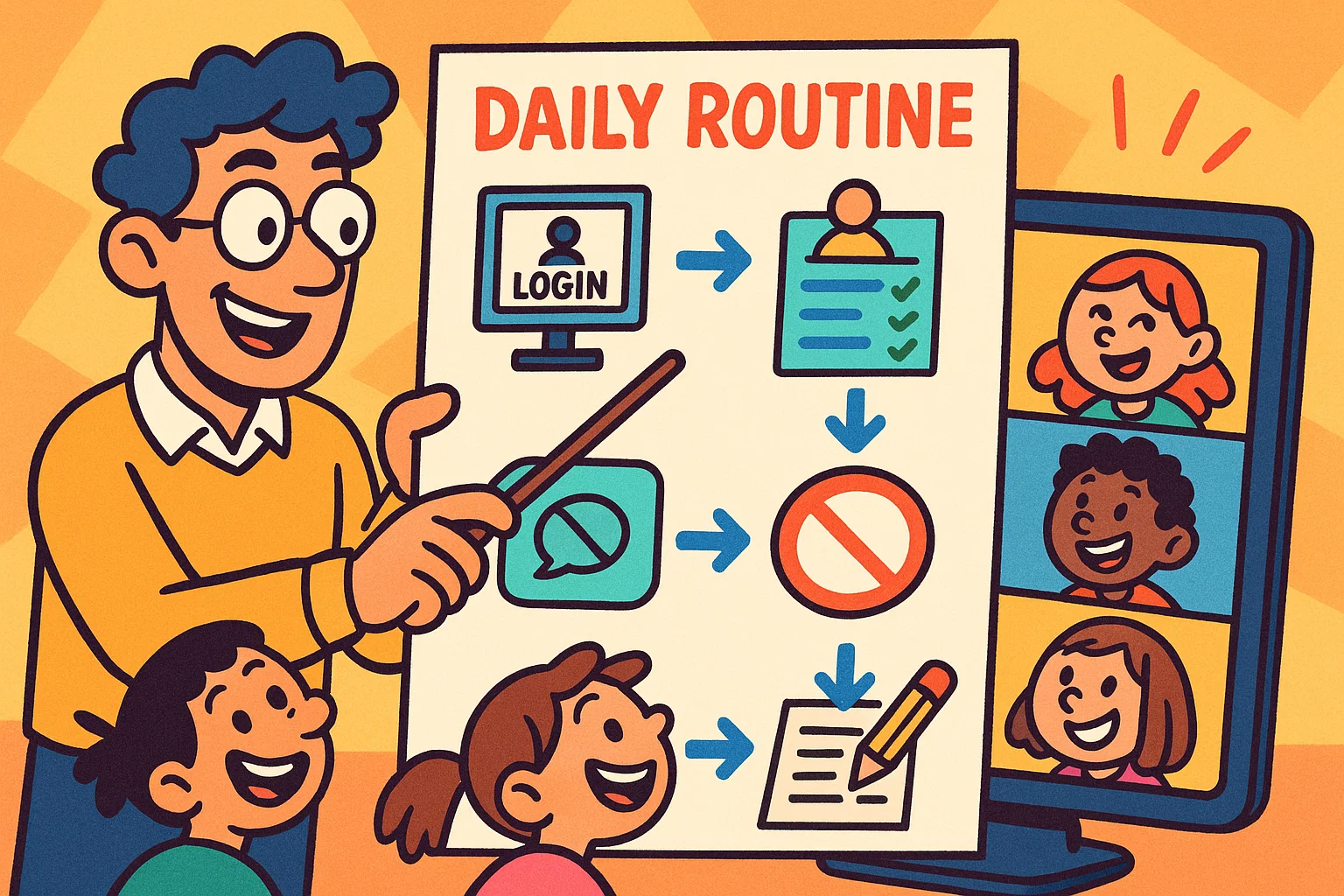
Good online classroom behavior depends on five core habits: preparation, punctuality, mutual respect, attention, and digital safety. Because an online class lacks the physical presence of a traditional school building, learners need stronger self-regulation skills. When learners understand that their online behavior affects others, they become more active, respectful participants who help maintain a positive learning environment.
Student expectations snapshot
Learners need to understand the basic technical features of their learning platform before they can participate successfully in live sessions. Specifically, students should know how to log in securely, turn their cameras on or off, mute and unmute themselves, and use chat features appropriately.
They should also respond constructively to teacher prompts, follow corrections calmly, and use collaborative digital spaces only for academic tasks. These expectations make online learning smoother, safer, and easier for everyone involved.
Teacher setup priorities
Educators should set the tone for the online learning environment by clearly defining and sharing virtual classroom rules before instruction begins. Teachers are responsible for reinforcing these boundaries through visual cues, verbal reminders, and consistent responses when rules are not followed.
By using platform tools such as mute controls, waiting rooms, and chat settings, teachers can manage behavior without interrupting the flow of the lesson.
Why online classroom rules matter
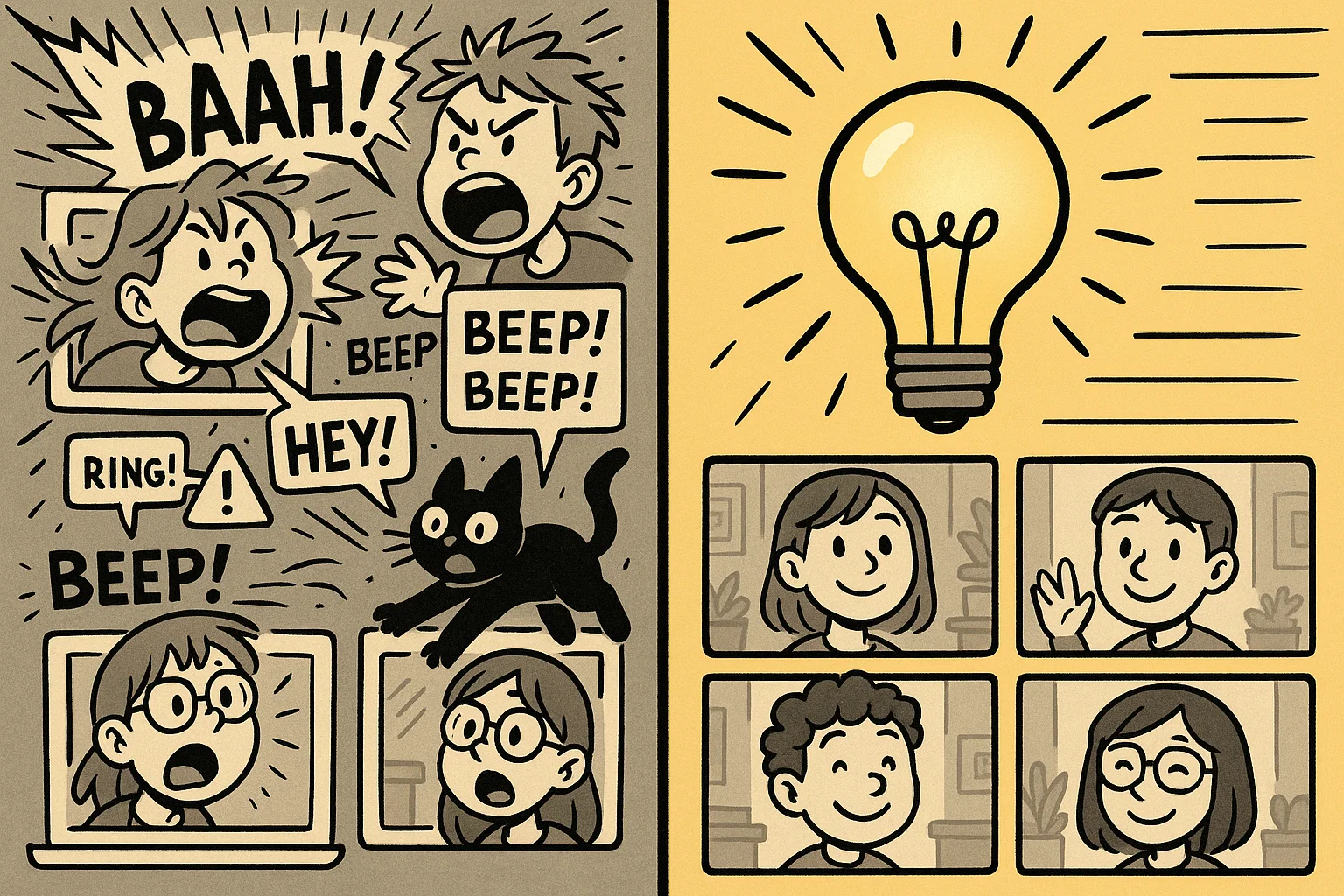
Rules are especially important in virtual classrooms because they create the structure that physical classrooms usually provide. Without clear boundaries, video calls can quickly become noisy, confusing, and distracted by off-topic behavior. Establishing fixed expectations gives learners the predictability they need to focus, participate, and learn with confidence.
Learning focus and fewer disruptions
Clear online class rules can improve students’ task focus and reduce classroom management problems. When an online classroom follows a clear “mute your microphone” rule, it reduces distractions such as barking dogs, sirens, or background TV noise.
Minimizing these interruptions helps learners spend less mental energy filtering out background noise and more energy processing academic content.
Student safety and respectful conduct
A clear code of conduct helps protect student privacy and digital well-being in an online learning environment. Rules that ban unauthorized screenshots, screen recordings, or sharing meeting links help protect students from privacy risks and online harm.
Schools should control who can enter a virtual classroom and how class materials, recordings, and student information are shared. These safeguards help create a secure learning environment where students can participate without unnecessary privacy concerns.
Fair participation for every learner
Standardized behavior rules help prevent more assertive students from dominating online discussions while quieter learners become overlooked. By using structured turn-taking tools, such as live polls, chat responses, and virtual hand gestures, teachers give more learners a fair chance to participate.
This structure can reduce the anxiety some students feel during video calls and create a more inclusive atmosphere for different learning styles.
How teachers set conduct expectations before online class
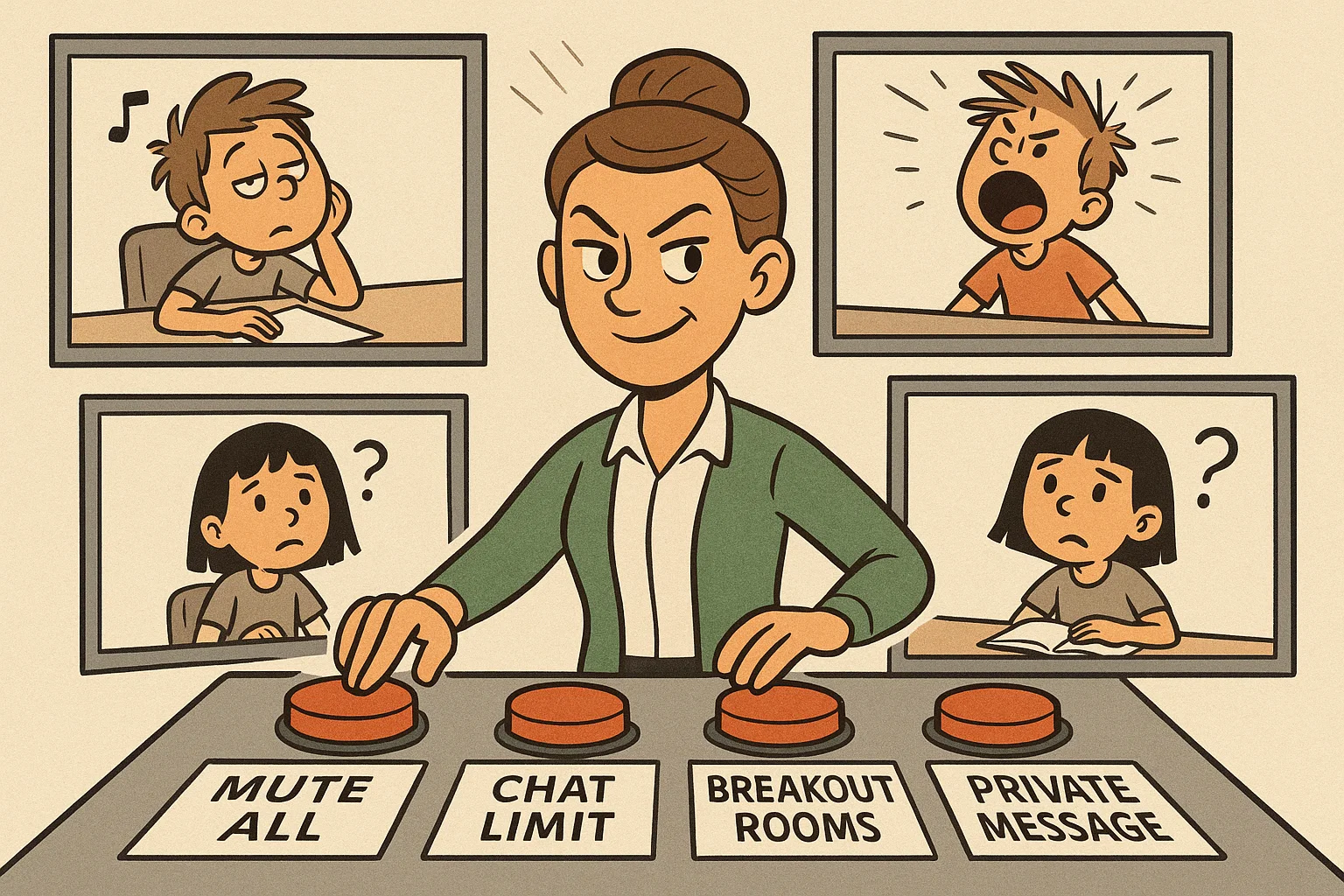
A successful virtual classroom relies on proactive organization rather than reactive discipline. Instructors should clearly design and communicate behavioral expectations before the first live session, so students understand what respectful digital citizenship looks like.
Pre-class expectation-setting workflow
| Step | Focus | What teachers should do |
| 1 | Distribute rules | Share rules through the LMS, email, or class page before the first session. |
| 2 | Explain feedback and consequences | Clarify how positive behavior will be recognized and how rule violations will be handled. |
| 3 | Model behavior | Demonstrate punctuality, calm communication, and respectful use of platform tools. |
| 4 | Give systematic reminders | Review the main expectations briefly at the start of live sessions. |
Share rules before first session
Educators should share a concise, visual virtual classroom rules checklist or infographic through their learning management system (LMS) before classes begin. This document should clearly define baseline technical requirements, expected response times, and standard etiquette using accessible language.
Providing this information ahead of time allows parents or guardians to help younger learners set up their home workspace and troubleshoot hardware before live instruction begins.
Explain consequences and positive reinforcement
A transparent behavior management system should outline progressive, non-punitive corrective steps alongside positive reinforcement. Instructors should explain how issues such as spamming the chat or interrupting peers will be handled during live sessions.
| Infraction severity | First occurrence | Second occurrence | Third occurrence |
| Minor, such as background noise | Verbal reminder or remote mute | Private chat warning | Contact parent or guardian |
| Moderate, such as chat spamming | Private chat warning | Temporary chat restriction | Removal to waiting room |
| Severe, such as cyberbullying | Immediate removal to waiting room | Temporary access restriction according to school policy | Administrative intervention |
At the same time, teachers can reinforce positive behavior by giving digital badges, highlighting good peer examples, or using simple reward systems.
Model respectful digital behavior
The teacher should model professional digital etiquette during every live session. Teachers can demonstrate this by logging in five minutes early, keeping their background organized, and using clear audio.
By addressing technical glitches calmly, speaking without interrupting others, and using chat features constructively, the teacher sets a behavioral standard that the class can follow.
Regularly remind students about expectations
Behavioral expectations need regular reinforcement, especially after school holidays, long weekends, or changes in the learning format. Teachers can dedicate the first few minutes of each live session to a brief review of the core rules.
This review can be done through a visual slide, a quick true-or-false poll, or a short reminder. This routine helps students remember expectations and reduces the need for behavior corrections during the lesson.
Top 15 Rules for Online Classroom Behavior
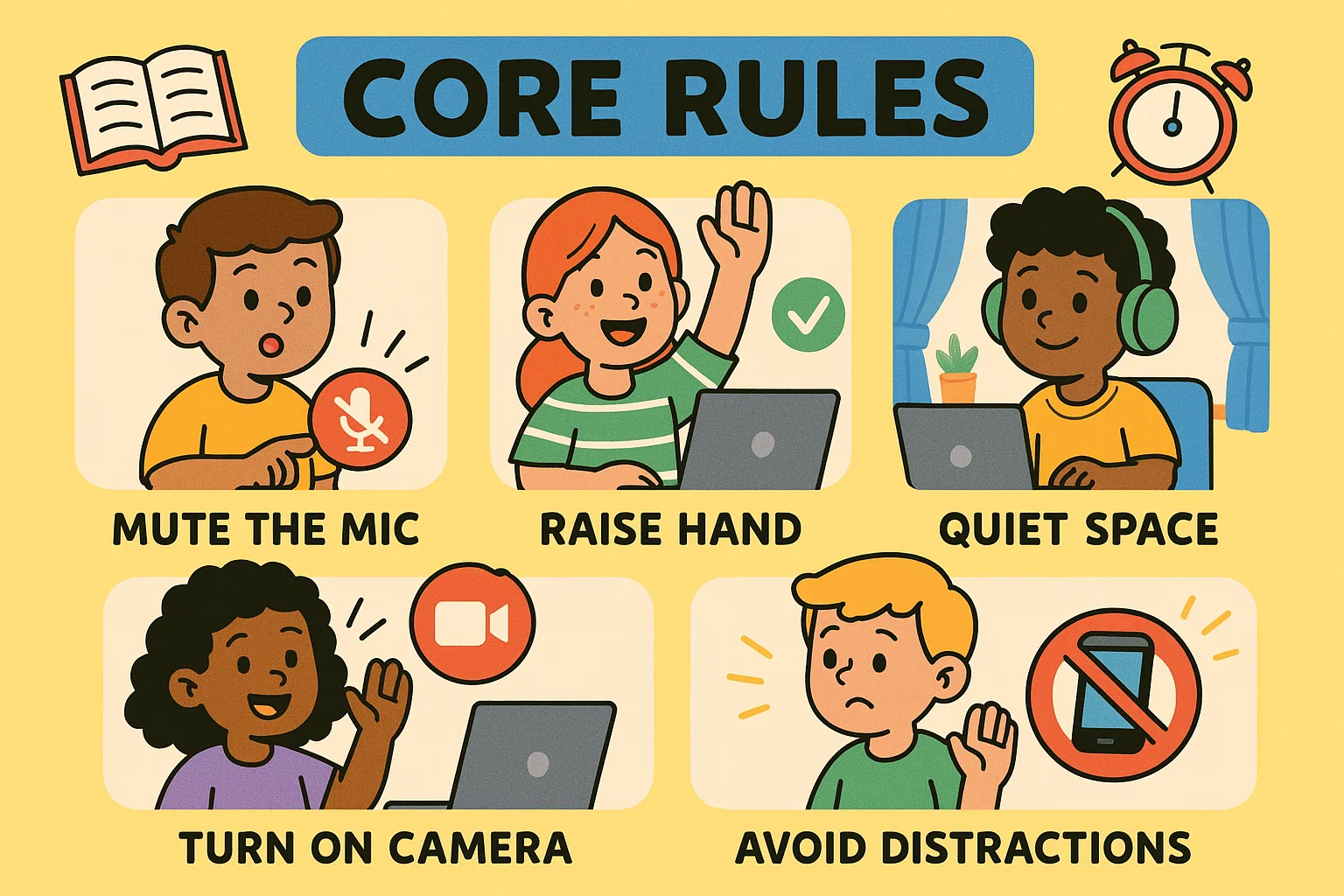
The following 15 rules provide a practical framework for improving student engagement, protecting online safety, and keeping virtual lessons productive.
Rule 1: Join from quiet study space
Learners should find a quiet, consistent workspace at home to use as their daily learning base. Choosing a space away from busy areas of the home helps keep background noise out of the microphone and reduces disruption for the class.
- Example: A student sets up a designated desk in their bedroom, closes the door, and asks family members to keep the nearby television volume low.
- Benefit: Reducing background noise protects the learner’s focus and ensures that when they unmute, the class can hear their contribution clearly.
Rule 2: Be on time for class
Punctuality shows respect for the teacher, classmates, and the lesson schedule in both physical and digital classrooms. Students should aim to log into the online platform about three to five minutes before the official start time to allow for unexpected technical delays.
- Example: A student opens their laptop at 8:55 AM for a live session scheduled to begin at 9:00 AM.
- Benefit: Arriving early gives students time to handle software updates, login issues, or hardware problems without delaying the lesson for everyone else.
Rule 3: Come prepared with materials
To stay engaged, students should gather all required physical and digital materials before the lesson starts. This preparation prevents students from leaving their workspace during the lesson to look for missing materials.
- Example: A student places their textbook, notebook, pencil, and device charger within arm’s reach before logging in.
- Benefit: A prepared workspace reduces interruptions, prevents gaps in attention, and helps students begin tasks immediately.
Rule 4: Keep microphone muted until speaking
Background noise is one of the most common challenges in virtual classes. Students should keep their microphones muted unless the teacher asks them to speak.
- Example: A student clicks the microphone icon to mute themselves as soon as they enter the Zoom or Microsoft Teams meeting.
- Benefit: This shared habit reduces audio feedback, echo, and accidental household sounds that could interrupt the teacher’s explanation.
Rule 5: Turn camera on when required
Active visual contact through a webcam can support accountability, help teachers gauge comprehension, and build a stronger sense of classroom community. While privacy policies vary, students should turn on their cameras when the teacher or school requires it.
- Example: A student adjusts their webcam so their face is visible from the shoulders up during attendance and direct instruction.
- Benefit: Seeing learners’ faces can help teachers read facial cues, notice confusion, confirm participation, and maintain a more personal connection.
Rule 6: Dress appropriately for school
What a student wears can influence their readiness to focus and participate in class. Formal uniforms are usually unnecessary, but students should wear clothes that meet normal school expectations.
- Example: A student changes out of sleepwear into a clean casual shirt before attending a morning online class.
- Benefit: Dressing appropriately creates a clear mental boundary between leisure time and learning time.
Rule 7: Remove distractions from workspace
A cluttered digital or physical workspace can make it harder for students to focus. Students should close unrelated browser tabs, silence secondary devices, and keep unnecessary items away from their study area.
- Example: A student places their smartphone on “Do Not Disturb” across the room and closes all unrelated gaming or social media tabs.
- Benefit: Removing distractions reduces task switching and helps students process and retain academic content more effectively.
Rule 8: Pay attention during lesson
Active attention means following the teacher’s explanation, tracking visual materials, and staying mentally present. Students should avoid multitasking, such as browsing unrelated web pages or texting friends during the lesson.
- Example: A student takes handwritten notes from the slides while staying focused on the teacher’s video and explanation.
- Benefit: Sustained attention helps students avoid missing assignment details, key concepts, or real-time instructions.
Rule 9: Raise hand or use signals before speaking
Speaking without taking turns during a video call can cause overlapping voices, making it hard for participants to understand one another. Students should use platform tools, such as the “raise hand” button, when they want to speak.
- Example: A student clicks the digital “raise hand” icon and waits for the teacher to call their name.
- Benefit: Structured signals keep turns organized, prevent louder voices from dominating, and help students practice patience.
Rule 10: Use chat respectfully
The chat feature is useful for academic questions, peer collaboration, and quick feedback. It should not be used for side conversations, memes, or irrelevant messages.
- Example: A student types, “Can you please clarify the difference between steps two and three?” instead of posting unrelated emojis or inside jokes.
- Benefit: Keeping the chat focused helps the teacher quickly identify real questions and misunderstandings.
Rule 11: Avoid eating during class
Eating full meals during a live class can create visual and audio distractions for other students. Students should eat meals and snacks during scheduled breaks whenever possible.
- Example: A student finishes lunch during the break and brings only a water bottle to the 1:00 PM science class.
- Benefit: Avoiding food during class helps protect computer equipment from spills and prevents chewing noises from being picked up by an unmuted microphone.
Rule 12: Treat webcam like real classroom interaction
A webcam brings students into a shared classroom space, so distracting movements can affect everyone. Students should sit calmly and avoid distracting objects or movements on camera.
- Example: A student sits upright in a stable chair and avoids spinning, rocking, or carrying the laptop around the house during class.
- Benefit: Calm, focused behavior on camera helps maintain a learning environment that feels organized and respectful.
Rule 13: Stay positive and constructive
A supportive digital classroom requires empathy, especially when classmates make mistakes or struggle with technology. Students should use encouraging language when speaking aloud or contributing to online discussions.
- Example: A student posts a supportive message in the chat when a classmate struggles while reading aloud.
- Benefit: Positive communication reduces performance anxiety and helps students feel safer participating in class.
Rule 14: Protect privacy and online safety
Online safety rules require students to keep passwords, meeting links, and class materials private. Students should not share class screenshots, recordings, links, or materials on public websites or social media.
- Example: A student does not share the class Zoom password with a friend outside the class or post class recordings on public social media accounts.
- Benefit: Protecting access details reduces the risk of unwanted interruptions and helps keep the virtual classroom safe.
Rule 15: Use class page and collaboration boards
Using course pages and collaboration boards helps students keep track of assignments, resources, and group tasks. Students should regularly check official class portals to submit homework, upload files, and review supplementary materials.
- Example: A student checks the shared LMS announcement board every afternoon to confirm due dates and download PDF resources for group work.
- Benefit: Centralized digital resources help students build organization skills, reduce missed assignments, and ensure that project partners work from the same information.
Online classroom management tips for teachers
Managing an online classroom requires strategies designed for digital learning. Teachers cannot simply copy classroom routines into a digital space; they need strategies that help students stay focused online.
Use lesson routines
Using a consistent lesson routine reduces anxiety and helps students know what to expect. Instructors should design a predictable entry sequence: a 2-minute greeting, a 3-minute technical checklist, a 15-minute direct instruction segment, and then collaborative breakout sessions.
When learners recognize the routine, they spend less energy guessing what comes next and can move more smoothly from one activity to another.
Add visual cues
Online learners benefit from clear visual cues that show them what to do without repeated verbal reminders. Teachers can use simple icons or slides to signal when students should mute, use the chat, or raise their hand.
| Visual cue | Student action | Best use |
| Mute icon | Stop speaking and mute microphone | Direct instruction or independent work |
| Chat icon | Type answers or questions | Quick checks for comprehension |
| Hand-raise icon | Wait for turn to speak | Discussions and Q&A sessions |
These visual cues make expectations easier to follow and help students self-regulate without slowing down the lesson.
Create question parking lot
To prevent off-topic questions from interrupting direct instruction, teachers can create a “question parking lot.” This can be a shared digital document, a Padlet board, or a pinned chat thread where students place non-urgent questions.
The teacher can then set aside short blocks of time during or after the lesson to answer these questions. This approach respects student curiosity while keeping the main lesson on track.
Address discipline issues fast
Behavior problems should be addressed quickly, calmly, and privately when possible. When a learner breaks a virtual classroom rule, the teacher can send a direct private message that names the specific issue and reminds the student of the expectation.
If the behavior continues, targeted platform features, such as muting the learner’s microphone or moving the student to the waiting room, can stop the disruption without creating a public confrontation.
Personalize support for non-participation
Passive disengagement or silence during a virtual class often has an underlying cause. A student may be dealing with bandwidth problems, processing delays, camera anxiety, or uncertainty about the task.
Instead of publicly reprimanding a silent student, teachers can offer alternative ways to participate. For example, the student may use private chat check-ins, submit short written responses, or send brief audio clips to demonstrate comprehension.
Virtual classroom setup for better behavior
The physical and technical setup of an online classroom influences class behavior. A poorly configured platform can create distractions, while a well-organized setup helps students stay focused and productive.
Choose reliable classroom software
Schools should choose reliable video conferencing and learning platforms with strong teacher controls and stable connections. Good software should let teachers manage microphones, screen sharing, chat settings, and waiting rooms.
Reliable platforms help teachers manage learning activities confidently while reducing the risk of external disruptions.
Test camera, microphone, hardware
Technical problems at the start of a lesson can reduce attention and create unnecessary delays. Teachers and students should check their camera, microphone, and internet connection about ten minutes before class begins.
Key checks include:
- Audio level check: Make sure the microphone captures clear speech without background noise.
- Video frame alignment: Position the webcam at eye level with good lighting and a clear view of the face.
- Connectivity check: Test the internet connection to make sure it can support a live video lesson.
Completing these basic checks reduces mid-lesson disruptions and prevents troubleshooting from taking up valuable class time.
Build virtual classroom library
Centralizing learning materials in one organized digital space reduces confusion and off-task searching. The library can include folders for lecture recordings, presentation slides, source documents, assignment instructions, and supplementary resources.
Giving students one reliable place for class materials helps them become more independent and reduces confusion about where to find assignments.
Plan lessons around interactive features
Long, passive video lectures can lower attention and increase off-task behavior in online learning environments. To keep students engaged, teachers should include active touchpoints every seven to ten minutes.
Useful interactive features include:
- live polls;
- collaborative whiteboards;
- short quizzes;
- breakout rooms;
- chat-based comprehension checks;
- shared documents for group work.
This interactive pacing gives students fewer chances to drift into distractions or off-task behavior.
Secure classroom access and privacy
Strong security settings are essential for protecting the virtual learning environment. Educators should use unique meeting passwords, enable waiting rooms, and restrict screen sharing to the host by default.
Blocking anonymous access helps prevent unwanted interruptions and ensures that only verified students can enter the virtual classroom.
How to create a positive virtual learning environment
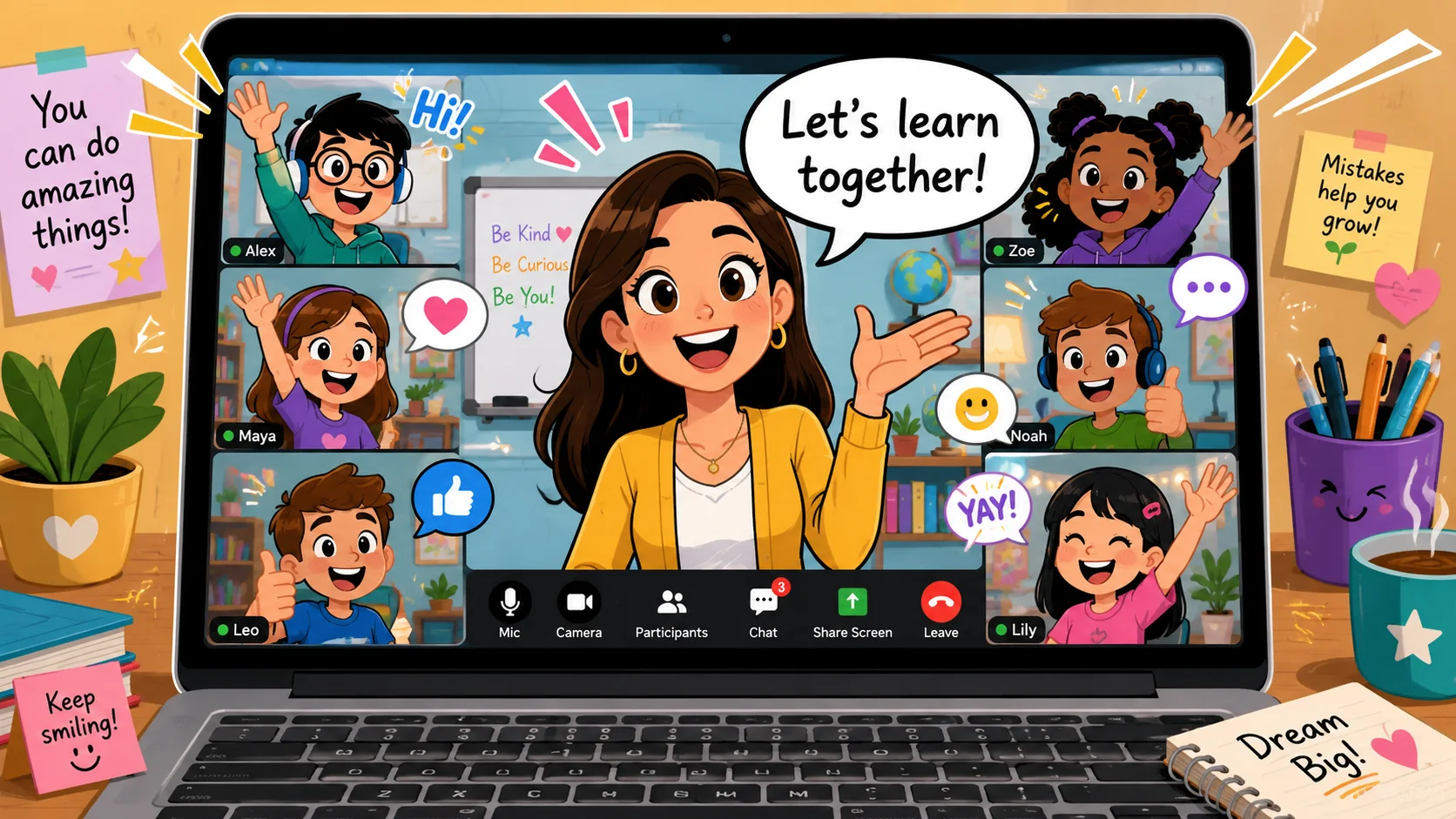
A strong digital classroom balances structure with warmth, support, and psychological safety. When learners feel valued, respected, and connected to their peers, they are often more motivated and less likely to disengage.
Encourage engagement opportunities
To keep a digital class active and inclusive, educators should offer multiple ways for students to participate. Learners may engage by speaking aloud, typing in the chat, using non-verbal reactions, or working in small groups.
This variety can lower performance anxiety and help more students feel included in collaborative learning.
Keep timing and content delivery clear
Digital learning requires careful time management to prevent screen fatigue and help students stay focused. Teachers should break instruction into short, manageable segments and balance direct explanation with practice, group work, and movement breaks.
A clear pace helps students manage their energy levels and reduces off-task behavior caused by fatigue or confusion.
Hold office hours for extra support
Virtual office hours outside regular class time give students a low-pressure space to ask questions, clarify assignment details, or get help using digital tools.
This extra support can improve confidence and prevent students from falling behind because of unresolved technical or academic challenges.
Gather learner feedback after class
Collecting anonymous student feedback through simple digital surveys helps teachers understand how the class is working. Teachers can ask the class about workload, screen fatigue, lesson clarity, and participation comfort.
A simple feedback loop may look like this:
| Step | Purpose | Example |
| Collect feedback | Learn how students experience the class | Anonymous form after a lesson |
| Review patterns | Identify fatigue, confusion, or participation barriers | Look for repeated concerns |
| Adjust instruction | Improve pacing, rules, or support | Shorter segments or clearer directions |
This collaborative approach builds community and shows the class that their input can improve the learning environment.
Recognize creativity and respectful effort
Positive behavior is best reinforced through specific, meaningful praise. Teachers should highlight concrete examples of strong student performance, such as an insightful chat comment, a creative presentation slide, or a classmate helping a peer solve a technical issue.
Recognizing these positive actions encourages students to keep participating respectfully and helps build a culture of mutual respect online.
Practical ways to handle non-participation
Addressing disengagement in an online setting requires a thoughtful approach that identifies the reason behind a student’s silence without causing further withdrawal.
Identify signs of low participation
Teachers should watch for passive behaviors that may signal a drop in motivation or engagement. These signs can include turning off the webcam without an approved reason, failing to respond to direct chat check-ins, missing assignment deadlines, and showing no activity on collaborative boards.
Catching these signs early allows teachers to intervene beforea learner falls behind academically or disconnects from the class community.
Send reminders about expectations
When a learner’s engagement begins to slip, teachers can send gentle, supportive reminders to help re-establish focus. These check-ins should use encouraging language rather than sounding punitive.
- Example: “I noticed you’ve been quieter than usual in the chat lately. Is there anything I can do to help make it easier for you to share your ideas?”
- Benefit: A supportive approach opens a safe dialogue and allows the student to share any technical difficulties, anxieties, or confusion they may be facing.
Use personalization for disengaged learners
Re-engaging a disconnected learner often requires support tailored to their needs and comfort level. Teachers can offer personalized options, such as allowing the student to choose between private and public chat responses or pairing them with a supportive peer partner in breakout rooms.
This approach reduces performance anxiety and helps the learner gradually rebuild confidence and participate more actively.
Offer safe ways to respond
To support introverted or anxious students, teachers should provide low-stress ways to participate during live sessions. Using non-verbal features like emojis, quick multiple-choice polls, or anonymous digital whiteboards allows students to share their thinking without the stress of speaking in front of the whole class.
| Participation tool | Cognitive demand | Social anxiety level | Best used for |
| Live multiple-choice poll | Low | Very low | Quick pulse checks and attendance |
| Anonymous digital board | Medium | Low | Brainstorming and open-ended ideas |
| Text-based chat box | Medium | Medium | Formulating targeted questions |
| Spoken microphone | High | High | In-depth analysis and oral presentations |
Providing varied options helps students participate more comfortably and creates a more inclusive learning environment.
Frequently asked questions
What are the top rules for online classroom behavior?
The top rules for online classroom behavior include joining the class on time, keeping the microphone muted when not speaking, using the chat respectfully, staying focused, and protecting class privacy. Students should also be ready with materials, use the “raise hand” function before speaking, and avoid anything that could disrupt the lesson. These rules and expectations help maintain a productive virtual classroom setting and create a better experience for everyone.
What are 10 virtual classroom rules every student should follow?
The most useful 10 virtual classroom rules are simple: join minutes before the class starts, use a quiet workspace, test the camera and microphone, keep the microphone muted, dress appropriately, avoid eating and drinking, use chat for class-related messages, respect classmates, protect meeting links, and stay engaged. These classroom rules for students help maintain focus, support active participation, and keep the online classroom environment organized.
Why are rules important in a virtual classroom?
Rules are important in a virtual classroom because students and teachers do not share the same physical space. Clear virtual classroom rules and expectations help learners understand how to behave, how to participate in the lesson, and how to use digital tools without disrupting others. Good rules also help maintain a productive environment for learning, reduce confusion, and ensure a positive classroom experience.

Take a short quiz to find out what your everyday choices say about your parenting style
When your child is curious about something new, what’s your instinct?
Take a short quiz to find out what your everyday choices say about your parenting style
“Can I download this app?” What happens next?
Take a short quiz to find out what your everyday choices say about your parenting style
When it comes to rules at home, which sounds most like you?
Take a short quiz to find out what your everyday choices say about your parenting style
If you could give your child one life skill today, what would you pick?
Take a short quiz to find out what your everyday choices say about your parenting style
Your child gets to choose what to watch. What would your ideal setup look like?
Take a short quiz to find out what your everyday choices say about your parenting style
Pick your parenting superpower ✨