15 Best Online Games for Kids: Fun, Learning and Safe Play

 Discover a Free Education Video App for Kids
Pastory uses AI to personalize educational video content based on your child’s interests and personality. Safe, engaging, and built for curious young minds. Sign up now to stay updated and enjoy early access with a free trial
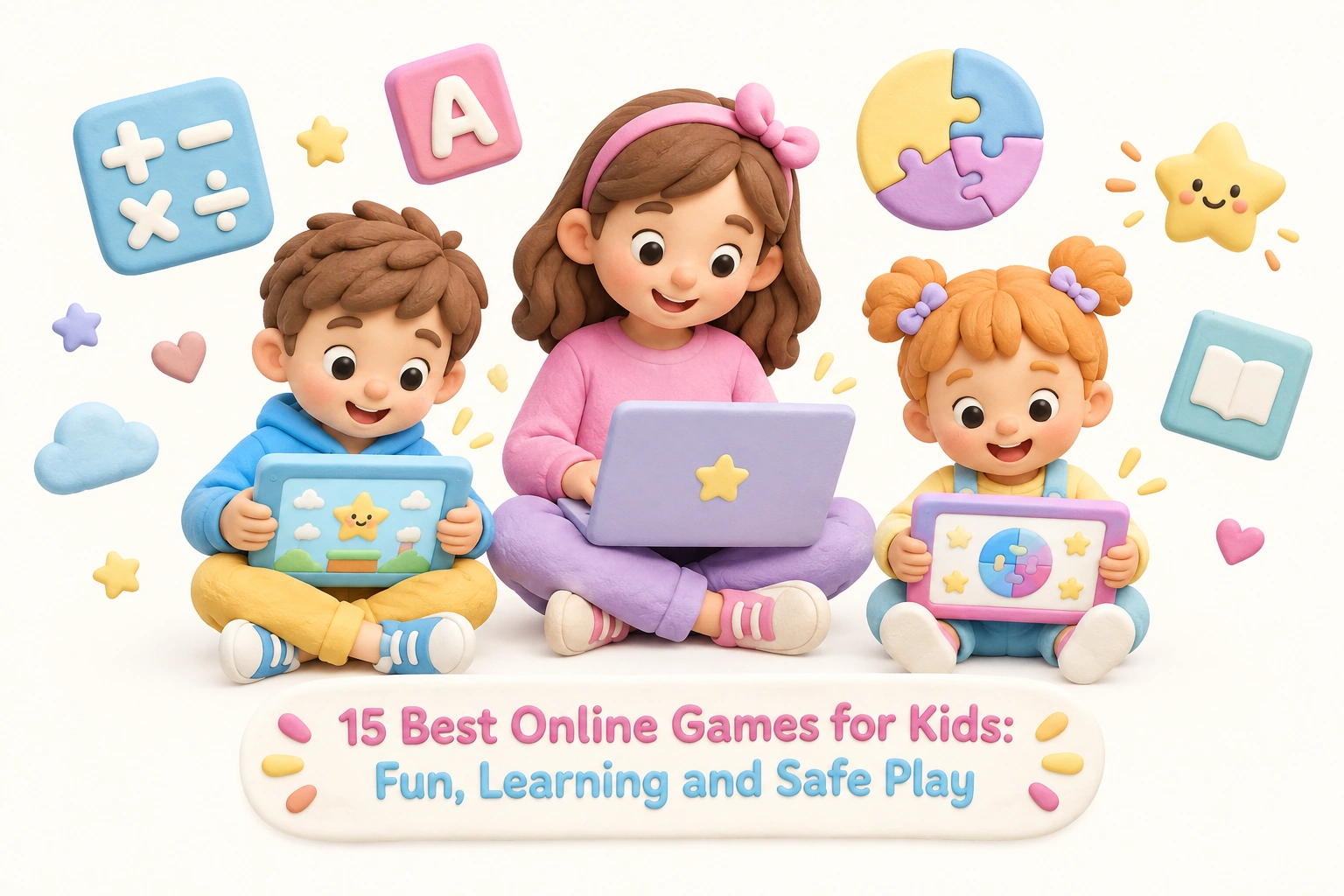
Finding online games for kids that are genuinely fun, developmentally appropriate, and safe enough to trust can feel overwhelming when thousands of options compete for children’s attention. This guide cuts through the noise with 15 carefully considered picks organized by age group, alongside honest notes on safety, educational value, and what parents should watch for — including in-app purchases, privacy practices, and screen time balance.
Key Takeaways
- The strongest online games for kids combine engagement with meaningful skill-building — look for titles that support problem-solving skills, literacy, math fluency, or creative thinking rather than passive clicking.
- Browser-based games that require no download and no sign-up are generally the lowest-risk starting point for younger children, since they limit data collection and account vulnerabilities.
- COPPA-compliant platforms are legally required to protect children’s data in the United States; checking for this designation is one of the most practical safety steps a parent can take.
- Parental controls, screen time limits, and regular co-play sessions significantly improve both the safety and the developmental value of any online gaming experience.
- No single game or platform replaces caregiver interaction, physical play, or offline learning — online games work best as one balanced component of a child’s broader daily routine.
What Makes an Online Game Worth a Child’s Time?
Not all digital play is equal. Research in game-based learning suggests that children gain the most from interactive experiences that require active decision-making, offer meaningful feedback, and adjust to the child’s current skill level. A game that simply rewards rapid clicking provides little cognitive benefit, while one that asks a child to plan a strategy, decode a word, or solve a math puzzle can genuinely support cognitive development. When evaluating any title, consider whether it builds a specific skill, whether the challenge level grows with the child, and whether the content is age-appropriate for your child’s developmental stage.
Safety is equally important. Key markers to look for include COPPA compliance (which means the platform follows US federal rules on children’s data), an ad-free or clearly moderated environment, no open chat with strangers, and transparent policies on in-app purchases. Browser-based games with no download required and no sign-up needed are particularly low-friction and low-risk for younger children, since they avoid account creation and reduce data exposure.
Online Games for Younger Children (Ages 3–7)
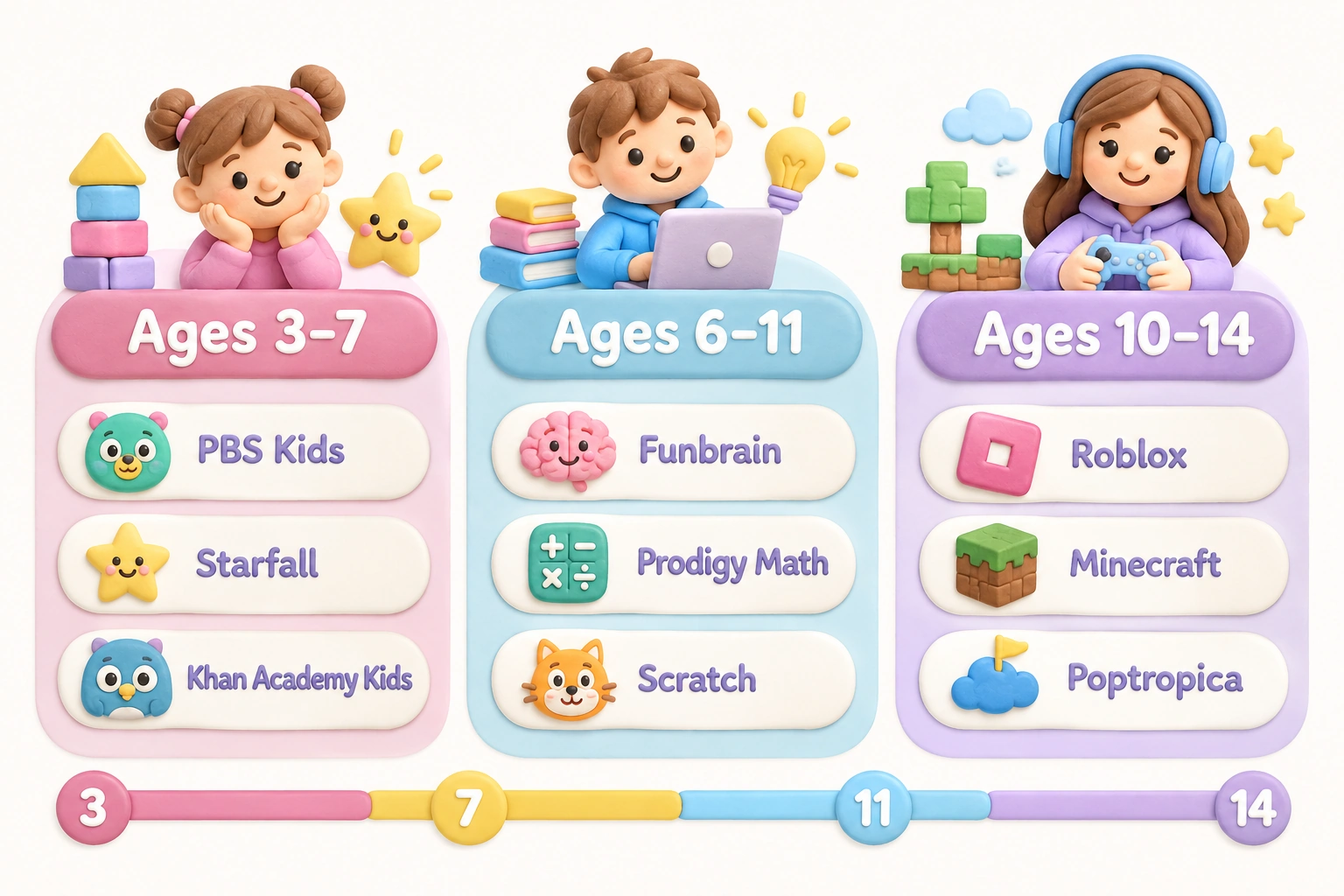
Preschool and early elementary children benefit most from games that reinforce foundational skills — letter recognition, phonics, counting, and basic problem-solving — through short, rewarding play sessions. The following platforms are widely used, broadly trusted, and designed specifically for this age group.
1. PBS Kids Games
PBS Kids Games is one of the most consistently recommended free online games for kids in the preschool and early elementary range. The platform features characters from well-known educational television series and covers literacy, math, science, and social-emotional themes. It is ad-free, requires no sign-up, and is browser-based, making it accessible on most devices without installation. PBS Kids does not collect personal data from children, which aligns with COPPA requirements. Sessions are short and self-contained, which suits the attention spans of children aged 3 to 7.
2. ABCya
ABCya is a long-established kid-friendly platform offering hundreds of learning games organized by grade level, from pre-K through Grade 6. Games cover math, reading, typing, creativity, and strategy. The free version includes ads, which parents should be aware of; a paid subscription removes them for a fully ad-free experience. ABCya does not require account creation for most games, and its grade-based filtering makes it easy to find age-appropriate content quickly. The platform is widely used in classrooms as well as at home.
3. Starfall
Starfall focuses specifically on early literacy and phonics for children aged approximately 3 to 8. Its structured, sequential approach to reading — moving from letter sounds through simple sentences — makes it a useful complement to formal reading instruction. The free version covers core phonics content; a subscription unlocks additional math and reading activities. Starfall is ad-free, does not include social features, and is designed for independent use by young children, though caregiver involvement during early sessions helps children get the most from the experience.
4. Khan Academy Kids
Khan Academy Kids is a free, ad-free app and browser-based platform for children aged 2 to 8. It covers early math, reading, social-emotional learning, and creative activities through an adaptive curriculum that adjusts to each child’s progress. Khan Academy Kids is COPPA compliant and does not include in-app purchases or advertising. The platform provides a parent dashboard so caregivers can monitor progress and time spent. Its breadth of subjects and genuine adaptive personalization make it one of the more educationally robust free options available for this age group.
5. Sesame Street Games and Nick Jr.
Both Sesame Street Games and Nick Jr. offer browser-based, no-download games built around familiar characters. These platforms are designed for toddlers and preschoolers, with simple mechanics that support early cognitive development — color recognition, basic counting, and cause-and-effect reasoning. Content is age-appropriate and generally ad-free within the game environment, though the surrounding websites may carry advertising. Neither platform requires account creation for basic game access.
Online Games for Elementary-Age Children (Ages 6–11)
Children in the early and middle elementary years are ready for more complex game mechanics, longer play sessions, and titles that build math fluency, reading comprehension, and early critical thinking. This age group also begins to show interest in multiplayer games, which introduces both social benefits and new safety considerations.
6. Funbrain
Funbrain offers a mix of educational games, books, and videos for children in grades Pre-K through 8. Its math and reading games are curriculum-aligned and cover skills from basic addition through fractions and early algebra. Funbrain is free and browser-based, though the site includes advertising. No account is required for most content. The platform has been used in schools for many years and is a familiar recommendation from educators looking for supplementary practice tools.
7. Coolmath Games
Despite its name, Coolmath Games covers far more than mathematics — it includes logic puzzles, strategy games, and memory challenges that support problem-solving skills and critical thinking across a wide range of formats. The platform is browser-based and free, with no sign-up required for most games. Coolmath Games does carry advertising, so parental awareness is recommended. It is best suited to children aged approximately 8 and older, as many games require reading and multi-step reasoning.
8. Prodigy Math
Prodigy Math is a curriculum-aligned math game designed for children in grades 1 through 8. It uses a role-playing adventure format to embed math questions into gameplay, which many children find more motivating than traditional drill practice. The core game is free; a premium membership unlocks additional in-game content. Parents should be aware that Prodigy’s free-to-play model uses in-game prompts that encourage upgrading, which some families find intrusive. The platform is used in many classrooms and provides a teacher or parent dashboard for tracking progress. Prodigy is COPPA compliant and does not include open chat.
9. Arcademics
Arcademics combines arcade-style multiplayer games with academic content — primarily math facts and language arts — for children in grades K through 8. Children can race against other players in real time while practicing multiplication, division, vocabulary, and grammar. The multiplayer format can be motivating, though parents should note that real-time competition with unknown players is involved in the public game mode; a private classroom or family mode is available. Arcademics is free, browser-based, and widely used by teachers as a classroom engagement tool.
10. National Geographic Kids
National Geographic Kids offers games, quizzes, and interactive activities centered on science, geography, animals, and the natural world. The platform is particularly well suited to children with strong curiosity about the world around them and can support vocabulary building, scientific thinking, and general knowledge. Games are browser-based and free, with no account required. The site includes some advertising. National Geographic Kids is a strong choice for children aged 6 to 12 who enjoy discovery-based learning rather than structured skill drills.
11. Scratch (and ScratchJr)
Scratch, developed by MIT, is a free browser-based platform that teaches children aged approximately 8 to 16 the fundamentals of coding through visual block-based programming. Children create their own interactive stories, games, and animations, which supports creativity, logical thinking, and early STEM skills. ScratchJr is the simplified version for children aged 5 to 7. Both platforms are COPPA compliant. Scratch includes a community where children can share projects; parental guidance is recommended when children begin interacting with the broader community. Scratch is used extensively in schools and is one of the most educationally substantive free coding tools available.
Multiplayer and Social Games: Benefits and Safety Considerations
Multiplayer games for kids introduce genuine social benefits — cooperation, communication, and shared problem-solving — but they also carry risks that browser-based solo games do not. Voice chat, in-game messaging, and contact with unknown players are the primary concerns. The following widely popular titles deserve specific attention from parents.
12. Roblox
Roblox is a vast online platform where children can play thousands of user-created games across virtually every genre. Its appeal is enormous, particularly for children aged 7 to 14, and it can support creativity, social connection, and even basic game design. However, Roblox carries meaningful risks that parents must actively manage. The platform uses a virtual currency called Robux, which is purchased with real money; in-app purchases can accumulate quickly without spending controls in place. Roblox also includes chat features and user-generated content that is not uniformly moderated. Parents should enable account restrictions, set a spending cap, activate the parental controls dashboard, and review privacy settings before allowing independent play. Roblox is not ad-free and is not fully COPPA compliant for all users without parental account configuration.
13. Minecraft
Minecraft is a sandbox game available across multiple platforms that allows children to build, explore, and create in an open virtual world. It is widely recognized for supporting spatial reasoning, creativity, planning, and collaborative problem-solving. Minecraft is not free — it requires a one-time purchase — but it does not rely on ongoing in-app purchases in its base form. The Java and Bedrock editions include multiplayer servers, which vary widely in moderation quality; parents should use curated family-friendly servers or enable local network play only. Minecraft Education Edition is a separate, school-focused version used in classrooms globally. Parental controls are available through Microsoft Family Safety for account-linked play.
14. Animal Jam
Animal Jam is a virtual world designed specifically for children, centered on wildlife and nature themes. It is COPPA compliant and includes moderated chat options, making it one of the safer multiplayer environments for children aged 7 to 12. A free membership provides access to core gameplay; a paid membership unlocks additional features. Animal Jam does include in-app purchase options, so parents should review account settings. The platform incorporates educational content about animals and ecosystems, which adds genuine learning value alongside the social gameplay.
15. Poptropica
Poptropica is an adventure-based virtual world for children aged approximately 6 to 15. Players complete island-based quests that involve reading, puzzle-solving, and critical thinking. The platform is free to access, with a paid membership for additional islands. Poptropica does not include open real-time chat, which significantly reduces social risk compared to platforms like Roblox. It is browser-based and does not require a download. The quest-based structure encourages persistence and narrative comprehension, making it a useful option for children who enjoy story-driven gameplay.
A Practical Safety Checklist for Any Kids’ Game Site
Before allowing a child to use any new gaming platform, parents can run through the following red-flag checklist. A platform that fails several of these checks warrants closer scrutiny or avoidance for younger children.
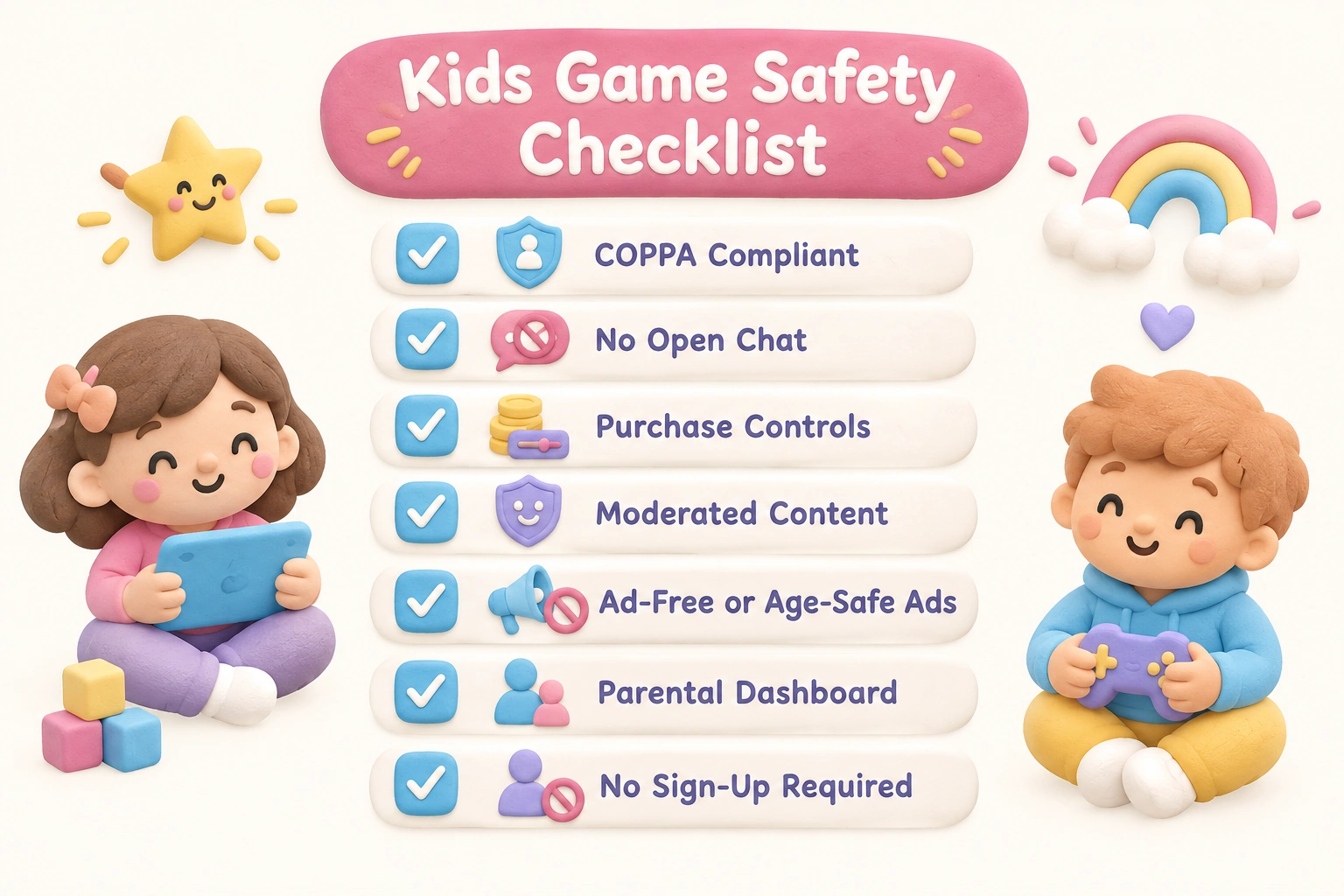
- Is the platform COPPA compliant or equivalent? Look for a clear privacy policy that addresses children’s data collection.
- Does it include open chat with strangers? Unmoderated real-time chat is the single greatest social risk in online gaming for children.
- Are in-app purchases clearly disclosed? Virtual currencies (Robux, V-Bucks) can obscure real spending; check whether parental approval is required for purchases.
- Is the content user-generated? User-generated content platforms require more active parental oversight than editorially curated ones.
- Does the site carry intrusive advertising? Ad-free environments are preferable for younger children; if ads are present, check whether they are age-appropriate.
- Are parental controls available and easy to configure? Platforms that offer a dedicated parent dashboard provide meaningfully better oversight.
- Is a sign-up or account required? No-sign-up, browser-based games reduce data exposure for younger children.
Screen Time Guidance and Age-Appropriate Limits
The American Academy of Pediatrics (AAP) recommends avoiding screen-based media other than video calls for children under 18 to 24 months, limiting screen time to one hour per day of high-quality programming for children aged 2 to 5, and ensuring that screen time for children aged 6 and older does not displace sleep, physical activity, or face-to-face interaction. These guidelines apply to all screen use, including online games, not just passive video viewing.
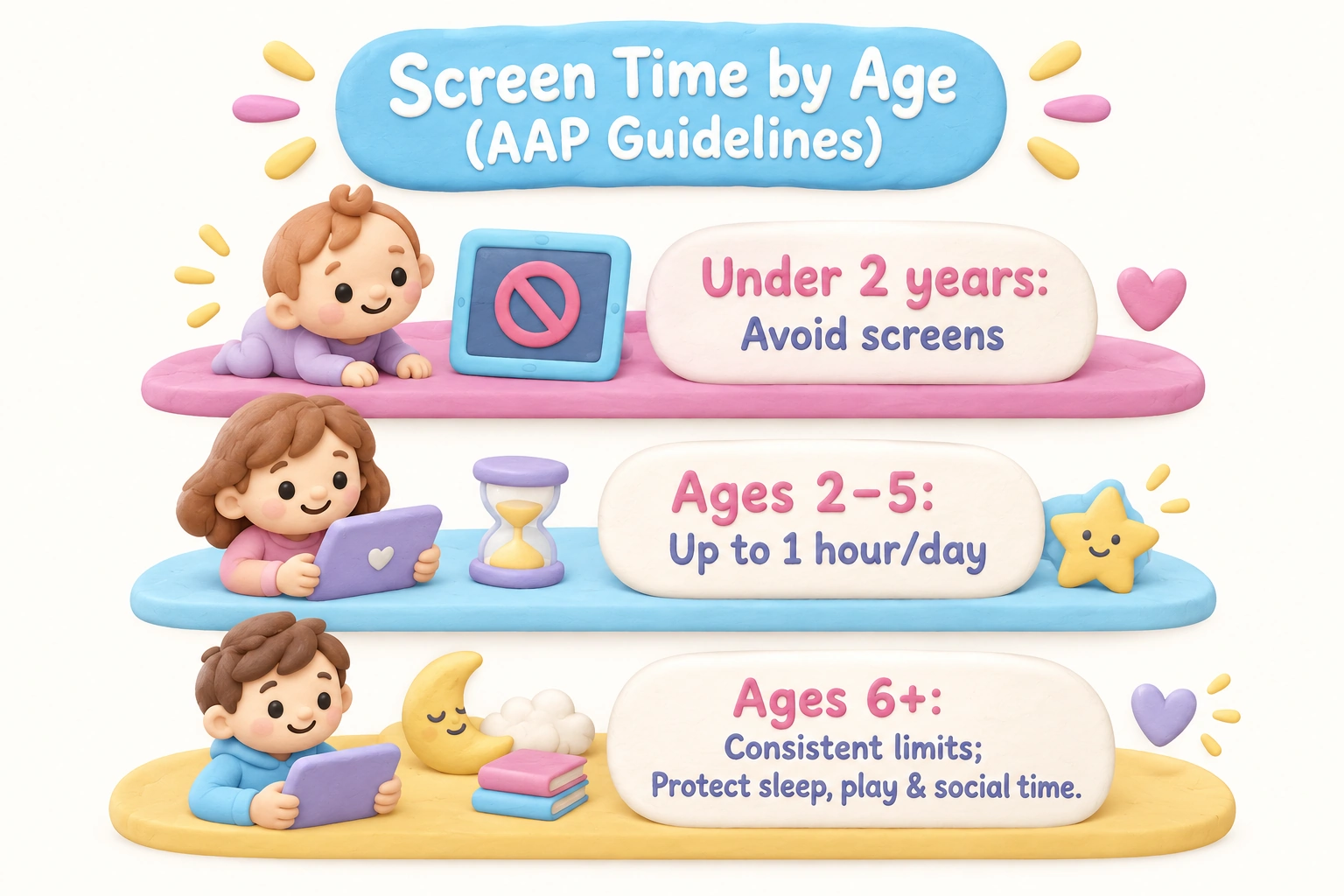
In practice, this means that even the best educational online games should be one component of a varied daily routine rather than a primary activity. Co-playing with a caregiver — particularly for children under 8 — significantly increases the developmental value of any game by adding conversation, explanation, and shared problem-solving that the game itself cannot provide. Setting consistent daily time limits, using device-level parental controls to enforce them, and keeping gaming devices in shared family spaces are practical steps that support both safety and healthy screen time habits.
Games That Work Well for Children with Learning Differences
Children with dyslexia, ADHD, or other learning differences may benefit from specific features that many mainstream game lists overlook. For children with reading difficulties, platforms like Starfall and Khan Academy Kids use audio support and visual cues that reduce reliance on independent reading. For children with ADHD, shorter game sessions with clear goals and immediate feedback — such as those on PBS Kids Games or Arcademics — tend to be more accessible than open-ended sandbox environments that require sustained self-direction. Scratch and ScratchJr can be particularly engaging for children who think visually and spatially. Parents of children with identified learning differences are encouraged to consult with their child’s educator or specialist when selecting digital tools, as individual needs vary considerably.
No Download, No Sign-Up: The Lowest-Barrier Safe Options
For parents who want the simplest, lowest-risk entry point into online gaming for kids, browser-based games that require no download and no sign-up are the most practical starting point. PBS Kids Games, Funbrain, Coolmath Games, National Geographic Kids, and Poptropica all offer substantial free content without requiring account creation. These platforms reduce data exposure, eliminate the risk of unauthorized purchases, and can be accessed on any device with a browser. They are particularly well suited to younger children and to families who are new to online gaming and want to explore options before committing to any platform or subscription.
Frequently Asked Questions
Are free online games for kids actually safe?
Many free online games for kids are safe, but safety varies significantly by platform. Browser-based, ad-free, COPPA-compliant platforms like PBS Kids Games and Khan Academy Kids are among the most reliably safe options. Free-to-play platforms with user-generated content and in-game chat — such as Roblox — require active parental configuration to be used safely. “Free” does not automatically mean safe, and parents should review each platform’s privacy policy, chat settings, and purchase options before allowing independent use.
What is the safest online gaming platform for young children?
For children aged 3 to 7, PBS Kids Games, Khan Academy Kids, and Starfall are consistently among the safest options because they are ad-free, COPPA compliant, require no account creation, and include no social or chat features. For children aged 8 to 12, Animal Jam and Poptropica offer safer multiplayer or social environments compared to open platforms, due to moderated chat and child-specific design.
How much screen time is appropriate for gaming?
AAP guidance suggests no recreational screen time for children under 2 to 3 years (outside video calls), up to one hour daily for children aged 2 to 5, and consistent limits for older children that protect sleep, physical activity, and social interaction. These limits apply to gaming alongside all other screen use. The quality of the content and whether a caregiver is co-engaged matters as much as the total time.
What should I do about in-app purchases in kids’ games?
In-app purchases in games like Roblox (Robux) and Minecraft Marketplace can accumulate quickly. Practical steps include enabling purchase approval requirements through your device’s parental controls, setting a monthly spending cap if the platform allows it, and having an explicit conversation with your child about real-money costs before they begin playing. Never store payment details in a child’s account without purchase restrictions active.
Can online games genuinely support learning?
Research in game-based learning suggests that well-designed educational games can support skill development in areas such as math fluency, phonics, vocabulary, and early coding — particularly when the game adjusts to the child’s level and provides meaningful feedback. However, outcomes vary by child, content quality, and how the game is used. Educational games work best as a supplement to, not a replacement for, direct instruction, reading, and hands-on play.
Are multiplayer games appropriate for children?
Multiplayer games can support social skills, cooperation, and shared problem-solving, but they introduce risks including contact with unknown adults, exposure to inappropriate language, and social pressure around in-game spending. Age-appropriate multiplayer options — such as Arcademics in classroom mode or Animal Jam — include moderation features that reduce these risks. Open multiplayer platforms like Roblox require active parental oversight and account configuration to be used safely by younger children.
Choosing Online Games That Genuinely Fit Your Child
The 15 platforms and titles covered here represent a range of ages, learning goals, and safety profiles — from the simplest no-sign-up browser games for toddlers to more complex multiplayer environments for tweens. No single platform is the right fit for every child, and the best choice depends on your child’s age and developmental stage, their specific interests and learning needs, your family’s screen time approach, and how much active oversight you can realistically provide.
For younger children, starting with COPPA-compliant, ad-free, browser-based platforms like PBS Kids Games or Khan Academy Kids gives you a safe foundation with genuine educational value. For older children ready for more complex or social gameplay, platforms like Scratch, Prodigy Math, or Animal Jam offer meaningful engagement with manageable safety profiles when parental controls are configured. Roblox and Minecraft can be rewarding experiences for children who are ready for them — but they require more active parental involvement than most other options on this list.
Whatever platform you choose, regular check-ins, co-play when possible, and clear household rules about time limits and spending will do more to protect and enrich your child’s online gaming experience than any single platform feature. Online gaming works best when it is one enjoyable, well-supervised part of a broader childhood — not the centerpiece of it.

Take a short quiz to find out what your everyday choices say about your parenting style
When your child is curious about something new, what’s your instinct?
Take a short quiz to find out what your everyday choices say about your parenting style
“Can I download this app?” What happens next?
Take a short quiz to find out what your everyday choices say about your parenting style
When it comes to rules at home, which sounds most like you?
Take a short quiz to find out what your everyday choices say about your parenting style
If you could give your child one life skill today, what would you pick?
Take a short quiz to find out what your everyday choices say about your parenting style
Your child gets to choose what to watch. What would your ideal setup look like?
Take a short quiz to find out what your everyday choices say about your parenting style
Pick your parenting superpower ✨