15 Best Online Classroom Games for Interactive Lessons

 Discover a Free Education Video App for Kids
Pastory uses AI to personalize educational video content based on your child’s interests and personality. Safe, engaging, and built for curious young minds. Sign up now to stay updated and enjoy early access with a free trial
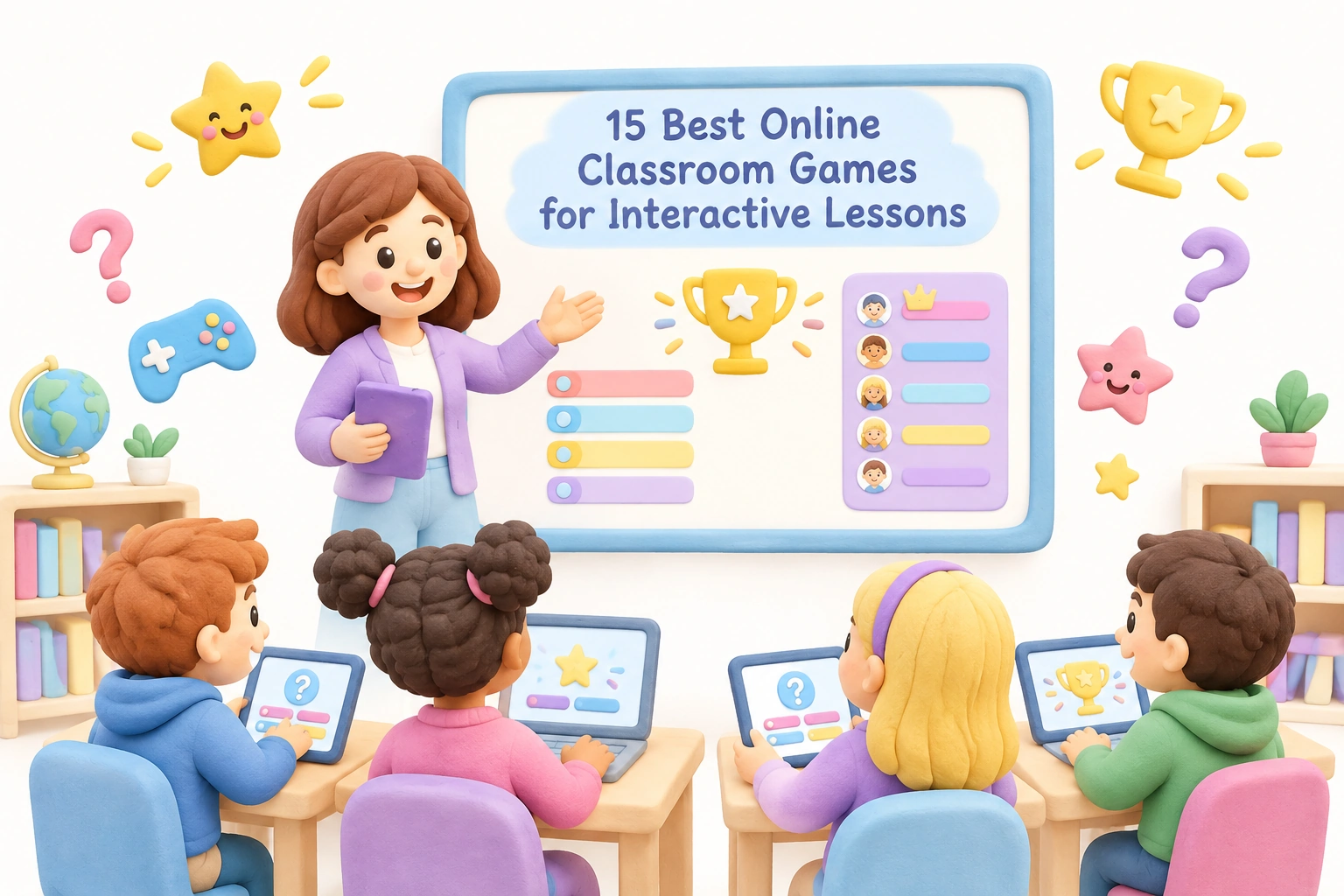
Online classroom games have moved well beyond novelty status. Research published in peer-reviewed journals, including studies in Frontiers in Education and PLOS ONE, consistently links digital game-based learning to higher student motivation, greater participation, and stronger knowledge retention compared with passive instruction alone. For K–12 teachers navigating hybrid schedules, diverse learners, and shrinking attention spans, a well-chosen game can serve as a formative assessment tool, a brain break, a vocabulary review, or a full interactive lesson — sometimes all at once. This guide covers 15 of the most effective online classroom games available, explains what each one does well, identifies realistic limitations, and helps you match the right tool to your students’ needs.
Key Takeaways
- Game-based learning may support student engagement, motivation, and knowledge retention when games are purposefully integrated into lessons rather than used as filler time.
- The best online classroom games for your context depend on grade level, subject, device availability, and whether you need synchronous whole-class play or self-paced asynchronous modes.
- Several strong platforms offer a meaningful free tier with no student login required, making them accessible even in low-tech environments.
- Classroom management, accessibility features, and LMS integration vary significantly across platforms — these practical factors matter as much as the game format itself.
- No single platform suits every learning goal; combining two or three complementary tools tends to produce better outcomes than relying on one.
Why Game-Based Learning Works in the Classroom
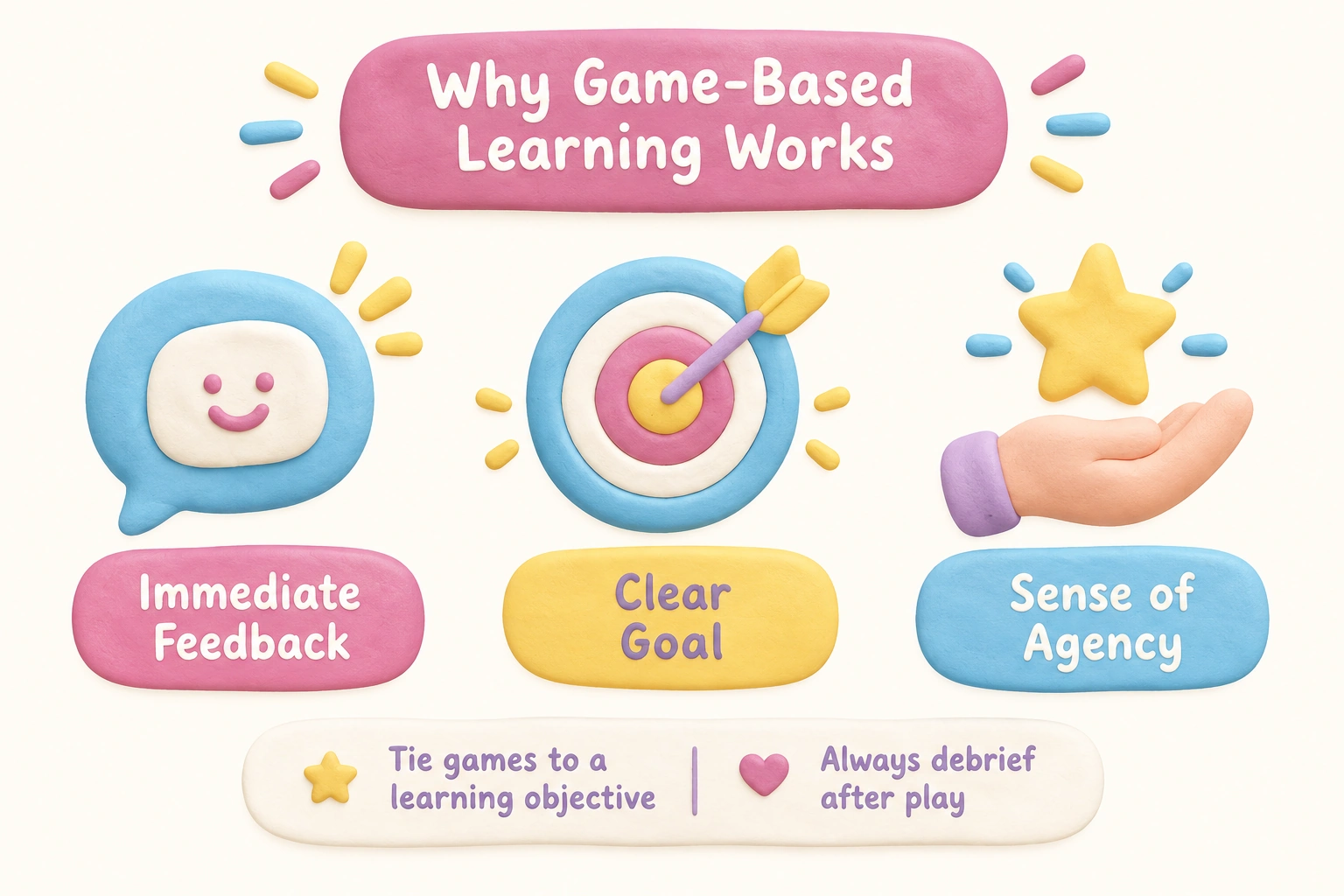
Game-based learning (GBL) activates intrinsic motivation by giving students immediate feedback, a clear goal, and a sense of agency — three conditions that educational psychologists associate with deeper engagement. A Kahoot study reviewed in Frontiers in Education found that students in game-enhanced classes reported higher enjoyment and were more likely to volunteer answers than peers in lecture-only settings. A broader PLOS ONE meta-analysis on digital game-based learning found positive correlations with motivation and short-term knowledge gains, though the authors noted that effect sizes vary by subject, age group, and how well the game aligns with learning objectives. The takeaway for teachers is straightforward: online classroom games are most effective when they are tied to a specific learning goal, followed by a brief debrief, and balanced with other instructional approaches.
Gamification — adding game mechanics such as points, leaderboards, and badges to non-game content — is related but distinct from full game-based learning. Both approaches can increase student engagement, but leaderboard-heavy formats may discourage lower-performing students if not managed thoughtfully. Offering team modes, anonymous scoring, or self-paced options can help maintain a positive learning atmosphere for all ability levels.
How to Choose the Right Online Classroom Game
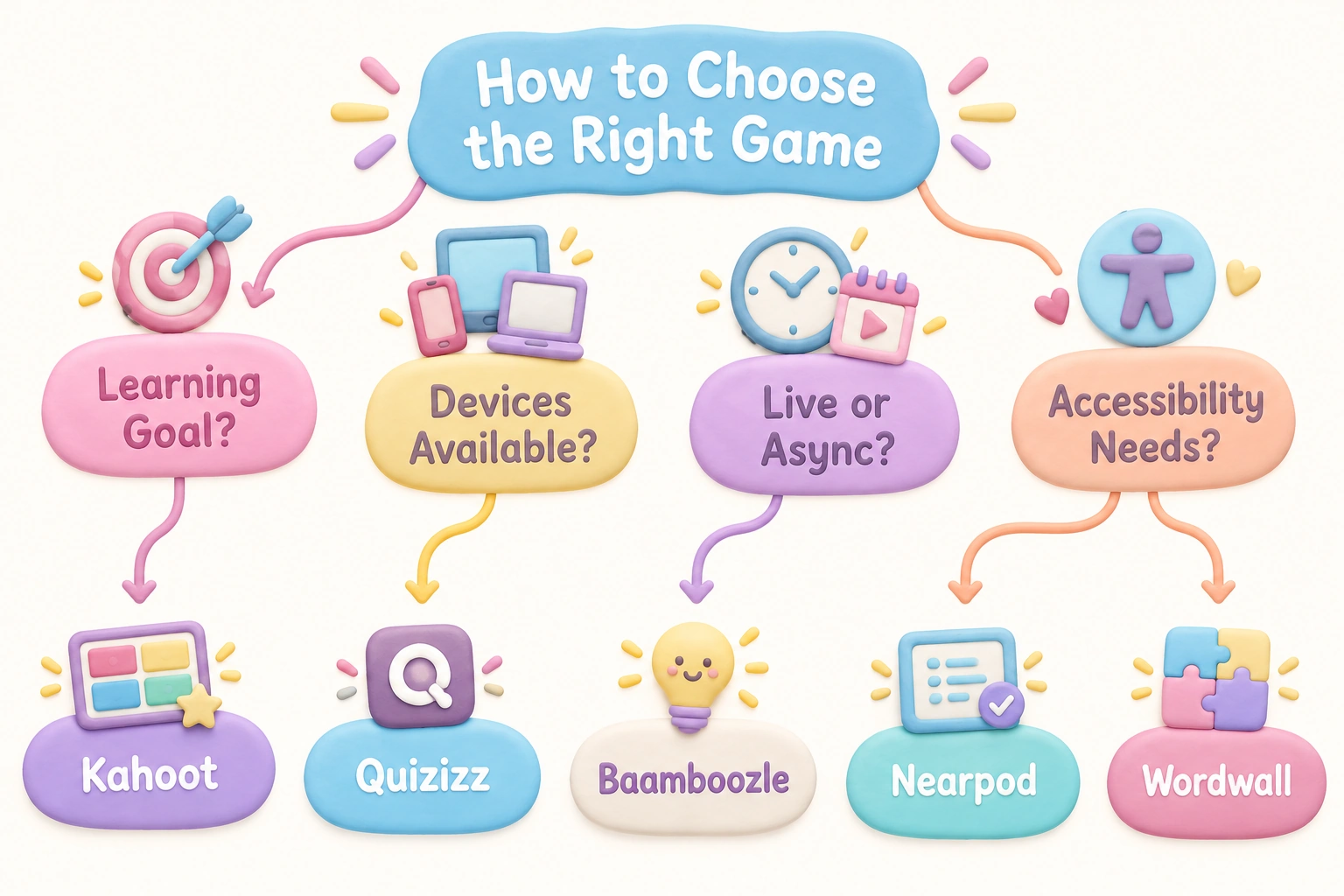
Before selecting a platform, consider four practical questions. First, what is the learning goal — quick formative assessment, vocabulary review, collaborative problem-solving, or a brain break? Second, what devices do your students have — shared Chromebooks, personal smartphones, or a single interactive whiteboard with no student devices? Third, do you need synchronous whole-class play or a self-paced homework mode? Fourth, are there students who need accessibility features such as read-aloud support, high-contrast display, or simplified navigation? Matching the tool to these constraints will save setup time and prevent the frustration of a game that looks great in a demo but fails in your specific classroom environment.
The 15 Best Online Classroom Games
1. Kahoot
Kahoot is the most widely recognized real-time quiz platform in K–12 education. Teachers create multiple-choice question sets, students join via a game PIN on any browser-enabled device, and a live leaderboard drives competitive energy. Kahoot’s free tier supports unlimited players and basic question types, making it accessible for most schools. The platform also offers a homework mode for asynchronous use and has introduced some accessibility features including adjustable font sizes. Its main limitation is that the time-pressure format can disadvantage students who process information more slowly or who experience test anxiety. Using team mode rather than individual play can reduce this effect while preserving the collaborative learning dynamic.
2. Blooket
Blooket wraps quiz content inside a variety of mini-game formats — students answer questions to earn in-game currency, collect characters, or sabotage opponents depending on the mode chosen. This variety keeps repeated review sessions feeling fresh, which is particularly useful for vocabulary review and exam preparation. Blooket’s free tier is generous, and no student login is required to join a live game. One classroom management note: some Blooket game modes have been associated with off-task behavior because the game mechanics can overshadow the academic content. Choosing simpler modes such as Classic or Racing for high-stakes review sessions helps keep the focus on learning rather than strategy.
3. Quizizz
Quizizz stands out for its self-paced learning design. Unlike Kahoot, students answer questions at their own speed, which reduces the anxiety of falling behind a class timer. Teachers receive detailed analytics showing which questions students struggled with, making Quizizz a strong formative assessment tool. The platform supports LMS integration with Google Classroom, Canvas, and Microsoft Teams, and its homework mode allows asynchronous completion. Quizizz has also introduced AI-assisted question generation, which can significantly reduce the time teachers spend building question banks. The free tier covers most core features, though some advanced reporting tools require a paid plan.
4. Gimkit
Gimkit was designed by a high school student and shows it — the platform is genuinely engaging for middle and high school learners. Students earn in-game currency by answering questions correctly and can spend it on upgrades that affect gameplay, adding a strategic layer that sustains motivation across longer sessions. Gimkit supports both live whole-class play and an asynchronous homework mode. The free tier is more limited than Kahoot or Quizizz, with a cap on the number of kits a teacher can create, so it works best as a complement to other platforms rather than a primary tool.
5. Nearpod
Nearpod is less a game and more a fully interactive lesson platform, but its embedded activities — polls, open-ended questions, collaborative boards, and virtual field trips — make it one of the most versatile tools for interactive lessons. Teachers can convert existing PowerPoint or Google Slides presentations into Nearpod lessons in minutes. The student-paced mode supports flipped classroom and hybrid learning models. Nearpod’s free tier has a storage limit, and the most powerful features such as 3D objects and virtual reality experiences require a paid subscription. For schools already using Google Classroom or Microsoft Teams, Nearpod’s LMS integration is smooth and reliable.
6. Mentimeter
Mentimeter excels at whole-class discussion and formative check-ins. Its word cloud, ranking, and open-ended response features make it ideal for warm-up activities, bell ringers, and exit tickets. Students respond anonymously, which can encourage participation from quieter learners who hesitate to speak aloud. Mentimeter is browser-based and requires no student login, making it one of the lowest-barrier tools on this list. It is particularly effective in secondary and higher education contexts where discussion-based learning is central, and it works well on a single shared screen if students lack individual devices.
7. Wordwall
Wordwall allows teachers to create customizable activities — matching pairs, anagram puzzles, crosswords, spin wheels, and more — from a single question set. The same content can be instantly converted between activity types, which is efficient for vocabulary review and language arts practice. Wordwall is especially popular among ESL and ELL teachers because its visual formats support language acquisition without heavy reading demands. The free tier limits teachers to five active activities, which is enough to evaluate the platform but may feel restrictive for regular use. Student results are tracked in a basic dashboard on paid plans.
8. Quizlet Live
Quizlet’s flashcard platform is familiar to most students, but Quizlet Live transforms individual study sets into a collaborative team game. Students are randomly assigned to groups and must work together to match terms and definitions, which builds collaborative learning skills alongside content knowledge. Because teams are randomized each round, students interact with different classmates, which can strengthen classroom community. Quizlet Live requires a teacher account and works best when students already have some familiarity with the content, making it a strong review tool rather than an introduction activity.
9. Baamboozle
Baamboozle is a team-based quiz game that requires no student devices — students play in teams on a shared screen, making it one of the most practical options for classrooms with limited technology. The teacher controls the game from a single computer or interactive whiteboard, and teams earn points by answering questions correctly. Baamboozle hosts a large library of pre-made question sets across subjects and grade levels, so teachers can find ready-to-use content quickly. Its simplicity is both its strength and its limitation: there are no detailed analytics or LMS integration options, so it functions best as an engagement activity rather than a formal assessment tool.
10. Skribbl.io
Skribbl.io is an online drawing and guessing game similar to Pictionary. Teachers can create custom word lists tied to curriculum content — scientific vocabulary, historical figures, literary characters — and students take turns drawing while classmates guess. This format supports creative thinking, vocabulary review, and visual learning in a genuinely enjoyable way. Skribbl.io requires no account and is free to use, but it does require individual devices for all students. It works particularly well as a brain break with an educational twist, and ESL teachers often use it to reinforce vocabulary in a low-pressure, visually engaging context.
11. GeoGuessr (Education Mode)
GeoGuessr drops students into a Google Street View location and challenges them to identify where in the world they are using visual clues. The education mode allows teachers to create custom maps focused on specific regions, countries, or geographic concepts. GeoGuessr develops critical thinking, map literacy, and geographic reasoning in a way that traditional map quizzes rarely achieve. It is best suited for middle and high school geography, social studies, and ESL classes. A paid subscription is required for the full education feature set, though limited free play is available.
12. Desmos Classroom Activities
Desmos is a free, browser-based graphing calculator that also offers a library of teacher-created interactive math activities. Students manipulate graphs, explore patterns, and solve problems in real time while teachers monitor progress on a class dashboard. Desmos activities are particularly effective for algebra, geometry, and data literacy because they make abstract mathematical concepts visually concrete. The platform requires no student login for many activities and integrates with Google Classroom. Desmos is subject-specific — it is not a general-purpose game platform — but for math teachers it represents one of the most pedagogically sound interactive tools available.
13. Breakout EDU Digital
Digital escape rooms challenge students to solve a series of puzzles, riddles, or knowledge-based clues to “escape” a virtual scenario. Breakout EDU Digital provides a library of pre-built digital escape room experiences across subjects and grade levels, and teachers can also create custom versions. This format promotes critical thinking, problem-solving, and collaborative learning because students must communicate and reason together under a time constraint. Digital escape rooms work well as culminating activities or enrichment tasks. They require more setup time than a standard quiz game and work best when students have some prior knowledge of the content being reviewed.
14. Virtual Scavenger Hunt (GooseChase or Google Forms)
A virtual scavenger hunt asks students to find, photograph, or describe items or information based on a series of clues. Platforms such as GooseChase allow teachers to build structured hunts with photo submission and point tracking, while a simpler version can be built in Google Forms at no cost. Virtual scavenger hunts are highly flexible — they can be run synchronously in class, asynchronously as homework, or as a hybrid activity. They support inquiry-based learning and work across subjects: a science scavenger hunt might ask students to find examples of states of matter at home, while a history hunt might require locating primary source images online.
15. Prodigy Math
Prodigy Math is a role-playing game in which students answer curriculum-aligned math questions to progress through an adventure world. It is designed for elementary and middle school students and adapts question difficulty based on individual performance, making it one of the more genuinely personalized tools on this list. Teachers can assign specific skills, track progress through a dashboard, and align content to grade-level standards. The student-facing game is free; the teacher dashboard’s most detailed reporting features require a paid plan. Prodigy Math is best used as a supplementary self-paced learning activity rather than a replacement for direct instruction, and its engagement tends to be strongest with students in grades 1 through 6.
Platform Comparison: Key Features at a Glance
| Platform | Free Tier | No Student Login | Self-Paced / Async Mode | LMS Integration | Best Grade Range | Best For |
|---|---|---|---|---|---|---|
| Kahoot | Yes | Yes | Yes (homework mode) | Yes | K–12 | Live quiz, review |
| Blooket | Yes | Yes (live) | Yes | Limited | 3–12 | Varied game formats, review |
| Quizizz | Yes | Yes (live) | Yes | Yes | K–12 | Formative assessment, homework |
| Gimkit | Limited | Yes (live) | Yes | Limited | 6–12 | Strategic review, engagement |
| Nearpod | Yes (limited) | Yes | Yes | Yes | K–12 | Interactive lessons, hybrid |
| Mentimeter | Yes (limited) | Yes | No | Limited | 6–12+ | Discussion, warm-up, exit ticket |
| Wordwall | Yes (5 activities) | Yes | Yes | Limited | K–8 | Vocabulary review, ESL/ELL |
| Quizlet Live | Yes | No | No (live only) | Limited | 4–12 | Collaborative review |
| Baamboozle | Yes | Yes | No | No | K–8 | No-device whole-class play |
| Skribbl.io | Yes | Yes | No | No | 3–12 | Vocabulary, brain break |
| GeoGuessr | Limited | Yes | Yes | No | 6–12 | Geography, critical thinking |
| Desmos | Yes | Yes (many activities) | Yes | Yes | 6–12 | Math, algebra, data |
| Breakout EDU Digital | Limited | Yes | Yes | Limited | 3–12 | Critical thinking, escape room |
| Virtual Scavenger Hunt | Yes | Yes | Yes | Yes (Forms) | K–12 | Inquiry, cross-subject |
| Prodigy Math | Yes | No | Yes | Limited | 1–8 | Adaptive math practice |
Subject-Specific Game Recommendations
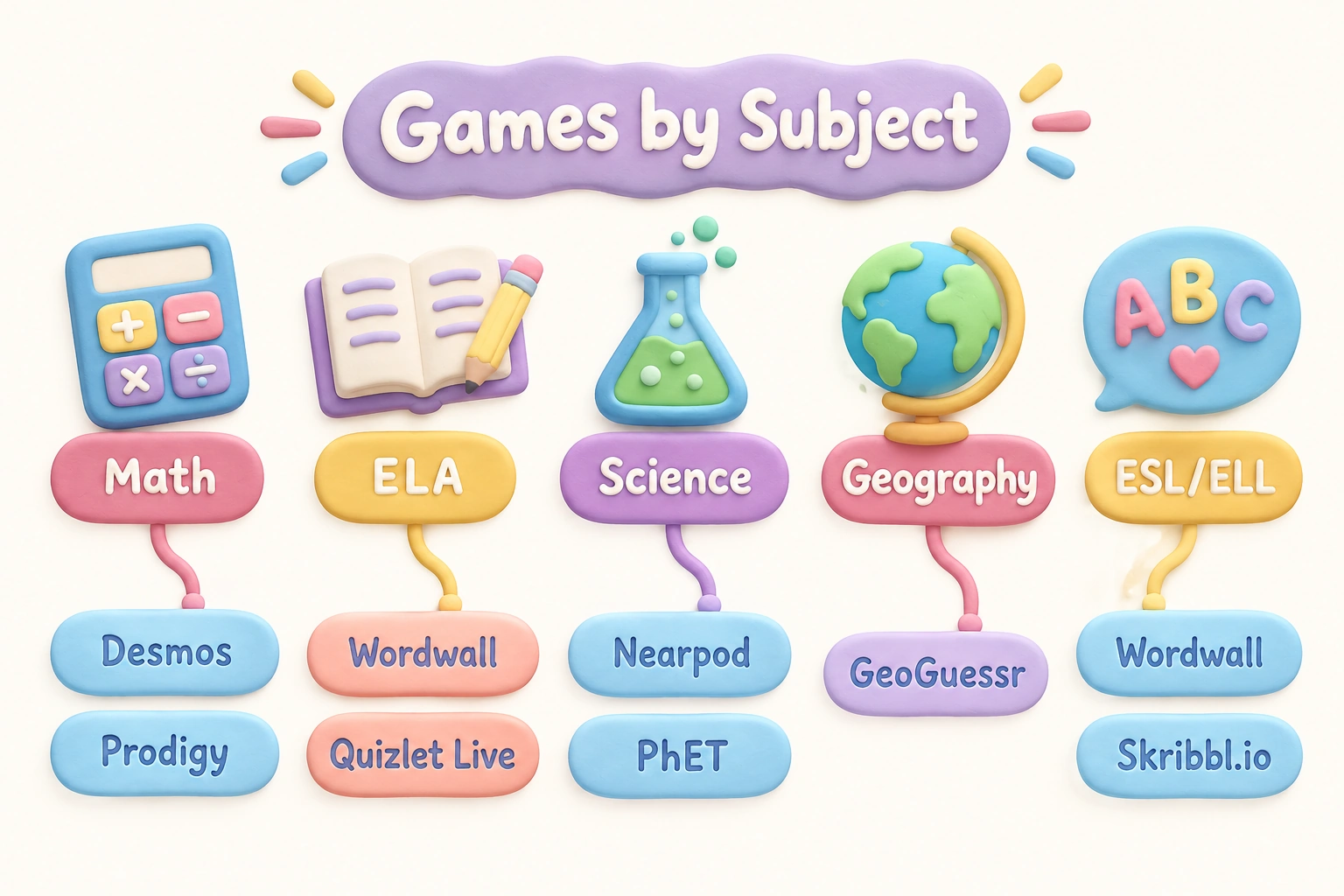
Matching the right game to the right subject makes a meaningful difference in learning outcomes. For mathematics, Desmos Classroom Activities and Prodigy Math offer the strongest curriculum alignment — Desmos for secondary algebra and geometry, Prodigy for elementary and middle school arithmetic. For English language arts and vocabulary review, Wordwall, Quizlet Live, and Skribbl.io all support word-level learning in different formats, with Wordwall being particularly effective for ESL and ELL students because its visual activities reduce reading load. For science, Nearpod’s virtual field trips and PhET Simulations (a free University of Colorado resource not covered in depth here but worth exploring) allow students to interact with concepts that are difficult to demonstrate physically. For geography and social studies, GeoGuessr and virtual scavenger hunts built around primary sources or map-based clues are strong choices. For any subject requiring quick knowledge checks, Kahoot, Quizizz, and Baamboozle remain the most efficient options.
Accessibility and Equity Considerations
Accessibility is one of the most underserved topics in discussions of online classroom games, yet it matters significantly for inclusive classrooms. Kahoot has made the most documented progress in this area, offering adjustable font sizes, color-blind-friendly themes, and a read-aloud option for questions. Quizizz allows teachers to add audio to questions, which supports students with reading difficulties. Mentimeter’s anonymous response format can reduce social anxiety barriers for students who are reluctant to participate publicly. Before committing to any platform, teachers supporting students with visual impairments, dyslexia, or processing differences should test the platform’s accessibility settings directly, as marketing descriptions do not always reflect the actual student experience. Device equity is a related concern: Baamboozle and Mentimeter are the strongest options for classrooms where only the teacher has a screen, while most other platforms require individual student devices.
Classroom Management Tips for Game-Based Lessons
Effective classroom management during online classroom games requires a few deliberate strategies. Establish clear behavioral expectations before launching any game — students should know that the goal is learning, not just winning. For leaderboard-heavy platforms like Kahoot, consider using team mode to distribute competitive pressure and encourage collaborative learning rather than individual rivalry. After each game session, a brief debrief of two to three minutes — asking students which questions were hardest and why — significantly increases the educational value of the activity and reinforces instant feedback as a learning tool rather than just a score. To reduce off-task behavior on platforms with complex game mechanics like Blooket, preview the game mode before class and choose the simplest format that still meets your learning objective. Finally, set a clear time limit before starting: students who know a game ends in ten minutes tend to stay more focused than those who feel the session is open-ended.
Using AI to Build Question Sets Faster
Several platforms now offer AI-assisted question generation that can dramatically reduce teacher preparation time. Quizizz’s built-in AI can generate a full question set from a topic prompt or a pasted passage of text, which is useful for creating formative assessment content aligned to a specific reading or unit. Teachers can also use general-purpose AI tools to draft question banks and then paste them into Kahoot, Blooket, or Wordwall. This approach works best when teachers review and edit AI-generated questions before use, since AI tools can occasionally produce inaccurate content or questions that are poorly calibrated to the intended grade level. Treating AI as a drafting assistant rather than a final author maintains the quality and accuracy that students deserve.
Frequently Asked Questions
What is the best free online classroom game?
Kahoot, Quizizz, and Baamboozle all offer strong free tiers with no meaningful restrictions for most classroom use cases. Kahoot and Quizizz are better for detailed analytics and LMS integration; Baamboozle is the best option when students lack individual devices.
Which online classroom games require no student login?
Kahoot, Blooket (live mode), Quizizz (live mode), Baamboozle, Mentimeter, Wordwall, Skribbl.io, and many Desmos activities all allow students to join without creating an account. This makes them particularly practical for younger students or one-off sessions.
Which games work best for hybrid or remote learning?
Quizizz, Nearpod, and Gimkit all support asynchronous homework modes that work well for hybrid and remote learning contexts. Virtual scavenger hunts built in Google Forms are also highly flexible for asynchronous use.
Are online classroom games appropriate for all grade levels?
Most platforms on this list serve a broad K–12 range, but the best fit varies. Prodigy Math and Baamboozle tend to engage younger elementary students most effectively, while Gimkit, GeoGuessr, and Desmos are better suited to middle and high school learners. Mentimeter works particularly well in secondary and post-secondary settings.
How do I prevent cheating during online classroom games?
Cheating risk varies by platform and game mode. Blooket’s more complex modes can be gamed by students who focus on strategy over content. Using team modes, randomizing question order, and setting time limits per question reduces most common cheating behaviors. A post-game debrief also makes it clear that understanding the content matters more than the final score.
Can online classroom games support ESL or ELL students?
Yes, with the right platform choices. Wordwall’s visual activity formats, Skribbl.io’s drawing-based vocabulary practice, and Mentimeter’s anonymous participation options are all well-suited to ESL and ELL learners. Adding images to Kahoot or Quizizz questions can also reduce the reading load for language learners.
Do online classroom games replace direct instruction?
No. Research on game-based learning consistently positions games as most effective when they complement direct instruction rather than replace it. Games work best as review tools, formative assessment activities, or engagement anchors within a broader lesson structure that includes explicit teaching and discussion.
Choosing the Right Games for Your Classroom Context
The 15 online classroom games covered here represent a range of formats, grade levels, subjects, and technical requirements. No single platform will meet every need, and the most effective approach is usually to build a small repertoire of two or three complementary tools — for example, Quizizz for formative assessment and homework, Baamboozle for no-device whole-class review, and Wordwall for vocabulary practice. When evaluating any new platform, prioritize the learning goal first, then consider device constraints, accessibility needs, and whether a free tier provides enough functionality for your context before committing to a paid plan. Game-based learning is a genuinely useful pedagogical strategy when it is purposeful, well-managed, and followed by meaningful reflection — and the platforms on this list give K–12 teachers a strong foundation to build from.

Take a short quiz to find out what your everyday choices say about your parenting style
When your child is curious about something new, what’s your instinct?
Take a short quiz to find out what your everyday choices say about your parenting style
“Can I download this app?” What happens next?
Take a short quiz to find out what your everyday choices say about your parenting style
When it comes to rules at home, which sounds most like you?
Take a short quiz to find out what your everyday choices say about your parenting style
If you could give your child one life skill today, what would you pick?
Take a short quiz to find out what your everyday choices say about your parenting style
Your child gets to choose what to watch. What would your ideal setup look like?
Take a short quiz to find out what your everyday choices say about your parenting style
Pick your parenting superpower ✨