Best Educational Computer Games for Elementary School Kids

 Discover a Free Education Video App for Kids
Pastory uses AI to personalize educational video content based on your child’s interests and personality. Safe, engaging, and built for curious young minds. Sign up now to stay updated and enjoy early access with a free trial
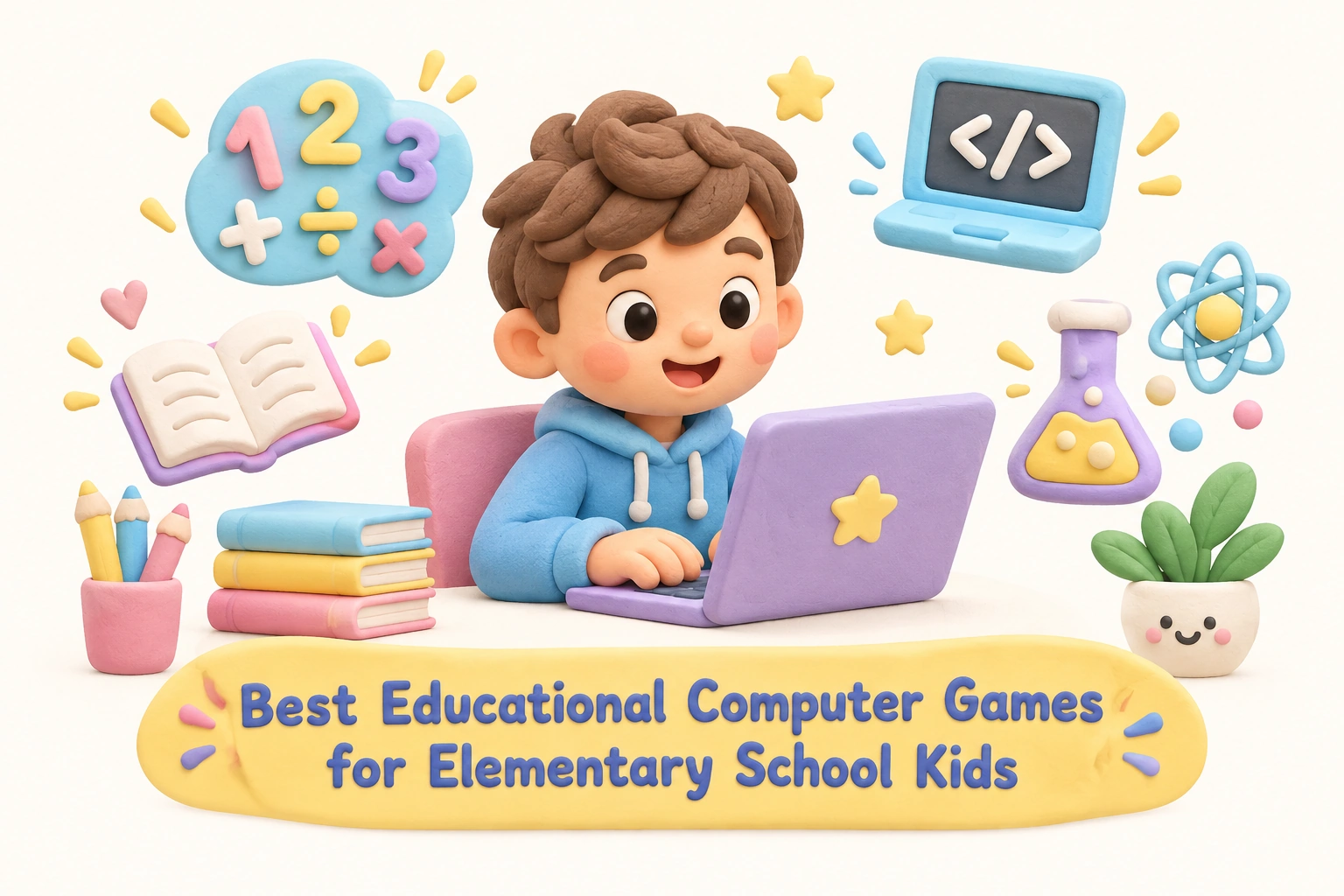
Educational computer games have become a genuine part of how many elementary school children practice skills outside the classroom. When chosen carefully, they can reinforce math, early literacy, coding, and critical thinking in ways that feel engaging rather than like extra homework. This guide helps parents, caregivers, and educators identify age-appropriate options across key subject areas, understand what makes a game genuinely educational, and set up healthy habits around game-based learning at home or in the classroom.
Key Takeaways
- The strongest educational computer games are curriculum-aligned, offer adaptive learning, and give children meaningful feedback rather than just rewards for clicking.
- Game-based learning can support math skills, early literacy, coding, and problem-solving, but outcomes vary by child, session length, and how involved a caregiver or teacher is.
- Free to play options can be just as effective as paid subscriptions for many families; the key factor is content quality, not price.
- Screen time spent on purposeful, curriculum-aligned games is meaningfully different from passive screen use, though total daily screen time still matters for children’s wellbeing.
- Safety considerations including COPPA compliance, in-app purchases, and multiplayer chat features deserve attention before any game is introduced to a child.
What Makes a Computer Game Truly Educational?
Not every game marketed as educational delivers meaningful learning outcomes. The term edutainment has been used loosely for decades, and quality varies enormously. A genuinely educational computer game typically embeds learning within the game mechanics themselves, so that a child must apply a skill to progress, rather than simply watching a lesson and then playing an unrelated mini-game as a reward. When the learning and the play are inseparable, children are more likely to stay engaged and to transfer what they practice to real-world contexts.
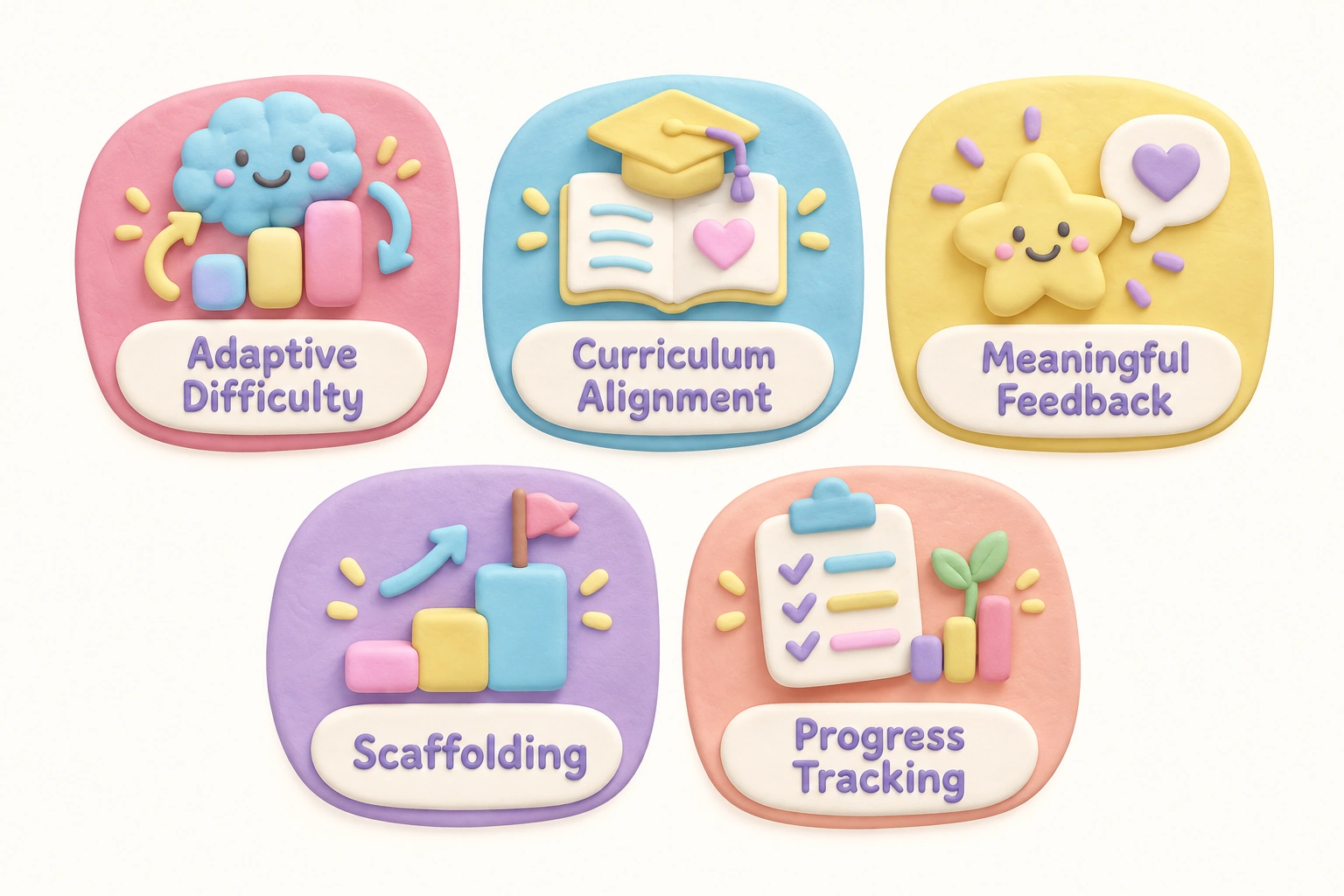
Researchers and educators generally look for several characteristics when evaluating educational games for elementary school students. Adaptive difficulty is one of the most important: a game that adjusts the challenge level based on a child’s responses keeps learners in what developmental psychologists call the zone of proximal development, where tasks are neither too easy nor frustratingly hard. Scaffolding, clear feedback, and a sense of meaningful progress also support learning outcomes more reliably than simple point accumulation or cosmetic rewards.
Curriculum alignment matters particularly for parents who want games to complement what their child is learning in school. Games that map to Common Core standards or equivalent state standards in math and language arts give teachers and parents a clearer picture of how game time connects to classroom goals. A parent dashboard or progress tracking feature makes this connection visible, allowing adults to see which skills a child is practicing and where gaps may exist.
Finally, age-appropriateness goes beyond reading level. It includes the complexity of the interface, the length of a typical session, the type of decision-making required, and whether the social or competitive elements are suitable for the child’s developmental stage.
Educational Computer Games by Subject Area
Math
Prodigy Math is one of the most widely used math games for grades 1 through 8. It uses an RPG-style adventure format in which children answer curriculum-aligned math questions to battle opponents and progress through a fantasy world. The free core version covers a broad range of math skills including number sense, fractions, geometry, and early algebra. Prodigy’s adaptive learning engine adjusts question difficulty based on each child’s responses, and a parent dashboard shows progress over time. The paid membership unlocks cosmetic and in-game extras but is not required for the core math practice.
DragonBox takes a different approach, using visual puzzles to build algebra intuition in children as young as five. Rather than presenting equations directly, the game introduces abstract algebraic thinking through object manipulation, which research in mathematics education suggests may help children develop number sense before formal notation is introduced. DragonBox is a paid app but does not rely on a subscription model.
Coolmath Games is a browser-based platform aimed at grades 4 and up. Despite its name, it covers logic and strategy games more broadly than pure arithmetic, and many of its titles develop spatial reasoning and problem-solving alongside number skills. It is free to play with ads, though an ad-free subscription is available.
Reading and Early Literacy
Khan Academy Kids is a free, ad-free platform covering early literacy and math for children roughly ages 2 through 8. Its reading activities include phonics, vocabulary building, and early reading comprehension, all delivered through animated characters and interactive stories. Because it is fully free and contains no advertising or in-app purchases, it is a strong starting point for families exploring educational games without financial commitment.
Starfall focuses specifically on phonics and early reading, making it particularly useful for kindergarten and first-grade children who are building foundational decoding skills. A free version covers core phonics content, while a paid subscription unlocks additional reading and math activities. Starfall’s structured, sequential approach suits children who benefit from clear, predictable lesson formats.
ABCmouse offers a more comprehensive structured curriculum for ages 2 through 8, covering reading, math, science, and art through a subscription model. Its step-by-step learning path is designed to mirror a school curriculum, which some families find reassuring, particularly those homeschooling younger children. The platform tracks progress and awards tickets and prizes to maintain motivation, though parents should monitor whether reward-seeking begins to overshadow the learning itself.
Coding and Computational Thinking
Scratch, developed by MIT, is a free block-based coding platform for children ages 8 through 16. Children create their own interactive stories, games, and animations by snapping together visual code blocks, which builds computational thinking and logical sequencing without requiring children to memorize syntax. ScratchJr, the companion app for ages 5 through 7, uses a simplified interface suited to younger learners. Both platforms are free and run in a web browser, making them compatible with most school-issued devices including Chromebooks.
Code.org and its Hour of Code activities offer free, curriculum-aligned coding lessons for grades K through 12. The platform uses familiar characters from popular games and films to introduce block-based coding concepts, which tends to lower the barrier for children who are hesitant about technology-focused learning. Code.org is widely used in classrooms and is designed to work on Chromebooks and standard web browsers without installation.
Tynker extends coding education from block-based programming for younger children through to text-based languages such as Python and JavaScript for older elementary and middle school students. It offers both a free tier and a paid subscription with more structured courses. Tynker’s progression from visual blocks to real code makes it a useful long-term platform for children who develop a sustained interest in coding.
Science, STEM, and Logic
Minecraft Education Edition is a school-licensed version of the popular sandbox game, designed for classroom use. It supports creativity, problem-solving, engineering thinking, and even coding through its built-in lesson library. Because it requires a school or district license, it is primarily a classroom tool rather than a home purchase, though some families do access it independently. Its open-ended nature means that learning outcomes depend heavily on how structured the activity is and how much teacher or caregiver guidance is provided.
Zoombinis is a logic and mathematical reasoning game that has been updated from its original 1990s version. Players guide small creatures through a series of increasingly complex logic puzzles that develop pattern recognition, classification, and deductive reasoning. It is a paid download but does not require a subscription, and it runs on Windows, Mac, and iPad.
Kerbal Space Program is best suited to children ages 10 and up with a strong interest in physics and engineering. Players design and launch rockets and spacecraft, learning about orbital mechanics, thrust, and aerodynamics through trial and error. It is a paid game with a significant learning curve, but for motivated upper-elementary children it offers a depth of STEM engagement that few other games match.
Geography, History, and Social Studies
Carmen Sandiego games use mystery and detective gameplay to teach geography and critical thinking. Players track a fictional thief across countries and continents, learning about world geography, cultures, and landmarks in the process. Modern versions are available as browser-based games and apps, and the Netflix animated series has renewed interest in the franchise among a new generation of children.
iCivics is a free, browser-based platform developed specifically to teach civics and social studies to middle and upper elementary students. Games simulate roles such as lawmaker, president, or immigration judge, giving children a concrete sense of how democratic institutions function. iCivics is widely used in classrooms and is designed to align with social studies standards.
Age-Banded Recommendations: Grades K–5
| Grade Range | Recommended Games | Primary Subjects | Cost | Chromebook Compatible |
|---|---|---|---|---|
| K–1 (Ages 5–7) | Khan Academy Kids, Starfall, ScratchJr, PBS Kids Games | Phonics, early math, early literacy | Free / Free with ads | Yes (browser-based) |
| Grades 2–3 (Ages 7–9) | Prodigy Math, ABCya, Code.org, Funbrain | Math, reading, coding | Free / Freemium | Yes (browser-based) |
| Grades 4–5 (Ages 9–11) | Scratch, Tynker, Zoombinis, iCivics, Coolmath Games, Carmen Sandiego | Coding, logic, social studies, math | Free / Paid | Mostly yes |
| Upper Elementary (Ages 10–12) | Kerbal Space Program, Minecraft Education, DragonBox, BrainPOP | STEM, algebra, science, multimedia | Paid / School license | Partial (check platform) |
Free vs. Paid Educational Games: What Parents Should Know
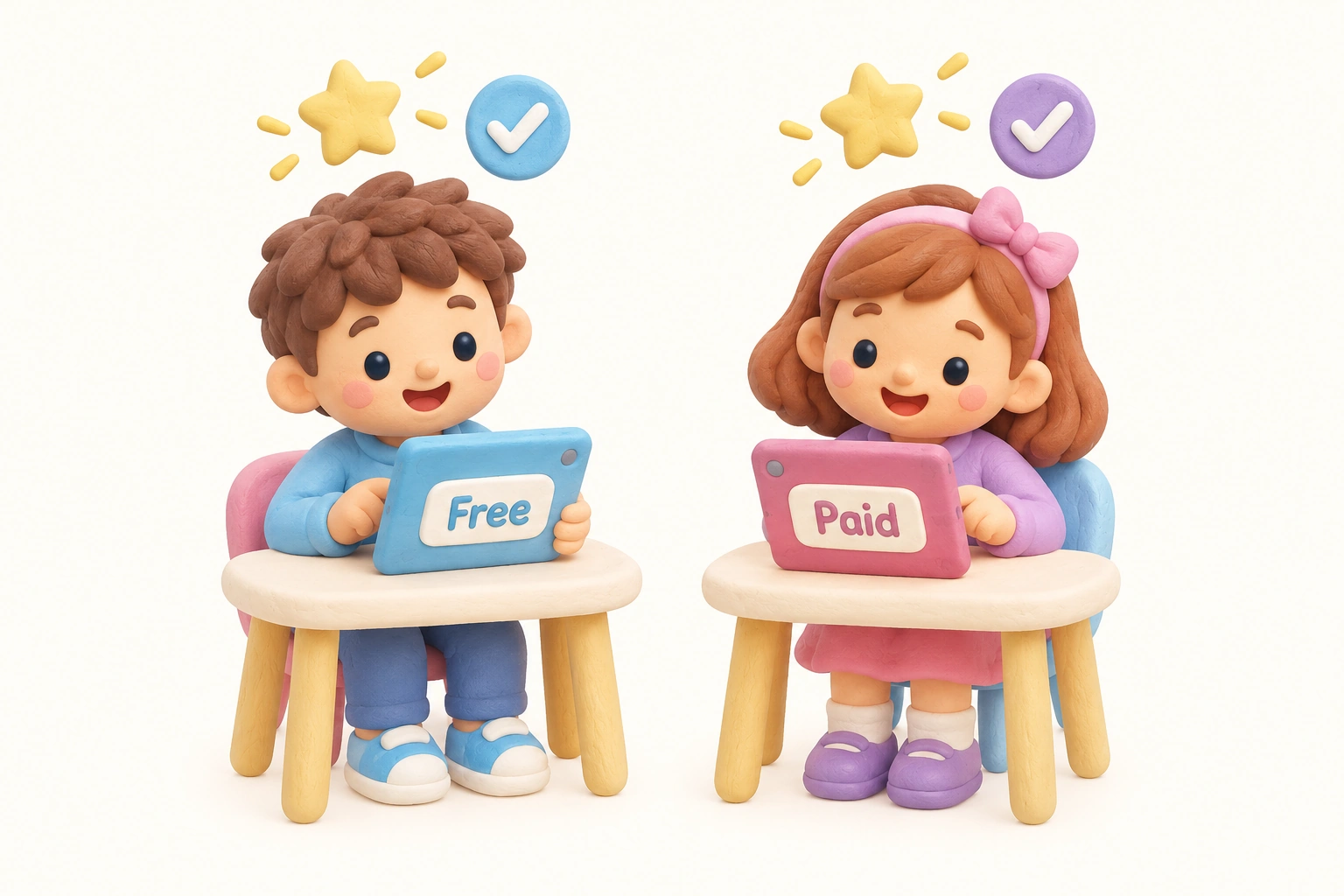
Many high-quality educational computer games are entirely free to play, which means cost alone should not be the deciding factor when choosing a platform. Khan Academy Kids, Code.org, Scratch, PBS Kids Games, iCivics, and Starfall’s core content are all free and cover meaningful curriculum content. The main trade-offs with free platforms are occasional advertising, limited progress tracking, or a narrower content library compared to paid alternatives.
Freemium models, where a free core is available but premium features require payment, are common. Prodigy Math and Tynker both use this structure. In most cases, the free tier provides sufficient educational content for regular home use, and the paid tier primarily adds cosmetic rewards, additional game content, or more detailed parent reporting. Parents should evaluate whether the paid features genuinely improve learning outcomes for their child before subscribing.
Subscription platforms such as ABCmouse and BrainPOP offer broader content libraries and more structured learning paths, which may suit families who want a single platform covering multiple subjects. However, a child who uses a subscription platform passively, clicking through activities without genuine engagement, will gain less than a child who spends focused time on a free, well-designed game. Engagement quality matters more than platform cost.
Screen Time, Safety, and Healthy Gaming Habits
Research published in peer-reviewed journals, including a study in JAMA Network Open examining screen time and academic achievement, suggests that total daily screen time is associated with lower academic outcomes when it displaces sleep, physical activity, and face-to-face interaction. This finding applies to passive screen use in particular. Purposeful, curriculum-aligned game time is a meaningfully different activity from open-ended browsing or passive video watching, but it still contributes to a child’s total daily screen exposure and should be balanced accordingly.
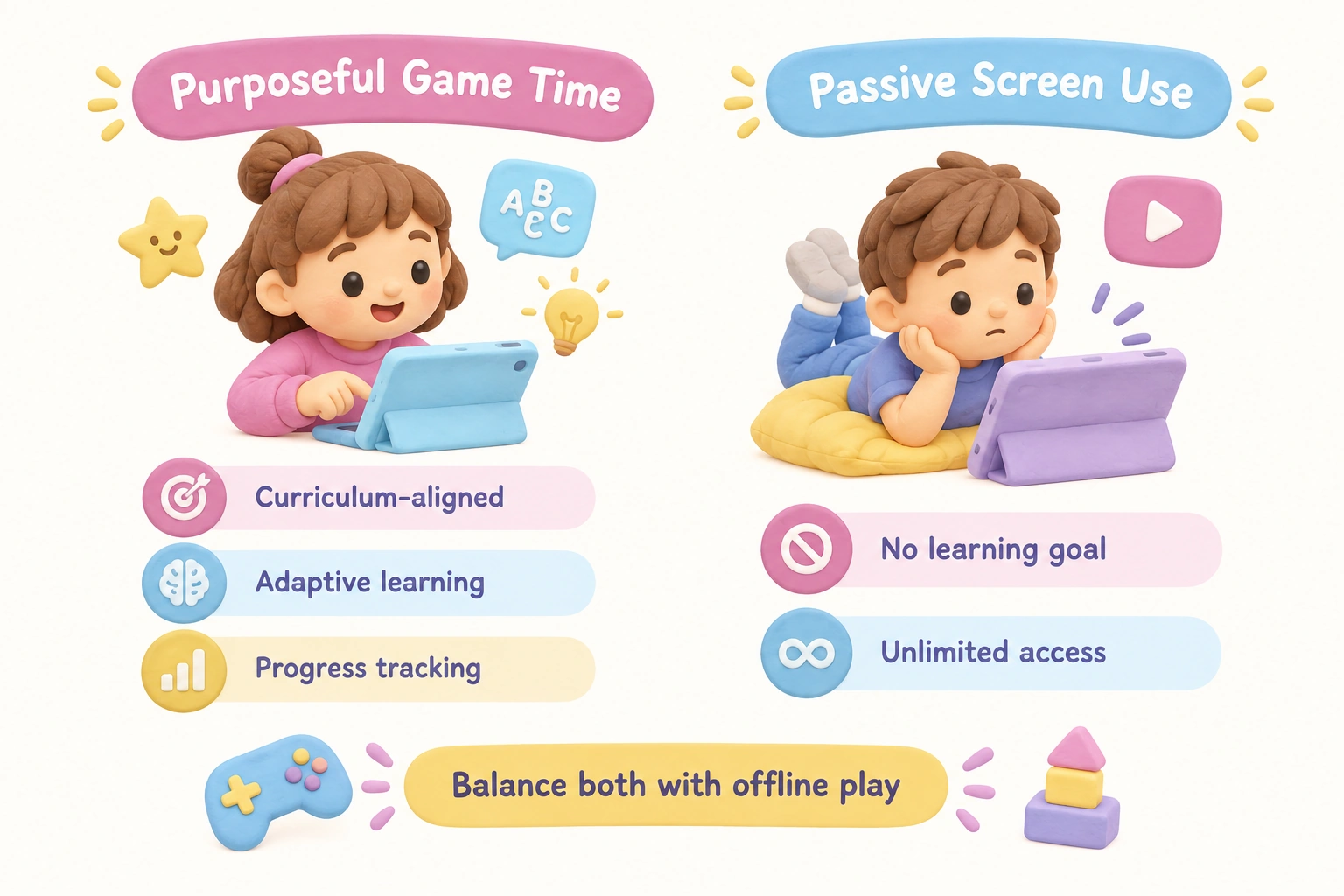
The American Academy of Pediatrics recommends that parents prioritize content quality over strict time limits for school-age children, while still setting consistent boundaries and ensuring that screen time does not crowd out sleep, homework, outdoor play, or family interaction. A practical approach for elementary school students is to treat educational game time as a structured activity with a clear start and end, rather than open-ended access.
Safety considerations deserve careful attention before introducing any online game. Parents should check whether a platform is COPPA-compliant, meaning it meets U.S. federal standards for children’s online privacy. Platforms that collect personal data, allow chat with strangers, or include multiplayer features carry additional risks. Games such as Prodigy Math include social features that allow children to see other players; parents should review privacy settings and disable chat features where possible for younger children. In-app purchase prompts are another concern: even free platforms may present upgrade offers that children may click without understanding the cost implications. Enabling purchase restrictions on the device before a child plays is a straightforward precaution.
For families with unreliable internet access, it is worth noting that most browser-based games require a consistent connection. Downloadable options such as Zoombinis, DragonBox, and Kerbal Space Program can be played offline once installed, which may be an important practical factor for some households.
How Teachers Can Use These Games in the Classroom
Many of the games listed here were designed with classroom use in mind, and several include dedicated teacher tools. Code.org and iCivics both offer free teacher accounts with class management features, progress tracking, and lesson plan integration. Prodigy Math allows teachers to assign specific curriculum topics that align with current classroom units, so that game time reinforces rather than diverges from what students are learning in school.
In a classroom setting, educational computer games work well as differentiated practice during center time, as a homework supplement, or as a low-stakes review activity before assessments. Blooket, a quiz-based game platform, is particularly popular for classroom review because it allows teachers to create custom question sets aligned to any subject or topic, and students compete in real time in a format that most find highly motivating.
Teachers using Scratch or Code.org for computational thinking lessons often find that the block-based coding format allows students with varying reading levels to participate equally, since the visual programming interface reduces the language barrier. This makes coding games a useful inclusion tool in mixed-ability classrooms.
A Note for Homeschool Families
Homeschool families represent a growing audience for educational computer games, and several platforms are particularly well suited to home-based learning. Khan Academy Kids and Khan Academy (for older children) offer free, structured, self-paced curricula that cover core subjects comprehensively. ABCmouse provides a more guided learning path for younger children, which some homeschool parents find useful as a supplementary resource alongside their primary curriculum.
For homeschool families following a structured curriculum, games that align to Common Core standards or offer subject-specific practice, such as Prodigy Math for arithmetic and Starfall for phonics, can fill practice gaps without requiring a separate workbook. Scratch and Code.org can serve as a complete introductory computer science curriculum for elementary grades, covering sequencing, loops, conditionals, and basic algorithms through project-based learning.
A game rotation strategy, where different games are used on different days to cover different subjects, can prevent the fatigue that comes from using a single platform repeatedly. Rotating between a math game, a reading or vocabulary game, and a coding or logic game across a week provides broader subject coverage and keeps engagement higher than daily use of the same platform.
Accessibility and Inclusive Design
Accessibility features are rarely discussed in educational game roundups, but they matter for a significant number of children. Some platforms offer audio support for children who struggle with reading, which is particularly relevant for early literacy games used with children who have dyslexia or language processing differences. Khan Academy Kids includes audio narration throughout its interface, reducing the reading demand on younger or struggling learners. Starfall similarly uses audio support extensively.
Parents of children with visual processing differences should look for games that allow font size adjustment or that use high-contrast display options. Children with attention difficulties may benefit from games with shorter session structures and clear stopping points, rather than open-ended platforms that can make it difficult to disengage. Checking a platform’s accessibility page or contacting the developer directly is worthwhile if a child has specific learning needs.
Classic Educational Games Worth Knowing
Several classic educational computer games from the 1980s and 1990s have been updated or reimagined for modern devices. Oregon Trail, originally developed to teach history and decision-making, is available in updated browser-based versions that retain the core gameplay of managing resources and navigating historical challenges. Carmen Sandiego has been revived with modern graphics and updated geography content. Zoombinis, originally released as Logical Journey of the Zoombinis, was remastered and remains one of the most effective logic and reasoning games available for elementary students.
These classic titles carry genuine nostalgia for parents who grew up with them, and their enduring presence reflects the fact that their core game mechanics were genuinely well-designed for learning. Introducing a child to a game that a parent remembers fondly can also create a natural opportunity for co-play, which developmental research consistently identifies as one of the most effective ways to enhance learning from digital media.
Frequently Asked Questions
How much screen time should elementary school children spend on educational games?
The American Academy of Pediatrics does not set a fixed daily limit for school-age children but recommends that screen time be balanced with sleep, physical activity, homework, and offline play. A practical approach is to treat educational game sessions as structured activities of 20 to 30 minutes, rather than open-ended access. The quality and purpose of the screen time matters as much as the total duration.
Are free educational games as effective as paid ones?
Many free platforms, including Khan Academy Kids, Code.org, Scratch, and iCivics, offer high-quality, curriculum-aligned content that is comparable to or better than some paid alternatives. Effectiveness depends primarily on content quality, adaptive design, and how engaged the child is, not on whether a subscription fee is involved. Paid platforms may offer broader content libraries or more detailed progress tracking, but these features do not automatically translate into better learning outcomes.
Which educational computer games work on Chromebooks?
Most browser-based platforms, including Khan Academy Kids, Code.org, Scratch, Prodigy Math, ABCya, iCivics, and Funbrain, run on Chromebooks without installation. Downloadable games such as Minecraft Education Edition, Zoombinis, and Kerbal Space Program may have limited or no Chromebook support. If your child uses a school-issued Chromebook, checking the platform’s system requirements before committing to a subscription is advisable.
What is the best educational computer game for math?
Prodigy Math is widely used for grades 1 through 8 because its adaptive learning engine adjusts to each child’s level and its curriculum alignment is strong. For younger children building foundational number sense, Khan Academy Kids covers early math effectively and is entirely free. DragonBox is a strong choice for developing algebra intuition in children ages 5 and up. The best option depends on the child’s grade level, learning style, and whether a parent dashboard is important to the family.
Are educational games safe for children to use independently?
Safety varies by platform. Fully offline or closed platforms such as Starfall, DragonBox, and ScratchJr carry minimal online safety risks. Platforms with social features, multiplayer elements, or open community areas, such as Scratch’s online community or Prodigy’s social features, require parents to review privacy settings before independent use. Checking for COPPA compliance, disabling chat features, and enabling in-app purchase restrictions on the device are practical steps for any platform used by children under 13.
Can educational computer games replace traditional homework or tutoring?
Educational games work best as a supplement to, rather than a replacement for, structured learning. They are effective for skill practice, reinforcement, and motivation, but they typically do not provide the explanatory depth, personalized feedback, or social learning that a teacher or tutor offers. For children who are significantly behind in a subject, a game alone is unlikely to close the gap; it is more useful as a consistent practice tool alongside other support.
Choosing the Right Educational Game for Your Child
The most effective educational computer game for any child is one that matches their current skill level, holds their genuine interest, and connects to a learning goal that matters to their family or school. Starting with free, browser-based options reduces financial risk and allows a child to try several platforms before settling on one or two that they return to consistently. A game that a child actively wants to play will deliver better learning outcomes than a technically superior platform that they find boring or frustrating.
Parental involvement, even in small doses, meaningfully improves what children gain from educational games. Asking a child to explain what they learned, playing alongside them occasionally, or reviewing a parent dashboard together transforms a solitary screen activity into a shared learning experience. This co-engagement is particularly valuable for younger elementary students who are still developing the self-regulation skills needed to use digital tools independently and purposefully.
If a child has specific learning needs, accessibility requirements, or is significantly above or below grade level, it is worth consulting with their teacher before selecting a platform. Many schools already use one or more of the games listed here, and a teacher can advise on which platforms align most closely with current classroom goals, which can make home game time a genuine extension of school learning rather than a separate activity.

Take a short quiz to find out what your everyday choices say about your parenting style
When your child is curious about something new, what’s your instinct?
Take a short quiz to find out what your everyday choices say about your parenting style
“Can I download this app?” What happens next?
Take a short quiz to find out what your everyday choices say about your parenting style
When it comes to rules at home, which sounds most like you?
Take a short quiz to find out what your everyday choices say about your parenting style
If you could give your child one life skill today, what would you pick?
Take a short quiz to find out what your everyday choices say about your parenting style
Your child gets to choose what to watch. What would your ideal setup look like?
Take a short quiz to find out what your everyday choices say about your parenting style
Pick your parenting superpower ✨