15 Best Educational Games for Kids: Digital, Board and Classroom Picks

 Discover a Free Education Video App for Kids
Pastory uses AI to personalize educational video content based on your child’s interests and personality. Safe, engaging, and built for curious young minds. Sign up now to stay updated and enjoy early access with a free trial
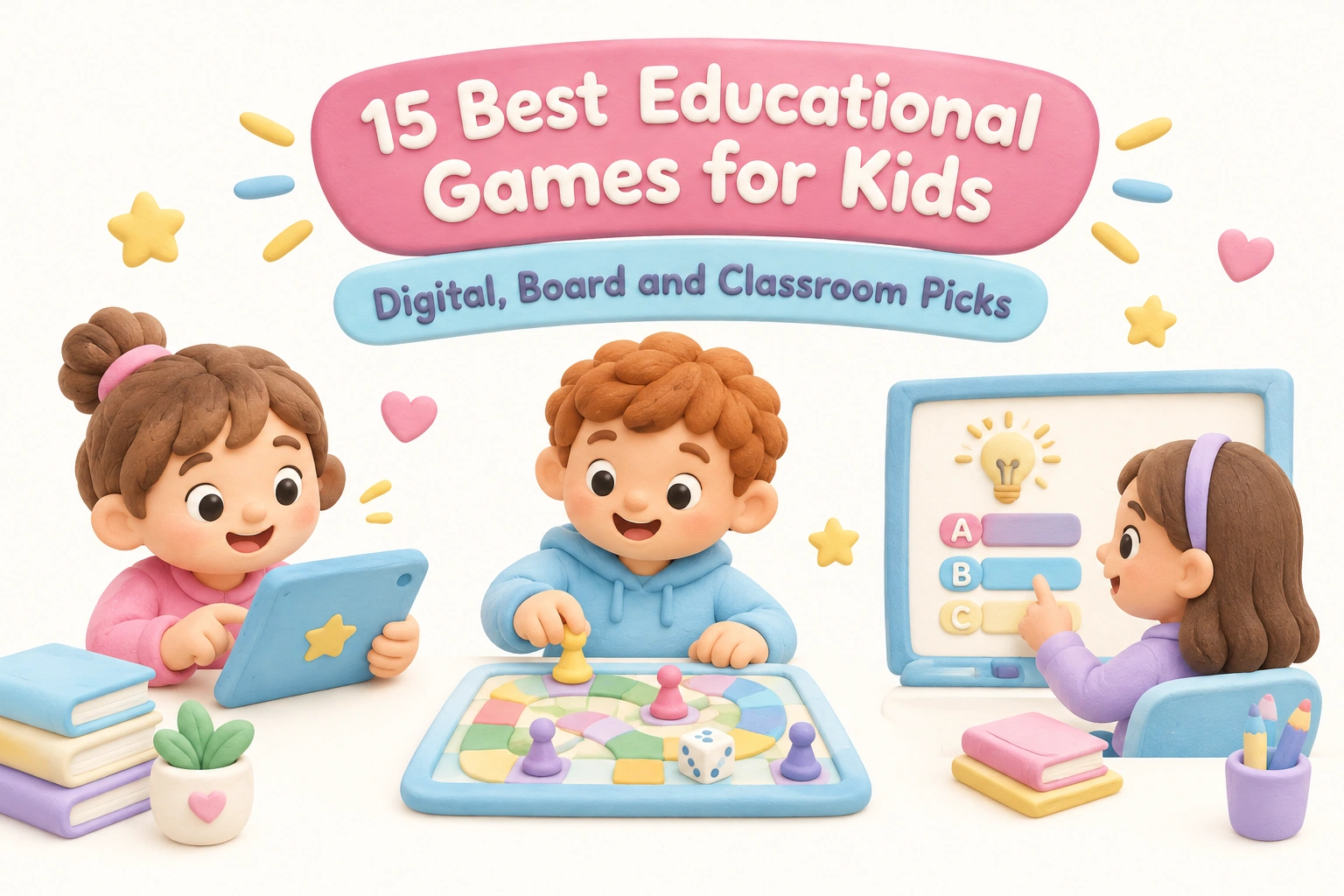
Educational games for kids span a wide range of formats — from tablet apps and classroom quiz platforms to strategy board games played around the kitchen table. The challenge for parents, teachers, and homeschool families is not finding options but identifying which games genuinely support learning, which are age-appropriate, and which offer real educational value rather than just a thin academic veneer over entertainment. This guide covers 15 carefully selected picks across digital, board, and classroom categories, with honest notes on cost, age range, learning goals, and what to watch out for.
Key Takeaways
- Game-based learning can support critical thinking, problem-solving, literacy, and math skills when games are well-matched to a child’s developmental stage.
- No single game format suits every child — digital apps, board games, and classroom tools each offer distinct benefits and limitations.
- Free educational games often include ads or in-app purchases; checking privacy and safety settings before a child plays independently is worthwhile.
- Caregiver involvement — even brief co-play or discussion after a session — tends to strengthen the learning outcomes of most educational games.
- Screen time guidance from organizations such as the American Academy of Pediatrics recommends keeping digital game sessions age-appropriate in length and balancing them with offline play.
What Makes a Game Truly Educational?
The term “educational” is applied loosely to many children’s games, so it helps to have a working definition before choosing one. A game earns that label when it is designed around a specific learning objective — such as phonics and early literacy, number sense, spatial reasoning, or coding concepts — and when the gameplay mechanics require a child to actively use that skill to progress. Passive exposure to facts between game rounds is not the same as interactive learning that demands application and decision-making.
Research on game-based learning (GBL) suggests that well-designed games can improve engagement and motivation, particularly for children who find traditional instruction less compelling. The mechanism is partly motivational: games provide immediate feedback, clear goals, and a sense of progress, which can sustain effort longer than a worksheet. However, the quality of the learning depends heavily on how closely the game’s core mechanics align with the target skill. A math game where arithmetic is just a gatekeeper to an unrelated adventure is less effective than one where mathematical reasoning is the actual engine of play.
When evaluating any game, consider: Does the child need to use the target skill to make meaningful decisions? Does the game adjust difficulty to keep the child in a productive challenge zone? Is there a way to track progress or see growth over time? These questions apply equally to digital apps, board games, and classroom tools.
Digital Educational Games: 6 Picks Worth Exploring
1. Khan Academy Kids (Ages 2–7) — Free
Khan Academy Kids is a fully free, ad-free educational app covering early literacy, phonics, math facts, and social-emotional development for children aged two to seven. The app uses a curriculum-aligned approach developed with early childhood education researchers, and it offers a broad range of interactive activities rather than a single game mode. Because it collects no advertising data and carries no in-app purchases, it is one of the safer choices for independent use by young children. Parental controls allow caregivers to monitor progress and adjust content. It works well for preschool and early primary learners and is a strong option for homeschool families building a structured daily routine.
2. Prodigy Math (Ages 6–13) — Freemium
Prodigy Math is a curriculum-aligned math platform that wraps arithmetic, fractions, geometry, and algebra practice inside an RPG-style adventure. Children battle opponents by answering math questions, which keeps engagement high for many learners who resist traditional drill practice. The free version provides substantial math content, while a paid membership unlocks additional in-game rewards and features. It is worth noting that the membership upsell is visible to children during play, which some parents find distracting. Prodigy Math offers a teacher dashboard for progress tracking, making it useful in both classroom and homeschool settings. Best for: reluctant math learners aged 6–13 who respond well to narrative and reward structures.
3. Duolingo ABC (Ages 3–6) — Free
Duolingo ABC is a free, ad-free app focused entirely on phonics and early literacy for children aged three to six. It uses short, game-like lessons to teach letter sounds, blending, and early reading comprehension in a structured sequence. The app is designed for independent use by young children, with large touch targets and simple navigation. Unlike the main Duolingo language-learning app, Duolingo ABC has no social features or in-app purchases, making it a low-risk screen time choice for preschool-age children. Best for: families looking for a free, focused phonics tool to complement early reading instruction.
4. Osmo (Ages 3–12) — Paid Hardware + App
Osmo is a physical-digital hybrid system that uses a tablet camera and physical manipulatives — tiles, tangram pieces, drawing tools — to create interactive learning experiences. Because children manipulate real objects that the tablet camera reads, Osmo bridges the gap between screen-based and hands-on learning in a way that most purely digital games cannot. Available games cover math, spelling, coding concepts, and creative drawing. The upfront hardware cost is higher than most apps, but the physical component tends to extend engagement and reduce the passive consumption risk associated with touchscreen-only games. Best for: families who want interactive learning that involves physical play alongside a tablet.
5. Lightbot / CodeMonkey (Ages 6–14) — Freemium
Lightbot and CodeMonkey are two well-regarded platforms for introducing coding for kids through puzzle-based gameplay. Lightbot uses a visual command sequence to guide a robot through levels, teaching sequencing, loops, and conditional logic without requiring children to type code. CodeMonkey progresses toward text-based coding in a scaffolded way, making it suitable for older children in the upper elementary and middle school range. Both platforms offer free starter content with paid progression. They are widely used in classroom settings and homeschool curricula as introductions to computational thinking. Best for: children aged 6–14 developing problem-solving and early programming concepts.
6. Minecraft: Education Edition (Ages 8–14) — Subscription via School or Purchase
Minecraft: Education Edition adapts the popular sandbox game for structured learning across subjects including science, history, mathematics, and social studies. Teachers and homeschool parents can access pre-built lesson worlds or create their own. The game supports collaborative problem-solving, spatial reasoning, and creative design thinking. Because it requires more setup than a standalone app, it is better suited to classroom deployment or engaged homeschool environments than casual independent use. The standard consumer version of Minecraft is not the same product and does not include the curriculum-aligned lesson library. Best for: educators and homeschool families with children aged 8–14 who want project-based, cross-curricular digital learning.
Board Games for Kids: 5 Picks That Build Real Skills
7. Zingo (Ages 3–6) — Paid
Zingo is a bingo-style matching game designed to build vocabulary, phonics awareness, and early word recognition in children aged three to six. The sliding tile dispenser adds a physical, tactile element that young children find engaging, and the game moves quickly enough to hold preschool attention spans. It requires no reading ability to play, making it accessible to children at the very beginning of their literacy journey. Zingo works well as a family game night option and is also used in early childhood classrooms. Best for: preschool-age children beginning to develop phonics and early literacy skills.
8. Prime Climb (Ages 8 and up) — Paid
Prime Climb is a mathematically rich board game in which players race to the center of a circular board using arithmetic operations. The board’s color-coded design visually encodes prime factorization, giving children an intuitive feel for number relationships that goes beyond rote math facts. The game involves genuine strategic decision-making, including when to use special action cards, which adds a layer of critical thinking beyond calculation. It is suitable for ages eight and up and works well for families who want a math game that does not feel like homework. Best for: children aged 8 and up who are ready to move beyond basic arithmetic into number theory concepts.
9. Ticket to Ride: First Journey (Ages 6–9) — Paid
Ticket to Ride: First Journey is a simplified version of the popular strategy game designed for children aged six to nine. Players collect colored train cards and claim routes across a map, building geography knowledge and route-planning skills alongside turn-based strategy. The game introduces cooperative thinking and graceful competition in a format accessible to early primary children. It is one of the more effective geography-based board games for this age group because the map reading is integral to gameplay rather than incidental. Best for: families with children aged 6–9 who want to develop geography awareness and early strategic thinking.
10. Blokus (Ages 7 and up) — Paid
Blokus is a spatial reasoning and strategy game in which players place differently shaped pieces on a grid, with each piece required to touch a corner of their own color. The game develops spatial awareness, geometric thinking, and forward planning in a format that is easy to learn but genuinely challenging to master. It supports two to four players and works well across a wide age range, making it a practical family game that older children and adults can enjoy alongside younger players. Best for: children aged 7 and up developing spatial reasoning and strategic planning skills.
11. Forbidden Island (Ages 10 and up) — Paid
Forbidden Island is a cooperative game in which all players work together to collect treasures and escape a sinking island before it disappears. Because the game is fully cooperative rather than competitive, it builds teamwork, communication, and collective problem-solving skills. Cooperative games are particularly valuable for children who find competitive formats discouraging, and Forbidden Island’s escalating difficulty makes it replayable across many sessions. It is appropriate for ages ten and up and works well for family play or small classroom groups. Best for: children aged 10 and up who benefit from cooperative play and collaborative decision-making.
Classroom Games and Teacher Tools: 4 Picks Educators Use
12. Kahoot! (Ages 6 and up) — Free with Paid Tiers
Kahoot! is a quiz-based platform that teachers use to run live, competitive review sessions in which students answer multiple-choice questions on their own devices while results appear on a shared screen. It is one of the most widely used classroom review games because setup is fast, the format is familiar to students, and the competitive leaderboard creates genuine engagement during review sessions. Kahoot! works best as a warm-up or end-of-lesson review tool rather than a primary instructional method, since the fast-paced format favors quick recall over deep reasoning. Teachers can create their own question sets or use a large library of shared content. Best for: classroom review and formative assessment for children aged 6 and up.
13. Blooket (Ages 8 and up) — Free with Paid Tier
Blooket is a classroom review game platform that differs from Kahoot! by offering multiple game modes — including tower defense, racing, and collecting formats — built around the same question sets. This variety means teachers can use the same curriculum-aligned content in different game contexts, which helps maintain novelty across repeated review sessions. Students answer questions to earn in-game currency or advantages, which sustains motivation across longer practice periods. Blooket is particularly effective for vocabulary building, math facts review, and science content recall. Best for: teachers who want varied classroom review game formats to keep repeated practice sessions engaging for children aged 8 and up.
14. Quizlet Live (Ages 10 and up) — Free with Paid Tier
Quizlet Live is the collaborative classroom mode of the Quizlet flashcard platform. Students are divided into randomly assigned teams and must work together to match terms and definitions, with incorrect answers resetting the team’s progress. The random team assignment means students regularly work with different classmates, which builds communication skills alongside content knowledge. Quizlet Live is especially effective for vocabulary building, foreign language learning, and science terminology review. The underlying Quizlet flashcard sets are created by teachers or drawn from a large shared library, making content preparation relatively efficient. Best for: teachers seeking a cooperative classroom review game for children aged 10 and up, particularly for vocabulary-heavy subjects.
15. Gimkit (Ages 10 and up) — Free with Paid Tier
Gimkit is a classroom game platform in which students answer questions to earn in-game currency that they can invest in upgrades, creating a light economic strategy layer on top of standard quiz review. This additional decision-making element tends to sustain engagement longer than straightforward quiz formats, particularly for middle school students who may find simpler review games less compelling. Gimkit supports both live classroom sessions and asynchronous homework assignments, giving teachers flexibility in how they deploy it. Best for: middle school teachers and educators working with children aged 10–14 who want a classroom review game with a strategic engagement layer.
Free vs. Paid: What Parents and Teachers Should Know
Many of the strongest educational games for kids are available in free or freemium versions, but the distinction between genuinely free and free-to-start matters. A truly free, ad-free game — such as Khan Academy Kids or Duolingo ABC — provides full educational content without monetization pressure. A freemium game, such as Prodigy Math or Blooket, offers meaningful free content but restricts certain features behind a subscription or one-time purchase. Neither model is inherently problematic, but parents and teachers should check three things before a child uses any free game independently: whether the game displays advertisements, whether it includes in-app purchases accessible to children, and what data it collects.
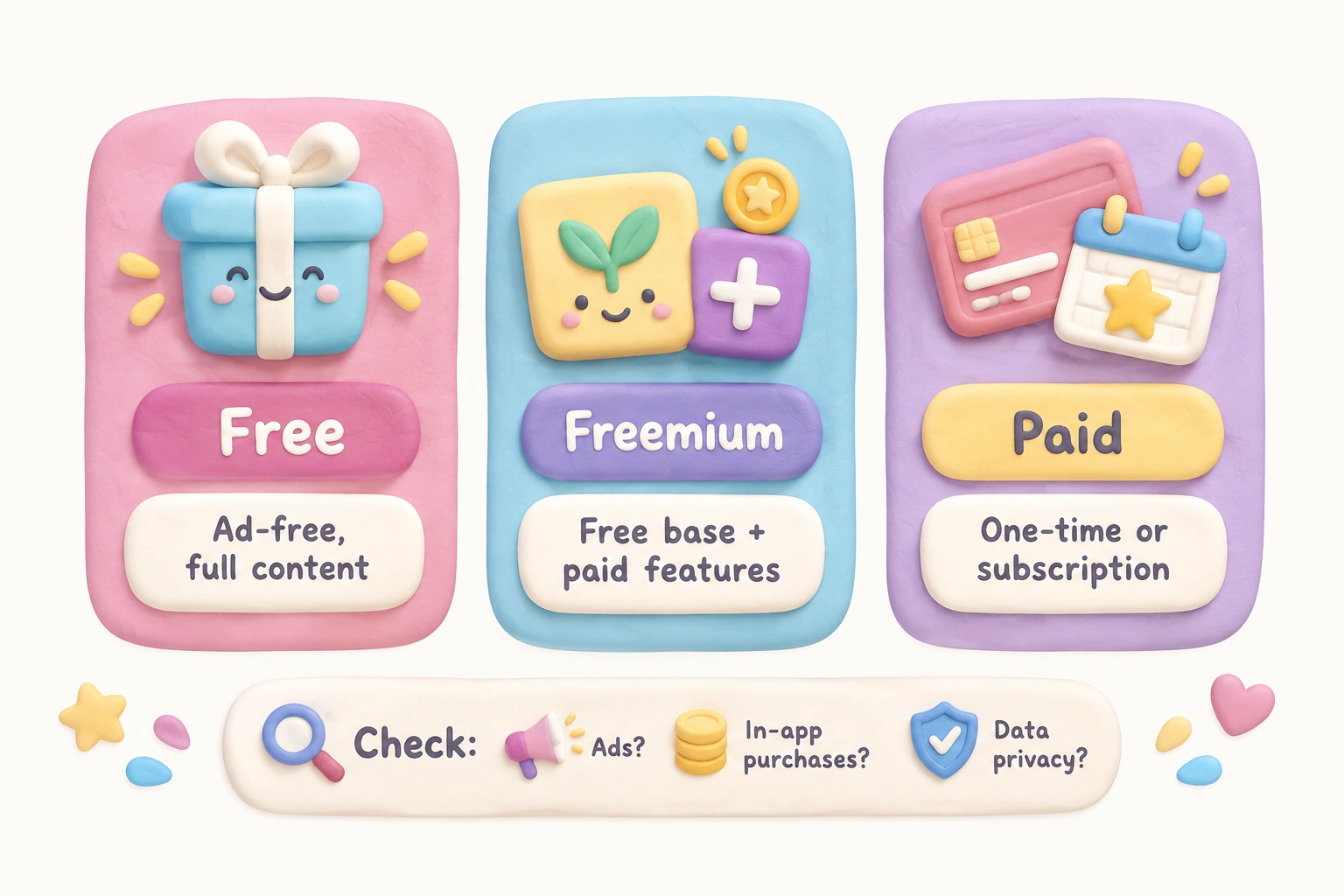
Privacy is a meaningful concern with free educational apps. Some platforms that market themselves as free educational games generate revenue through data collection or targeted advertising, which may not be appropriate for young children. Looking for apps that comply with children’s privacy regulations in your region — such as COPPA in the United States — is a practical starting point. The game entries above note cost model and ad status where relevant, but it is always worth checking a platform’s current privacy policy directly, as these can change.
Screen Time Guidance for Educational Game Sessions
The American Academy of Pediatrics and similar organizations recommend that screen time for children be age-appropriate in duration, content quality, and context. For children under two, interactive video calling is generally considered more developmentally appropriate than solo app use. For children aged two to five, the AAP suggests limiting recreational screen time and prioritizing high-quality, interactive content when screens are used. For school-age children, the focus shifts from strict time limits to content quality, context, and balance with offline activities including physical play, reading, and face-to-face social interaction.
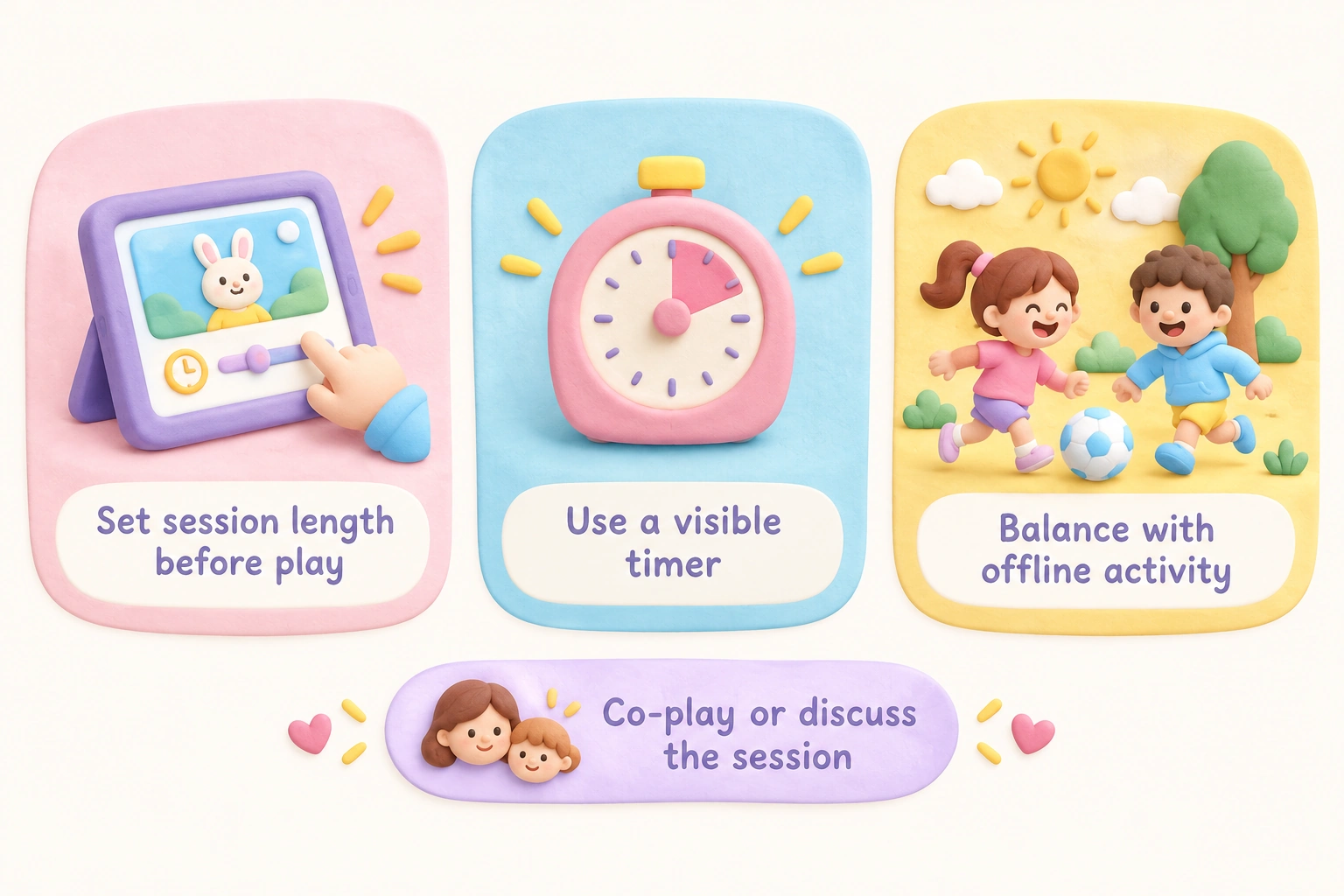
Educational games on screens are not automatically exempt from screen time considerations simply because they carry a learning label. A child spending two hours on a math app is still spending two hours on a screen, and the cumulative effect on sleep, physical activity, and social development is worth monitoring. Practical approaches include setting consistent session lengths before play begins, using a timer the child can see, and building in a brief offline activity after a digital game session. Co-playing or discussing what a child did in a game — even for a few minutes — can also deepen the learning value of the session.
Choosing the Right Game for Your Child’s Age and Stage
| Age Group | Recommended Format | Key Skills Supported | Example Picks |
|---|---|---|---|
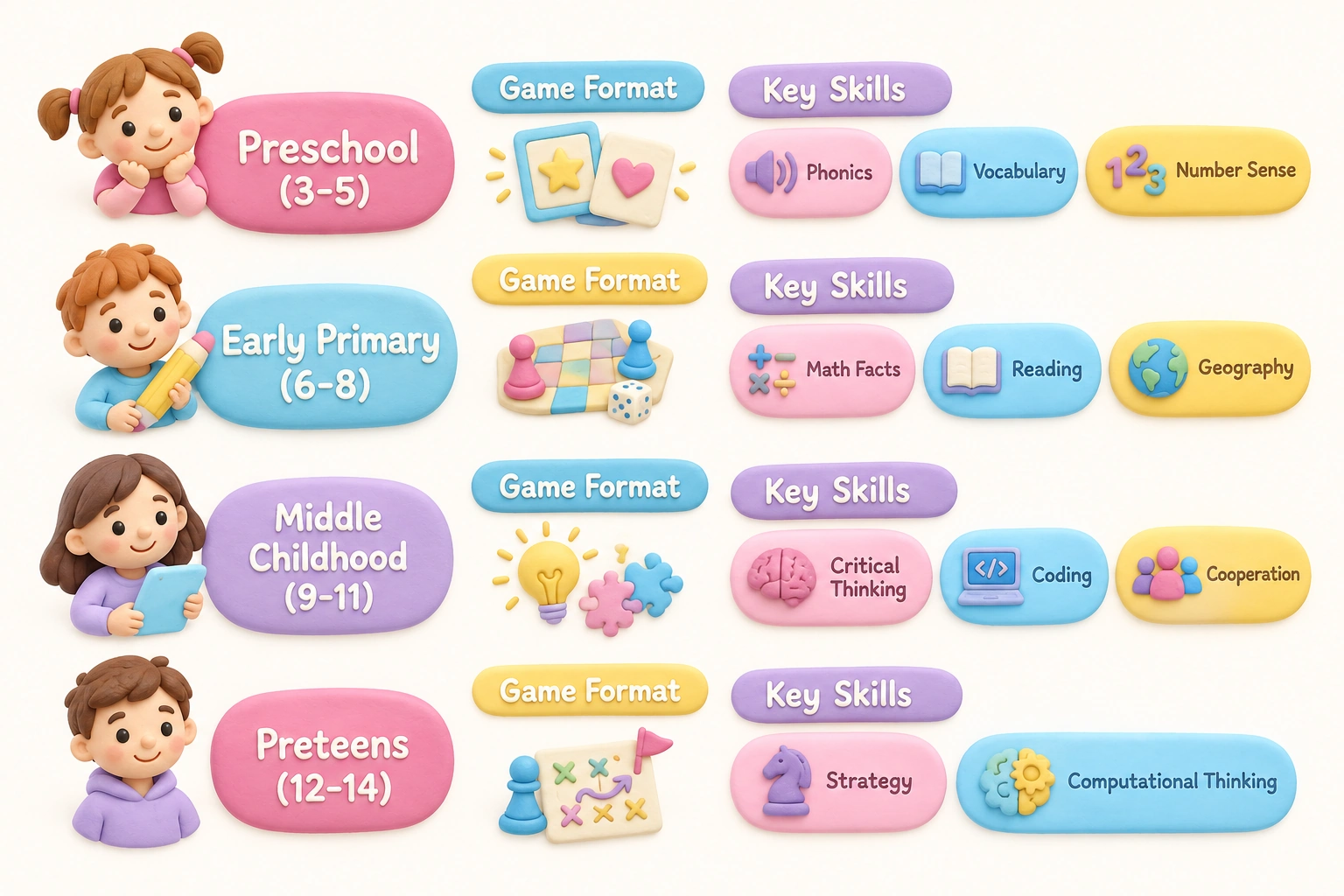
| Preschool (3–5) | Simple digital apps, tactile board games | Phonics, early literacy, vocabulary, number sense | Duolingo ABC, Khan Academy Kids, Zingo |
| Early Primary (6–8) | Digital apps, board games, classroom tools | Reading comprehension, math facts, geography, strategy | Prodigy Math, Ticket to Ride: First Journey, Kahoot! |
| Middle Childhood (9–11) | Strategy board games, classroom platforms, coding apps | Critical thinking, problem-solving, coding, cooperation | Blokus, Blooket, CodeMonkey, Forbidden Island |
| Preteens (12–14) | Complex strategy games, classroom tools, project-based digital | Strategic reasoning, financial literacy, computational thinking | Gimkit, Quizlet Live, Minecraft: Education Edition |
Age ranges on game packaging and app store listings are starting points rather than strict rules. A child’s reading level, attention span, and prior experience with game-based learning all influence whether a particular game will be engaging and appropriately challenging. When in doubt, playing a game alongside a child for the first session gives a clearer picture of fit than any age label alone.
A Note for Homeschool Families
Homeschool families often have more flexibility to integrate educational games into daily learning than classroom teachers do, but they also carry the full responsibility for ensuring games align with curriculum goals. The most effective approach is to treat games as one component of a broader learning plan rather than a primary instructional method. Digital platforms such as Khan Academy Kids, Prodigy Math, and CodeMonkey offer progress tracking that can help homeschool parents monitor skill development over time. Board games such as Prime Climb and Ticket to Ride: First Journey work well as hands-on supplements to math and geography units. Classroom tools such as Quizlet Live can be adapted for small homeschool co-ops where multiple children learn together.
Learning through play is a well-supported principle in early childhood education, and homeschool environments are well-positioned to take advantage of it. The key is intentionality: choosing games that target specific skills the child is currently developing, rather than selecting games primarily for entertainment value and hoping learning follows.
Frequently Asked Questions
Are free educational games actually effective, or do paid games work better?
Cost does not reliably predict educational quality. Some of the most rigorously designed educational games for kids — including Khan Academy Kids and Duolingo ABC — are completely free. What matters more than price is whether the game’s core mechanics require active use of the target skill, whether the difficulty adjusts appropriately, and whether the content is curriculum-aligned. Paid games sometimes offer more content depth or fewer distractions, but a free game with strong design can outperform an expensive one with weak educational alignment.
How much screen time is appropriate for educational games?
There is no single correct answer, as appropriate screen time depends on a child’s age, the quality of the content, and how it fits into the rest of their day. General guidance from pediatric health organizations suggests that for children aged two to five, screen use should be limited and high-quality, while for school-age children the emphasis shifts to content quality and balance with offline activities. A practical approach is to set a consistent session length before play begins and ensure that digital game time does not displace sleep, physical activity, or face-to-face interaction.
Can board games really compete with digital games for educational value?
Board games offer developmental benefits that digital games often cannot replicate, including fine motor practice, face-to-face social interaction, turn-taking, and the experience of managing physical components. Games such as Prime Climb and Blokus develop mathematical and spatial reasoning through hands-on play in ways that are genuinely difficult to replicate on a screen. The two formats are complementary rather than competitive: digital games often offer personalized feedback and adaptive difficulty, while board games build social and physical engagement. A mix of both tends to serve children’s development more broadly than either alone.
What should I look for to make sure a game is safe for my child?
For digital games, check whether the app is ad-free, whether it includes in-app purchases accessible to children, and whether it complies with children’s data privacy regulations in your region. Look for parental controls that allow you to monitor usage and restrict purchases. For board games, age recommendations on packaging reflect both cognitive complexity and physical component safety — small pieces in games rated for older children can be a choking hazard for younger siblings. For classroom platforms, teachers typically manage account creation and data settings, but parents can ask about a school’s data privacy policies for any platform their child uses.
Which educational games work best for children who resist traditional learning?
Children who find traditional instruction less engaging often respond well to games that embed learning in a compelling narrative or reward structure. Prodigy Math uses RPG-style adventure to motivate math practice. Blooket and Gimkit use varied game modes and in-game economies to sustain engagement during review. Forbidden Island offers cooperative challenge that does not single out individual performance. The key is matching the game’s engagement style to the child’s interests and temperament — a child who loves stories may respond to narrative-driven apps, while one who enjoys competition may engage more with leaderboard-based classroom tools.
Are classroom review games like Kahoot! and Blooket suitable for home use?
Kahoot! and Blooket are designed primarily for live group play, so their full benefit is most apparent in a classroom or group setting. However, both platforms offer solo practice modes that children can use independently at home. Homeschool families running small co-ops can also use these tools effectively in group sessions. The competitive leaderboard format of Kahoot! may be less motivating for a child playing alone than in a group context, so solo practice modes or alternative platforms may be a better fit for home use.
Choosing Educational Games That Actually Fit Your Child and Setting
The 15 games covered here represent a range of formats, age groups, subjects, and cost models, but no single list can account for every child’s learning style, developmental stage, or family context. The most useful starting point is identifying the specific skill or subject area you want to support — phonics and early literacy, math facts, critical thinking, coding for kids, geography — and then selecting a game whose core mechanics genuinely require that skill rather than just mentioning it.
For parents, the practical questions are: Is this game age-appropriate for my child right now? Is it free of ads and safe for independent use, or does it need supervision? Will my child engage with it long enough to benefit, or will novelty wear off quickly? For teachers and homeschool families, the additional question is whether the game is curriculum-aligned with current learning objectives and whether it offers any progress tracking to inform instruction.
Game-based learning works best as one component of a varied learning environment — not as a replacement for direct instruction, physical play, or caregiver interaction, but as a motivating and interactive complement to them. Used thoughtfully, educational games can make practice more engaging, build genuine skills, and give children a sense of agency over their own learning. That combination of engagement and agency is worth pursuing, regardless of whether the game is on a screen, a board, or a classroom projector.

Take a short quiz to find out what your everyday choices say about your parenting style
When your child is curious about something new, what’s your instinct?
Take a short quiz to find out what your everyday choices say about your parenting style
“Can I download this app?” What happens next?
Take a short quiz to find out what your everyday choices say about your parenting style
When it comes to rules at home, which sounds most like you?
Take a short quiz to find out what your everyday choices say about your parenting style
If you could give your child one life skill today, what would you pick?
Take a short quiz to find out what your everyday choices say about your parenting style
Your child gets to choose what to watch. What would your ideal setup look like?
Take a short quiz to find out what your everyday choices say about your parenting style
Pick your parenting superpower ✨