15 Best Free Learning Games for Kids: Apps, Sites and Activities

 Discover a Free Education Video App for Kids
Pastory uses AI to personalize educational video content based on your child’s interests and personality. Safe, engaging, and built for curious young minds. Sign up now to stay updated and enjoy early access with a free trial
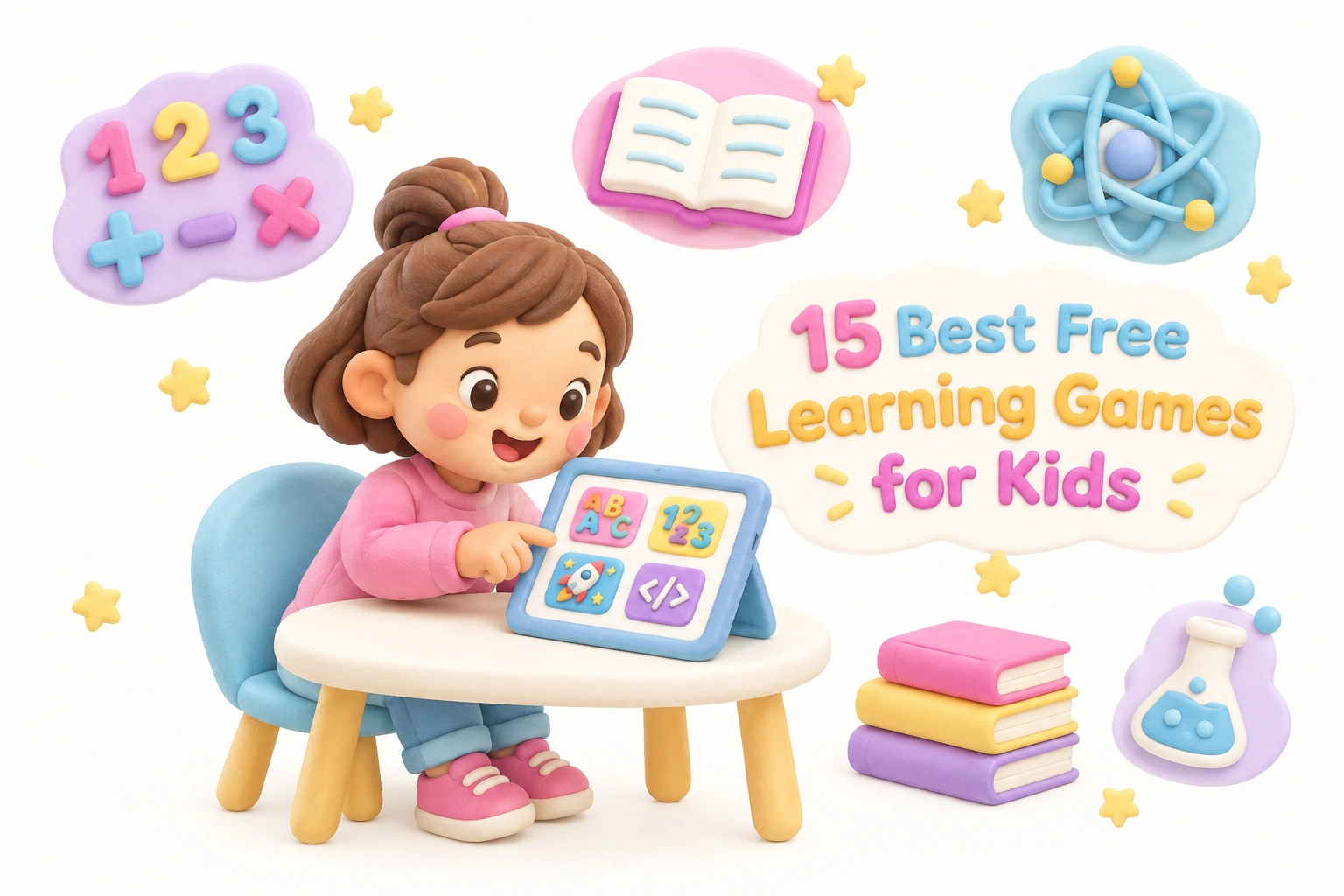
Finding genuinely free learning games for kids — ones without hidden paywalls, intrusive ads, or data privacy concerns — takes more effort than a quick search suggests. This guide cuts through the noise with 15 carefully selected free educational games, apps, and activities covering math, reading, coding, science, and more. Each entry includes the age range it suits best, what it actually teaches, and an honest note on where free content ends, so you can make an informed choice for your child.
Key Takeaways
- Truly free and freemium are not the same thing — several popular apps offer only a limited free tier before requiring a subscription.
- The strongest free learning games build foundational skills in math, early literacy, and problem-solving through interactive engagement rather than passive watching.
- Data privacy matters: some apps collect zero child data and are COPPA-compliant by design; others rely on ad revenue, which affects what your child sees.
- Caregiver involvement — even brief co-play sessions — consistently improves learning outcomes compared with independent screen time alone.
- Screen-free and offline alternatives belong in every child’s learning routine alongside digital tools.
How to Evaluate a Free Learning Game Before You Download
Before exploring the list, it helps to know what separates a genuinely useful educational game from one that is merely entertaining. Child development researchers and organizations such as the American Academy of Pediatrics (AAP) emphasize that high-quality digital content for children should be interactive rather than passive, age-appropriate in pacing and complexity, and free from manipulative design patterns such as reward loops that encourage excessive screen time. When reviewing any free learning game, consider four practical questions: Does it teach a specific, identifiable skill? Is the content appropriate for your child’s current developmental stage? Is the business model transparent — meaning you understand exactly what is free and what costs money? And does it handle your child’s data responsibly?
A useful shorthand is to distinguish between truly free resources — those with no paywalls, no ads directed at children, and no in-app purchases — and free-tier or freemium products, where a meaningful portion of content sits behind a subscription. Both can be valuable, but knowing which category a resource falls into prevents frustration and unexpected charges.
Quick Reference: 15 Free Learning Games at a Glance
| Resource | Ages | Subject | Platform | Truly Free? | Offline? |
|---|---|---|---|---|---|
| Khan Academy Kids | 2–8 | Math, ELA, SEL, Science | iOS, Android | ✅ Yes | ✅ Yes |
| PBS Kids Games | 2–8 | Multi-subject | Browser, iOS, Android | ✅ Yes | Partial |
| Starfall | 3–8 | Phonics, Reading, Math | Browser, iOS, Android | 🔓 Free tier | No |
| ABCya | 4–12 | Multi-subject | Browser, iOS, Android | 🔓 Free tier (ads) | No |
| Funbrain | 5–12 | Math, Reading | Browser | ✅ Yes (ads) | No |
| Cool Math Games | 6–14 | Math, Logic | Browser | ✅ Yes (ads) | No |
| Code.org | 4–18 | Coding, Logic | Browser | ✅ Yes | No |
| ScratchJr | 5–7 | Coding, Creativity | iOS, Android, Browser | ✅ Yes | ✅ Yes |
| Scratch (MIT) | 8–16 | Coding, Storytelling | Browser, offline app | ✅ Yes | ✅ App only |
| Duolingo ABC | 3–6 | Phonics, Early Literacy | iOS, Android | ✅ Yes | ✅ Yes |
| National Geographic Kids | 6–14 | Science, Geography | Browser | ✅ Yes (ads) | No |
| Typing Club | 6–14 | Typing, Keyboarding | Browser | ✅ Yes | No |
| Free Rice | 10+ | Vocabulary, Math | Browser | ✅ Yes | No |
| TurtleDiary | 3–10 | Multi-subject | Browser | 🔓 Free tier | No |
| Moose Math (Duck Duck Moose) | 3–7 | Math, Number Sense | iOS, Android | ✅ Yes | ✅ Yes |
Best Truly Free Apps for Young Children (Ages 2–7)
1. Khan Academy Kids
Khan Academy Kids is one of the most comprehensive truly free educational apps available for children aged 2 to 8. Developed by the nonprofit Khan Academy, the app covers early literacy, math, social-emotional learning, and basic science through interactive stories, games, and activities. There are no ads, no in-app purchases, and no data sold to third parties — a meaningful distinction in a market where many free apps rely on advertising revenue. The app works offline after initial download, making it practical for travel or areas with limited connectivity. A parent dashboard allows caregivers to monitor progress across subjects, and the content is broadly aligned with early childhood curriculum standards. For preschool learning games that genuinely cost nothing, Khan Academy Kids is a strong starting point.
2. PBS Kids Games
PBS Kids Games draws on familiar characters from public television — including Daniel Tiger, Curious George, and Odd Squad — to deliver curriculum-aligned activities for children aged 2 to 8. The browser-based version requires no account and no download, making it immediately accessible. The iOS and Android apps offer partial offline play. Because PBS Kids is publicly funded, the platform is ad-free for children and does not use child data for commercial purposes. Subject coverage spans early math, reading readiness, science concepts, and social-emotional skills. The game quality varies by title, but the platform’s nonprofit-backed model and transparent data practices make it a parent-trusted choice for free educational games online.
3. Duolingo ABC
Duolingo ABC is a dedicated phonics and early literacy app for children aged 3 to 6, separate from the main Duolingo language-learning platform. It uses a structured, lesson-based approach to teach letter sounds, blending, sight words, and early reading comprehension. The app is fully free with no ads and no in-app purchases, and it functions offline after download. Duolingo ABC is particularly useful for families where English is a second language, as the phonics instruction is explicit and systematic rather than assumed. The adaptive learning design adjusts lesson difficulty based on a child’s responses, which may help maintain engagement without frustrating children who need more practice on specific sounds.
4. Moose Math
Moose Math, developed by Duck Duck Moose (a subsidiary of Khan Academy), targets number sense and early math skills for children aged 3 to 7. The app covers counting, addition, subtraction, geometry, and measurement through five interconnected game activities set in a small town environment. It is completely free with no ads or in-app purchases, works offline, and collects no child data. The game’s narrative structure — children help run a pet shop, juice bar, and other businesses — gives math problems a practical context, which research in early childhood education suggests may support motivation and conceptual understanding better than drill-style practice alone.
5. ScratchJr
ScratchJr is a free visual programming app developed by MIT Media Lab and the Tufts DevTech Research Group for children aged 5 to 7. Children use colorful coding blocks to create interactive stories and simple games, building early computational thinking, sequencing, and problem-solving skills without requiring reading ability. The app is available on iOS, Android, and as a browser-based version, and it works offline. ScratchJr collects no personal data and contains no ads or purchases. For parents concerned about screen time quality, ScratchJr represents active, creative engagement rather than passive consumption — children produce something rather than simply respond to prompts.
Best Free Educational Websites for Kids (Browser-Based, No Download)
6. Starfall
Starfall has been a staple of early literacy instruction for over two decades. The free tier of the browser-based platform covers phonics games, letter recognition, and basic reading through animated, interactive activities suitable for children aged 3 to 8. A paid membership unlocks additional math and reading content, but the free section is substantial enough to be genuinely useful for phonics practice. Starfall does not require an account for the free content, and the interface is simple enough for young children to navigate with minimal adult assistance. Teachers frequently use Starfall in kindergarten and first-grade classrooms as a supplementary phonics resource.
7. ABCya
ABCya is one of the largest free educational websites for kids, offering hundreds of browser-based games organized by grade level from pre-K through grade 6. Subject coverage includes math, reading, typing, art, and holiday-themed activities. The free version displays ads, which parents should be aware of; a paid subscription removes them. ABCya does not require an account for most games, and no download is needed. The platform is Chromebook-compatible, which makes it a practical choice for classroom use. Content quality varies across the library, so it is worth previewing specific games before recommending them to children independently.
8. Funbrain
Funbrain is a browser-based platform aimed at children in grades K through 8, offering free math games, reading activities, and access to a library of online books. The site displays ads but does not require registration for most content. Math games on Funbrain cover arithmetic, number patterns, and basic algebra concepts, while the reading section includes leveled books and comprehension activities. Funbrain is best suited for children aged 5 to 12 who are comfortable navigating a website independently, as the interface is less guided than dedicated apps for younger children.
9. Cool Math Games
Despite its name, Cool Math Games covers a broader range of logic, strategy, and puzzle games than pure arithmetic. The browser-based platform is free and requires no account, though it displays ads. For children aged 6 to 14, the site offers genuine problem-solving challenges through games that require planning, pattern recognition, and spatial reasoning — skills that support mathematical thinking even when the content is not explicitly labeled as math. Parents should preview the ad environment, as some display advertising may not be age-appropriate. The site is not specifically designed for curriculum alignment but can serve as a motivating supplement for children who resist more structured math practice.
10. National Geographic Kids
National Geographic Kids provides free browser-based games, videos, and articles focused on animals, science, geography, and conservation for children aged 6 to 14. The site is ad-supported but does not require registration. Content is editorially produced by National Geographic’s team, which gives it a level of factual accuracy and depth that distinguishes it from user-generated platforms. For children with strong interests in nature or science, National Geographic Kids can extend classroom learning into areas that standard curriculum-aligned apps rarely cover, including world geography, animal behavior, and environmental science.
Best Free Coding and Logic Games for Kids
11. Code.org
Code.org is a nonprofit platform offering free, browser-based coding courses for children from age 4 through high school. The platform’s Hour of Code activities use familiar characters from Minecraft, Star Wars, and other popular franchises to introduce block coding and computational thinking in short, accessible sessions. No account is required for most introductory activities, and the platform is Chromebook-compatible with no download needed. Code.org’s curriculum is used in thousands of schools globally, and teacher dashboards are available for classroom use. For parents looking to introduce coding concepts without a financial commitment, Code.org is one of the most accessible and well-structured free options available.
12. Scratch (MIT)
Scratch, developed by MIT Media Lab, is a free visual programming platform for children aged 8 and older. Unlike ScratchJr, Scratch supports more complex projects — children can build multi-scene animations, interactive stories, and full games using a block-based coding interface. The platform is browser-based and free, with an optional offline app for use without internet access. Creating a free account allows children to share projects and explore the community gallery, though parental supervision of community features is advisable. Scratch supports critical thinking, creative problem-solving, and early programming logic in a genuinely open-ended environment.
Best Free Typing and Vocabulary Resources
13. TypingClub
TypingClub is a free, browser-based typing program suitable for children aged 6 and older. The platform uses a structured, lesson-by-lesson approach to build keyboarding accuracy and speed, with progress tracking available through a free account. No download is required, and the platform is widely used in schools as a curriculum-aligned typing resource. A premium version exists for schools, but the free individual version provides access to hundreds of lessons. For children who use computers regularly for schoolwork, developing accurate typing skills early can reduce cognitive load during writing tasks — a practical benefit that is easy to overlook when evaluating educational tools.
14. Free Rice
Free Rice is a browser-based vocabulary and math game operated by the United Nations World Food Programme. For every correct answer a player gives, the platform donates rice to people in need through its sponsors — a design choice that adds a meaningful social dimension to practice. The platform is free, ad-free, and requires no account for basic play. Subject options include English vocabulary, multiplication tables, geography, and language learning. Free Rice is best suited for children aged 10 and older who can engage with the social purpose of the platform, and it works well as a motivating alternative to standard drill-based practice for older elementary and middle school students.
A Freemium Option Worth Knowing About
15. TurtleDiary
TurtleDiary is a browser-based platform offering games, worksheets, and activities across math, reading, science, and social studies for children aged 3 to 10. A meaningful selection of games is available free without registration, though the full library requires a paid subscription. The free content is sufficient for occasional supplementary practice, and the platform is Chromebook-compatible. TurtleDiary is included here as a representative freemium option — one where the free tier is genuinely usable rather than merely a trial — to illustrate the difference between truly free resources and those with a partial paywall.
Screen-Free and Offline Learning Alternatives
Digital learning games work best as one component of a broader learning environment rather than the primary source of educational activity. The AAP and early childhood educators consistently recommend balancing screen-based learning with hands-on, offline experiences — particularly for children under 6, whose fine motor development, language acquisition, and social skills benefit substantially from physical play and face-to-face interaction.
Several practical screen-free alternatives complement the digital tools listed above. Printable math and phonics worksheets from sites such as ABCya and TurtleDiary can be downloaded and used offline. Physical card games focused on number recognition, matching, and sequencing — such as simple memory games or number card sets — build many of the same foundational skills as math apps without any screen time. For coding concepts, unplugged activities such as giving step-by-step instructions to a family member to complete a simple task introduce computational thinking in a concrete, embodied way that young children often find more intuitive than a touchscreen interface.
Data Privacy and Safety: What Parents Should Check
Data privacy is one of the most underaddressed topics in lists of free educational games for kids. In the United States, the Children’s Online Privacy Protection Act (COPPA) restricts the collection of personal data from children under 13, but compliance varies across platforms, and ad-supported free apps may still expose children to behavioral tracking through third-party advertising networks. Before allowing independent use of any free app or website, it is worth checking whether the platform is COPPA-compliant, whether it displays ads to children, and whether it shares data with third parties.
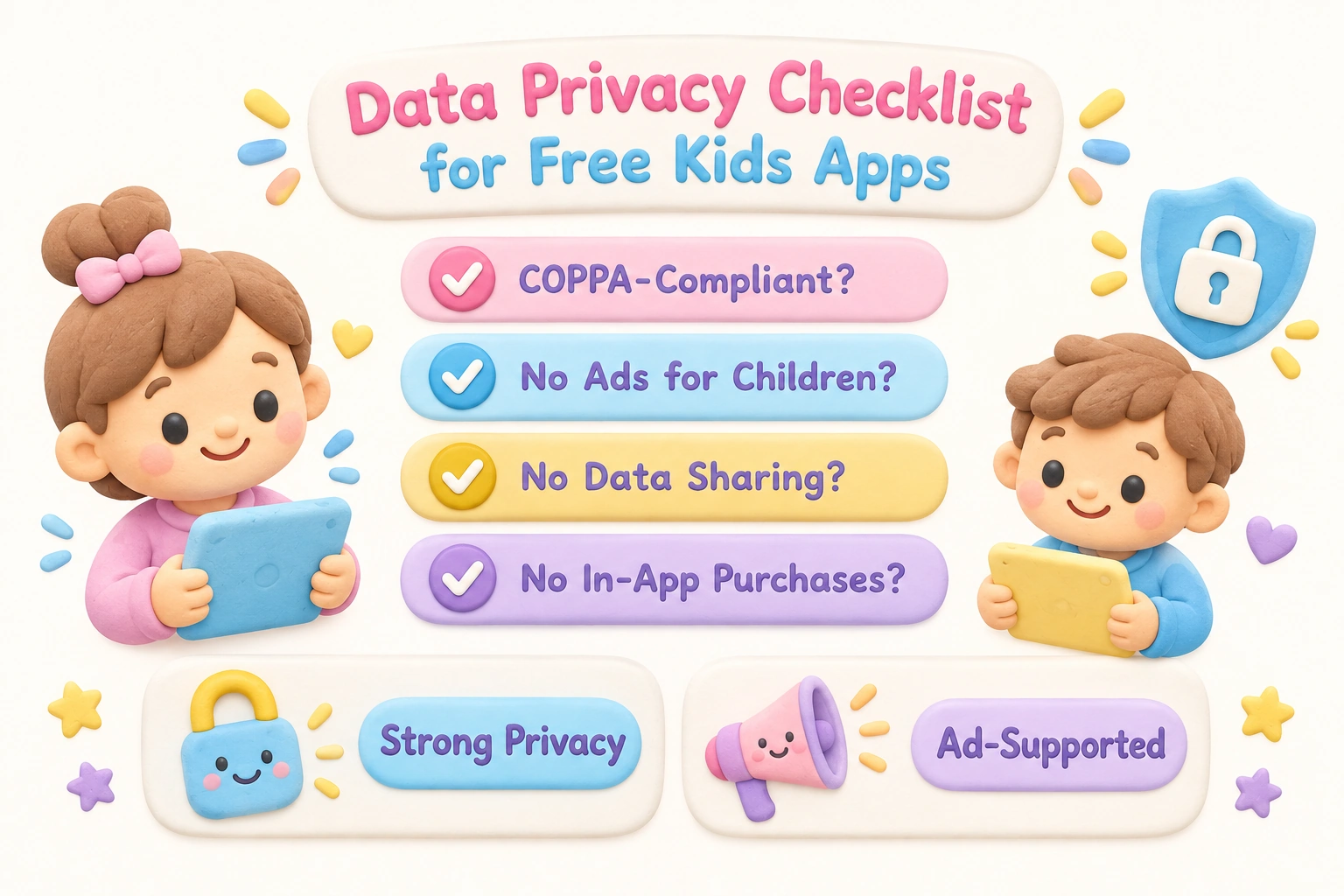
Among the resources listed here, Khan Academy Kids, Duolingo ABC, ScratchJr, Moose Math, Code.org, and PBS Kids Games have strong data privacy records and are designed to collect minimal or no personal child data. Ad-supported platforms such as ABCya, Funbrain, Cool Math Games, and National Geographic Kids display advertising, which means some level of ad-related data processing may occur. Parents who prioritize a fully ad-free, no in-app purchases experience for younger children should focus on the truly free, nonprofit-backed options in this list.
Age-Specific Recommendations at a Glance
Matching a learning game to a child’s developmental stage matters more than matching it to a subject area alone. A math game designed for second graders will frustrate a preschooler and bore a ten-year-old, regardless of how well-designed it is.
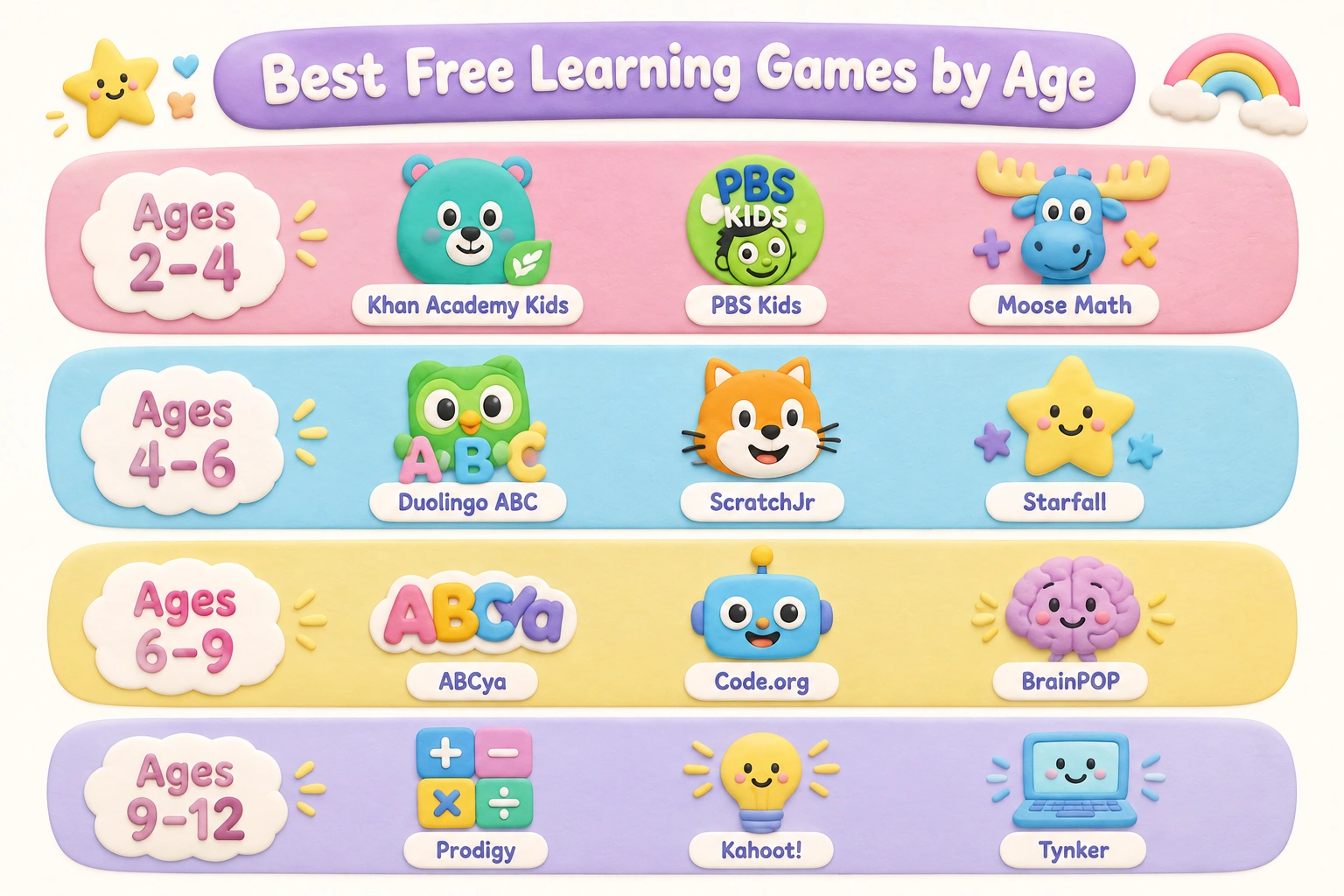
- Ages 2–4 (Toddlers and young preschoolers): Khan Academy Kids, PBS Kids Games, Moose Math. Prioritize simple touch interactions, short sessions, and caregiver co-play.
- Ages 4–6 (Preschool and kindergarten): Duolingo ABC, ScratchJr, Starfall, PBS Kids Games. Focus on phonics games, number sense, and early creative coding.
- Ages 6–9 (Early primary): ABCya, Funbrain, Code.org, TypingClub, Scratch. Introduce browser-based games with more complex rules and mild reading requirements.
- Ages 9–12 (Middle childhood): Scratch, Cool Math Games, National Geographic Kids, Free Rice, TypingClub. Emphasize logic, problem-solving, and content with genuine depth.
How Caregiver Involvement Shapes Learning Outcomes
Research in early childhood education consistently finds that caregiver involvement during digital learning — sometimes called joint media engagement — improves what children retain and understand compared with independent use. This does not mean a parent needs to sit beside a child for every session. Even brief check-ins, asking a child to explain what they just did in a game, or connecting game content to a real-world experience (counting objects after a math game, for example) can meaningfully extend learning beyond the screen. For children under 6 in particular, the AAP recommends that caregivers engage with digital content alongside children rather than using apps as independent entertainment.
Adaptive learning features — available in apps such as Khan Academy Kids and Duolingo ABC — can adjust difficulty automatically based on a child’s responses, which may reduce the need for constant adult calibration. However, adaptive algorithms are not a substitute for a caregiver’s knowledge of their child’s emotional state, attention span, and learning preferences on a given day.
Frequently Asked Questions
Are free learning games as effective as paid educational apps?
Effectiveness depends more on content quality, age-appropriateness, and caregiver involvement than on price. Several truly free apps — including Khan Academy Kids and Code.org — are developed by nonprofits with strong educational research backing and compare favorably with paid alternatives. That said, some premium apps offer more adaptive features or broader content libraries. The free resources in this list were selected specifically because their free content is substantive rather than token.
How much screen time is appropriate when using educational games?
The AAP recommends avoiding screen time other than video calls for children under 18 months, limiting use to one hour per day of high-quality programming for children aged 2 to 5, and ensuring consistent limits and content quality for children aged 6 and older. Educational games count toward daily screen time totals. Balancing digital learning with physical play, reading, and face-to-face interaction remains important regardless of content quality.
Do any of these free learning games work without Wi-Fi?
Yes. Khan Academy Kids, Duolingo ABC, ScratchJr, Moose Math, and the Scratch offline app all function without an internet connection after the initial download. This makes them practical for travel, commutes, or households with unreliable connectivity.
Which free apps are safest for young children in terms of data privacy?
Khan Academy Kids, PBS Kids Games, Duolingo ABC, ScratchJr, Moose Math, and Code.org are among the strongest options for data privacy. These platforms are designed to collect minimal child data, display no ads to children, and are operated by nonprofits or public broadcasters with transparent data policies.
Can teachers use these resources in the classroom?
Several resources on this list are well-suited for classroom use. Code.org and Scratch offer teacher dashboards and class management tools at no cost. ABCya and TurtleDiary are Chromebook-compatible and require no student accounts for basic access. Khan Academy Kids and PBS Kids Games are used in early childhood classrooms as supplementary tools. TypingClub is widely adopted in schools as a structured keyboarding curriculum.
What is the difference between truly free and freemium learning apps?
A truly free app or website provides its full core content at no cost, with no paywalls, no in-app purchases, and no subscription required. A freemium product offers a limited free tier — sometimes a trial period, sometimes a subset of content — with the expectation that users will upgrade to a paid plan for full access. This list uses the ✅ Truly Free and 🔓 Free Tier labels in the comparison table to make this distinction clear for each resource.
Choosing Free Learning Games That Actually Fit Your Child
The most useful free learning game for any child is the one that matches their current developmental stage, holds their attention long enough to practice a skill, and fits comfortably into your family’s screen time boundaries. No single app or website covers every subject, age group, or learning style equally well. A practical approach is to start with one or two truly free, ad-free options from the list above — Khan Academy Kids and Duolingo ABC for younger children, Code.org or Scratch for older ones — and observe how your child engages with them over several sessions before adding more tools.
Pay attention to whether your child is actively problem-solving or passively clicking through animations, whether the difficulty level feels appropriately challenging, and whether they can connect what they are doing in the game to something they understand in the real world. These observations will tell you more about a game’s educational value for your specific child than any review or rating system. Free learning games for kids can be a genuinely useful part of a balanced learning environment — the key is choosing them deliberately rather than defaulting to whatever is most immediately engaging.

Take a short quiz to find out what your everyday choices say about your parenting style
When your child is curious about something new, what’s your instinct?
Take a short quiz to find out what your everyday choices say about your parenting style
“Can I download this app?” What happens next?
Take a short quiz to find out what your everyday choices say about your parenting style
When it comes to rules at home, which sounds most like you?
Take a short quiz to find out what your everyday choices say about your parenting style
If you could give your child one life skill today, what would you pick?
Take a short quiz to find out what your everyday choices say about your parenting style
Your child gets to choose what to watch. What would your ideal setup look like?
Take a short quiz to find out what your everyday choices say about your parenting style
Pick your parenting superpower ✨