Best Free Online Games for 9-Year-Olds

 Discover a Free Education Video App for Kids
Pastory uses AI to personalize educational video content based on your child’s interests and personality. Safe, engaging, and built for curious young minds. Sign up now to stay updated and enjoy early access with a free trial
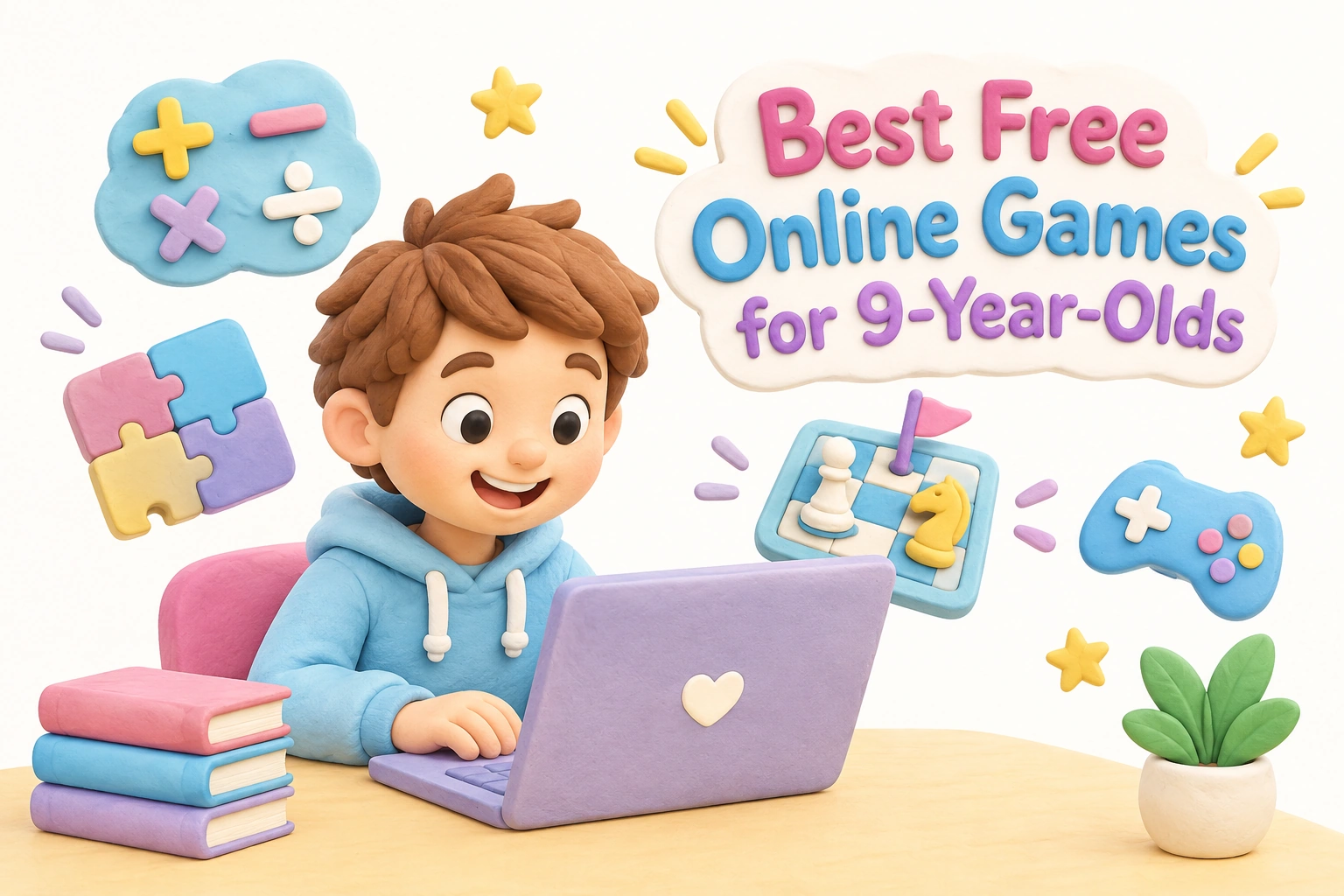
Nine-year-olds are at a genuinely interesting cognitive stage: they can follow multi-step instructions, sustain attention for longer periods, and enjoy games that reward planning and persistence rather than pure reflex. Finding free online games for 9 year olds that match this developmental level — while remaining safe, browser-based, and free from aggressive monetization — takes more than a quick search. This guide organizes the strongest options by category, explains what makes each type developmentally appropriate for this age group, and gives parents a practical framework for evaluating any game before their child sits down to play.
Key Takeaways
- The best free online games for 9-year-olds are browser games that require no download and no sign-up, making them immediately accessible on a family computer, Chromebook, or tablet.
- Age-appropriate games at this stage should offer genuine challenge — multi-step problem-solving, strategy, or skill progression — rather than passive clicking or endless repetition.
- Educational games covering math, logic, word skills, and science can support classroom learning, but outcomes vary by child and depend on how the game is used.
- Ad transparency, COPPA compliance, and chat settings matter: parents should check these before a child plays independently.
- Balancing screen time with offline play remains important even when the games themselves are high quality.
Why Game Choice Matters at Age 9
Children around age 9 — typically in 4th grade — are moving into what developmental psychologists describe as middle childhood, a period marked by growing logical reasoning, stronger working memory, and an increasing interest in peer comparison and competition. Unlike younger children who benefit most from open-ended exploration, nine-year-olds tend to engage more deeply with games that have clear rules, measurable progress, and a meaningful challenge curve. Games that are too simple quickly lose their interest; games that are too opaque or frustrating can undermine motivation.
This developmental context matters when choosing games because it shifts the selection criteria. A game that works well for a 6-year-old — short loops, bright animations, minimal reading — may feel patronizing to a 9-year-old. Conversely, games designed for teenagers may introduce social dynamics, content, or competitive pressure that is not yet appropriate. The sweet spot for this age group tends to be games that reward sustained thinking, allow for skill improvement over multiple sessions, and offer some form of social or competitive element without exposing children to unmoderated chat or adult content.
What Makes a Game Genuinely Age-Appropriate
Age-appropriateness for free online games involves more than a content rating. For 9-year-olds specifically, a well-chosen game typically shares several characteristics. The challenge level should match the cognitive abilities of a child who can read comfortably, solve multi-step problems, and think ahead by a few moves. The controls should be manageable on a standard keyboard and mouse or a touchscreen without requiring precise fine-motor skills that are still developing. The session structure should have natural stopping points rather than infinite scroll mechanics designed to extend play indefinitely.
From a safety standpoint, a kid-friendly game for this age should ideally be hosted on a platform with COPPA compliance (the U.S. Children’s Online Privacy Protection Act) or equivalent GDPR protections for European users. These compliance signals indicate that the platform has made specific commitments about data collection from children under 13. Parents should also check whether a game includes in-app purchases, unmoderated multiplayer chat, or links to external sites — all of which can introduce risks that the game’s surface appearance does not reveal.
Math Games for 9-Year-Olds
Math games for 9 year olds are among the most well-developed category of free educational games online, partly because multiplication, division, fractions, and early algebra align with 4th grade curriculum goals that many platforms target directly. The best math games in this category present problems within a game context — racing, tower defense, or puzzle formats — so that the repetition needed to build fluency feels purposeful rather than drill-like.
Math Playground is one of the most consistently recommended platforms for this age group. It offers a wide range of browser games covering multiplication, fractions, logic puzzles, and word problems, organized by grade level. The site is ad-supported but keeps advertising clearly separated from game content, and no account is required to play. Games load directly in the browser with no download needed, and most work on Chromebook and tablet devices.
Arcademics takes a different approach by embedding math practice into multiplayer racing games, where children compete against other players in real time by answering arithmetic questions correctly. This format can be highly motivating for competitive 9-year-olds, though parents should note that the multiplayer element connects children with other users online. The platform is designed for classroom use and maintains a relatively controlled environment, but it is worth reviewing the privacy settings before independent home use.
Prodigy Math is a role-playing game that adapts math questions to the child’s current level, covering curriculum content from grades 1 through 8. The free version is genuinely playable without a paid subscription, though the platform does use in-game prompts to encourage upgrades. Parents should be aware of this upsell dynamic before children play independently, as the prompts can create spending pressure even when the core game remains free.
Logic and Strategy Games
Logic and strategy games are particularly well-matched to the cognitive development of 9-year-olds because they require planning, sequential thinking, and the ability to anticipate consequences — skills that are actively developing at this stage. Unlike reflex-based games, strategy games reward children who slow down and think before acting, which can support the development of problem-solving skills and executive function over time.
Coolmath Games is one of the most widely used platforms for browser-based logic and strategy games. Despite its name, the site covers far more than mathematics: it includes puzzle games, tower defense games, maze challenges, and classic strategy formats. Most games require no sign-up required and play directly in the browser. The site is ad-supported, and the volume of advertising is higher than on some dedicated educational platforms, so parents may want to preview games before children use the site independently.
Chess Kid (chesskid.com) offers a structured environment for learning and playing chess online, with puzzles, lessons, and the option to play against computer opponents at adjustable difficulty levels. Chess is one of the most thoroughly studied strategy games in educational research, and while evidence for broad cognitive transfer remains mixed, the game clearly develops planning, pattern recognition, and sustained concentration — all relevant to 9-year-old development. The platform requires account creation but is designed specifically for children and maintains strong safety standards.
Puzzle games such as Sudoku variants, Mastermind-style code-breaking games, and spatial reasoning challenges are available across several platforms including National Geographic Kids and PBS Kids Games. These platforms carry strong brand recognition for safety and age-appropriateness, and both maintain COPPA-compliant environments. Game depth varies, but both sites offer options that go beyond simple clicking and require genuine reasoning.
Word, Reading, and Typing Games
Word and reading games serve a different developmental function from math or strategy games: they reinforce literacy skills, vocabulary, and reading fluency in a low-pressure context. For 9-year-olds who are consolidating their reading ability and beginning to read for meaning rather than decoding, word games can extend engagement with language in an enjoyable format.
Funbrain offers a range of reading comprehension games and interactive stories alongside math and puzzle content. The platform is well-established, ad-free for most content, and requires no account to access the majority of its games. It is one of the few platforms that integrates narrative content with game mechanics, which may appeal to children who enjoy stories as much as competition.
Typing games deserve specific mention for this age group because 9-year-olds are at an ideal stage to develop touch-typing habits before those habits become harder to establish. Typing.com and Dance Mat Typing (from the BBC) both offer free, structured typing instruction in a game-like format with no download needed. Developing typing fluency at this age has practical long-term benefits for academic work, making typing games one of the more clearly purposeful categories of learning games for this age group.
Word scramble and vocabulary games are available on ABCya, which targets the elementary school age range and organizes content by grade level. ABCya is ad-supported but maintains a child-friendly environment with content clearly separated from advertising. Most games are Chromebook compatible and play in the browser without requiring installation.
Science and Creative Games
Science games for 9-year-olds cover topics including the human body, weather systems, life cycles, ecosystems, and basic physics — content that aligns with typical 4th grade science curricula. National Geographic Kids offers science-themed games and quizzes that connect game content to real-world knowledge, which can support curiosity and factual learning alongside the game mechanics. The platform is well-moderated and does not require account creation for most content.
Creative games — including digital building, sandbox environments, and avatar customization — serve a different developmental purpose. They support imaginative thinking, spatial reasoning, and self-expression rather than curriculum-aligned skill practice. Scratch (scratch.mit.edu), developed by MIT, allows children to create their own interactive stories, games, and animations using a block-based programming interface. Scratch is genuinely free, requires no download, and is one of the few platforms where children move from consuming games to creating them — a meaningful developmental step for curious 9-year-olds. The platform has a moderated community where children can share projects, though parental guidance on community interaction is recommended.
Multiplayer Games for Kids
Multiplayer games for kids introduce a social dimension that solo games cannot replicate: negotiation, turn-taking, friendly competition, and the experience of playing with or against peers. For 9-year-olds, who are increasingly motivated by peer relationships, multiplayer formats can significantly increase engagement. However, multiplayer also introduces the most significant safety considerations of any game category.
The safest multiplayer options for this age group are those that allow private rooms with known participants rather than open matchmaking with strangers. Skribbl.io is a browser-based Pictionary-style drawing and guessing game that supports private rooms of up to 12 players — making it well-suited for family game nights or small friend groups. No account is required, and the private room format means children are not exposed to unknown users. Parents should note that the public version of the game does include open chat with strangers, so the private room setting is essential for safe use with children.
Classic board game formats available online — including Connect 4, Uno Online, Dominoes, and Yahtzee — offer structured multiplayer experiences with clear rules and natural session endings. These formats tend to have lower ad loads and simpler interfaces than action multiplayer games, and many are available through platforms like Poki Kids (kids.poki.com) without requiring sign-up.
Parents should review parental controls and chat settings on any multiplayer platform before children use it independently. Even platforms designed for children can have community features that expose children to strangers, inappropriate language, or social pressure. Teaching children to protect personal information and to report uncomfortable interactions is as important as choosing the right platform.
Safe Platforms: A Parent’s Quick Reference
Rather than evaluating individual games one by one, many parents find it more practical to identify a small set of trusted platforms and allow children to explore within those boundaries. The platforms most consistently recommended for safety, age-appropriateness, and content quality for 9-year-olds include PBS Kids Games, ABCya, Funbrain, National Geographic Kids, Math Playground, and Coolmath Games. Each of these platforms has established a track record of child-friendly content, though ad levels and privacy practices vary between them.
When evaluating any new platform, a useful parent checklist includes: Does the site carry COPPA or GDPR compliance signals? Are advertisements clearly separated from game content, or are they embedded within games? Does the game include chat features, and if so, are they moderated? Are there in-app purchase prompts? Does the game have natural stopping points, or is it designed to extend play indefinitely? These questions take only a few minutes to answer but can significantly reduce the risk of a child encountering inappropriate content or spending pressure.
How to Match a Game to Your Child’s Interests
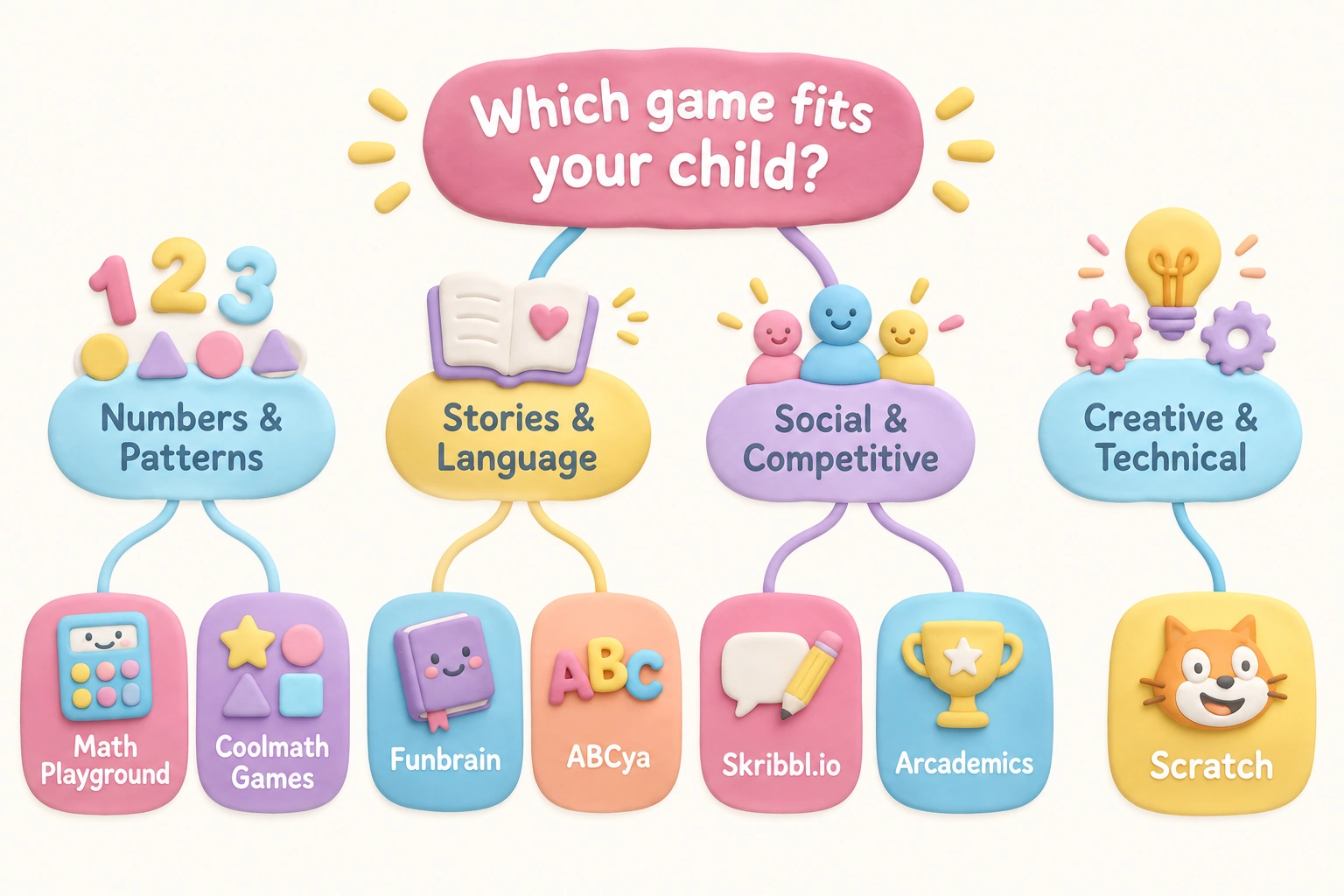
Nine-year-olds vary considerably in their interests, learning styles, and tolerance for challenge. A simple interest-matching approach can help parents narrow down options without needing to evaluate every available game. Children who enjoy numbers and patterns tend to engage well with math games and logic puzzles on platforms like Math Playground or Coolmath Games. Children who prefer storytelling and language may find more satisfaction in reading games on Funbrain or word-based challenges on ABCya. Children who are socially motivated and enjoy competing with friends are likely to engage most with structured multiplayer formats like Skribbl.io or Arcademics. Children with a creative or technical curiosity may find Scratch more rewarding than any pre-built game, since it allows them to build their own interactive projects.
Device compatibility is also a practical consideration. Most of the platforms listed in this guide are Chromebook compatible and work on standard tablets without requiring app installation. Families with limited bandwidth may find that simpler puzzle and word games load more reliably than graphics-heavy action games, since the former typically require less data to run smoothly in the browser.
Screen Time and Balance
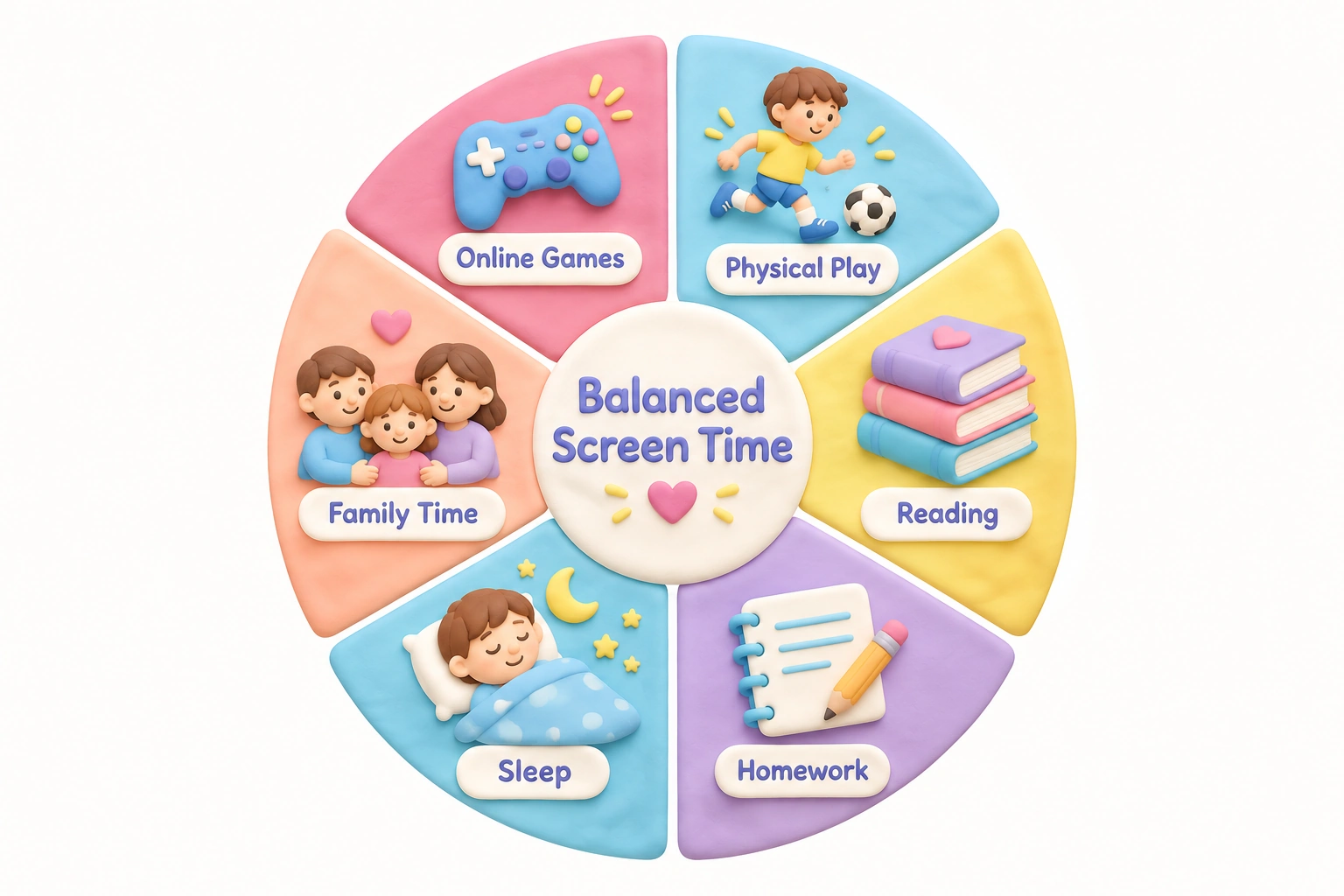
Even high-quality, educational browser games are most beneficial when they form part of a balanced daily routine rather than the dominant leisure activity. The American Academy of Pediatrics recommends that parents of school-age children focus on the quality and context of screen time rather than applying a strict hourly limit, while still ensuring that digital activities do not displace sleep, physical activity, homework, or face-to-face social interaction.
For 9-year-olds specifically, games with natural stopping points — levels completed, puzzles solved, sessions ended — are preferable to games designed around infinite progression or daily login rewards, which can make it harder for children to disengage voluntarily. Parents who find that their child struggles to stop playing may want to establish a consistent session length before play begins, use a visible timer, and choose games that have clear endings built into their structure. Co-playing occasionally — sitting alongside a child and discussing their strategy or choices — can also transform a solo screen activity into a shared learning experience.
Frequently Asked Questions
Are free online games for 9-year-olds actually free, or do they have hidden costs?
Most browser games on established educational platforms are genuinely free to play with no download needed and no sign-up required. However, some platforms — particularly those with role-playing or virtual world formats — offer a free base game alongside paid upgrades or in-game currency. Parents should check for in-app purchase prompts before children play independently, and consider disabling in-app purchasing through device settings if this is a concern.
How do I know if a platform is safe for my child?
Look for COPPA compliance (for U.S.-based platforms) or GDPR compliance (for European platforms), as these indicate specific legal commitments about children’s data. Check whether the platform includes unmoderated chat features, links to external sites, or advertising embedded within game content. Established platforms such as PBS Kids Games, ABCya, and Funbrain have long track records of child-safe content, making them lower-risk starting points.
Do these games work on a Chromebook or tablet?
Most browser-based games on the platforms listed in this guide are Chromebook compatible and work on standard tablets without requiring app installation. Games that rely on Flash technology are no longer widely supported, but the majority of current browser games use HTML5, which runs reliably across modern devices including school-issued Chromebooks.
Can online games actually support my child’s learning?
Well-designed educational games may support skill practice in areas like math fluency, reading comprehension, typing, and logical reasoning. However, outcomes vary by child, and games work best as a supplement to — not a replacement for — classroom instruction and offline learning activities. The quality of the game, the child’s engagement level, and the presence of a supportive adult all influence how much learning transfer occurs.
What should I do if my child encounters something inappropriate while playing?
Teach children in advance to close the browser tab and tell a trusted adult if they see something that makes them uncomfortable. Most reputable platforms have a reporting mechanism for inappropriate content or behavior. Keeping the computer in a shared family space rather than a private bedroom makes it easier to monitor what children are playing and to respond quickly if something unexpected appears.
Are multiplayer games safe for 9-year-olds?
Multiplayer games can be safe when they use private rooms with known participants and have moderated or limited chat features. Open matchmaking games that connect children with unknown users carry higher risks, including exposure to inappropriate language and contact from strangers. For 9-year-olds, private-room formats like Skribbl.io or structured classroom platforms like Arcademics offer a more controlled multiplayer experience.
Choosing the Right Free Online Game for Your 9-Year-Old
The strongest free online games for 9-year-olds share a few consistent qualities: they offer genuine challenge appropriate to middle childhood cognitive development, they play directly in the browser with no download needed, they are hosted on platforms with clear safety and privacy commitments, and they have natural session structures that support healthy screen time habits. No single game or platform will suit every child, and the best approach is to start with a small selection from trusted platforms — PBS Kids Games, ABCya, Math Playground, Funbrain, or Coolmath Games — and observe which formats your child finds most engaging and most beneficial.
Parents who take a few minutes to preview a platform’s ad experience, check for COPPA compliance, and review any chat or multiplayer features will be in a much stronger position to guide their child’s game choices than those who rely on a game’s title or visual appearance alone. The goal is not to restrict digital play but to make it purposeful: choosing games that match your child’s current interests and developmental stage, setting reasonable session boundaries, and staying involved enough to notice when a game is genuinely enriching versus simply filling time.

Take a short quiz to find out what your everyday choices say about your parenting style
When your child is curious about something new, what’s your instinct?
Take a short quiz to find out what your everyday choices say about your parenting style
“Can I download this app?” What happens next?
Take a short quiz to find out what your everyday choices say about your parenting style
When it comes to rules at home, which sounds most like you?
Take a short quiz to find out what your everyday choices say about your parenting style
If you could give your child one life skill today, what would you pick?
Take a short quiz to find out what your everyday choices say about your parenting style
Your child gets to choose what to watch. What would your ideal setup look like?
Take a short quiz to find out what your everyday choices say about your parenting style
Pick your parenting superpower ✨