Best PC Games for 5-Year-Olds: Beginner-Friendly Picks

 Discover a Free Education Video App for Kids
Pastory uses AI to personalize educational video content based on your child’s interests and personality. Safe, engaging, and built for curious young minds. Sign up now to stay updated and enjoy early access with a free trial
Finding the right PC game for a 5-year-old involves more than scanning a store shelf for a colorful box. At this age, children are developing fine motor control, building early literacy and numeracy skills, and learning how to follow simple rules — all of which affect which games they can genuinely enjoy and benefit from. This guide walks parents and caregivers through the most suitable PC game options for five-year-olds, explains what to look for developmentally, and covers practical safety and screen time considerations so you can make a confident, informed choice.
Key Takeaways
- The best PC games for 5-year-olds feature beginner-friendly controls, simple objectives, and no fail states that cause frustration or distress.
- Games with genuine educational value — covering early math, letter recognition, or spatial reasoning — can complement learning when used alongside offline activities.
- Parent involvement significantly improves the experience: co-playing or sitting nearby helps children navigate controls and understand game concepts.
- The American Academy of Pediatrics recommends limiting recreational screen time to around one hour per day for children aged 2–5, with consistent boundaries continuing into the early school years.
- Free browser-based games and paid downloads both offer strong options; the key is vetting content quality and online safety before handing over the mouse.
Is a 5-Year-Old Ready for PC Gaming? Developmental Context
Before choosing a game, it helps to understand what a typical 5-year-old can and cannot do at a computer. Fine motor skills at this age are still maturing: most children can operate a mouse with some accuracy, but precise clicking on small targets remains challenging. Keyboard use is generally limited to single-key presses or simple shortcuts — complex key combinations are usually beyond comfortable reach. Attention spans for structured activities typically range from 10 to 15 minutes, which means games with short, self-contained sessions tend to work better than open-ended experiences that require sustained focus.
Cognitively, five-year-olds are in a stage of rapid symbolic thinking and early logical reasoning. They respond well to cause-and-effect gameplay, enjoy repetition with variation, and benefit from clear visual feedback. Games that rely heavily on reading instructions or text menus will frustrate most children at this age unless an adult is present to help. Emotionally, children this age are sensitive to failure: games with no fail state — where there is no losing condition, no enemies, and no death mechanic — tend to produce more positive, sustained engagement than competitive or high-stakes formats.
What Makes a PC Game Age-Appropriate for a 5-Year-Old?
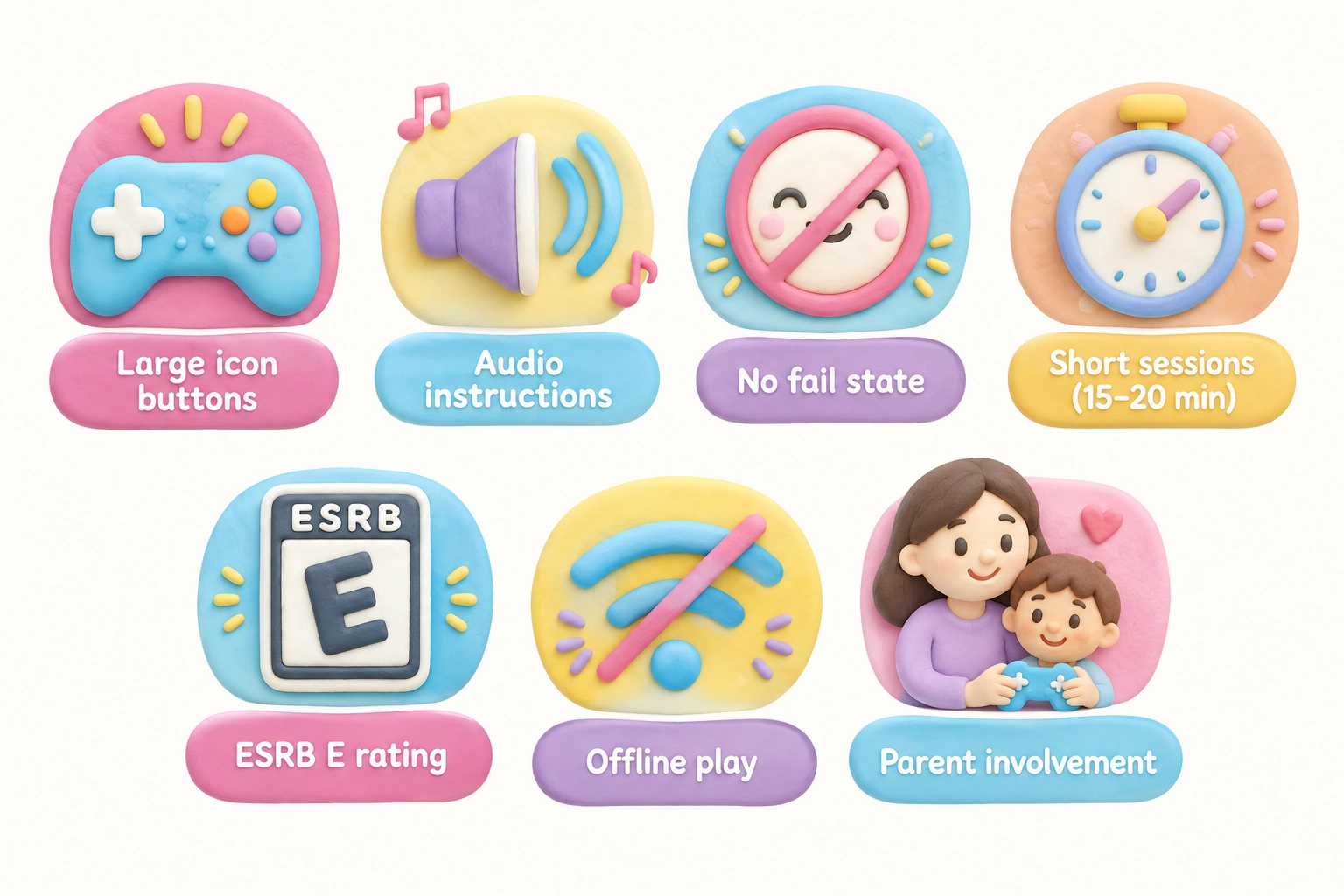
Age-appropriate PC games for 5-year-olds share several consistent characteristics that parents can use as a checklist when evaluating any title. The ESRB rating system provides a useful starting point: games rated ESRB E for Everyone are reviewed for content suitable across all ages, while E10+ titles may contain mild fantasy violence or slightly more complex themes that can still work with adult guidance. However, an ESRB rating alone does not guarantee that a game is accessible or enjoyable for a five-year-old — interface complexity and reading requirements matter just as much as content.
Look for games that offer large, clearly labeled buttons or icons rather than text menus, simple one-button or mouse-click interactions, and immediate visual or audio feedback so the child understands what their action caused. Games with open-ended gameplay — where there is no single correct path and exploration is rewarded — tend to suit this age group well because they reduce the pressure of performance. A sandbox game structure, where children build or explore freely without a win condition, is particularly well matched to the developmental stage of a five-year-old.
Best PC Games for 5-Year-Olds: Curated Picks by Category
Creative and Sandbox Games
Minecraft (Creative Mode, Peaceful Difficulty) is the most widely recommended PC game for young children, and for good reason. In Creative Mode, children have unlimited resources, no enemies, and no health bar — a true no fail state that removes frustration and lets imagination lead. Spatial reasoning, planning, and cause-and-effect thinking are all engaged as children place and remove blocks to build structures. For a 5-year-old, Minecraft works best with adult support: a parent can set up a new world in Creative Mode with Peaceful difficulty enabled, which removes all hostile mobs. The mouse controls require some practice, but most children adapt within a few sessions. Minecraft is available on Windows and Mac through the official launcher and on Steam, and it carries an ESRB E10+ rating — the mild fantasy content is well within range for this age with parental guidance. Parent involvement level: Medium (initial setup and occasional guidance recommended).
Toca Boca series titles, while primarily tablet-based, include PC-compatible browser versions that offer open-ended, imaginative play with no objectives or scoring. These games are genuinely designed for the 3–6 age range, with large touch-friendly targets that translate well to mouse use. They carry no ESRB rating but are widely recognized by Common Sense Media as appropriate for preschool and early primary ages. Parent involvement level: Low.
Educational PC Games with Strong Foundational Skills
ABCmouse is a subscription-based browser-based learning platform that covers early reading, math, science, and art through structured activities and games. It is curriculum-aligned for ages 2–8 and designed specifically so that pre-readers can navigate independently using icons and audio instructions. The platform tracks progress and adapts difficulty gradually, which can support children who are ready to move ahead or need more practice. ABCmouse is not a traditional video game, but its game-like reward system and animated characters make it engaging for most five-year-olds. It runs in a browser on both Windows and Mac. Parent involvement level: Low to Medium.
Starfall, PBS Kids Games, and ABCya are free browser-based games that require no download or account. Starfall focuses on phonics and early reading; PBS Kids Games features licensed characters from shows like Daniel Tiger and Curious George in simple interactive activities; ABCya offers a broad library of math and literacy mini-games organized by grade level. All three are accessible on most browsers and work well on standard PC hardware. These free PC games for kids are a practical starting point for parents who want to explore digital learning without a financial commitment. Parent involvement level: Low.
JumpStart Advanced Kindergarten is a downloadable educational title designed specifically for the kindergarten age range. It covers letter recognition, early math, and basic science concepts through structured mini-games with a consistent character guide who gives audio instructions — reducing the reading barrier. The interface uses large, clearly labeled icons and responds well to mouse-only navigation. Parent involvement level: Low.
Prodigy Math Game is a free browser-based math RPG that is frequently recommended for young children, but an honest caveat is warranted: Prodigy’s reading requirements and battle-style gameplay are better suited to ages 7 and up. A 5-year-old may enjoy the visual style but will likely need consistent adult support to navigate menus and understand the math questions. It works with adult involvement but is not a native fit for this age. Parent involvement level: High for 5-year-olds.
Puzzle and Logic Games
LEGO Builder’s Journey is a quiet, meditative puzzle game in which players arrange LEGO bricks to guide a small character through environments. It requires no reading, uses simple mouse or keyboard controls, and has a gentle, non-competitive structure with no enemies or time pressure. The game builds spatial reasoning and pattern recognition in a calm, visually appealing format. It carries an ESRB E rating and is available on PC through the Microsoft Store and Steam. Parent involvement level: Low to Medium (some puzzles may need a hint from an adult).
Cut the Rope (browser and downloadable versions) presents simple physics-based puzzles where children cut ropes to feed candy to a cartoon character. The cause-and-effect mechanic is immediately understandable, the controls require only a single mouse drag, and the difficulty increases gradually. It is a strong choice for building early problem-solving and logical thinking without any reading requirement. Parent involvement level: Low.
A Little to the Left is a tidying puzzle game rated ESRB E in which players sort and organize objects into satisfying arrangements. It builds pattern recognition and attention to detail, and its calm, non-pressured format suits short play sessions well. Some puzzles may be too abstract for a 5-year-old without guidance, but the game’s open-ended hint system reduces frustration. Parent involvement level: Low to Medium.
Character-Based and Licensed Games
Paw Patrol games (including Paw Patrol: Grand Prix and Mighty Pups) feature familiar characters from the television series in simple racing and adventure formats. The controls are designed for young children, objectives are straightforward, and there is no meaningful fail state in most modes. These titles are best suited to children who already enjoy the show, as the character recognition reduces the learning curve. They carry ESRB E ratings and are available on PC through Steam. Parent involvement level: Low.
LEGO video games — including LEGO Star Wars: The Skywalker Saga and LEGO Marvel Super Heroes — are popular with this age group because of their humor, familiar characters, and forgiving gameplay. Characters respawn quickly after defeat, removing the sting of failure. However, the camera controls and level navigation in most LEGO titles are more complex than a 5-year-old can manage independently. These games work best as co-op experiences where a parent handles navigation while the child focuses on combat or building. They carry ESRB E10+ ratings. Parent involvement level: Medium to High for solo play; Medium in co-op.
Classic Titles Worth Revisiting
Humongous Entertainment classics — including Freddi Fish, Putt-Putt, Pajama Sam, and Spy Fox — were designed specifically for the 3–8 age range and remain among the most thoughtfully crafted PC games ever made for young children. Each title features point-and-click adventure gameplay with no reading required (all dialogue is voiced), gentle humor, and simple logical puzzles. These games are available on Steam and GOG at low prices and run on modern Windows systems with minimal setup. They represent a genuinely child-native experience that many contemporary titles do not match for this specific age group. Parent involvement level: Low.
Endless Alphabet is primarily a tablet app but has a browser-accessible version. It introduces vocabulary through animated monster characters who act out word definitions, with no reading required. The interaction is simple drag-and-drop, making it well suited to mouse use. It is one of the few digital tools that genuinely supports vocabulary development in a format a 5-year-old can navigate independently. Parent involvement level: Low.
Free vs. Paid: A Practical Overview
Parents on a budget have strong free options available. Browser-based games from Starfall, PBS Kids, and ABCya require no download, no account, and no payment. ABCmouse offers a free trial before its subscription begins. Prodigy Math Game has a free tier, though its premium features require a subscription. The Humongous Entertainment titles on Steam typically cost a few dollars each and represent excellent value for the quality and age-appropriateness they offer. Paid titles like Minecraft and LEGO Builder’s Journey involve a one-time purchase and provide significantly more depth and replayability than most free options.
Offline vs. Online Safety: An Important Distinction
Many parents focus on content ratings but overlook a critical safety distinction: whether a game connects to the internet in ways that expose children to other players or chat functions. Fully offline games — including the Humongous Entertainment classics, LEGO Builder’s Journey, and most single-player puzzle titles — carry no online interaction risk. Minecraft, by contrast, has online multiplayer modes that should be disabled for a 5-year-old. When setting up Minecraft for a young child, ensure the game is played in a locally created world with no server connection. Browser-based games on platforms like PBS Kids and ABCya are curated and do not include user-generated chat, making them safer for independent use than open gaming platforms.
Setting Up Safe Play: Parental Controls and Game Modes
Configuring a safe gaming environment takes only a few minutes and significantly reduces risk. For Minecraft, create a new world, select Creative Mode from the game type menu, and set the difficulty to Peaceful — this removes all hostile mobs and gives the child unlimited resources with no threat of harm. For broader PC access management, Windows Family Settings (available through the Microsoft Family Safety app) allow parents to set daily screen time limits, restrict which apps and games can be launched, and review activity reports. Steam Family View is a separate feature within the Steam platform that restricts a child’s Steam account to a parent-approved list of games, preventing access to the broader store or community features. Common Sense Media is a reliable independent resource for checking age recommendations and content details for any specific title before purchase.
Screen Time Guidance for 5-Year-Olds
The American Academy of Pediatrics recommends that children aged 2 to 5 have no more than one hour of high-quality screen time per day, with consistent limits continuing into the early school years. For a 5-year-old, this means that even the most educational PC game should be one part of a broader daily routine that includes physical play, creative offline activities, and social interaction. Short play sessions of 15 to 20 minutes are developmentally appropriate for this age and align with the typical attention span for structured digital activity. Setting a visible timer that the child can see helps build self-regulation skills alongside the gaming session itself.
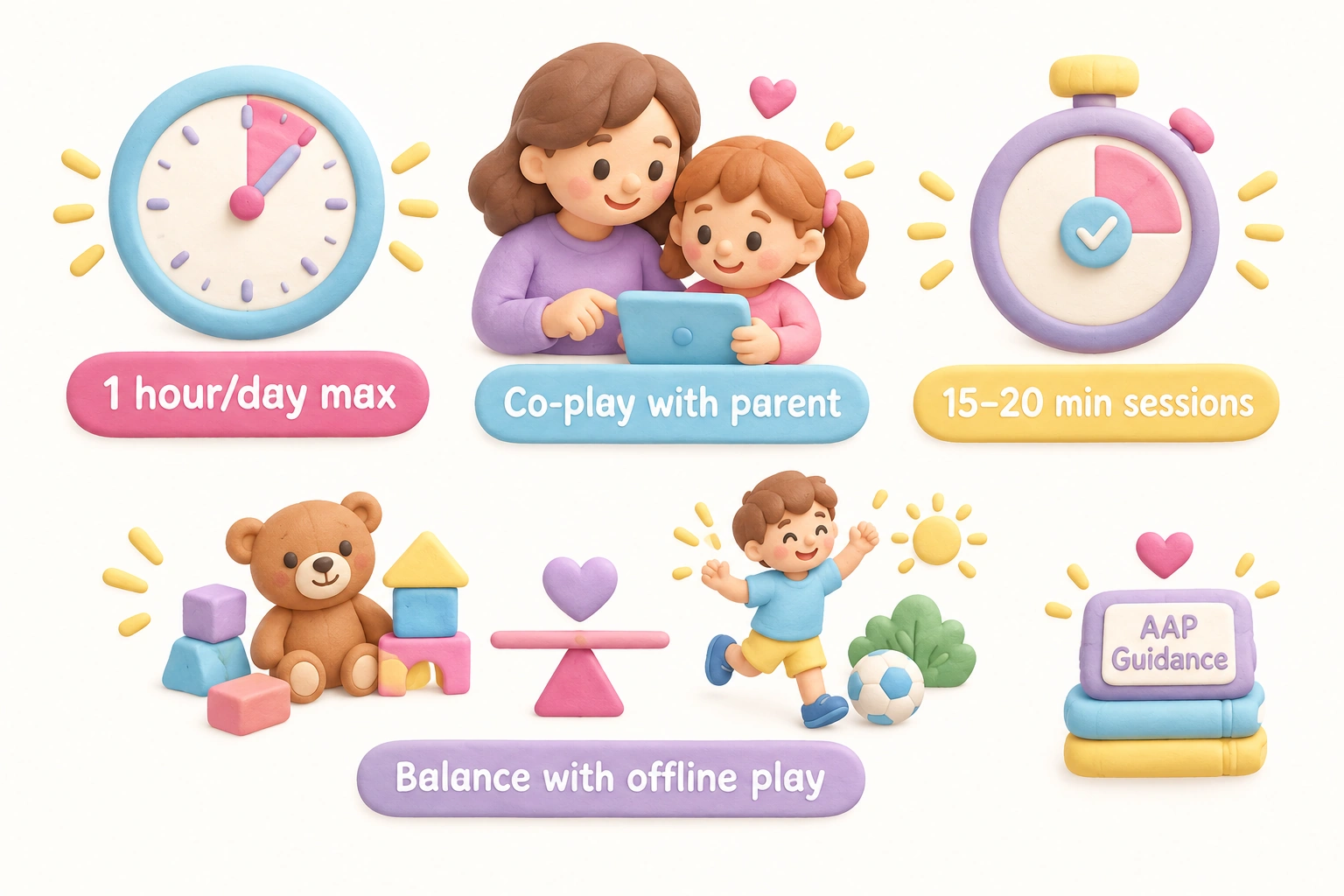
Co-playing — sitting with your child during a gaming session — transforms screen time from passive consumption into an interactive, language-rich experience. Asking questions like “What do you think will happen if you press that?” or “How could we build a bridge here?” extends the cognitive benefit of the game and strengthens the parent-child relationship. Parent involvement does not need to mean controlling the game; it can simply mean being present and curious alongside the child.
Mac Compatibility: What Works on Apple Computers
Most browser-based games — including Starfall, PBS Kids Games, ABCya, and ABCmouse — run on any browser regardless of operating system, making them fully Mac-compatible. Minecraft has a native Mac version available through the official Minecraft launcher. LEGO Builder’s Journey is available on Mac through the App Store. Many LEGO video game titles have Mac versions on Steam. The Humongous Entertainment classics on Steam are Windows-only, though they can run on Mac using compatibility tools like CrossOver. Parents using Apple computers should check the system requirements tab on Steam or the relevant store page before purchasing any downloadable title.
Frequently Asked Questions
Can a 5-year-old play Minecraft?
Yes, with appropriate setup and adult support. Minecraft in Creative Mode with Peaceful difficulty is genuinely suitable for most 5-year-olds. The mouse controls take some practice, and a parent should set up the world and be available to help with navigation. Survival Mode and online servers are not appropriate for this age group. The game carries an ESRB E10+ rating, which reflects mild fantasy content that is generally acceptable for 5-year-olds with parental guidance.
Are there free PC games suitable for 5-year-olds?
Yes. Starfall, PBS Kids Games, and ABCya are free browser-based games that require no download or account and are well suited to this age group. ABCmouse offers a free trial. Prodigy Math Game has a free tier but works better for children aged 7 and up. Free options are a practical starting point before investing in paid titles.
How much screen time should a 5-year-old have for gaming?
The American Academy of Pediatrics recommends around one hour of high-quality screen time per day for children aged 2–5, with the emphasis on quality and co-engagement rather than duration alone. For gaming specifically, short sessions of 15 to 20 minutes tend to match a 5-year-old’s attention span and reduce the risk of overstimulation or frustration.
What ESRB rating should I look for?
ESRB E for Everyone is the safest starting point for 5-year-olds. ESRB E10+ titles may include mild fantasy violence or slightly more complex themes but are generally appropriate with parental guidance. Avoid T (Teen) and M (Mature) rated games entirely for this age group. Remember that an ESRB rating reflects content, not interface complexity — a game can be content-appropriate but still too difficult for a 5-year-old to operate independently.
How do I know if a game requires too much reading for my child?
Check whether the game uses audio instructions and voiced dialogue rather than text menus. Games like the Humongous Entertainment classics, ABCmouse, and LEGO Builder’s Journey use audio to guide players, making them accessible to pre-readers. If a game’s tutorial or menus are text-only, it will likely require consistent adult support for a 5-year-old to navigate independently.
Is it safe to let my 5-year-old play online multiplayer games?
Online multiplayer games that connect children to unknown players are not recommended for 5-year-olds. Even games with chat-disable options carry risks if those settings are not correctly configured. Fully offline single-player games or locally hosted sessions with known family members are the safest options for this age group. If a game has an online component, use parental controls to disable it before the child plays.
What is Steam Family View and do I need it?
Steam Family View is a feature within the Steam gaming platform that allows a parent to restrict a child’s Steam account to a pre-approved list of games, preventing access to the broader store, community forums, or chat features. It is useful if you purchase games through Steam and want to ensure your child can only access titles you have specifically approved. It does not replace Windows Family Settings, which control broader PC access and screen time limits.
Choosing the Right PC Game for Your 5-Year-Old
The most important factor in choosing a PC game for a 5-year-old is not the game’s popularity or price — it is the match between the game’s interface demands and your child’s current developmental stage. A game that requires precise mouse control, text reading, or sustained attention beyond 15 minutes will produce frustration rather than learning or enjoyment. Start with titles that have been specifically designed for the 3–6 age range, such as the Humongous Entertainment classics or ABCmouse, before moving to more complex options like Minecraft or LEGO titles that benefit from adult co-play.
Educational value and entertainment are not mutually exclusive at this age. Games that build spatial reasoning, early math, letter recognition, or problem-solving skills can genuinely complement what children are learning in kindergarten — but only when used in moderation, with parent involvement, and as part of a balanced daily routine that includes plenty of offline play. Use parental controls to set screen time limits, choose offline or curated-platform games to avoid online safety risks, and sit with your child when possible to turn gaming into a shared, language-rich experience. With those foundations in place, PC gaming can be a genuinely positive part of a 5-year-old’s learning environment.

Take a short quiz to find out what your everyday choices say about your parenting style
When your child is curious about something new, what’s your instinct?
Take a short quiz to find out what your everyday choices say about your parenting style
“Can I download this app?” What happens next?
Take a short quiz to find out what your everyday choices say about your parenting style
When it comes to rules at home, which sounds most like you?
Take a short quiz to find out what your everyday choices say about your parenting style
If you could give your child one life skill today, what would you pick?
Take a short quiz to find out what your everyday choices say about your parenting style
Your child gets to choose what to watch. What would your ideal setup look like?
Take a short quiz to find out what your everyday choices say about your parenting style
Pick your parenting superpower ✨