Best Xbox Games for 5-Year-Olds: Family-Friendly Options

 Discover a Free Education Video App for Kids
Pastory uses AI to personalize educational video content based on your child’s interests and personality. Safe, engaging, and built for curious young minds. Sign up now to stay updated and enjoy early access with a free trial
Choosing the right Xbox games for a 5-year-old involves more than picking something colorful off a shelf. At this age, children are still developing fine motor skills, have limited reading ability, and need forgiving gameplay that encourages exploration rather than punishing failure. The good news is that a growing library of genuinely age-appropriate titles — many available through Xbox Game Pass — makes it easier than ever for parents to find games that are both engaging and developmentally suitable. This guide covers the best options, what to look for, how to set up parental controls, and how to make gaming a positive shared experience.
Key Takeaways
- Look for games with an ESRB E for Everyone or EC (Early Childhood) rating, simple one- or two-button controls, and no reading requirement for core gameplay.
- Xbox Game Pass gives families access to a wide library of family-friendly Xbox games at a monthly cost, making it practical to trial many titles before committing to a purchase.
- The Xbox Family Settings app lets parents set screen time limits, restrict content by ESRB rating, manage in-game purchases, and control online multiplayer access — all from a smartphone.
- Local co-op games that parents and children play together offer developmental benefits beyond solo play, including turn-taking, communication, and shared problem-solving.
- A 5-year-old’s first gaming sessions should be short (20–30 minutes), supervised, and ideally co-played with a caregiver to build controller confidence gradually.
What Makes a Game Right for a 5-Year-Old?
Five-year-olds are in a stage of rapid cognitive and motor development, but their fine motor coordination is still maturing. Gripping a standard Xbox controller — designed for adult hands — can be physically tiring, and complex button combinations may cause frustration rather than fun. When selecting family-friendly Xbox games for this age group, parents should prioritize a few key characteristics over visual appeal alone.
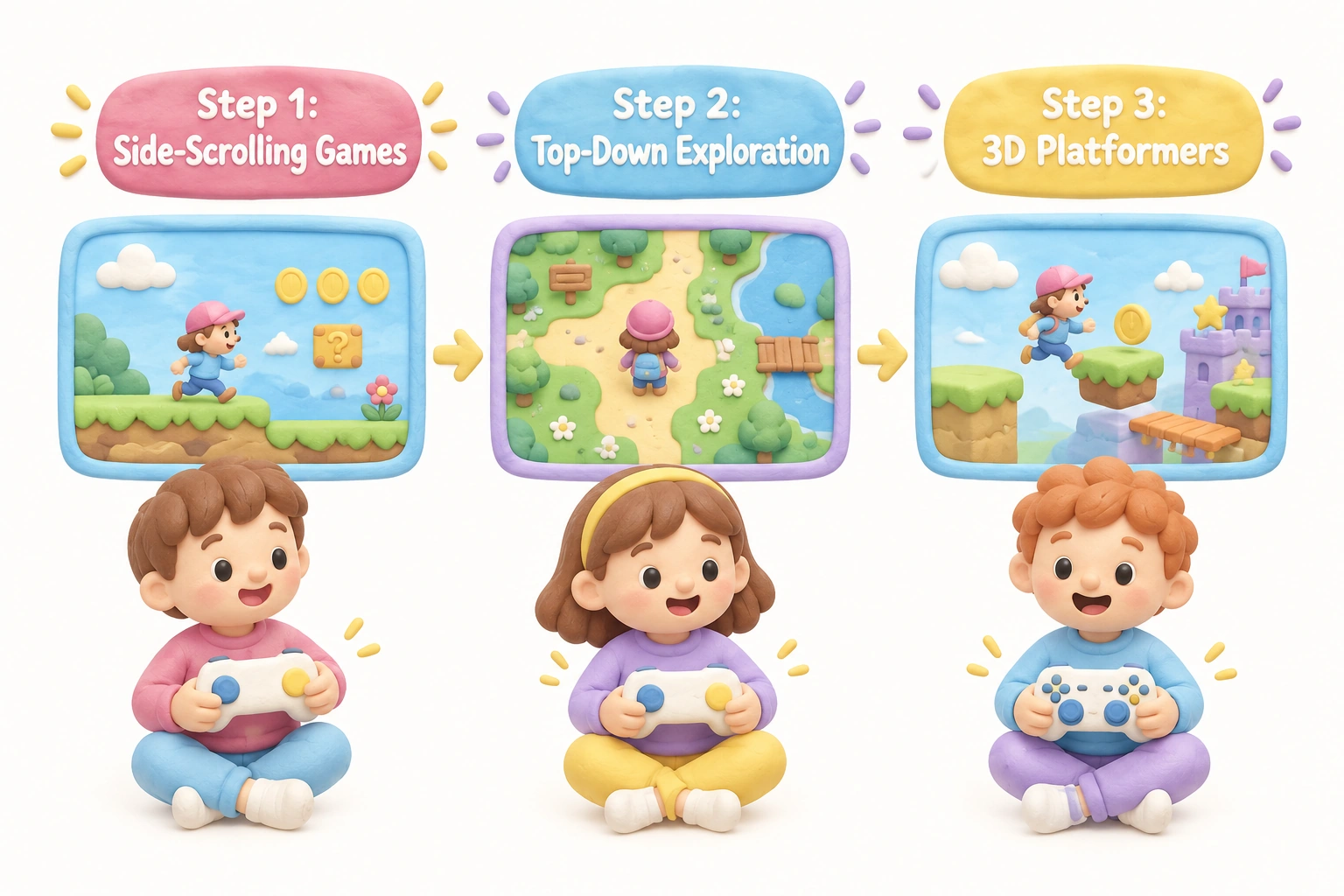
Simple controls are the single most important factor. Games that rely on one or two buttons for core actions, or that use only the left stick for movement, are far more accessible than those requiring simultaneous button combinations. Side-scrolling platformers and top-down adventure games tend to be more manageable for young children than fast-paced 3D games that demand precise camera control.
Forgiving gameplay matters enormously at this age. Games with frequent checkpoints, no permanent fail states, or an assist mode allow children to experience progress and success rather than repeated frustration. Research in child development consistently links early experiences of competence with sustained motivation to engage in a new skill — gaming included.
No reading required for core gameplay is another practical necessity. A 5-year-old who cannot yet read independently will disengage quickly from a game that relies on text menus or written instructions. The best games for this age use visual cues, icons, and audio prompts to guide play.
Finally, colorful graphics and familiar characters from TV or film can lower the barrier to entry significantly. Licensed games tied to shows children already love — such as Bluey or PAW Patrol — benefit from instant recognition and emotional investment.
Top Family-Friendly Xbox Games for 5-Year-Olds
The following games are consistently recommended for children around age 5, based on their ESRB ratings, control simplicity, content appropriateness, and suitability for short play sessions. Availability on Xbox Game Pass is noted where applicable, though library content changes over time.
Minecraft (Creative Mode)
Minecraft is the most universally recommended game for young children on Xbox, and for good reason. In Creative Mode specifically, there are no enemies, no health bar, and no fail state — children can build freely with unlimited blocks in a sandbox environment that rewards imagination rather than skill. The controls are straightforward once a child learns the basic layout, and the open-world format means there is no pressure to complete objectives. For a 5-year-old, setting the game to Creative Mode before handing over the controller removes the survival elements that can be overwhelming or frightening. Parents should also disable online multiplayer through the Xbox Family Settings app to keep the experience self-contained. Minecraft is available on Xbox Game Pass.
Bluey: The Videogame
Bluey: The Videogame is one of the most age-appropriate licensed games available on Xbox. Based on the beloved Australian animated series, it features four playable characters, simple platforming mechanics, and cooperative play for up to four players locally. The game requires minimal reading, uses familiar characters and voice actors from the show, and is designed explicitly for young children. Its short levels and gentle difficulty make it an ideal first game for a child who has never held a controller. The couch co-op format makes it particularly well suited to parent-child play sessions.
Peppa Pig: World Adventures
Peppa Pig: World Adventures is a gentle exploration game aimed squarely at the preschool and early primary age group. Children travel to different countries with Peppa and her family, completing simple mini-games and collecting items. The game requires almost no reading, uses large visual prompts, and has no fail conditions. It carries an ESRB E for Everyone rating and is one of the few titles genuinely designed for children as young as 3–5. The pace is slow and calm, which suits children who are easily overwhelmed by faster-moving games.
PAW Patrol Games (On a Roll, Grand Prix, Mighty Pups)
The PAW Patrol series has produced several Xbox titles across different genres — a platformer (On a Roll), a kart racer (Grand Prix), and an action-adventure (Mighty Pups). All three carry an ESRB E for Everyone rating and feature characters that most 5-year-olds will recognize immediately. PAW Patrol: On a Roll is the most accessible of the three, with simple left-stick movement and single-button actions. Grand Prix introduces basic racing mechanics that can be enjoyable for children who are ready for slightly more input complexity. These licensed games work well as introductory titles precisely because the familiar characters reduce the learning curve.
New Super Lucky’s Tale
New Super Lucky’s Tale is a 3D platformer featuring a young fox named Lucky on a quest to recover a magical book. It is one of the most polished family-friendly platformers available on Xbox, with bright visuals, a cheerful tone, and a forgiving difficulty curve. The game includes an assist mode that reduces challenge further for younger players. While it requires slightly more controller dexterity than the licensed titles above — involving camera control alongside movement — many 5-year-olds with some prior gaming experience find it manageable and highly engaging. It is available on Xbox Game Pass.
Rush: A Disney Pixar Adventure
Rush: A Disney Pixar Adventure brings together characters and worlds from six Pixar films — including The Incredibles, Ratatouille, and Up — in a series of cooperative mini-game adventures. The game is designed around local co-op play, making it an excellent choice for parent-child sessions. Controls are simple, levels are short, and the Pixar visual style is immediately appealing to young children. The game also supports Kinect-style motion controls on compatible setups, though standard controller play works well. It carries an ESRB E for Everyone rating.
Disneyland Adventures
Disneyland Adventures recreates the Disneyland theme park as an explorable open world, populated with Disney characters and mini-games. For a 5-year-old who loves Disney, the appeal is immediate — children can meet Mickey Mouse, ride virtual attractions, and collect items throughout the park. The gameplay is gentle and exploratory rather than challenging, and the game requires minimal reading. Like Rush, it supports local co-op and carries an ESRB E for Everyone rating. Both Rush and Disneyland Adventures are often available together as part of Xbox Game Pass.
Little Kitty, Big City
Little Kitty, Big City is a charming open-world game in which players control a small cat exploring an urban environment. The game has no combat, no fail states, and a relaxed pace focused on curiosity and exploration. Its simple controls — primarily movement and a single interaction button — make it accessible for young children, and the cat’s playful animations are genuinely delightful. While the game contains some text, the core gameplay does not depend on reading. It is a strong choice for a 5-year-old who enjoys animal themes and low-pressure exploration.
Just Dance (Current Edition)
Just Dance is worth including because it is one of the few Xbox games that gets children physically active. Players mirror on-screen dance moves using a smartphone as a motion controller (or a Joy-Con on Nintendo Switch, though on Xbox the phone app is used). For 5-year-olds, the appeal is the music, the colorful visuals, and the freedom to move — there is no real penalty for imperfect performance. Just Dance can be a useful counterbalance to seated gaming sessions and works well as a family activity. Parents should note that some song choices in the full library are more appropriate for older audiences; the Kids Mode within the game offers a curated selection of child-appropriate tracks.
Spyro Reignited Trilogy
The Spyro Reignited Trilogy collects three remastered 3D platformers featuring the purple dragon Spyro. While the games are slightly more complex than the titles listed above — involving camera control and a broader range of moves — they are gentle in tone, visually vibrant, and carry an ESRB E for Everyone rating. Children who have developed some controller confidence may find Spyro a natural next step after mastering simpler games. The trilogy’s forgiving checkpoint system and lack of genuinely frightening content make it suitable for many 5-year-olds, particularly those on the older or more experienced end of the age group.
A Quick Reference: Game Suitability at a Glance
The table below summarizes the key characteristics of the recommended titles to help parents make a quick comparison based on their child’s needs and current setup.
| Game | Genre | ESRB Rating | Co-op? | Game Pass? | Best For |
|---|---|---|---|---|---|
| Minecraft (Creative Mode) | Sandbox | E10+ (Creative is E-appropriate) | Local & Online | Yes | Creative, imaginative play |
| Bluey: The Videogame | Platformer | E | Local (4-player) | Check library | First-ever game, TV fans |
| Peppa Pig: World Adventures | Exploration | E | No | Check library | Ages 3–5, very gentle pace |
| PAW Patrol: On a Roll | Platformer | E | No | Check library | TV fans, first platformer |
| New Super Lucky’s Tale | 3D Platformer | E | No | Yes | Slightly experienced players |
| Rush: A Disney Pixar Adventure | Co-op Mini-games | E | Local (2-player) | Yes | Parent-child sessions |
| Disneyland Adventures | Exploration | E | Local (2-player) | Yes | Disney fans, open exploration |
| Little Kitty, Big City | Exploration | E | No | Check library | Animal lovers, calm play |
| Just Dance | Rhythm/Dance | E | Local (multi) | Check library | Active family play |
| Spyro Reignited Trilogy | 3D Platformer | E | No | Check library | Experienced 5-year-olds |
Setting Up Xbox Parental Controls for Young Children
Before a 5-year-old plays any Xbox game, setting up appropriate parental controls is an essential step. The Xbox Family Settings app (available free for iOS and Android) is the most practical tool for this. It allows parents to create a child account linked to their own Microsoft account, then manage that child’s experience remotely from a smartphone.
Through the app, parents can set daily or weekly screen time limits that automatically pause the console when the allowed time is reached. Content filters can be set to allow only games rated E for Everyone or EC (Early Childhood), blocking anything rated E10+ or above from being launched. This means even if a child navigates to the Xbox store, they cannot access age-inappropriate content without a parent’s approval.
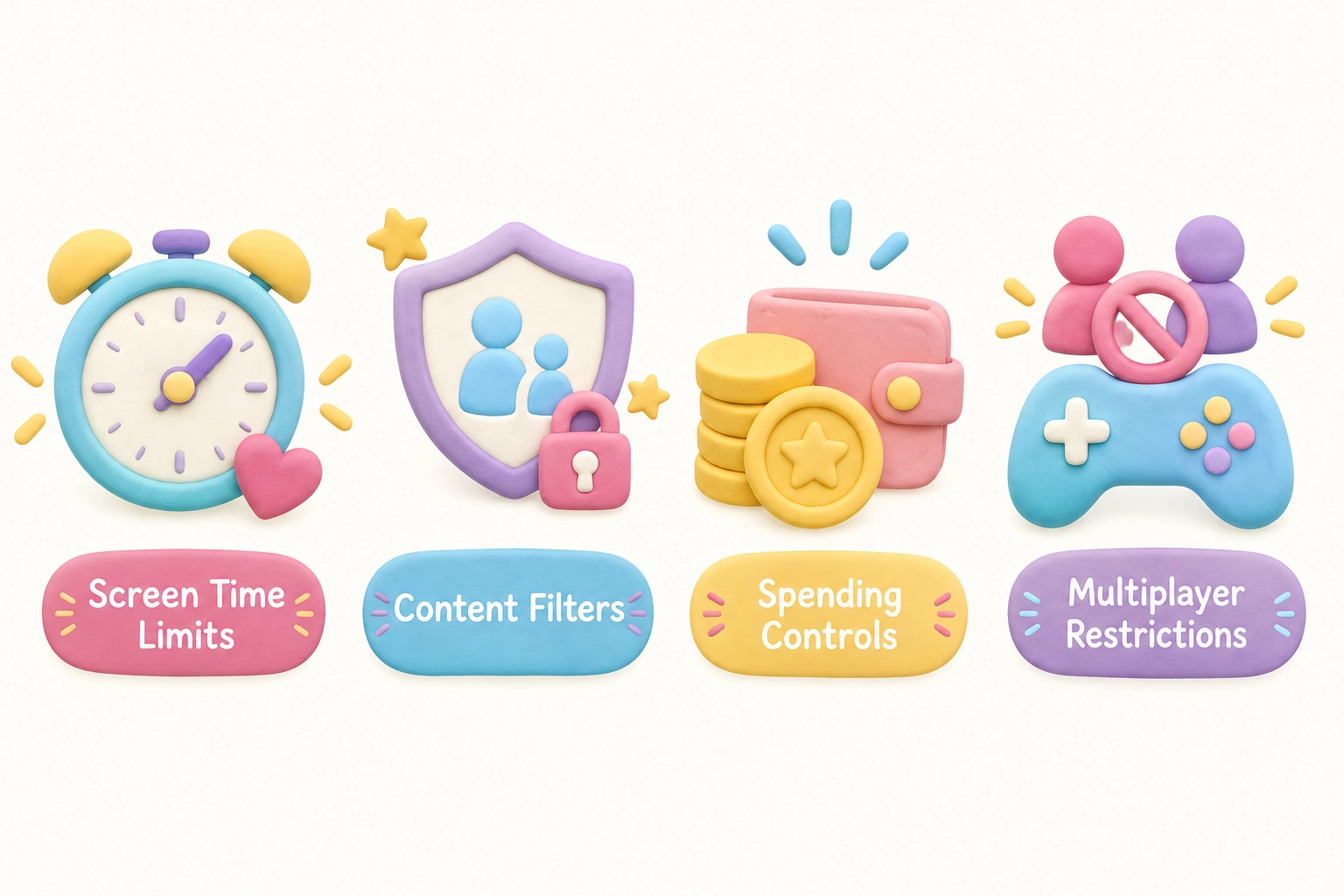
In-game purchases are a significant concern for families. Many games — including some popular with young children — contain optional paid content such as cosmetic items or additional levels. The Xbox Family Settings app includes a spending controls feature that requires children to request parental approval before any purchase is completed. Parents should also be aware that free-to-play titles like Roblox and Fortnite, while popular with older children, carry substantial in-game purchase ecosystems and online social features that are generally not appropriate for unsupervised 5-year-olds.
Online multiplayer access should be restricted for children this age. The Family Settings app allows parents to block online multiplayer entirely or limit it to friends only. For a 5-year-old, disabling online play altogether is the safest approach, as it removes exposure to unknown players and unmoderated communication.
Parents in the UK and Europe will encounter PEGI ratings on game packaging rather than ESRB ratings. PEGI 3 is broadly equivalent to ESRB E (suitable for all ages), and PEGI 7 is roughly comparable to ESRB E10+. The Xbox Family Settings app uses ESRB ratings in North America and PEGI ratings in Europe, so the content filter will reflect the rating system relevant to the family’s region.
Controller Ergonomics and Building Dexterity in Young Children
A standard Xbox controller is designed for adult hands, which means 5-year-olds may find it physically awkward to hold for extended periods. Some families find it helpful to have the child rest the controller on their lap rather than holding it in the air, which reduces arm fatigue. Third-party smaller controllers designed for children are available and can make a meaningful difference in comfort and control accuracy.
When introducing a child to their first game, starting with side-scrolling or top-down games — where the camera does not move independently — is significantly easier than beginning with 3D games that require simultaneous control of both thumbsticks. Games like Bluey: The Videogame or PAW Patrol: On a Roll are good starting points precisely because they do not require camera management. Once a child is comfortable with basic movement and one or two action buttons, transitioning to a 3D platformer like New Super Lucky’s Tale becomes much less frustrating.
Short, supervised sessions of around 20–30 minutes are developmentally appropriate for this age group. The American Academy of Pediatrics recommends that screen time for children aged 2–5 be limited and consistently co-viewed or co-played with a caregiver where possible, and that children aged 6 and older have consistent limits on time spent with screens. Playing alongside a child — rather than simply supervising from across the room — also allows parents to model problem-solving, encourage persistence, and turn gaming into a genuine bonding activity.
The Value of Xbox Game Pass for Families with Young Children
Xbox Game Pass is a subscription service that provides access to a rotating library of games for a monthly fee. For families with a 5-year-old, Game Pass offers a practical advantage: parents can trial many age-appropriate titles without purchasing each one individually. Because young children’s interests shift quickly and their tolerance for a particular game may last only a few weeks, the ability to move between titles without additional cost is genuinely useful.
Several of the strongest recommendations in this article — including Minecraft, New Super Lucky’s Tale, Rush: A Disney Pixar Adventure, and Disneyland Adventures — have been available through Game Pass, though library content changes periodically. Parents should verify current availability before subscribing solely for a specific title. Xbox Game Pass Ultimate also includes Xbox Cloud Gaming, which allows games to be streamed to a tablet or smartphone — a useful option for families who want to limit console time but still offer occasional supervised gaming.
For families who own an older Xbox One console, it is worth noting that many of the recommended titles are backward compatible, meaning they run on both Xbox One and the newer Xbox Series X|S hardware. Parents do not need to upgrade their console to access most of the games listed here.
Games to Approach with Caution
Not every popular game is appropriate for a 5-year-old, even if it appears child-friendly on the surface. Roblox is widely played by children but functions as an open platform hosting thousands of user-created games of wildly varying quality and content. Without careful parental configuration, a 5-year-old on Roblox may encounter games with violent themes, chat with strangers, or be exposed to aggressive in-game purchase prompts. If parents choose to allow Roblox, the account settings must be configured carefully to restrict chat, limit game access, and disable purchases.
Fortnite is another title that young children frequently request because older siblings or peers play it. While the cartoon visual style may seem harmless, Fortnite involves combat, online multiplayer with strangers, and a significant in-game purchase ecosystem. It carries an ESRB T (Teen) rating and is generally not recommended for 5-year-olds. Parents should feel confident in redirecting children toward the age-appropriate alternatives listed in this article.
Minecraft in Survival Mode — as distinct from Creative Mode — introduces enemies, resource scarcity, and the possibility of dying in-game. For some 5-year-olds this is manageable and even motivating, but for others it can be frightening or frustrating. Starting in Creative Mode and transitioning to Survival Mode only when the child expresses interest and demonstrates readiness is a sensible approach.
Frequently Asked Questions
Can a 5-year-old physically use an Xbox controller?
Most 5-year-olds can use a standard Xbox controller, though it may feel large and tiring to hold for extended periods. Resting the controller on the lap, choosing games with simple controls, and keeping sessions short (20–30 minutes) helps significantly. Third-party controllers designed for smaller hands are also available and can improve comfort and accuracy for young children.
What ESRB rating should I look for when choosing games for a 5-year-old?
Look for games rated EC (Early Childhood) or E (Everyone) by the ESRB. EC-rated games are designed specifically for ages 3 and up, while E-rated games are suitable for all ages and contain minimal content concerns. Avoid E10+ and above for children this young. In the UK and Europe, look for PEGI 3 as the equivalent of ESRB E.
What is the best first Xbox game for a child who has never held a controller?
Bluey: The Videogame is widely considered one of the best introductory games for very young or first-time players. It features familiar characters, extremely simple controls, local co-op so a parent can play alongside, and no punishing fail states. Peppa Pig: World Adventures is another strong option for children on the younger end of the 5-year-old range.
Are there free Xbox games suitable for 5-year-olds?
A small number of free-to-play titles exist on Xbox, but most carry significant in-game purchase systems that are not appropriate for young children without careful parental configuration. Xbox Game Pass is generally a better value option for families, as it provides access to a curated library of games — including several strong choices for 5-year-olds — for a predictable monthly cost without per-game purchase pressure.
How do I stop my child from making accidental in-game purchases?
The Xbox Family Settings app includes a spending controls feature that requires children to send a purchase request to a parent’s account before any transaction is completed. Setting up a child account (rather than letting a 5-year-old use a parent’s account) and enabling Ask-to-Buy through the Family Settings app are the two most important steps. Parents should also avoid saving payment details in a way that allows one-click purchases.
How much gaming time is appropriate for a 5-year-old?
The American Academy of Pediatrics recommends consistent limits on screen time for children aged 6 and older, and suggests that for younger children, screen time should be limited and ideally co-viewed or co-played with a caregiver. For most 5-year-olds, one or two sessions of 20–30 minutes per day — with breaks and a clear end time set in advance — is a reasonable starting point. The Xbox Family Settings app can enforce these limits automatically, which removes the burden of negotiation from parents.
Do I need an Xbox Series X|S, or will an Xbox One work?
An Xbox One is sufficient for the vast majority of games recommended in this article. Most family-friendly titles for young children are backward compatible and run on both Xbox One and Xbox Series X|S hardware. Parents with an older console do not need to upgrade to provide a good gaming experience for a 5-year-old.
Choosing the Right Xbox Games for Your 5-Year-Old
The most important factors when selecting family-friendly Xbox games for a 5-year-old are control simplicity, forgiving gameplay, age-appropriate content, and the opportunity for shared play. Games like Bluey: The Videogame, Peppa Pig: World Adventures, and Minecraft in Creative Mode consistently stand out because they meet all of these criteria while offering genuine enjoyment for young children. Licensed games tied to familiar TV characters lower the barrier to entry, while titles like New Super Lucky’s Tale and Little Kitty, Big City offer slightly more depth for children who develop their controller skills quickly.
Setting up the Xbox Family Settings app before a child’s first session is not optional — it is the foundation of a safe gaming environment. Restricting content by ESRB rating, disabling online multiplayer, setting screen time limits, and enabling spending controls takes less than 15 minutes and provides meaningful protection against the most common risks associated with young children and gaming platforms.
Gaming at this age works best as a shared activity rather than an independent one. Sitting alongside a child, playing local co-op together, and talking about what is happening on screen transforms a passive screen experience into an interactive, communicative one. The developmental benefits of that kind of engaged co-play — turn-taking, problem-solving, emotional regulation when things go wrong — are far greater than those of unsupervised solo gaming. With the right games, the right setup, and a caregiver involved in the experience, Xbox gaming can be a genuinely positive part of a 5-year-old’s play diet.

Take a short quiz to find out what your everyday choices say about your parenting style
When your child is curious about something new, what’s your instinct?
Take a short quiz to find out what your everyday choices say about your parenting style
“Can I download this app?” What happens next?
Take a short quiz to find out what your everyday choices say about your parenting style
When it comes to rules at home, which sounds most like you?
Take a short quiz to find out what your everyday choices say about your parenting style
If you could give your child one life skill today, what would you pick?
Take a short quiz to find out what your everyday choices say about your parenting style
Your child gets to choose what to watch. What would your ideal setup look like?
Take a short quiz to find out what your everyday choices say about your parenting style
Pick your parenting superpower ✨