Best Nintendo Switch Games for 3-Year-Olds: Parent-Assisted Picks

 Discover a Free Education Video App for Kids
Pastory uses AI to personalize educational video content based on your child’s interests and personality. Safe, engaging, and built for curious young minds. Sign up now to stay updated and enjoy early access with a free trial
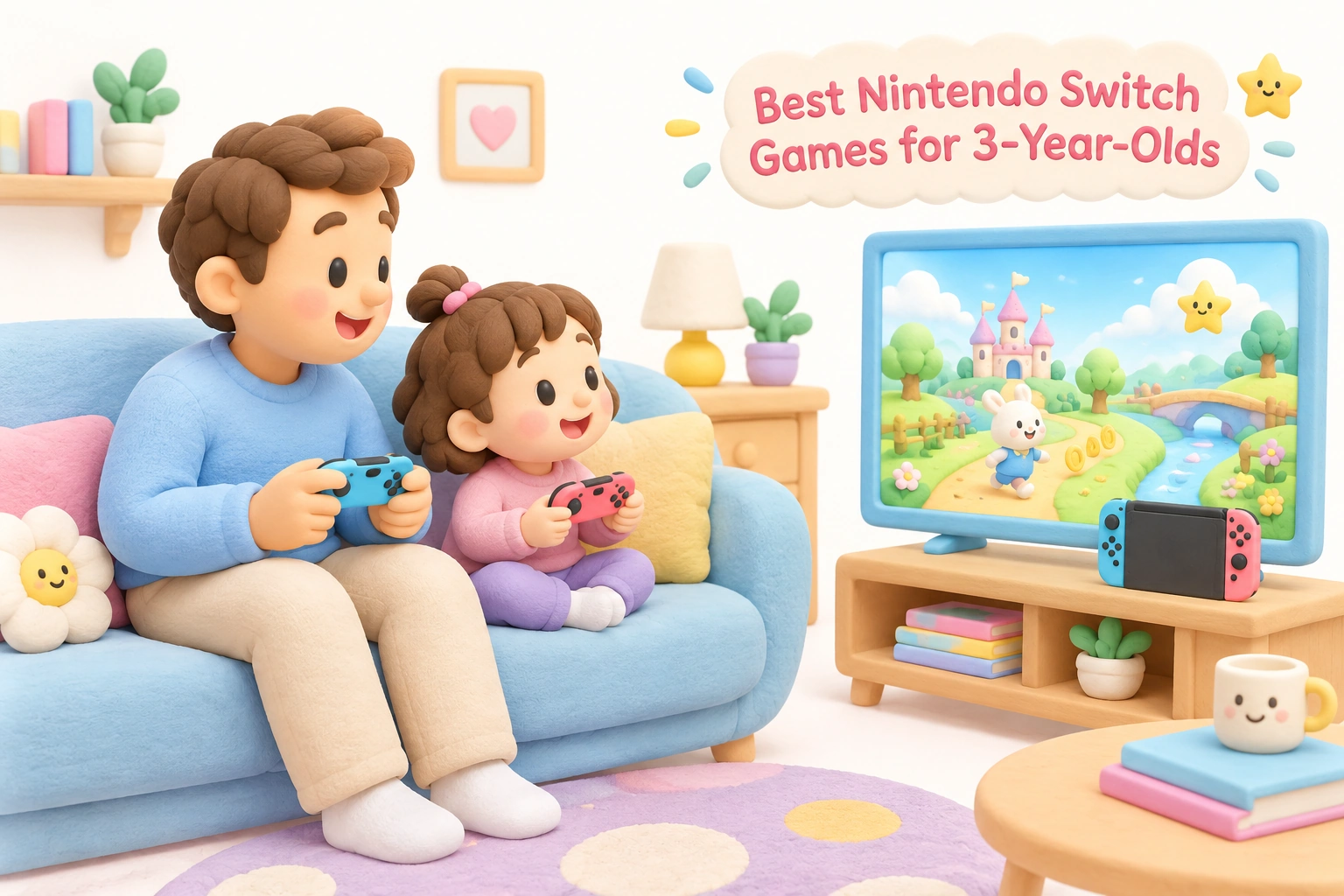
A 3-year-old can genuinely enjoy the Nintendo Switch — but only with the right game, the right setup, and a parent sitting alongside. At this age, children are still developing the fine motor skills and hand-eye coordination needed to manage a controller independently, so the most successful early gaming experiences are collaborative ones. This guide focuses on age-appropriate, preschool-friendly titles that work specifically because a parent can assist, explains which accessibility features make each game manageable for tiny hands, and covers the practical setup steps — from parental controls to controller ergonomics — that make the experience safe and enjoyable for everyone.
Key Takeaways
- The best Nintendo Switch games for 3-year-olds share a few common traits: colorful visuals, intuitive controls, a no fail state or very forgiving difficulty, and voiceover instructions that remove the need to read.
- Parent-assisted play — where a caregiver holds one Joy-Con while the child holds the other, or guides the child’s hands — is the most developmentally appropriate way for a 3-year-old to engage with the Switch.
- Built-in accessibility features such as Mellow Mode in Yoshi’s Crafted World and Smart Steering in Mario Kart 8 Deluxe significantly lower the skill barrier without removing the fun.
- The Nintendo Switch Parental Controls app allows caregivers to set daily screen time limits, restrict content by ESRB rating, and review play history — all essential tools for this age group.
- The American Academy of Pediatrics recommends limiting recreational screen time to around one hour per day for children aged 2–5, and co-viewing or co-playing with a caregiver is consistently associated with better outcomes than independent use.
What Makes a Nintendo Switch Game Suitable for a 3-Year-Old?
Not every game rated E for Everyone is appropriate for a preschooler. At age 3, children are typically in a stage of rapid motor and cognitive development, but their ability to manage multiple simultaneous inputs — moving a character, controlling a camera, and reacting to on-screen events — is still very limited. The games that work best at this age tend to share a specific set of characteristics that reduce frustration while preserving a genuine sense of play and discovery.
The most important feature is a forgiving difficulty structure. Games with a no fail state — where the child’s character cannot permanently die or lose progress — allow a 3-year-old to explore without the emotional distress of repeated failure. Equally important are simple, single-button or motion-based controls that do not require precise timing or complex combinations. Colorful worlds with familiar characters from licensed IP (such as Paw Patrol or Peppa Pig) provide immediate engagement because the child already has an emotional connection to those characters before the game begins.
Voiceover instructions are another key feature. Because most 3-year-olds cannot read, games that explain objectives through spoken dialogue or visual demonstration are far more accessible than those relying on text menus. Finally, the best toddler-friendly titles support co-op mode or a two-player structure that allows a parent to participate actively — not just watch — which aligns with what developmental research consistently shows about the value of joint media engagement at this age.
Top Nintendo Switch Games for 3-Year-Olds
Yoshi’s Crafted World
Yoshi’s Crafted World is the most consistently recommended Nintendo Switch game for children aged 3–5, and for good reason. The game’s signature accessibility feature, Mellow Mode, gives Yoshi wings and makes obstacles significantly easier to navigate, effectively removing most of the platforming challenge while keeping the visual delight intact. In Mellow Mode, a 3-year-old can move through levels at their own pace without becoming stuck or frustrated. The game also supports two-player co-op, so a parent can play alongside the child, gently steering the experience without taking it over. The hand-crafted cardboard aesthetic is visually engaging without being overstimulating, and there are no complex camera controls to manage. ESRB rated E for Everyone.
Parent-assist tip: Let the child hold one Joy-Con and control Yoshi’s movement while you handle any tricky jumps or egg-throwing sections. In Mellow Mode, even a child who mostly presses buttons at random will progress through levels, which builds confidence and a positive association with gaming.
Kirby Star Allies
Kirby Star Allies is frequently described as the simplest game on Switch for young children. Kirby can float indefinitely, which eliminates the most common source of frustration in platformers — falling. The game allows up to four players simultaneously, and crucially, AI-controlled helper characters can fill any empty player slots, meaning a 3-year-old effectively has three capable companions doing much of the heavy lifting. The controls are genuinely intuitive: one button to jump, one to inhale enemies. There is no reading required for basic play, and the pastel color palette and cheerful music create a low-stress gaming atmosphere. ESRB rated E for Everyone.
Parent-assist tip: Play as a second character alongside your child. If your child gets stuck or overwhelmed, your character can carry them through difficult sections. The AI allies mean the game rarely feels impossible even when a young child is struggling with the controls.
Mario Kart 8 Deluxe
Mario Kart 8 Deluxe becomes genuinely accessible for a 3-year-old once two key accessibility features are enabled: Smart Steering and Auto-Accelerate. Smart Steering prevents the kart from driving off the track or into walls, while Auto-Accelerate removes the need to hold down the acceleration button continuously. With both features active, a child only needs to steer — and even imprecise steering produces a reasonable result. The familiar Mario characters, the bright colorful tracks, and the excitement of racing make this one of the most engaging first video game experiences available on the platform. ESRB rated E for Everyone.
Parent-assist tip: Start with 50cc races on simple tracks like Moo Moo Meadows. Sit beside your child and narrate what is happening on screen. If steering becomes overwhelming, you can briefly take the Joy-Con to navigate a difficult corner, then hand it back. The goal at this age is enjoyment and familiarity with the controller, not competitive racing.
Paw Patrol: On a Roll
For children who are already fans of the Paw Patrol television series, this licensed character game offers an immediately familiar and emotionally engaging entry point. The game features voiceover instructions throughout, so no reading is required at any point. Crucially, the character cannot fall off edges or die — a true no fail state — which makes it one of the most genuinely stress-free options for a 3-year-old playing with minimal parent assistance. Each mission is short and self-contained, which suits the limited attention span typical of this age group. ESRB rated E for Everyone.
Parent-assist tip: This is one of the few games where a 3-year-old can manage short sessions with relatively little direct intervention. Use it as a stepping stone: let your child play independently for a few minutes, then join in to extend the session and talk about what is happening on screen.
My Friend Peppa Pig
My Friend Peppa Pig is designed specifically for very young children and functions almost like an interactive storybook. Players create a custom character and join Peppa on a series of simple, low-pressure activities. The controls are minimal, the pace is gentle, and the familiar Peppa Pig characters provide immediate comfort and engagement. There is no fail state and no time pressure. The game is best experienced as a shared activity — a parent and child exploring together — rather than as independent play. ESRB rated E for Everyone.
Kirby and the Forgotten Land
Kirby and the Forgotten Land is a step up in complexity from Kirby Star Allies, but it includes a two-player co-op mode where the second player controls Bandana Waddle Dee. This makes it an excellent parent-assisted play option: the parent takes the Bandana Waddle Dee role and handles the more demanding sections, while the child controls Kirby and enjoys the exploration and copy ability mechanics. The 3D environments are more visually rich than earlier Kirby titles, and the game’s forgiving health system means a 3-year-old can sustain many hits before a level ends. ESRB rated E for Everyone.
Bluey: The Videogame
Based on the popular Australian animated series, Bluey: The Videogame captures the imaginative, play-focused spirit of the show. Players can explore the Heeler family home and neighborhood across four playable characters, including Bluey and Bingo. The game emphasizes exploration and mini-games over challenge, and the familiar characters and voice cast from the series make it immediately engaging for fans of the show. It supports two-player co-op, making it a natural choice for parent-child play. ESRB rated E for Everyone.
Nintendo Switch Sports
Nintendo Switch Sports uses motion controls to simulate sports including bowling, tennis, badminton, and football. For a 3-year-old, bowling is typically the most accessible activity: the child swings the Joy-Con like a bowling ball, and the motion is intuitive enough that even very young children can participate meaningfully. The physical, whole-body nature of the gameplay also provides a break from seated screen time, which aligns better with the gross motor development priorities of this age group. ESRB rated E for Everyone.
Parent-assist tip: Always attach the Joy-Con wrist strap before a motion-control session with a young child. At age 3, grip strength and control are still developing, and the wrist strap prevents the controller from becoming a projectile during enthusiastic swings.
Games That Are Not Yet Ready for Age 3
Knowing which games to avoid is as useful as knowing which to choose. Super Mario Odyssey, despite its E for Everyone rating and beloved characters, requires simultaneous management of movement, camera control, and hat-throwing mechanics — a cognitive and motor load that is genuinely too high for most 3-year-olds without near-constant parent intervention. Minecraft in survival mode introduces resource management, crafting menus, and threat avoidance that are developmentally mismatched for this age, though creative mode with a parent present can work as a very simple building activity. The Legend of Zelda titles, even the more accessible entries, involve puzzle-solving, inventory management, and reading-dependent navigation that place them firmly outside the age-appropriate range for a 3-year-old. These games are excellent targets for ages 5 and up, but introducing them too early is more likely to produce frustration than enjoyment.
Controller Setup and Ergonomics for 3-Year-Olds
The physical experience of holding a controller matters enormously at age 3. A single Joy-Con held sideways is the simplest possible input device for a young child: it reduces the number of accessible buttons and fits more naturally in small hands than the full Joy-Con grip or a Pro Controller. For parent-assisted play, the most effective setup is often one Joy-Con each — the child holds one and the parent holds the other — which allows genuine shared control without either person dominating the experience.
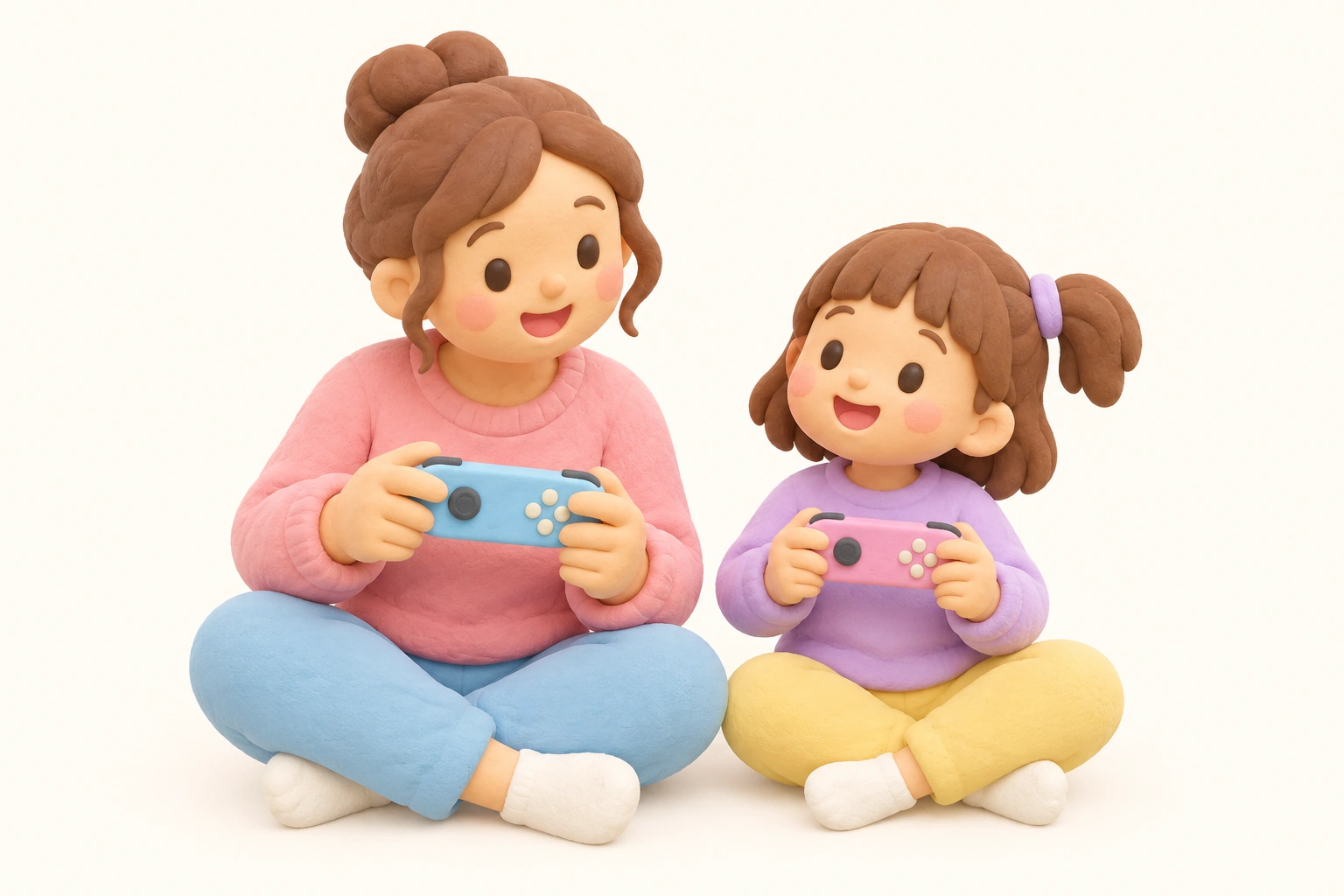
Always attach Joy-Con wrist straps during active play, particularly for motion-control games. Silicone protective cases designed for Joy-Cons can improve grip for small hands and provide some protection if the controller is dropped. The Nintendo Switch in handheld mode also enables touchscreen interaction, which can be more intuitive than button controls for some 3-year-olds, particularly in games that support tap-to-interact mechanics. If you are playing in docked mode on a television, position the child close enough to the screen that the visual details are clear, but follow general guidance on appropriate viewing distances for young children.
Nintendo Switch 2 and Backward Compatibility
Parents purchasing a Nintendo Switch 2 will find that the vast majority of Nintendo Switch 1 games are backward compatible, meaning every title listed in this article can be played on the newer hardware. This is an important consideration for families investing in the platform now: the library of toddler-friendly and preschool-friendly games built up on the original Switch remains fully accessible.
Nintendo has also released a dedicated line of games designed specifically for very young children, including titles in the Hello, Mario! series (featuring Hello, Mario!, Hello, Luigi!, and Hello, Peach!) which are aimed at infants and toddlers rather than older preschoolers. These titles use extremely simple interactions — often single-button or motion-based — and are designed to introduce very young children to the concept of interactive media in a gentle, low-stimulation format. For families with children at the younger end of the toddler spectrum, these represent a more developmentally calibrated starting point than even the most accessible mainstream Switch titles. Paw Patrol Dino World, developed by Outright Games for the Switch 2, is another upcoming licensed character title expected to continue the accessible, no-fail-state design philosophy of earlier Paw Patrol games.
Setting Up Nintendo Switch Parental Controls
The Nintendo Switch Parental Controls app (available free on iOS and Android) is an essential tool for any family with a young child using the console. Through the app, parents can set daily screen time limits that trigger a bedtime alarm or automatically suspend software when the limit is reached. Content restrictions can be set by ESRB rating, ensuring that only age-appropriate games are accessible without a PIN override. The app also provides monthly play history reports, showing which games were played and for how long — useful data for monitoring whether screen time limits are being respected in practice.
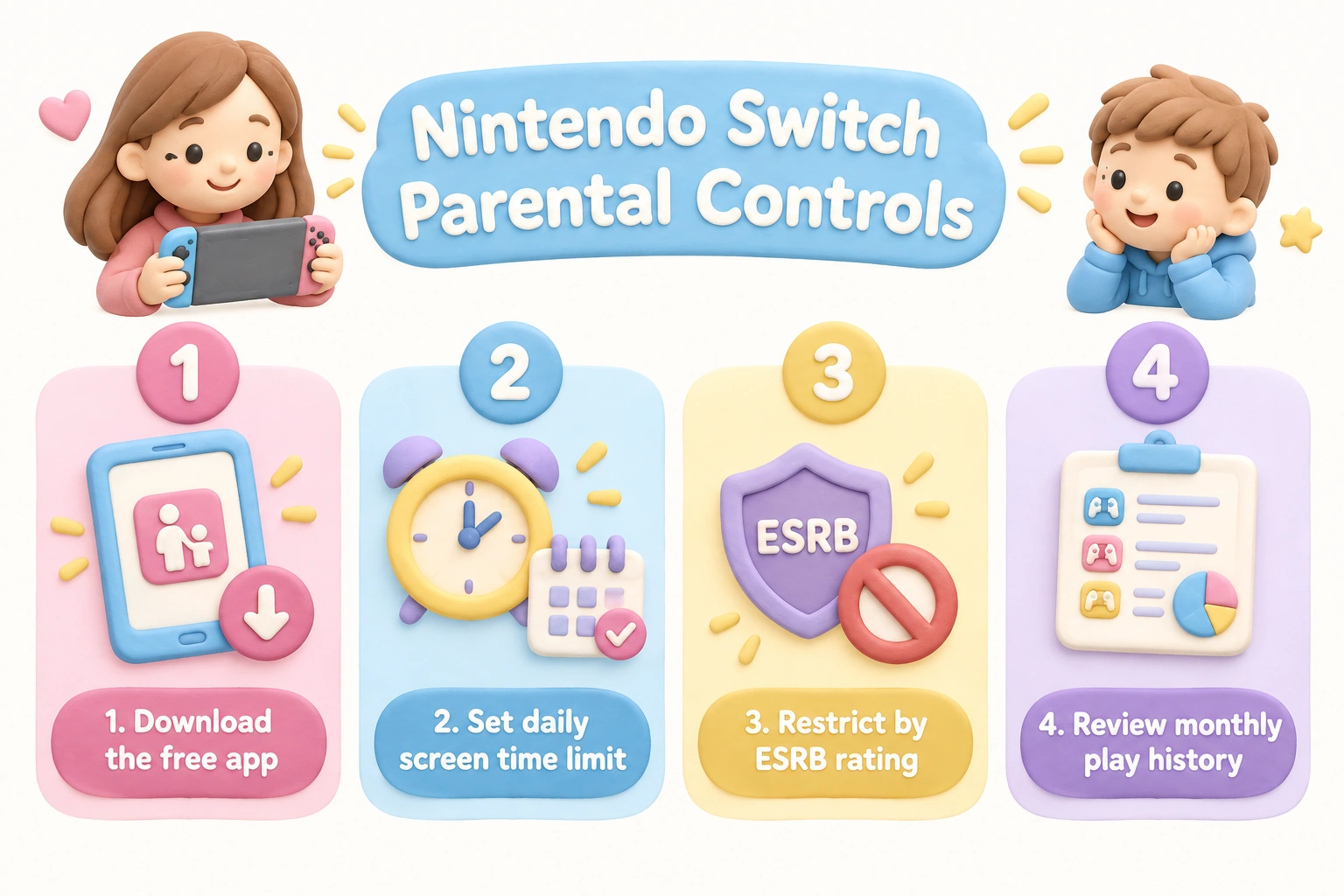
The American Academy of Pediatrics recommends that children aged 2–5 have no more than approximately one hour of recreational screen time per day, and that this time ideally involves a caregiver co-viewing or co-playing rather than independent use. The Nintendo Switch Parental Controls app makes it straightforward to enforce these screen time limits technically, but the developmental benefit comes from the quality of the interaction during that hour, not simply from the time cap itself. Setting a consistent routine — for example, 30 minutes of Switch play after an outdoor activity — helps establish healthy habits and reduces the likelihood of conflict around screen time boundaries.
Physical vs. Digital: eShop vs. Cartridge for Young Children
Parents new to the Nintendo Switch ecosystem often wonder whether to buy physical game cartridges or download games from the Nintendo eShop. For families with young children, both options have practical trade-offs. Physical cartridges are tangible objects that a 3-year-old can handle — which can be engaging but also means cartridges can be lost, chewed, or damaged. Digital downloads from the Nintendo eShop eliminate this risk and allow instant access to games without cartridge swapping, which is more convenient during short play sessions. However, digital purchases are tied to the Nintendo account rather than a physical object, which is worth considering if the console is ever replaced or shared. For a first video game purchase, a physical cartridge of a well-reviewed title like Yoshi’s Crafted World or Kirby Star Allies is a low-risk starting point that also makes a tangible gift.
A Developmental Roadmap: What Comes After Age 3
The games listed here are designed to be engaging entry points, not permanent destinations. As children move through ages 4 and 5, their fine motor skills, attention span, and ability to manage more complex inputs develop significantly. At age 4, many children can begin managing camera controls in simple 3D games, making titles like Captain Toad: Treasure Tracker (which removes the need to jump entirely, focusing on puzzle-solving and spatial awareness) a natural next step. Snipperclips, a cooperative puzzle game requiring communication and teamwork, becomes genuinely enjoyable for parent-child pairs around age 4–5. By age 5–6, children may be ready for Super Mario Bros. Wonder, which includes Yoshi and Nabbit as playable characters who cannot take damage — a built-in accessibility feature that bridges the gap between the very forgiving games of age 3 and the fuller Mario experience. Animal Crossing: New Horizons, with its calm, creative, and open-ended structure, is another title that suits ages 5 and up with parent supervision, particularly for children who enjoy imaginative and constructive play.
Frequently Asked Questions
Can a 3-year-old actually play Nintendo Switch?
Yes, with appropriate games and parent-assisted play. Most 3-year-olds cannot manage a full controller independently, but with a single Joy-Con held sideways, accessibility features enabled, and a parent playing alongside, a 3-year-old can have a genuinely enjoyable and age-appropriate gaming experience. The key is choosing games specifically designed to be forgiving and simple.
What is the best first Nintendo Switch game for a 3-year-old?
Yoshi’s Crafted World with Mellow Mode enabled is the most widely recommended starting point. Its no-pressure difficulty, two-player co-op, and visually engaging world make it well-suited to a child’s first experience with the console. Paw Patrol: On a Roll is an excellent alternative for children who are already fans of the series, as the licensed characters provide immediate emotional engagement.
Is the Nintendo Switch safe for a 3-year-old?
The hardware itself is generally safe for supervised use. Key safety steps include attaching Joy-Con wrist straps during motion-control play, using silicone protective cases to improve grip and reduce drop damage, setting up the Nintendo Switch Parental Controls app to restrict content and enforce screen time limits, and always supervising play at this age. The Nintendo Switch is not designed as an independent entertainment device for 3-year-olds.
How long should a 3-year-old play Nintendo Switch?
AAP-aligned guidance suggests approximately one hour of total recreational screen time per day for children aged 2–5. This includes all screens, not just the Switch. Short sessions of 15–20 minutes are often more appropriate for a 3-year-old’s attention span and are less likely to result in overstimulation or difficulty transitioning away from the screen. The Nintendo Switch Parental Controls app can be configured to send a warning and then suspend software at a set daily limit.
Do Nintendo Switch games require reading for a 3-year-old?
The best toddler-friendly titles do not require reading. Games like Paw Patrol: On a Roll and My Friend Peppa Pig use voiceover instructions throughout. Yoshi’s Crafted World and Kirby Star Allies communicate objectives visually. Parents should check whether a specific game relies on text menus before purchasing, as some otherwise accessible games include reading-dependent tutorial systems.
Are Switch 1 games playable on the Nintendo Switch 2?
The vast majority of Nintendo Switch 1 games are backward compatible with the Nintendo Switch 2. This means the toddler-friendly library — including Yoshi’s Crafted World, Kirby Star Allies, and Mario Kart 8 Deluxe — remains accessible on the newer hardware. Families investing in the Switch 2 do not need to rebuild their game library from scratch.
Choosing the Right Game for Your Child’s First Switch Experience
The Nintendo Switch can be a genuinely positive early gaming experience for a 3-year-old, but the outcome depends almost entirely on game selection, accessibility setup, and the quality of parent-assisted play. A child who plays Yoshi’s Crafted World in Mellow Mode alongside an engaged parent is having a fundamentally different developmental experience from one left alone with a game that exceeds their current motor and cognitive abilities. The former can support hand-eye coordination, early problem-solving, and positive emotional associations with shared play; the latter is more likely to produce frustration and a negative relationship with gaming.
Start with one well-chosen game rather than a large library. Enable every accessibility feature available. Keep sessions short, stay involved, and use the Nintendo Switch Parental Controls app to set boundaries that match your family’s screen time values. As your child’s skills and attention span develop over the following year or two, the range of age-appropriate games will expand naturally — and the foundation built through early parent-assisted play will make that transition much smoother.

Take a short quiz to find out what your everyday choices say about your parenting style
When your child is curious about something new, what’s your instinct?
Take a short quiz to find out what your everyday choices say about your parenting style
“Can I download this app?” What happens next?
Take a short quiz to find out what your everyday choices say about your parenting style
When it comes to rules at home, which sounds most like you?
Take a short quiz to find out what your everyday choices say about your parenting style
If you could give your child one life skill today, what would you pick?
Take a short quiz to find out what your everyday choices say about your parenting style
Your child gets to choose what to watch. What would your ideal setup look like?
Take a short quiz to find out what your everyday choices say about your parenting style
Pick your parenting superpower ✨