12 Best Free Preschool Games Online: Browser-Based Picks

 Discover a Free Education Video App for Kids
Pastory uses AI to personalize educational video content based on your child’s interests and personality. Safe, engaging, and built for curious young minds. Sign up now to stay updated and enjoy early access with a free trial
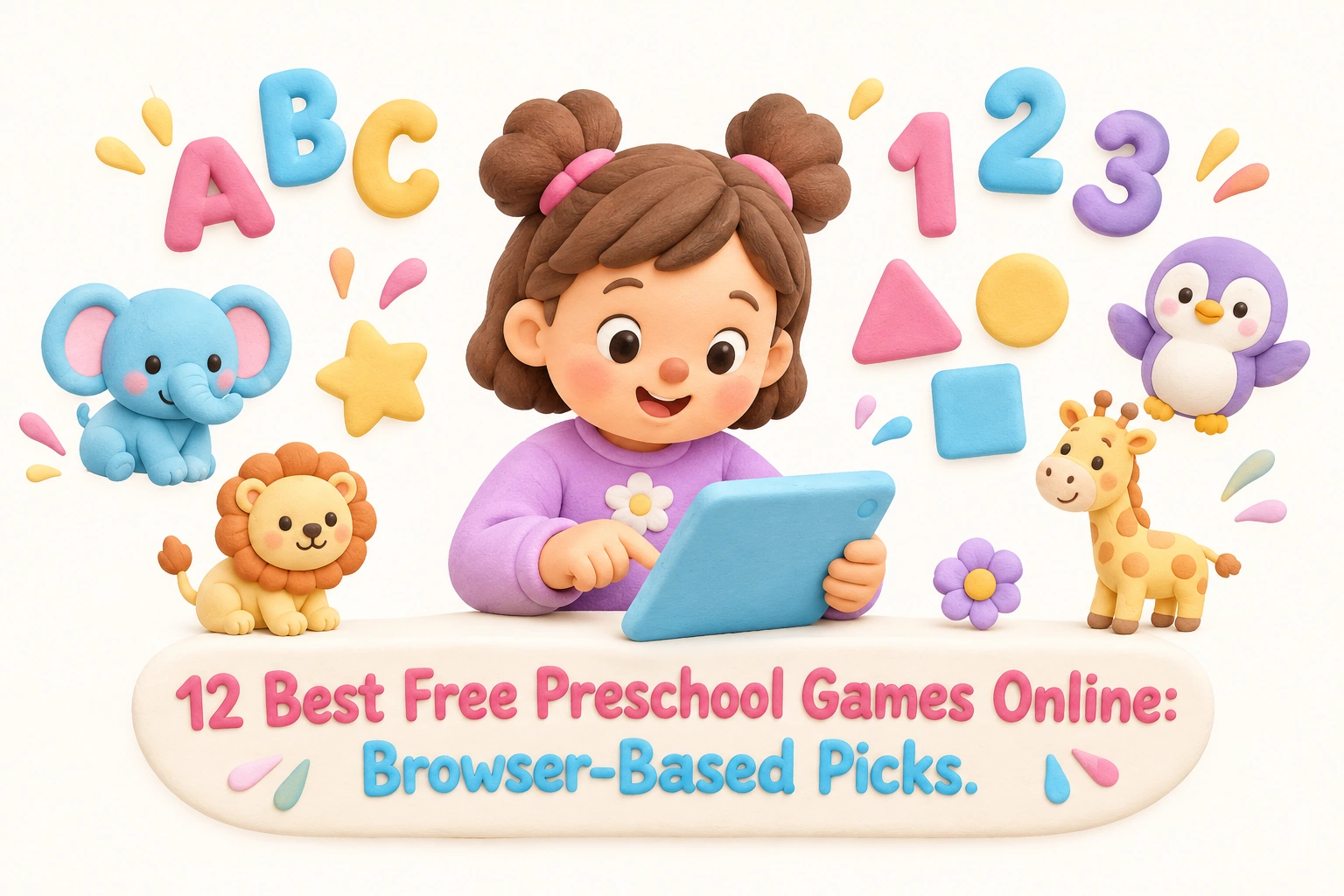
Finding genuinely free, browser-based preschool games that are safe, educational, and actually enjoyable for young children takes more effort than a quick search suggests. Many lists mix app-only platforms with true browser games, bury ad disclosures, or treat all preschoolers as a single group despite the significant developmental gap between a two-year-old and a five-year-old. This guide focuses specifically on platforms where children ages 2 to 5 can play instantly in the browser — no download required, no account needed — while covering the skills, safety considerations, and age-appropriateness parents and educators genuinely need to know.
Key Takeaways
- The best browser-based preschool games require no download, no sign-up, and no in-app purchases, making them immediately accessible on tablets, Chromebooks, and desktops.
- Quality early learning games address specific developmental domains — letter recognition, phonics skills, counting and number sense, shape and color recognition, and memory — rather than offering generic entertainment.
- Ad transparency matters: some platforms are fully ad-free, others carry ads or offer an ad-free paid upgrade, and this distinction is rarely clear in most roundup articles.
- Spoken instructions are essential for pre-readers; games that rely on text menus exclude children who cannot yet read independently.
- The American Academy of Pediatrics recommends limiting screen time for children ages 2–5 to about one hour per day of high-quality programming, with caregiver co-engagement where possible.
What Makes a Preschool Game Worth Playing?
Not every colorful, animated game qualifies as genuinely educational. Research in early childhood development consistently points to a few characteristics that distinguish game-based learning from digital babysitting. Effective preschool games offer immediate feedback so children understand cause and effect in real time, use spoken instructions rather than text menus so pre-readers can navigate independently, keep sessions short and self-contained to match the attention spans typical of ages 2 to 5, and target specific foundational skills rather than vague general enrichment.
From a practical standpoint, parents and teachers also need games that are truly free to play online — meaning no paywall blocks core content — and that are child-safe with no third-party advertising, no data collection from minors, and no links that could lead a young child away from the game environment. COPPA compliance (the U.S. Children’s Online Privacy Protection Act) is a meaningful trust signal, though it is worth noting that regulatory standards vary by country.
Device compatibility is another real-world factor. Many families use iPads, Android tablets, or school-issued Chromebooks. Games built on modern HTML5 technology generally work across all of these without requiring a separate app download, which is the definition of a true browser-based game. Where a platform also offers a progressive web app (PWA) that can work offline after the first load, that is noted below — useful for travel or households with unreliable internet.
Age-Banding Within the Preschool Range
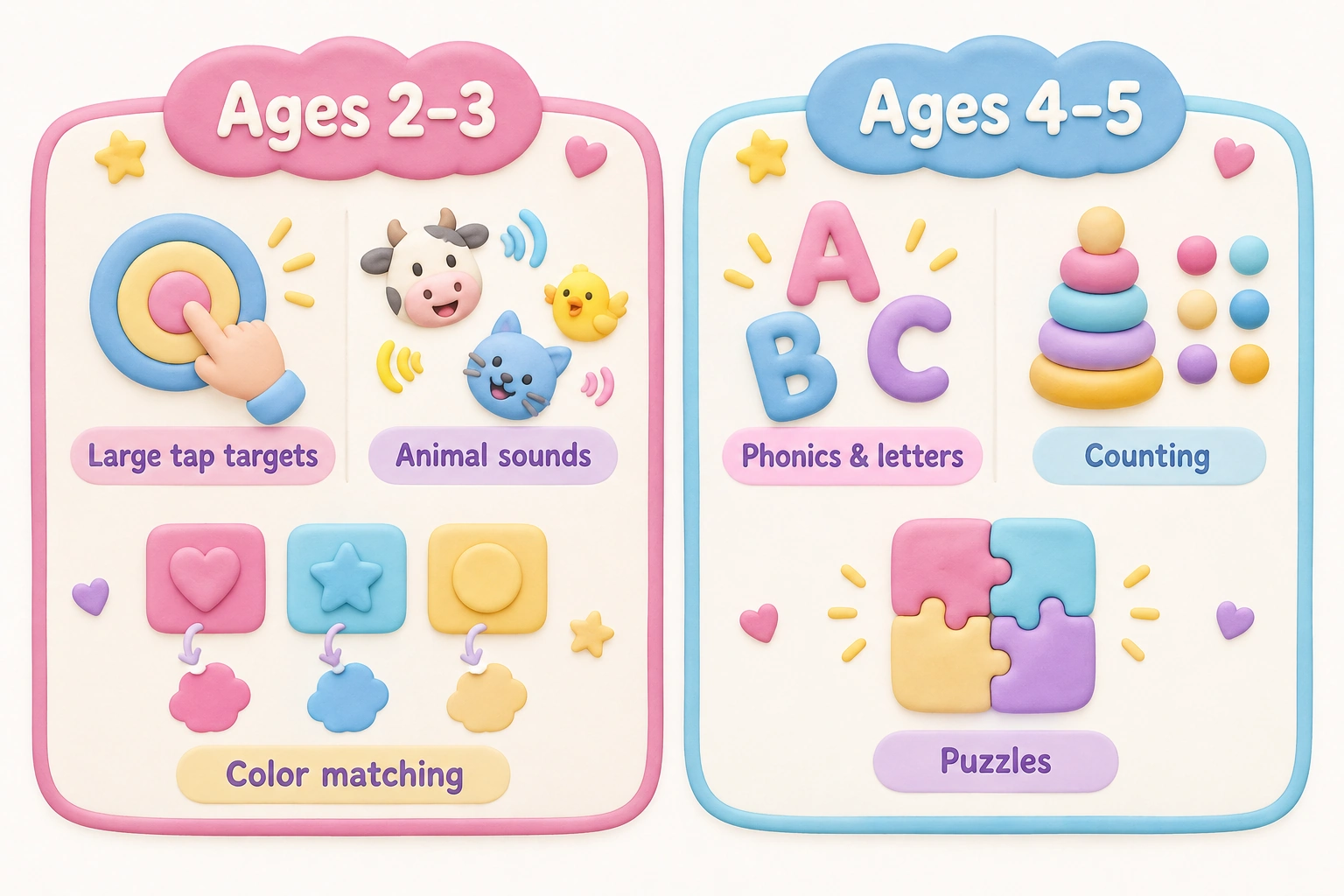
The label “preschool” spans a wider developmental range than it might appear. A two-year-old is still developing basic hand-eye coordination and benefits most from large tap targets, simple cause-and-effect interactions, and animal sounds or color-matching activities. A four- or five-year-old approaching kindergarten readiness can engage with early phonics, basic counting sequences, simple puzzles, and pattern recognition. Treating these groups identically leads to games that are either frustrating for younger children or insufficiently challenging for older ones. The picks below note which age band each platform suits best within the 2–5 range.
The 12 Best Free Preschool Games Online
1. PBS Kids Games
PBS Kids is one of the most consistently recommended platforms for early learning games, and for good reason. The site is completely free to play online, carries no third-party advertising, and is designed with input from child development experts. Games are tied to familiar characters — Daniel Tiger for social-emotional learning, Curious George for early math and science concepts, Wild Kratts for animal knowledge — which helps maintain engagement. Children can play instantly in the browser with no sign-up required, and the platform is tablet-friendly across iPads and Android devices. Skills covered include letter recognition, counting, shape and color recognition, and basic social-emotional skills. Best suited for ages 3 to 5, though some simpler games work well for younger children with caregiver support.
2. Starfall
Starfall has a long track record in early literacy education and remains one of the strongest free options for phonics skills and alphabet sequencing. The free tier — accessible in the browser with no download required — covers letter sounds, simple CVC (consonant-vowel-consonant) words, and interactive read-alouds with audio support throughout, making it accessible for pre-readers. A paid membership unlocks additional math and reading content, but the free browser content alone is substantial. Starfall is best suited for ages 3 to 7, with the phonics content most appropriate for children aged 4 and above who are beginning to develop reading readiness. The interface uses spoken instructions consistently, which is a meaningful advantage for independent use by young children.
3. Khan Academy Kids
Khan Academy Kids is fully free with no ads and no in-app purchases — a genuinely rare combination. While the full experience is delivered through a downloadable app, the platform’s browser-accessible content and its reputation for adaptive, curriculum-aligned early learning make it worth including. The platform covers early literacy, counting and number sense, social-emotional learning, and creative activities for ages 2 to 7. Content adapts to the child’s responses over time, which can help maintain an appropriate challenge level. Khan Academy Kids is COPPA-compliant and does not collect personal data from children. For families comfortable with the app download, it is one of the most comprehensive free options available.
4. Owlie Boo
Owlie Boo is a browser-based platform specifically designed for ages 1 to 5, making it one of the few options that genuinely addresses the younger end of the toddler-to-preschool range. Games are simple, visually clean, and use large tap targets appropriate for developing fine motor skills. The free version is ad-supported, but an optional paid upgrade removes ads entirely. Skills covered include shape recognition, color matching, memory and matching games, animal sounds, and basic counting. Owlie Boo is used in both home settings and kindergarten classrooms, and its short, self-contained game rounds suit the brief attention spans of children ages 2 to 3 particularly well. No sign-up is required to play in the browser.
5. Tiny Hands Play
Tiny Hands Play offers 22 free educational browser games for children from infancy through age 10, with a clear focus on the youngest age groups. The platform is ad-free and requires no installation or account creation — children can play instantly in the browser on any device. Games for preschool-aged children cover shape and color recognition, simple counting, animal matching, and basic visual-spatial awareness activities. The interface is intentionally minimal, reducing the risk of a young child accidentally navigating away from the game. For parents prioritizing a completely ad-free experience with no paywall, Tiny Hands Play is one of the cleanest options available.
6. ABCya (Pre-K Section)
ABCya is a large, well-established platform with a dedicated Pre-K section covering letter recognition, phonics, counting, shapes, and coloring games. Games play instantly in the browser with no download required and are organized by grade level, making it straightforward to find age-appropriate content. The free version carries display advertising, which is worth noting for parents who prefer an ad-free environment; a paid subscription removes ads. ABCya’s Pre-K games are best suited for ages 4 to 5 and work well on tablets and Chromebooks. The platform is widely used in classroom settings and covers a broad range of early learning skills within a single destination.
7. LittleActivity.com
LittleActivity.com offers over 130 free browser-based preschool games across math, English, science, social studies, and art, with content described as Common Core aligned. Games require no download and no sign-up, and the platform works on any device with a modern browser. The breadth of content is a genuine strength — parents and teachers can find games targeting very specific skills such as number ordering, letter tracing, or pattern recognition without navigating away from the site. The visual design is straightforward rather than highly polished, but the functional depth makes it a useful classroom and home resource for ages 3 to 5.
8. Digipuzzle
Digipuzzle is a browser-based platform with a strong focus on early math and literacy through puzzle-format games. Activities cover letter sequencing, number ordering, counting, and basic logic — skills directly relevant to kindergarten readiness. Games play instantly in the browser with no account required and are tablet-friendly. The puzzle format naturally supports problem-solving and visual-spatial awareness, and the difficulty levels within individual games allow some degree of progression. Digipuzzle is best suited for ages 4 to 6 and is a practical supplement for children who are beginning to consolidate pre-K curriculum concepts.
9. SplashLearn (Free Tier)
SplashLearn offers a free tier with browser-accessible math and early literacy games for pre-K through Grade 5. For preschool-aged children, the platform covers counting, number sense, shape recognition, and early phonics skills. The free tier has content limitations compared to the paid subscription, but the available games are genuinely interactive with immediate feedback and audio support. SplashLearn is tablet-friendly and works on Chromebooks, making it a practical option for classroom use. The platform’s adaptive approach means game difficulty adjusts based on the child’s responses, which can help maintain engagement for children at different developmental stages within the 3–5 age range.
10. CBeebies Games (BBC)
CBeebies, the BBC’s early childhood platform, offers a range of free browser-based games tied to its television characters. The platform is ad-free and requires no sign-up, and games cover early literacy, counting, creative play, and social-emotional themes. CBeebies is UK-based, so some character references will be more familiar to British families, but the educational content is broadly applicable. Games are designed for ages 2 to 6 and use spoken instructions throughout, supporting independent play by pre-readers. The platform is tablet-friendly and works well on both touchscreen and desktop devices.
11. Happy Clicks
Happy Clicks is a browser-based platform designed specifically for ages 2 to 5, with an emphasis on very simple interactions suitable for toddlers and young preschoolers. Activities include color recognition, animal sounds, shape matching, and basic cause-and-effect games. The platform requires no download and no sign-up, and its large, clearly defined tap targets make it accessible for children still developing fine motor skills and hand-eye coordination. Happy Clicks is best suited for the younger end of the preschool range — ages 2 to 3 — where the priority is sensory engagement and simple interactive exploration rather than structured academic skill-building.
12. The Learning Garden
The Learning Garden is a smaller, ad-free browser-based platform designed for ages 3 to 5. All instructions are spoken aloud, making it genuinely accessible for pre-readers playing independently. Activities cover letter recognition, counting, shape and color recognition, and simple memory games. The platform requires no sign-up and no download, and its clean, distraction-free interface reduces the risk of a young child accidentally leaving the game environment. For parents specifically looking for a spoken-instruction, ad-free experience with no paywall, The Learning Garden addresses a gap that many larger platforms do not fully close.
Platform Comparison at a Glance
| Platform | Best Age Range | Browser-Based | Ad Status | No Sign-Up | Key Skills |
|---|---|---|---|---|---|
| PBS Kids | 3–5 | Yes | Ad-free | Yes | Literacy, math, social-emotional |
| Starfall | 3–7 | Yes (free tier) | Ad-free | Yes | Phonics, early reading |
| Khan Academy Kids | 2–7 | App preferred | Ad-free | Account optional | Literacy, math, SEL |
| Owlie Boo | 1–5 | Yes | Ads (free); ad-free upgrade | Yes | Colors, shapes, memory |
| Tiny Hands Play | 0–10 | Yes | Ad-free | Yes | Colors, counting, matching |
| ABCya Pre-K | 4–5 | Yes | Ads (free); ad-free upgrade | Yes | Letters, phonics, math |
| LittleActivity.com | 3–5 | Yes | Minimal | Yes | Math, literacy, science, art |
| Digipuzzle | 4–6 | Yes | Minimal | Yes | Letters, numbers, logic |
| SplashLearn (free) | 3–5 | Yes | Limited ads | Account optional | Math, phonics |
| CBeebies | 2–6 | Yes | Ad-free | Yes | Literacy, counting, creativity |
| Happy Clicks | 2–3 | Yes | Minimal | Yes | Colors, animals, cause-effect |
| The Learning Garden | 3–5 | Yes | Ad-free | Yes | Letters, counting, memory |
Skills These Games Can Support — and What They Cannot Replace
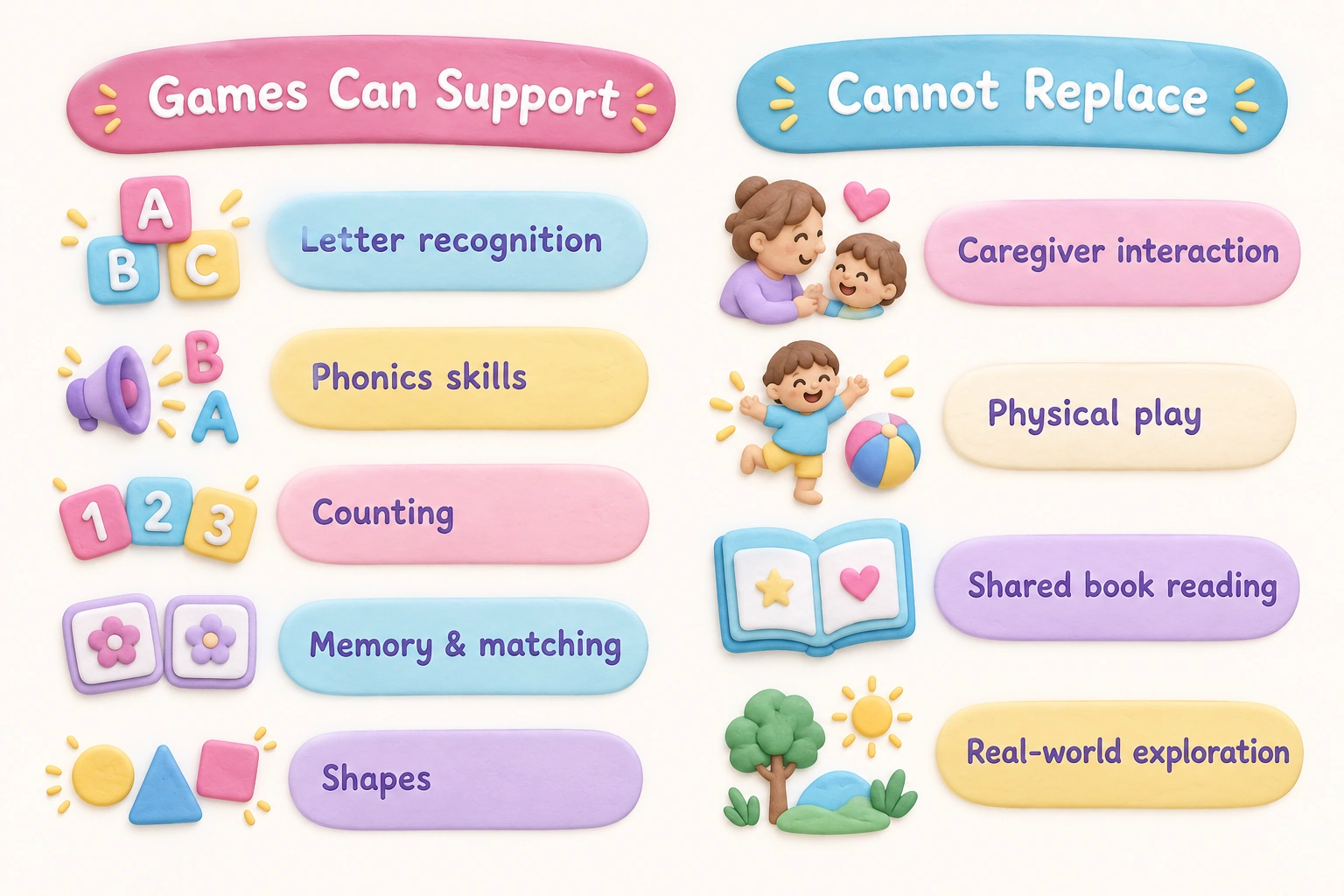
Browser-based preschool games can meaningfully support early literacy through repeated exposure to letter recognition, alphabet sequencing, and phonics skills. Research in early childhood education consistently shows that phonemic awareness — the ability to hear and manipulate individual sounds in words — is one of the strongest predictors of later reading success, and interactive games that pair letter shapes with spoken sounds can reinforce this connection in an engaging format. Similarly, counting and number sense activities in game form can help children build the foundational math concepts that underpin kindergarten readiness.
Memory and matching games support working memory and visual discrimination, both of which are important cognitive skills in the preschool years. Puzzle games and maze activities can encourage problem-solving and visual-spatial awareness. Coloring and tracing games may support fine motor development, though the degree of benefit depends on the quality of the interaction — dragging a finger across a tablet screen is a different motor experience from holding a pencil, and offline drawing and craft activities remain important complements.
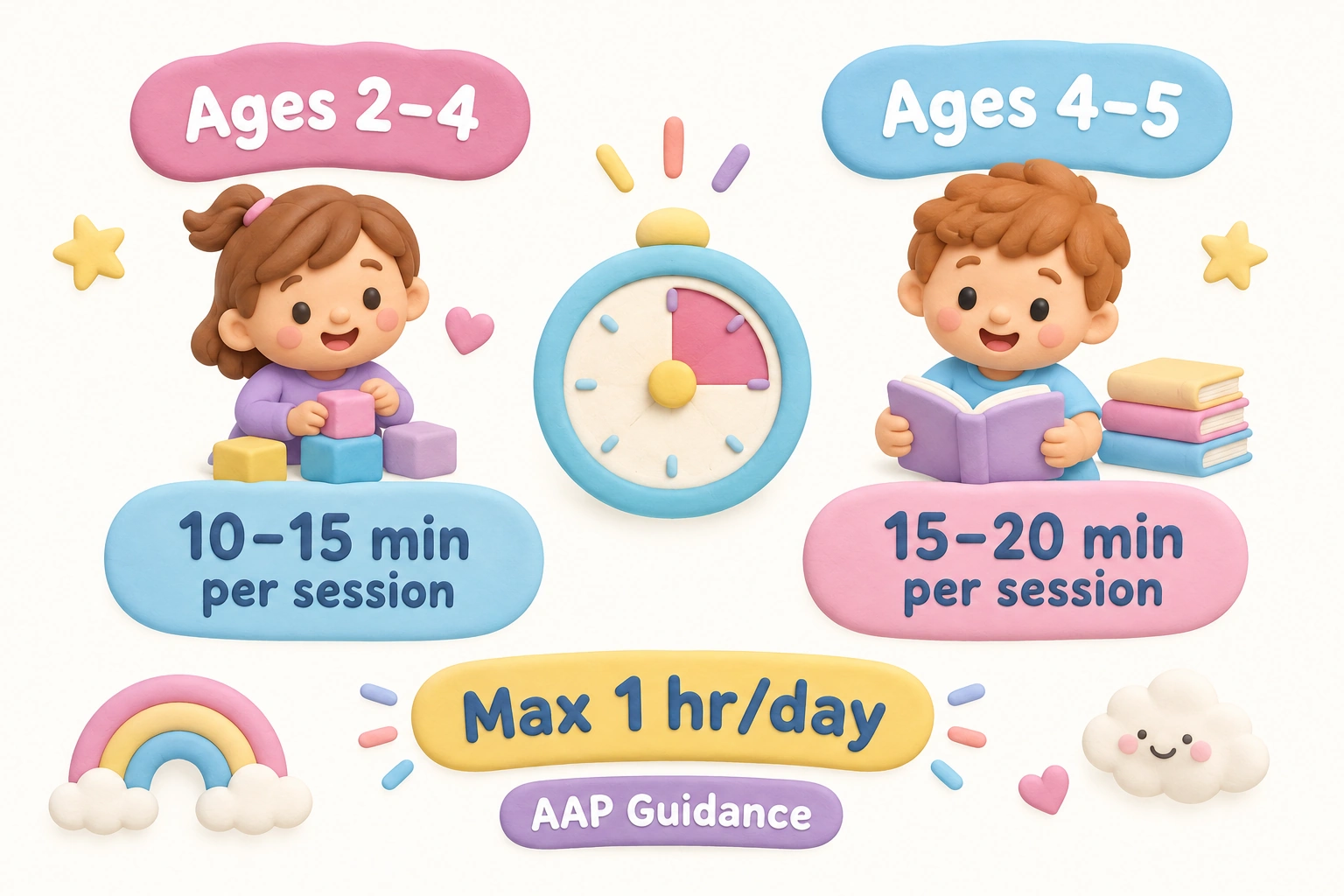
What these games cannot replace is direct caregiver interaction, physical play, and the rich language exposure that comes from conversation, shared book reading, and real-world exploration. Game-based learning works best as one component of a varied early learning environment, not as a standalone educational program. The American Academy of Pediatrics recommends that screen time for children ages 2 to 5 be limited to approximately one hour per day of high-quality content, with caregivers watching or playing alongside children where possible to extend learning through conversation.
Screen Time and Session Length Guidance
For children ages 2 to 4, developmental guidance generally suggests keeping individual game sessions to around 10 to 15 minutes, with natural breaks between activities. Young children’s attention systems are still maturing, and extended screen sessions — even with high-quality educational content — can lead to fatigue and reduced engagement. For children ages 4 to 5, slightly longer sessions of 15 to 20 minutes may be appropriate depending on the child’s individual temperament and engagement level, but the one-hour daily total recommended by the AAP remains a useful outer boundary.
Setting a consistent routine around game time — for example, one short session after breakfast as part of a morning learning block — tends to work better than unstructured access throughout the day. Using a visual timer that the child can see helps preschoolers transition away from screens without the abrupt ending that often triggers distress. Co-engagement, where a caregiver sits alongside the child and asks questions about what is happening in the game, can significantly extend the educational value of even a short session.
What to Look for When Choosing a Platform
When evaluating any free preschool game online, a few practical questions help separate genuinely useful platforms from those that are merely colorful. First, does the game use spoken instructions throughout, or does it require the child to read text menus? For ages 2 to 5, audio support is not optional — it is the difference between a child playing independently and a child needing constant adult help to navigate. Second, are the tap targets large enough for a young child’s developing motor control? Small, precise click targets are appropriate for older children but frustrating for toddlers and young preschoolers. Third, is the content clearly organized by age or skill level, or does the child land on a random mix of activities with no clear progression?
Ad transparency is a practical safety concern as well as a quality signal. Platforms with third-party advertising create the risk that a young child will tap an ad and be taken to an unrelated website. Fully ad-free platforms — PBS Kids, Starfall’s free tier, Tiny Hands Play, CBeebies, and The Learning Garden among those listed above — eliminate this risk entirely. Where a platform carries ads, checking whether the ads are child-directed or general-audience, and whether they are clearly separated from game content, is worth doing before handing a device to a young child.
A Note on Chromebook and Tablet Compatibility
Chromebooks are widely used in early childhood classrooms, and many of the platforms listed above work well on them because they are built on HTML5 rather than older Flash technology (which is no longer supported by modern browsers). Parents using school-issued Chromebooks at home should check whether the school’s content filtering allows access to the chosen platform, as some institutional filters block gaming sites regardless of educational content. For tablet use, the key variable is whether the game responds correctly to touch input — most modern HTML5 browser games do, but it is worth testing a platform on the specific device before a child’s first session to avoid frustration.
Frequently Asked Questions
Do these games really require no download?
The platforms listed as browser-based play directly in a standard web browser — Chrome, Safari, Firefox, or Edge — without requiring any app installation. Khan Academy Kids is the partial exception: its full experience is app-based, though some content is accessible via browser. All other platforms on this list can be accessed by typing the URL into a browser and playing immediately.
Are any of these platforms completely ad-free?
PBS Kids, Starfall (free tier), Tiny Hands Play, CBeebies, and The Learning Garden are fully ad-free on their free tiers. Owlie Boo and ABCya carry ads on their free versions but offer paid upgrades to remove them. LittleActivity.com, Digipuzzle, Happy Clicks, and SplashLearn have minimal or limited advertising; it is worth checking current ad status directly on each platform, as policies can change.
Are these games safe for children to use independently?
Platforms that are ad-free, require no sign-up, and do not include external links are generally the safest for independent use by young children. Even on safe platforms, caregiver supervision is recommended for children under 3, and periodic check-ins are advisable for older preschoolers. No digital platform is a substitute for adult oversight with very young children.
Do these games work on an iPad or Android tablet?
Most of the platforms listed are tablet-friendly and work on both iPads and Android tablets via the device’s built-in browser. Touch input is supported on all listed browser-based platforms. Some platforms also work on smartphones, though the smaller screen size may make tap targets more difficult for young children to use accurately.
What age are these games designed for?
The platforms in this list collectively cover ages 1 to 7, with most content targeting the core preschool range of ages 2 to 5. The comparison table above notes the best-fit age range for each platform. For children at the younger end (ages 2 to 3), platforms with very simple interactions and large tap targets — Owlie Boo, Happy Clicks, Tiny Hands Play — are generally more appropriate than those with structured phonics or counting sequences.
Can teachers use these platforms in a classroom?
Several platforms on this list are explicitly used in early childhood classroom settings. PBS Kids, Starfall, ABCya, LittleActivity.com, and SplashLearn are all referenced in educational contexts. Most require no account for basic access, making them straightforward to use on shared classroom devices. Teachers should verify that each platform complies with their school’s data privacy and content filtering policies before classroom use.
How much screen time is appropriate for preschoolers?
The American Academy of Pediatrics recommends limiting screen time for children ages 2 to 5 to approximately one hour per day of high-quality content. For children under 2, video chatting with family members is generally the only screen use recommended. Individual sessions of 10 to 15 minutes with natural breaks are more developmentally appropriate than extended continuous play for children in the 2 to 4 age range.
Choosing the Right Free Preschool Game for Your Child
The best browser-based preschool game for any individual child depends on their age within the 2–5 range, their current developmental focus, and the practical constraints of your household — including device type, internet reliability, and how much caregiver involvement is available during screen time. For a two- or three-year-old just beginning to explore digital interaction, platforms like Owlie Boo, Happy Clicks, or Tiny Hands Play offer the simplest, most accessible entry point with large tap targets and minimal navigation demands. For a four- or five-year-old building toward kindergarten readiness, Starfall’s phonics content, PBS Kids’ curriculum-aligned games, or LittleActivity.com’s broad skill coverage are likely to offer more meaningful challenge and progression.
Ad-free platforms — PBS Kids, Starfall, Tiny Hands Play, CBeebies, and The Learning Garden — are the safest choices for independent use by young children, eliminating the risk of accidental ad clicks and unintended navigation. Where a platform carries ads, using it in a co-viewing context with a caregiver present reduces that risk while also increasing the educational value of the session through conversation and shared engagement. None of the platforms on this list require a download or a sign-up to access their core free content, which means the barrier to trying any of them is genuinely low — a useful starting point for parents and educators exploring what works best for a particular child.

Take a short quiz to find out what your everyday choices say about your parenting style
When your child is curious about something new, what’s your instinct?
Take a short quiz to find out what your everyday choices say about your parenting style
“Can I download this app?” What happens next?
Take a short quiz to find out what your everyday choices say about your parenting style
When it comes to rules at home, which sounds most like you?
Take a short quiz to find out what your everyday choices say about your parenting style
If you could give your child one life skill today, what would you pick?
Take a short quiz to find out what your everyday choices say about your parenting style
Your child gets to choose what to watch. What would your ideal setup look like?
Take a short quiz to find out what your everyday choices say about your parenting style
Pick your parenting superpower ✨