Best Online Games for 8-Year-Olds: Free and Age-Appropriate

 Discover a Free Education Video App for Kids
Pastory uses AI to personalize educational video content based on your child’s interests and personality. Safe, engaging, and built for curious young minds. Sign up now to stay updated and enjoy early access with a free trial
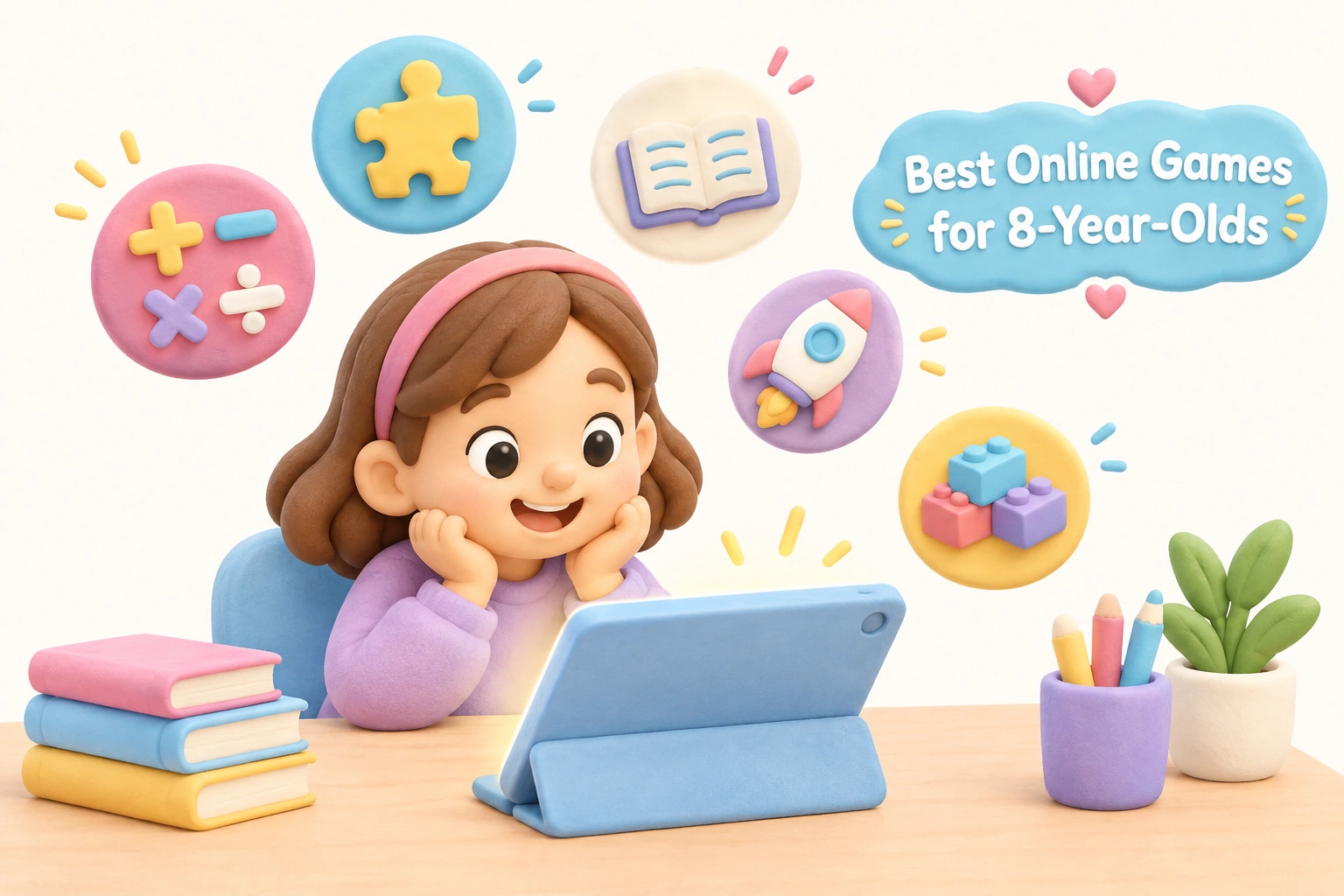
Finding genuinely good free browser games for 8 year olds takes more than a quick search. Many results mix age-appropriate titles with content that is too mature, too commercial, or buried behind account sign-ups and paywalls. This guide cuts through that noise with a curated breakdown of safe, kid-friendly games organized by genre and skill, alongside honest guidance on what to look for, what to avoid, and how to make screen time count for a child at this specific developmental stage.
Key Takeaways
- Age 8 marks a cognitive shift where children can handle multi-step rules, strategic thinking, and longer play sessions — making this an ideal time to introduce more complex game genres.
- The best free online games for 8-year-olds require no download and no sign-up, play instantly in browser, and carry an ESRB rating of E for Everyone or equivalent age guidance.
- Educational games for third graders work best when they align with real curriculum skills — math, reading comprehension, logic, and early STEM concepts — rather than simply adding a school label to a generic game.
- “Free” does not always mean ad-free or purchase-free; parents should check for in-app purchases and advertising before handing over a device.
- Screen time guidance from pediatric organizations recommends consistent limits and parental involvement even for age-appropriate content.
Why Age 8 Is a Distinct Gaming Milestone
Eight-year-olds are not simply older seven-year-olds when it comes to play. Around this age, children typically experience a meaningful leap in executive function — the cluster of mental skills that includes working memory, cognitive flexibility, and the ability to plan ahead. This means an 8-year-old can follow a multi-step game tutorial, hold a strategy in mind across several moves, and recover from a mistake without giving up. These are the same skills that underpin academic learning in third grade, which is why well-designed games for this age group can genuinely complement classroom development rather than simply entertain.
Children at this stage also begin to prefer realistic or goal-oriented storylines over purely fantastical ones. They want to feel competent, and they respond well to games that offer clear objectives, measurable progress, and a satisfying challenge curve. Games that are too simple feel babyish; games that are too complex cause frustration. The sweet spot — and the standard this guide uses — is content that stretches an 8-year-old’s thinking without overwhelming it.
Cognitive development research consistently shows that children ages 8 to 10 are mastering reading fluency and beginning to enjoy strategic depth. Short, completable levels with frequent positive feedback match this profile well. Games that require sustained attention across a single long session are generally less suitable than those offering natural stopping points every five to ten minutes.
How to Vet a Free Game in Under a Minute
The word “free” in online gaming rarely means nobody is making money. Before a child plays any free browser game, a parent can run through five quick checks that take less than sixty seconds combined.
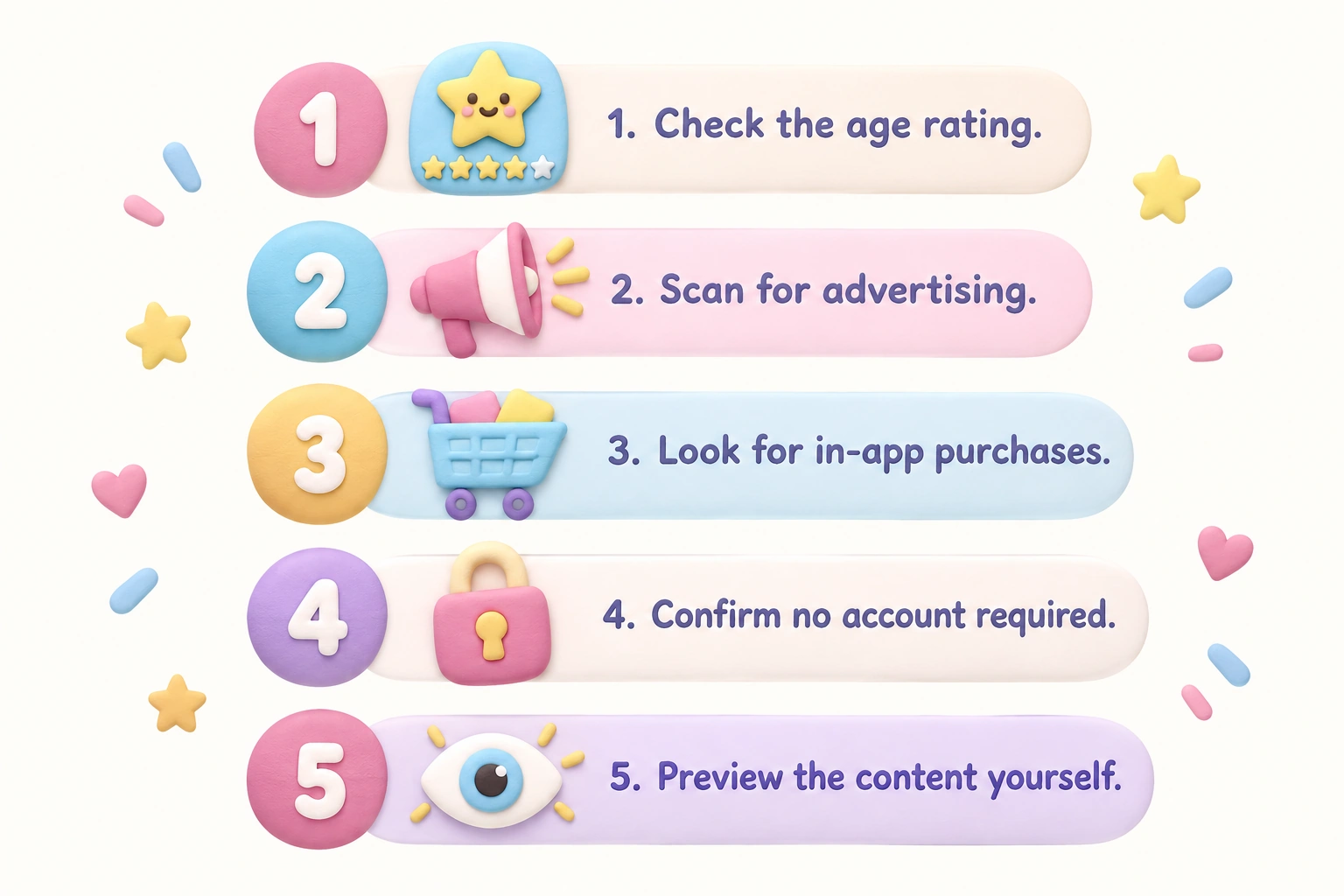
- Check the age rating. Look for ESRB rated E for Everyone or E10+ (suitable for ages 10 and up with mild content). If no rating is visible, treat the game as unverified.
- Scan for advertising. Some games show a short video ad before they start; others display banner ads around the game frame. Neither is automatically harmful, but knowing what your child will see matters. Games on dedicated educational platforms such as ABCya, PBS Kids, or Math Playground tend to have more controlled advertising environments than general game aggregator sites.
- Look for in-app purchases. A game that is free to start but prompts children to buy coins, lives, or upgrades mid-session is not truly free and may create pressure or conflict. Check the game’s description or try the first level before handing over the device.
- Confirm no account is required. The best no download no sign-up games open directly in a browser tab. If a game asks for an email address or date of birth before play, check the platform’s privacy policy — especially regarding data collection from children under 13, which is regulated in many countries.
- Test the content briefly yourself. A thirty-second look at the first screen tells you whether the game’s themes, characters, and language are appropriate. Trust your instinct if something feels off.
Best Free Browser Games for 8-Year-Olds by Genre
The following categories reflect the game genres most developmentally suited to 8-year-olds, with notes on the specific skills each type may support. These are genre recommendations rather than endorsements of specific commercial products, and the platforms mentioned are widely cited by educators and parents as reliable starting points.
Math Games for 8-Year-Olds
Math games for 8 year olds work best when they embed multiplication, division, fractions, and place value into gameplay mechanics rather than simply presenting worksheets with a timer. When arithmetic is the engine that drives a game forward — for example, solving a multiplication problem to unlock the next level or calculating a score to beat a rival — children are more likely to engage with the content repeatedly and with genuine motivation. Platforms such as Math Playground and Prodigy Math offer browser-based math games aligned to third-grade curriculum topics including multiplication tables, rounding, geometry, and mental arithmetic. Coolmath Games, despite its name, covers a broader range of logic and strategy content alongside genuine math practice.
A useful feature to look for in math games is adaptive difficulty — the game adjusts the complexity of problems based on how the child is performing. This keeps the challenge in the productive zone without requiring a parent to manually select a level each session.
Logic and Problem-Solving Games
Logic and problem-solving games are among the most developmentally rich options for this age group. Puzzle games, maze challenges, block-stacking problems, and pattern-matching tasks all engage spatial reasoning — the ability to mentally manipulate shapes and understand how objects relate in space. Spatial reasoning is particularly relevant to later success in mathematics and science, making this genre a strong choice for parents interested in STEM games for kids without committing to a structured curriculum program.
The key quality marker for logic games is whether the puzzle has a genuine solution that requires thinking rather than trial and error. Games where a child can simply click randomly until something works do not build the same reasoning skills as games where understanding the rule set is necessary to progress. Look for games with a clear tutorial, escalating difficulty, and a visible “undo” or “reset” option — these design features indicate the developer expects children to think, not just react.
Reading Comprehension and Word Games
Reading comprehension games for 8-year-olds bridge the gap between decoding words and understanding meaning — a transition that is central to third-grade literacy development. The best examples present short passages or story segments and ask children to answer questions, sequence events, or identify the main idea before moving forward. Funbrain and PBS Kids Games both offer reading-focused content that aligns with early elementary literacy standards. Word puzzle games — including crosswords adapted for children, word searches with thematic vocabulary, and spelling challenges — can reinforce vocabulary acquisition in a low-pressure format.
One limitation worth noting: reading games that rely heavily on audio narration may reduce the active reading practice a child gets. Games that require the child to read text independently, rather than listen to it, tend to offer stronger literacy reinforcement for this age group.
Strategy and Building Games
Strategy games suited to 8-year-olds typically involve resource management, sequencing decisions, or planning several moves ahead. Time-management games — where a child must serve customers, build a structure, or complete a task within a set period — develop planning and prioritization skills in an engaging format. Building and construction games encourage spatial reasoning and creative problem-solving simultaneously. Many browser-based building games allow children to play instantly in browser without creating an account, making them easy to access and easy to stop when screen time limits are reached.
Minecraft, while not a free browser game, is frequently cited in this context because of its open-ended building and survival mechanics. When used with a managed account and parental controls enabled, it can offer rich creative and strategic play. However, for genuinely free browser-based alternatives, look for sandbox-style building games on platforms such as ABCya or National Geographic Kids, which offer structured creative challenges without the open-ended social risks of a multiplayer environment.
Adventure and Exploration Games
Adventure games for 8-year-olds combine narrative engagement with decision-making, which suits the age group’s growing interest in story-driven content with realistic or goal-oriented themes. The best examples present a character with a clear mission, require the player to gather information or solve problems to progress, and reward curiosity rather than speed. National Geographic Kids offers exploration-style games with genuine educational content about science and the natural world embedded in the gameplay. These games can support reading comprehension, general knowledge, and the kind of intrinsic motivation that comes from discovering something genuinely interesting.
STEM and Coding Games
STEM games for kids at age 8 often introduce basic programming logic through visual block-based interfaces, where children arrange command sequences to guide a character through a challenge. Khan Academy Kids and platforms such as Scratch (from MIT) offer free, browser-accessible coding activities that develop computational thinking — the ability to break a problem into steps and test solutions systematically. These games are particularly well-suited to children who enjoy logic puzzles and want to understand how things work, rather than simply play through a pre-designed experience.
Coding games are not universally engaging for every 8-year-old, and that is fine. A child who prefers narrative adventure games or creative building is still developing valuable cognitive skills. The goal is to match the game genre to the child’s interests while ensuring the content is age-appropriate and educationally sound.
Trusted Platforms for Age-Appropriate Online Games
Rather than recommending individual game titles that may change or disappear, the most reliable approach is to identify platforms with consistent editorial standards for age-appropriateness and safety. The following platforms are widely cited by educators and parents as reliable sources of safe games for kids online.
| Platform | Primary Focus | Account Required? | Advertising | Best For |
|---|---|---|---|---|
| ABCya | Curriculum-aligned games (K–6) | No | Limited; premium tier removes ads | Math, reading, logic |
| PBS Kids Games | Character-based educational games | No | None within games | Reading, science, creativity |
| Funbrain | Reading and math games | No | Display ads on site | Reading comprehension, math |
| Math Playground | Math and logic games | No | Minimal; ad-free zone available | Math fluency, problem-solving |
| Coolmath Games | Logic, strategy, and puzzle games | No | Display ads present | Strategy, logic, spatial reasoning |
| National Geographic Kids | Science and nature exploration | No | Minimal | Science, geography, curiosity |
| Khan Academy Kids | Curriculum-aligned learning | Optional | None | Math, reading, STEM, coding |
Each of these platforms allows children to play instantly in browser without downloading software. Most require no account to access the majority of their content, which reduces data privacy concerns for younger users. Parents should still review the specific games their child gravitates toward, as quality varies even within a trusted platform.
School-Friendly and Unblocked Game Options
A common practical question from parents and educators is whether free browser games work at school, where network filters often block gaming sites. Educational platforms such as ABCya, PBS Kids, Khan Academy, and Math Playground are generally not blocked by school content filters because they are recognized as curriculum-aligned resources. General gaming aggregator sites, by contrast, are frequently blocked because they host a mix of content that school filters cannot easily evaluate at the individual game level.
If a child wants to continue a game they enjoy at school during home time, the platforms listed above are the safest bet for consistent access across both environments. This also makes it easier for parents to communicate with teachers about what their child is playing, since these platforms are familiar to most elementary educators.
Mapping Game Genres to Developmental Skills
One gap in most game recommendation lists is a clear explanation of which skills a given genre actually develops. The table below maps the main game types to the cognitive and academic domains they may support, based on established child development frameworks. These are potential benefits that depend on the quality of the specific game, the child’s engagement level, and the presence of parental involvement — not guaranteed outcomes.
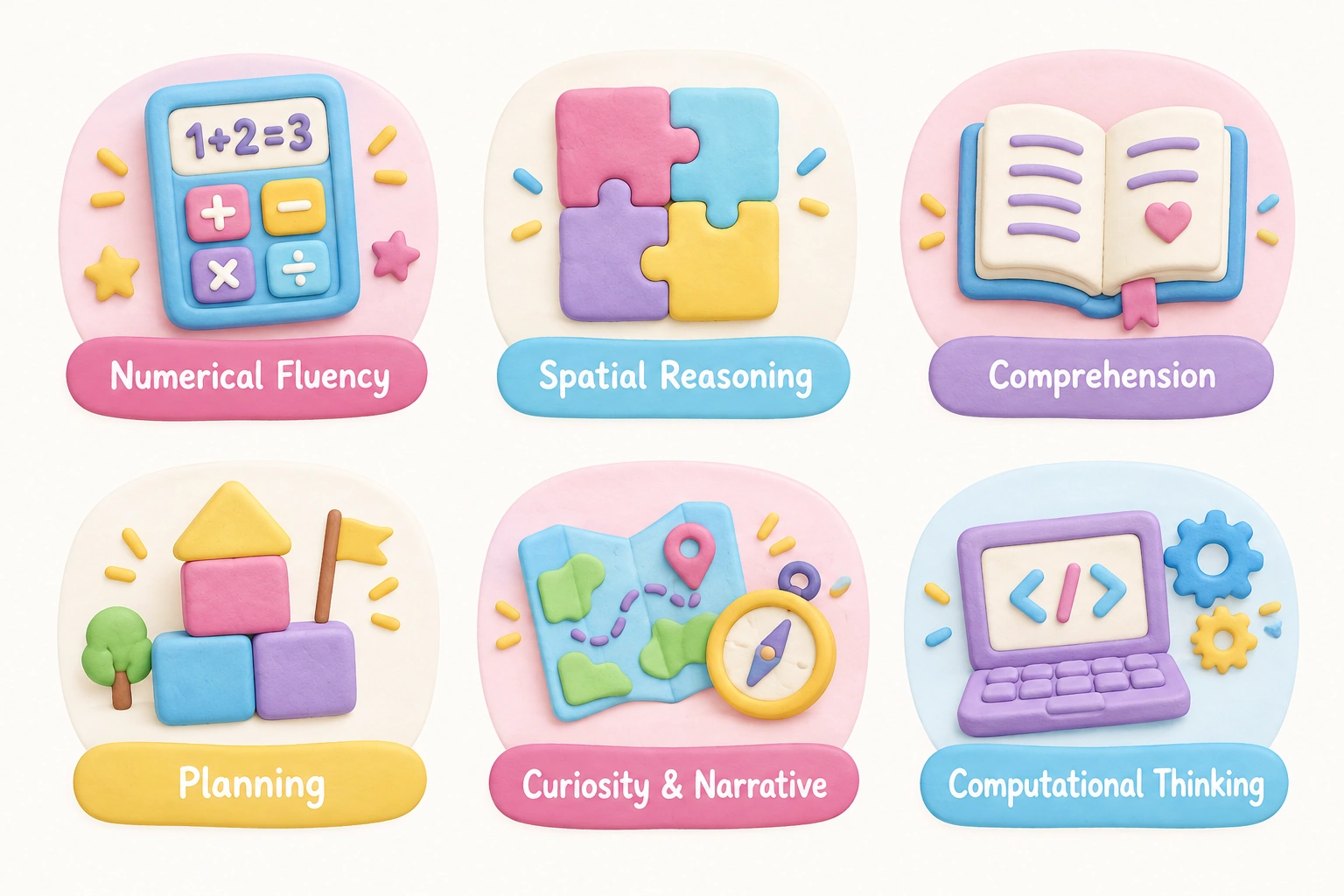
| Game Genre | Primary Skill Domain | Relevant Academic Area | Recommended Session Length |
|---|---|---|---|
| Math games | Numerical fluency, working memory | Mathematics (3rd grade curriculum) | 15–20 minutes |
| Logic and puzzle games | Spatial reasoning, sequential thinking | Math, science, STEM | 15–25 minutes |
| Reading and word games | Vocabulary, reading comprehension | English language arts | 15–20 minutes |
| Strategy and building games | Planning, prioritization, creativity | Math, design thinking | 20–30 minutes |
| Adventure and exploration games | Narrative comprehension, curiosity | Reading, science, social studies | 15–25 minutes |
| Coding and STEM games | Computational thinking, logic | Computer science, math | 20–30 minutes |
| Memory games | Short-term memory, attention | General cognitive readiness | 10–15 minutes |
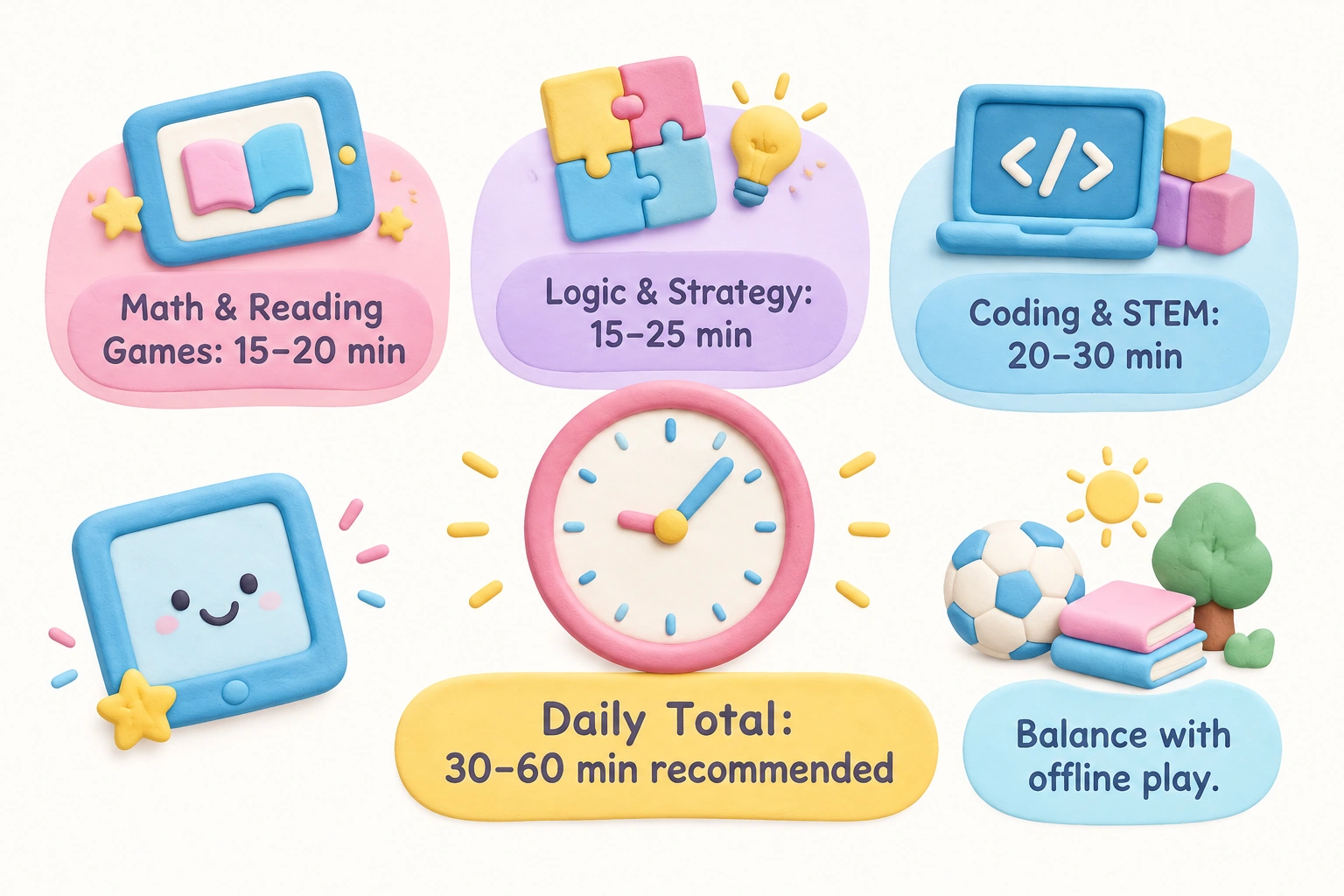
Session length recommendations are approximate and should be adjusted based on the child’s focus, the time of day, and the overall daily screen time budget. Shorter, more frequent sessions tend to be more effective for skill reinforcement than single long sessions, particularly for math and reading content.
Screen Time and Parental Controls: What Parents Should Know
Screen time guidance from pediatric organizations, including the American Academy of Pediatrics, generally recommends that children ages 6 and older have consistent limits on the time spent with screens, with an emphasis on content quality over quantity alone. For 8-year-olds, most guidance suggests that interactive, goal-directed screen time — such as playing an educational game with clear objectives — is meaningfully different from passive consumption such as watching videos. However, even high-quality interactive content should be balanced with offline play, physical activity, reading, and face-to-face social interaction.
Parental controls are available on most devices and can be used to set daily time limits, restrict access to specific websites, and prevent in-app purchases. On tablets and smartphones, built-in parental control features allow parents to approve or block individual apps and websites. For browser-based games specifically, the most practical approach is to bookmark the trusted platforms listed above and set the browser’s homepage to one of them, reducing the likelihood that a child will navigate to an unvetted site independently.
Multiplayer games introduce an additional layer of consideration. Games that allow real-time chat or messaging with strangers carry risks that single-player browser games do not. If a child is interested in playing with friends online, platforms that limit communication to pre-approved contacts — or that offer no chat function at all — are the safer choice for this age group. Privacy controls should be set to restrict messages and invites to known contacts only, and parents should periodically review who their child is interacting with in any online environment.
Gender-Neutral Game Selection: Why It Matters
Search results for free online games for children sometimes surface content that is inappropriately categorized — for example, games with romantic or mature themes labeled as suitable for young children, or games marketed specifically “for girls” or “for boys” that reinforce narrow stereotypes. Age-appropriate online games should be selected based on developmental suitability and content quality, not gender marketing. The platforms recommended in this guide — ABCya, PBS Kids, Math Playground, and similar — curate their content editorially and do not rely on gender-based categorization, making them safer starting points than general game aggregator sites where content moderation is less consistent.
Device Compatibility and Offline Considerations
Most free browser games for 8 year olds are designed to work on desktop and laptop computers, but compatibility with tablets and smartphones varies. Games that use keyboard shortcuts or require precise mouse clicks may be frustrating on a touchscreen. Before a child settles into a game on a tablet, it is worth checking whether the platform explicitly supports touch controls. ABCya and PBS Kids both offer dedicated apps alongside their browser versions, which tend to be better optimized for tablet play.
When internet access is slow or unreliable, browser games that require a constant connection will stall or fail to load. In these situations, downloaded apps from the same trusted platforms — Khan Academy Kids, for example, offers offline functionality — provide a more consistent experience. Having a small selection of offline-capable educational apps available alongside browser-based games gives families a reliable fallback without sacrificing content quality.
Frequently Asked Questions
Are these free online games really completely free?
Most browser-based games on educational platforms are free to access, but “free” can mean different things. Some platforms display advertising around the game frame, some offer a premium tier that removes ads, and some games include optional in-app purchases for extra content. Genuinely free games with no advertising and no purchases do exist — PBS Kids is a strong example — but they are not universal. Always check before a child plays independently.
Do 8-year-olds need an account to play these games?
The majority of browser-based games on the platforms recommended here require no account to play. Khan Academy is an exception — it offers optional accounts that allow progress tracking, which can be useful but is not required to access the games. Creating an account for a child under 13 on any platform should involve a parent, and the platform’s data privacy policy should be reviewed first.
Are these games suitable for a 7-year-old or a 9-year-old too?
Most of the games and platforms described here are appropriate for children roughly in the 6–10 age range, though individual readiness varies. A confident 7-year-old reader may find third-grade reading games engaging, while a 9-year-old who enjoys challenge may prefer games with more strategic depth. Use the child’s actual skill level and interest as the primary guide rather than age alone.
How much screen time is appropriate for an 8-year-old playing games?
Pediatric guidance generally recommends consistent daily limits for children this age, with most families finding that 30 to 60 minutes of recreational screen time per day is manageable alongside homework, outdoor play, and family time. Educational game sessions of 15 to 25 minutes tend to be more effective for skill reinforcement than longer uninterrupted sessions. The total daily screen time budget should account for all screens, not just gaming.
What makes a game “educational” rather than just entertaining?
A genuinely educational game embeds a learning objective into the core gameplay mechanic — meaning the child must engage with the skill to progress, not simply as a side activity. Games where math problems appear between levels as a gate, rather than as the engine of the game itself, tend to offer weaker learning reinforcement. Look for games where the challenge and the learning content are the same thing.
Are multiplayer games safe for 8-year-olds?
Multiplayer games carry additional risks compared to single-player browser games, primarily around contact with strangers and exposure to user-generated content. For 8-year-olds, single-player or local co-op games are generally the safer starting point. If a child wants to play online with friends, choose platforms with robust parental controls, restrict communication to known contacts, and maintain regular conversations with your child about what they are experiencing in the game.
Choosing Free Online Games That Are Worth Your Child’s Time
The volume of free online games available for children is enormous, and not all of it is worth an 8-year-old’s time or a parent’s trust. The most reliable approach is to start with editorially curated platforms — ABCya, PBS Kids, Math Playground, Funbrain, National Geographic Kids, and Khan Academy — where content is reviewed for age-appropriateness and curriculum alignment before it is published. Within those platforms, match the game genre to the skill your child is working on or the interest they are most motivated by, using the genre-to-skill mapping as a practical guide.
Check for advertising and in-app purchases before handing over the device, confirm that no account sign-up is required if you prefer to keep your child’s data private, and set a clear session length before play begins. For most 8-year-olds, 15 to 25 minutes of focused, goal-directed game play is enough to be genuinely beneficial without crowding out the offline activities — reading, creative play, physical movement, and face-to-face interaction — that remain essential at this age. Free browser games for 8 year olds can be a genuinely valuable part of a child’s learning week when they are chosen thoughtfully and used with appropriate boundaries in place.

Take a short quiz to find out what your everyday choices say about your parenting style
When your child is curious about something new, what’s your instinct?
Take a short quiz to find out what your everyday choices say about your parenting style
“Can I download this app?” What happens next?
Take a short quiz to find out what your everyday choices say about your parenting style
When it comes to rules at home, which sounds most like you?
Take a short quiz to find out what your everyday choices say about your parenting style
If you could give your child one life skill today, what would you pick?
Take a short quiz to find out what your everyday choices say about your parenting style
Your child gets to choose what to watch. What would your ideal setup look like?
Take a short quiz to find out what your everyday choices say about your parenting style
Pick your parenting superpower ✨