Best iPad Games for 5-Year-Olds: Learning and Creative Picks

 Discover a Free Education Video App for Kids
Pastory uses AI to personalize educational video content based on your child’s interests and personality. Safe, engaging, and built for curious young minds. Sign up now to stay updated and enjoy early access with a free trial
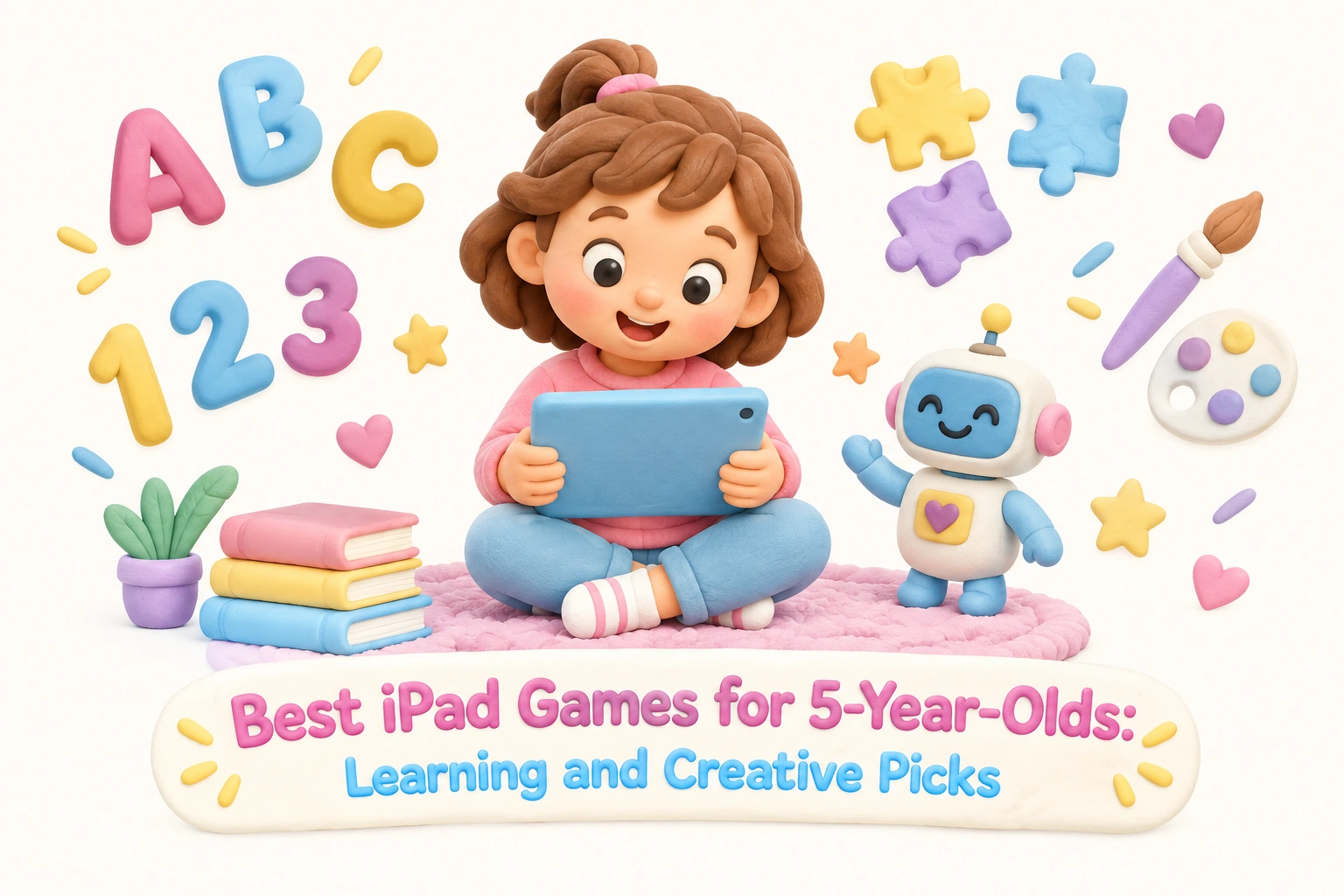
Choosing the right iPad games for a 5-year-old involves more than finding something that keeps a child occupied. At this developmental stage, children are building early literacy skills, developing number sense, learning to regulate emotions, and beginning to engage in more complex imaginative play. The best age-appropriate iPad games can support these goals — but only when chosen carefully and used within a balanced daily routine. This guide offers a curated selection of educational apps for 5-year-olds organized by learning category, along with honest guidance on what to look for, what to avoid, and how to set up a healthy screen time environment.
Key Takeaways
- The most effective iPad games for 5-year-olds combine play-based learning with clear educational goals in literacy, math, creativity, or social-emotional development.
- Look for apps that are ad-free, have no in-app purchases, and offer transparent privacy policies — these are the clearest markers of quality for young children.
- The American Academy of Pediatrics (AAP) recommends limiting recreational screen time to around one hour per day for children aged 2–5, with co-engagement from a caregiver where possible.
- Open-ended creative play apps and physical-digital hybrid tools like Osmo offer different developmental benefits than structured curriculum apps — both have a place depending on your child’s needs.
- No iPad game replaces caregiver interaction, hands-on play, or real-world exploration as the foundation of early childhood development.
What Makes an iPad Game Genuinely Good for a 5-Year-Old?
A 5-year-old is typically in the kindergarten transition window — old enough to follow multi-step instructions and engage with simple narratives, but still reliant on concrete, visual, and tactile learning experiences. Age-appropriate iPad games for this stage should use simple touch controls, offer immediate and encouraging feedback, and avoid overwhelming children with too many simultaneous choices. The best apps are designed around the child’s developmental needs rather than around maximizing session length or driving purchases.
When evaluating any educational app for a 5-year-old, consider these practical criteria:
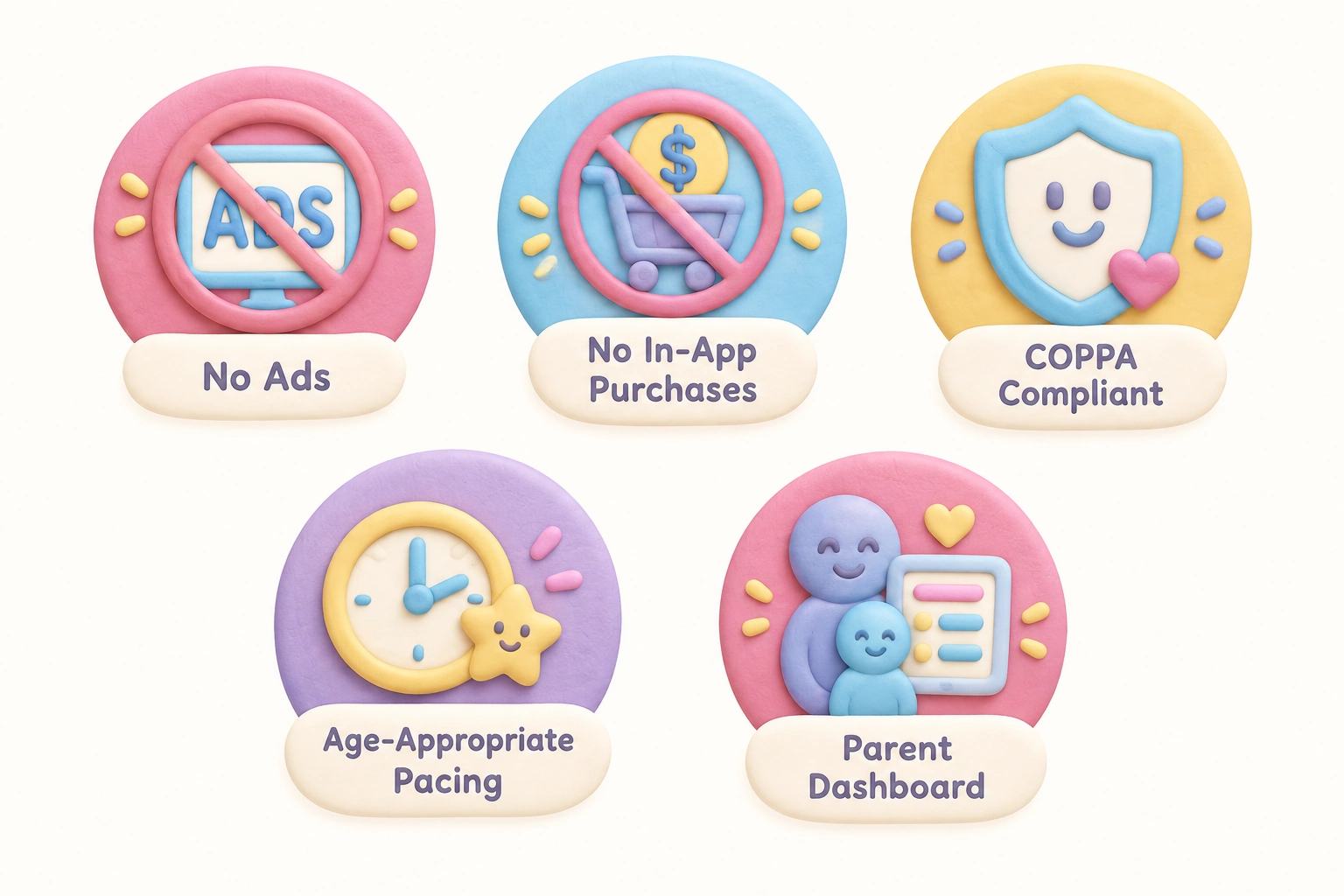
- No ads, no in-app purchases: Advertising and purchase prompts are inappropriate for this age group and undermine trust. Prioritize apps that are fully free, one-time purchases, or clearly structured subscriptions with no upsells during play.
- Ad-free and COPPA-compliant: Apps collecting data from children under 13 in the United States must comply with the Children’s Online Privacy Protection Act. Look for explicit privacy policy statements.
- Age-appropriate content and pacing: Content should match the cognitive and emotional stage of a 5-year-old — not pitched too young (which causes boredom) or too old (which causes frustration).
- Open-ended or adaptive: Apps that adjust difficulty or allow child-directed exploration tend to sustain engagement and support independent play more effectively than rigid linear formats.
- A parent dashboard or progress tracking: Visibility into what your child is learning helps caregivers stay involved and identify areas of strength or difficulty.
Best Literacy and Reading Apps for 5-Year-Olds
Early literacy skills — including phonemic awareness, letter recognition, and vocabulary — are among the most important developmental priorities at age 5. Several iPad apps address these goals with structured, research-informed approaches.
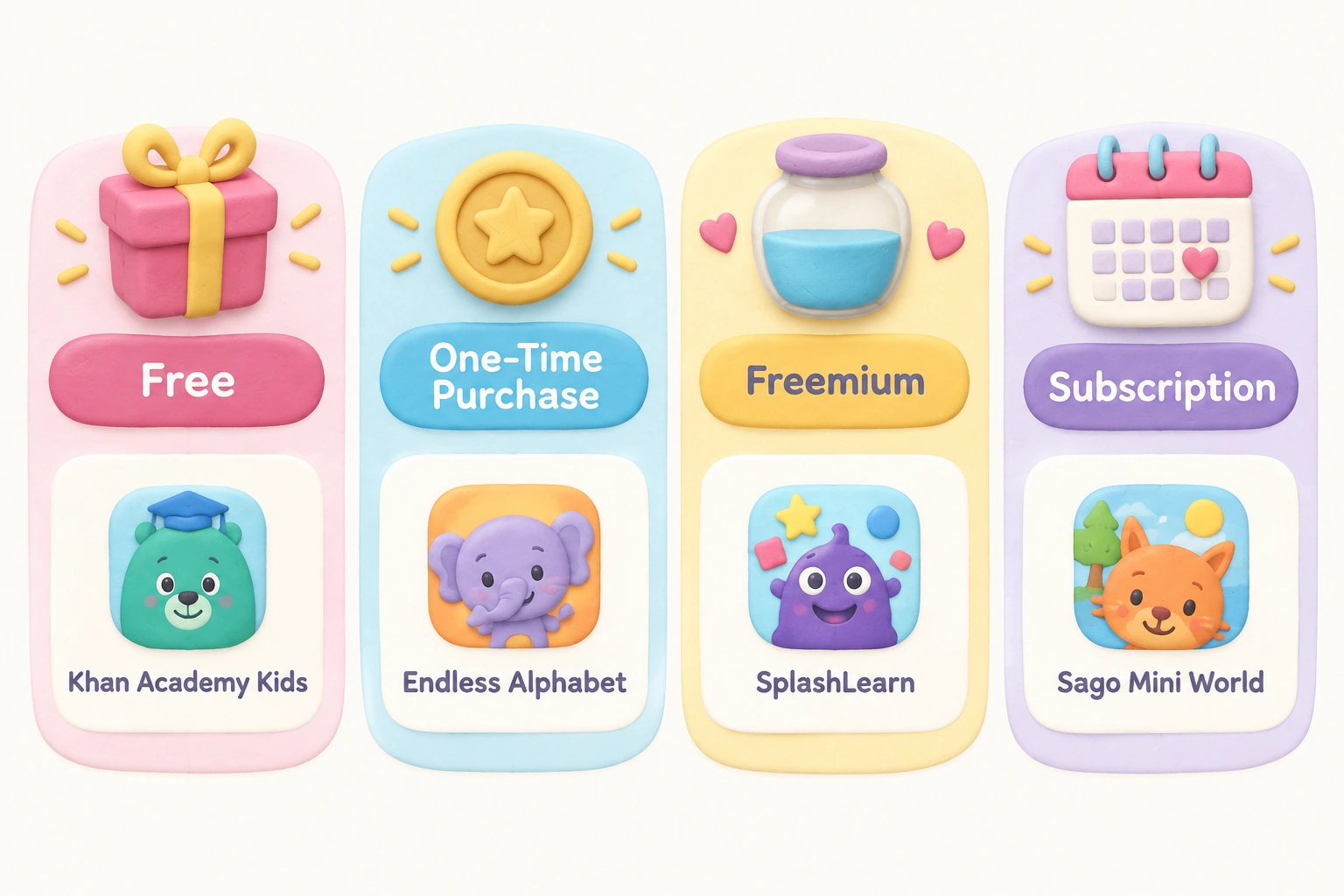
Khan Academy Kids is widely regarded as a benchmark in free educational apps for young children. It covers early literacy, phonics-based reading activities, math, and social-emotional learning for children aged 2–8. The app is fully free, contains no ads, and includes a parent dashboard for progress tracking. An independent randomized study found that children using Khan Academy Kids showed measurable improvements in pre-literacy scores compared to a control group — one of the few apps with this level of published evidence.
Teach Your Monster to Read takes a phonics-based approach to early reading, guiding children through letter sounds, blending, and simple word recognition through a game-style adventure. The app was originally developed with funding from a UK educational charity and has been used in classroom settings. It is free on iPad and works offline, making it practical for travel or areas with limited connectivity.
Duolingo ABC applies the structured, bite-sized lesson format that Duolingo is known for to early literacy. It covers the alphabet, letter sounds, and early reading comprehension through short interactive activities. The app is free and ad-free, with no in-app purchases, and is designed specifically for children who are beginning to read independently.
Endless Alphabet builds vocabulary through animated, humorous word sequences that make letter sounds and definitions memorable. While it does not follow a systematic phonics curriculum, it is effective for vocabulary enrichment and is particularly engaging for children who respond well to visual humor and character-based storytelling.
Best Math and Number Apps for 5-Year-Olds
At age 5, children are typically developing number sense — the intuitive understanding of quantity, counting, and basic operations. Kindergarten learning games that target early math should build this conceptual foundation rather than drilling isolated facts.
DragonBox Numbers (part of the DragonBox series, now associated with Kahoot!) uses visual, game-based mechanics to help children understand number relationships and early addition without relying on rote memorization. The approach is grounded in the idea that children develop stronger mathematical thinking when they manipulate quantities visually before encountering abstract symbols. The app is a paid one-time purchase with no ongoing subscription.
Khan Academy Kids also covers early math comprehensively, including counting, shapes, patterns, and basic addition and subtraction. Because it addresses both literacy and math within a single free platform, it is often the most practical starting point for families looking for a broad educational app without a subscription cost.
SplashLearn offers an adaptive learning path for math and reading, adjusting the difficulty of activities based on a child’s responses. The adaptive learning model means children are less likely to become bored with content that is too easy or frustrated by content that is too difficult. SplashLearn has a freemium structure, with a meaningful free tier and optional paid upgrades.
Moose Math, developed by Duck Duck Moose, covers counting, addition, subtraction, and geometry through five mini-games set in a playful town environment. It is free, ad-free, and designed specifically for the preschool and kindergarten age range.
Best Creative and Open-Ended Play Apps
Open-ended creative play is a core developmental need at age 5. Children at this stage benefit from digital environments that allow them to direct their own narratives, experiment without failure states, and express imagination freely. These apps function more like digital sandboxes than structured learning tools — and that is precisely their developmental value.
Toca Boca / Toca Life World is the most widely recognized open-ended creative play app for young children. Toca Life World allows children to create their own stories across a range of environments — a city, a school, a hospital — using characters and objects they can freely combine. There are no goals, no scores, and no failure conditions. Research on open-ended play suggests that child-directed imaginative scenarios support language development, narrative thinking, and early social reasoning. The base app is free, with additional world packs available as one-time purchases.
Sago Mini World bundles more than 40 mini-games into a single app designed for children aged 2–5. The games are short, gentle, and designed around exploration rather than achievement. Sago Mini apps carry Kid-Safe certification and are built without ads or in-app purchases. The app is particularly well-suited to children who are newer to iPad use and benefit from shorter, lower-stakes interactions.
LEGO DUPLO WORLD combines building, storytelling, and early learning through a digital DUPLO environment. The app is aligned to the Head Start Early Learning Outcomes Framework and covers concepts including colors, shapes, counting, and simple problem-solving. It is free, ad-free, and designed for children aged 2–5, making it appropriate for 5-year-olds who are still developing fine motor skills and benefit from the familiar LEGO visual language.
Best STEM and Introductory Coding Apps
STEM games for young kids at age 5 are most effective when they focus on spatial reasoning, problem-solving, and logical sequencing rather than formal programming syntax. Introductory coding at this age is really about building computational thinking — the ability to break a problem into steps and anticipate outcomes.
ScratchJr is a free, MIT-developed visual block coding app designed for children aged 5–7. Children use drag-and-drop programming blocks to create simple animated stories and games. ScratchJr has been studied in classroom settings, and research suggests it can support early sequencing skills and narrative thinking when used with some adult guidance. Because it is genuinely open-ended, children can use it for creative storytelling as much as for coding logic. It works offline and contains no ads or in-app purchases.
PBS Kids Games includes a range of STEM-themed mini-games tied to familiar characters from PBS programming such as Curious George and Daniel Tiger. The app is free, curriculum-based, and covers science concepts, problem-solving, and early math alongside social-emotional themes. Because the content is tied to trusted broadcast programming, many children find the characters immediately engaging.
Osmo occupies a unique position in this category as a physical-digital hybrid learning system. Osmo uses a physical reflector accessory attached to the iPad camera to detect real-world objects — letter tiles, tangram pieces, drawings — and integrate them into on-screen activities. For a 5-year-old, this means spelling words with physical letter tiles, solving tangram puzzles with wooden shapes, or drawing pictures that come to life on screen. The physical-digital learning model addresses a genuine limitation of purely screen-based apps: it keeps children physically active, supports fine motor skills, and reduces the passive consumption risk associated with touchscreen-only play. Osmo requires an upfront hardware investment (the base kit plus game packs), but it is one of the most developmentally distinctive options available for this age group.
Social-Emotional Learning Apps Worth Considering
Social-emotional learning (SEL) — the development of self-awareness, empathy, emotional regulation, and relationship skills — is a critical developmental domain at age 5. Most educational app lists treat SEL as a secondary feature, but for some children it deserves to be a primary selection criterion.
Khan Academy Kids integrates SEL content throughout its curriculum, including stories and activities that address sharing, kindness, managing frustration, and understanding others’ feelings. This integration means children encounter emotional learning in context rather than as a separate lesson, which aligns with how young children naturally develop social understanding.
Daniel Tiger’s Neighborhood: Daniel Feels, based on the PBS Kids series, focuses specifically on emotional recognition and regulation strategies. The app uses the familiar Daniel Tiger characters and the show’s signature musical strategies (such as short songs for managing anger or disappointment) to help children practice emotional skills independently. It is free and ad-free.
Toca Boca apps also support SEL indirectly through open-ended role-play scenarios. When children create stories involving characters in conflict, cooperation, or care situations, they are practicing perspective-taking and narrative empathy — both foundational SEL skills — even without explicit instruction.
Pricing Transparency: Free, Freemium, Subscription, and One-Time Purchase
Understanding the cost structure of an app before downloading it helps parents avoid unexpected charges and choose apps that fit their budget. The table below summarizes the pricing models of the apps discussed in this article.
| App | Cost Model | Ads? | In-App Purchases? | Works Offline? |
|---|---|---|---|---|
| Khan Academy Kids | Free | No | No | Yes |
| Teach Your Monster to Read | Free | No | No | Yes |
| Duolingo ABC | Free | No | No | Partial |
| Endless Alphabet | One-time purchase | No | No | Yes |
| DragonBox Numbers | One-time purchase | No | No | Yes |
| SplashLearn | Freemium / subscription | No | Optional upgrade | Limited |
| Moose Math | Free | No | No | Yes |
| Toca Life World | Free base / paid packs | No | World packs | Yes |
| Sago Mini World | Subscription | No | No | Yes |
| LEGO DUPLO WORLD | Free | No | Optional | Yes |
| ScratchJr | Free | No | No | Yes |
| PBS Kids Games | Free | No | No | Limited |
| Osmo | Hardware kit + game packs | No | No | Yes |
Apps and Patterns to Avoid
Not all apps marketed as educational for young children deliver meaningful learning value. Some patterns are worth recognizing before downloading.
Apps that display advertising to children aged 5 and under are a clear red flag. Advertising at this age is developmentally inappropriate — young children cannot reliably distinguish between content and commercial messaging. Similarly, apps that use in-app purchase prompts during gameplay expose children to commercial pressure in a context where they lack the cognitive tools to evaluate it critically.
Avoid apps with very high session-length mechanics — those designed to keep children playing as long as possible through reward loops, streaks, or escalating urgency. These engagement patterns are borrowed from adult gaming and social media design and are not appropriate for early childhood. A well-designed educational app for a 5-year-old should have natural stopping points and should not make ending a session feel like a loss.
Be cautious with apps that have vague or absent privacy policies, particularly those that request access to a child’s microphone, camera, or location without a clear educational justification. COPPA compliance is a minimum standard, not a guarantee of quality, but its absence is a meaningful warning sign.
Generic puzzle or coloring apps with no developmental scaffolding are not necessarily harmful, but they are often less valuable than they appear. If an app offers no progression, no adaptive challenge, and no connection to a learning goal, it is likely providing entertainment rather than education — which is fine in moderation, but should not be mistaken for positive screen time.
Screen Time Guidance for 5-Year-Olds
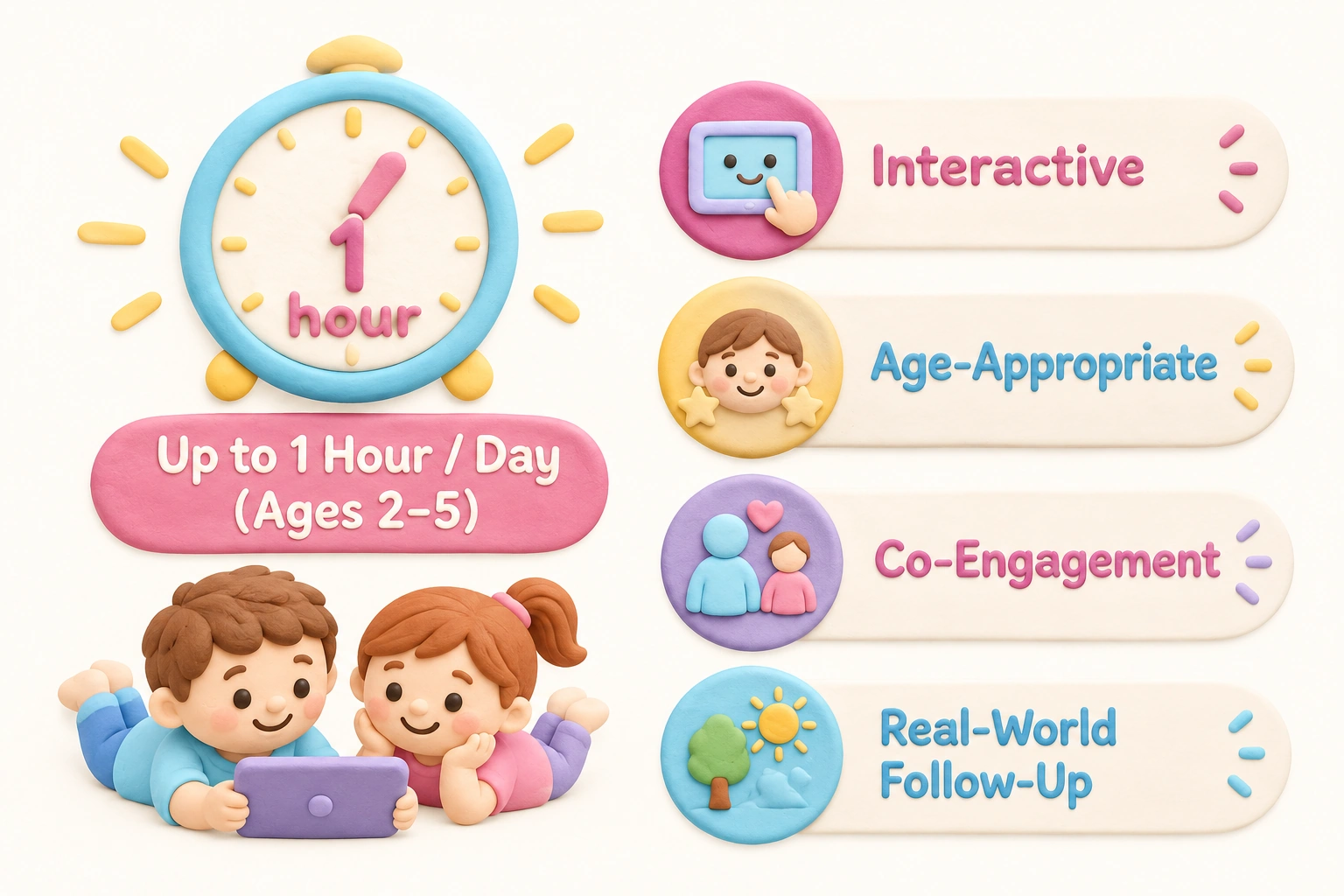
The American Academy of Pediatrics recommends that children aged 2–5 have no more than one hour of high-quality screen time per day, with caregiver co-engagement where possible. For children aged 6 and older, the AAP recommends consistent limits that do not displace sleep, physical activity, or face-to-face interaction. At age 5, children are at the boundary of these two guidance windows, which means the quality and context of screen time matters as much as the quantity.
Positive screen time at this age is characterized by content that is interactive rather than purely passive, age-appropriate in pacing and complexity, and ideally connected to real-world follow-up. A child who uses ScratchJr to build a simple animated story and then acts out the same story with toys is getting more developmental value from the screen time than a child who watches the same app passively while a caregiver is in another room.
Apple’s built-in Screen Time tools allow parents to set daily app limits, restrict content by age rating, and review usage reports. Setting up Family Sharing and enabling Content and Privacy Restrictions in the iPad’s settings gives caregivers meaningful control over what a 5-year-old can access independently. The App Store uses age ratings of “5 and under,” “6–8,” and “9–11” — filtering to the appropriate band is a practical first step when browsing for new apps.
Setting Up a “First iPad” for a 5-Year-Old
If you are setting up an iPad specifically for a 5-year-old, a focused starter selection is more effective than downloading many apps at once. A reasonable starting set might include one free literacy app (Khan Academy Kids or Teach Your Monster to Read), one open-ended creative app (Toca Life World or Sago Mini World), and one STEM or coding app (ScratchJr or PBS Kids Games). This gives the child variety across learning domains without overwhelming them with choices.
Enable Guided Access in the iPad’s Accessibility settings to lock the device to a single app during a session — this prevents accidental navigation to the App Store or other areas of the device. Set a Screen Time passcode that is different from the device unlock code so that daily limits cannot be bypassed. Consider using a child-safe case with a handle or stand to reduce the risk of drops and to make it easier for a 5-year-old to hold the device comfortably during use.
Frequently Asked Questions
Are educational iPad games actually educational for 5-year-olds?
The evidence varies by app. A small number of apps — including Khan Academy Kids and ScratchJr — have been studied in controlled or classroom settings with measurable outcomes. Most apps rely on alignment with curriculum frameworks rather than independent research. Quality indicators such as curriculum alignment, adaptive learning paths, and involvement of child development experts in design are useful proxies when published research is not available.
What are the best free iPad games for 5-year-olds?
Khan Academy Kids, Teach Your Monster to Read, ScratchJr, PBS Kids Games, Moose Math, and Duolingo ABC are all fully free, ad-free, and contain no in-app purchases. These represent the strongest free options across literacy, math, coding, and creative play categories.
How much screen time is appropriate for a 5-year-old?
The AAP recommends up to one hour of high-quality screen time per day for children aged 2–5. For children aged 6 and older, consistent limits that protect sleep, physical activity, and social interaction are recommended. At age 5, the focus should be on quality and context as much as duration.
Is Osmo worth the investment for a 5-year-old?
Osmo’s physical-digital learning model is genuinely distinctive and addresses limitations of purely screen-based apps by keeping children physically active and supporting fine motor development. The upfront cost is higher than most apps, but the physical-digital interaction may sustain engagement and developmental value over a longer period. It is particularly well-suited to children who benefit from hands-on, tactile learning experiences.
How do I set up parental controls on an iPad for a 5-year-old?
Go to Settings → Screen Time → Content and Privacy Restrictions to set age-appropriate content filters, app limits, and purchase restrictions. Enable Family Sharing to manage your child’s Apple ID from your own device. Use Guided Access (Settings → Accessibility → Guided Access) to lock the iPad to a single app during a session.
Should I use a subscription app or a one-time purchase?
One-time purchase apps (such as Endless Alphabet or DragonBox Numbers) offer predictable costs and full offline access. Subscription apps (such as Sago Mini World or ABCmouse) typically offer broader content libraries but require ongoing payment. Free apps with no in-app purchases (Khan Academy Kids, ScratchJr) are the most accessible starting point and cover a wide range of developmental goals without any cost.
Can iPad games replace preschool or kindergarten learning?
No. iPad games can supplement and reinforce learning, but they cannot replicate the social interaction, physical exploration, caregiver relationships, and unstructured play that are foundational to early childhood development. Educational apps are most valuable when they are one component of a varied daily routine that includes outdoor play, creative activities, reading together, and face-to-face social experiences.
Choosing iPad Games That Genuinely Serve Your 5-Year-Old
The most useful frame for selecting iPad games for a 5-year-old is not “which app is the best” but rather “which apps serve my child’s current developmental needs without displacing more important activities.” A child who is struggling with early reading may benefit most from a structured phonics-based app like Teach Your Monster to Read used consistently for short daily sessions. A child who is already reading confidently may get more value from the open-ended storytelling of Toca Life World or the creative coding of ScratchJr. A child who learns best through physical interaction may find Osmo more engaging than any purely screen-based option.
The clearest markers of a trustworthy app remain consistent: no ads, no in-app purchases, transparent privacy practices, age-appropriate content, and some form of developmental scaffolding. Apps that meet these criteria and align with your child’s current learning goals are worth exploring. Apps that rely on advertising revenue, obscure purchase prompts, or engagement mechanics borrowed from adult platforms are worth avoiding regardless of how they are marketed.
Used thoughtfully — within appropriate daily limits, with occasional caregiver co-engagement, and as part of a balanced routine — the best iPad games for 5-year-olds can genuinely support early literacy, mathematical thinking, creativity, and social-emotional development. The key is selecting with intention rather than convenience, and remaining willing to adjust as your child grows and their developmental needs change.

Take a short quiz to find out what your everyday choices say about your parenting style
When your child is curious about something new, what’s your instinct?
Take a short quiz to find out what your everyday choices say about your parenting style
“Can I download this app?” What happens next?
Take a short quiz to find out what your everyday choices say about your parenting style
When it comes to rules at home, which sounds most like you?
Take a short quiz to find out what your everyday choices say about your parenting style
If you could give your child one life skill today, what would you pick?
Take a short quiz to find out what your everyday choices say about your parenting style
Your child gets to choose what to watch. What would your ideal setup look like?
Take a short quiz to find out what your everyday choices say about your parenting style
Pick your parenting superpower ✨