Best Free Learning Games for Kindergarteners

 Discover a Free Education Video App for Kids
Pastory uses AI to personalize educational video content based on your child’s interests and personality. Safe, engaging, and built for curious young minds. Sign up now to stay updated and enjoy early access with a free trial
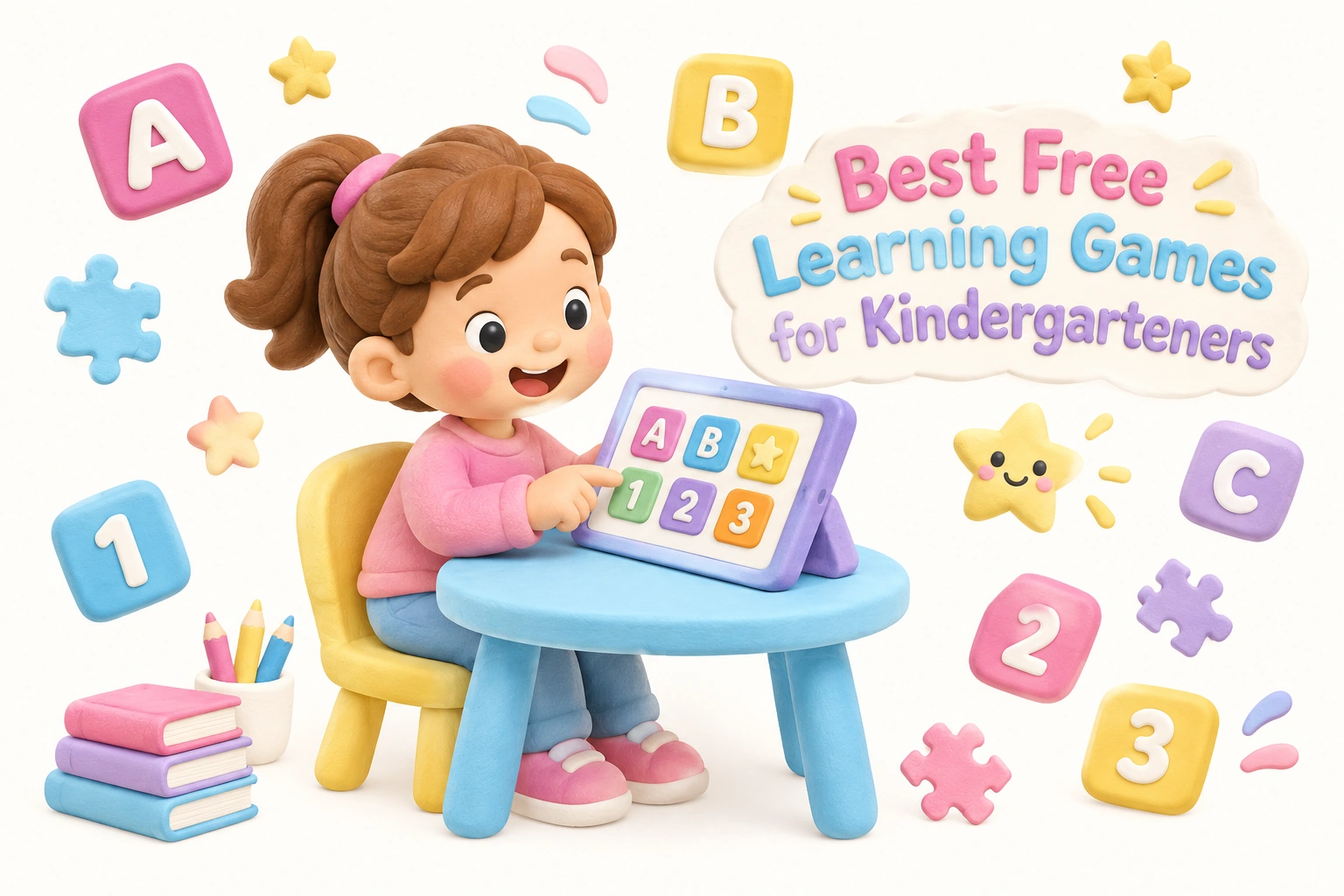
Finding quality free learning games for kindergarten can feel overwhelming when so many platforms mix genuinely free content with paywalled features, autoplay videos, and third-party ads. This guide cuts through the noise to help parents and teachers identify browser-based, no-download educational games that support real kindergarten skills — from phonemic awareness and sight words to number sense and social-emotional learning — while also addressing the screen time and safety questions that matter most to families.
Key Takeaways
- The strongest free learning games for kindergarten target specific skills such as letter recognition, phonics, counting, and number sense rather than offering vague “educational” content.
- Many well-known platforms are freemium rather than truly free — understanding the difference helps you avoid unexpected paywalls mid-session.
- Play-based learning through interactive games can support early literacy and math development, but outcomes depend heavily on content quality, session length, and caregiver involvement.
- The American Academy of Pediatrics recommends that screen time for children aged 2–5 be limited and that caregivers co-engage where possible; similar guidance applies to kindergarten-aged children.
- Offline alternatives — card games, dice games, and printable activities — remain valuable complements to digital play, particularly for children with limited internet access or shorter attention spans.
Why Play-Based Learning Works for Kindergarteners
Kindergarten-aged children, typically between four and six years old, are at a developmental stage where play is not a break from learning — it is the primary mechanism through which learning happens. Research in early childhood education consistently shows that play-based learning supports executive function, working memory, and language acquisition more effectively than passive instruction alone. When a child drags a letter tile to complete a CVC word or taps the correct number to match a group of objects, they are engaging active problem-solving and receiving immediate feedback — two conditions that support memory consolidation in young learners.
Interactive learning games, when well-designed, replicate the scaffolded structure that effective kindergarten teachers use: start with what the child already knows, introduce a small challenge, provide a prompt if needed, and celebrate success. This cycle of challenge and reward keeps attention engaged without overwhelming a child whose sustained focus typically spans ten to fifteen minutes at most. The key word is well-designed. Not every game labeled educational delivers this structure, which is why choosing carefully matters more than simply choosing freely.
Truly Free vs. Freemium: What Parents Need to Know
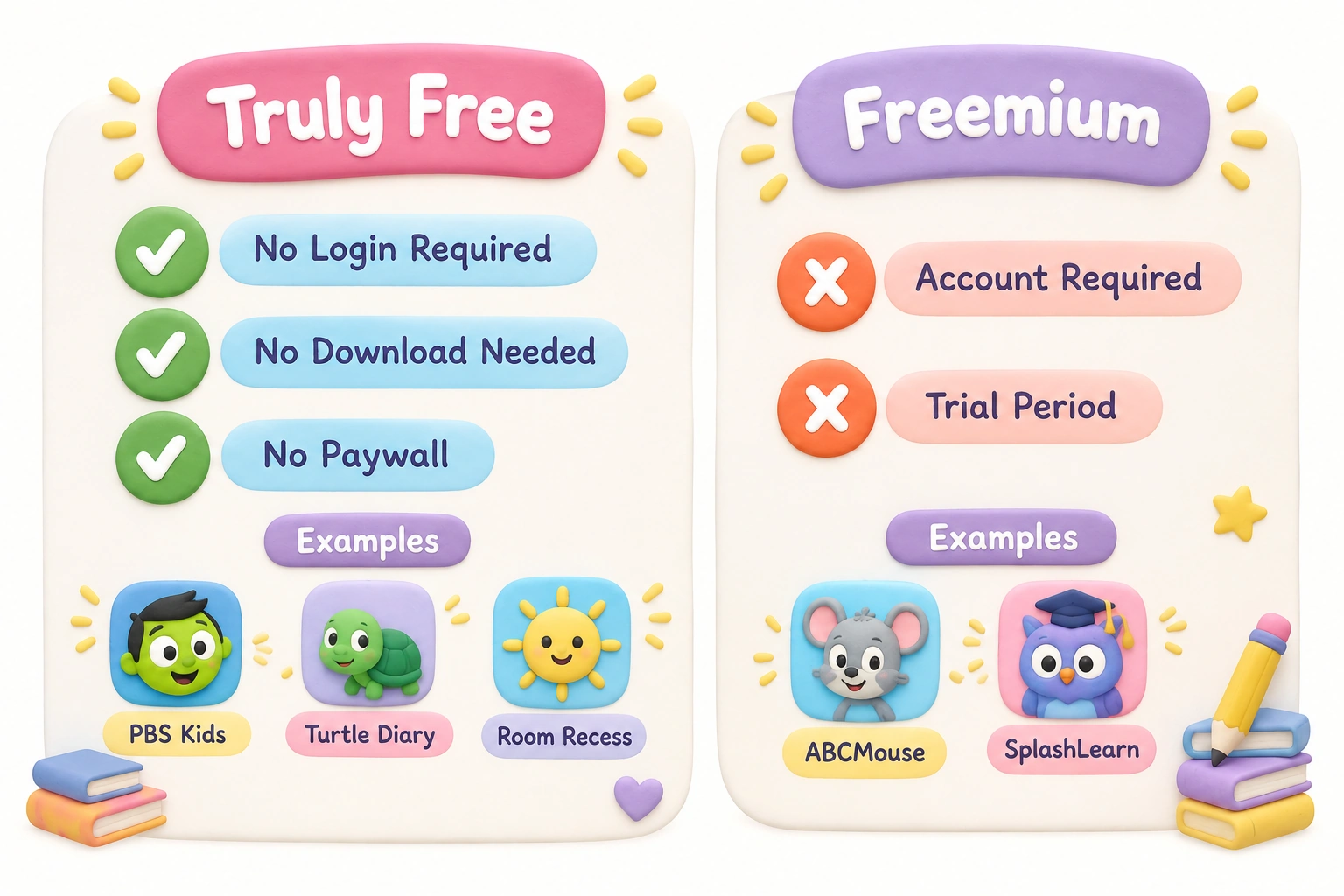
One of the most important distinctions when searching for free online learning games for kindergarten is the difference between platforms that are genuinely free and those that are freemium — meaning they offer a limited free tier while locking core content behind a subscription. Understanding this distinction before a child sits down to play prevents frustration and unexpected subscription prompts.
| Platform | Free or Freemium? | No Login Required? | No Download Needed? | Key Skill Areas |
|---|---|---|---|---|
| PBS Kids | Truly free | Yes | Yes | Reading, math, science, SEL |
| Starfall | Mostly free (some premium) | Yes (free tier) | Yes | Phonics, early literacy, math |
| Turtle Diary | Truly free | Yes | Yes | Math, ELA, science, art |
| Cool Kindergarten | Truly free | Yes | Yes | Literacy, math, shapes, colors |
| Room Recess | Truly free | Yes | Yes | Math, reading, memory games |
| ABCMouse | Freemium (trial then paid) | No (account required) | App preferred | Full curriculum, K–2 |
| SplashLearn | Freemium (limited free) | No (account required) | Yes | Math, ELA, Common Core aligned |
| LittleActivity | Truly free | Yes | Yes | Multi-subject, curriculum-aligned |
| MentalUP | Freemium | No | Yes | Cognitive skills, attention, memory |
| Storyline Online | Truly free | Yes | Yes | Read-alouds, vocabulary, comprehension |
Platforms such as ABCMouse and SplashLearn are frequently cited in roundup lists as free options, but both require account creation and move to a paid model after a trial period. This does not make them poor choices — both offer structured, Common Core aligned content — but parents should enter with accurate expectations. Truly free platforms such as PBS Kids, Turtle Diary, and Room Recess require no login and no download, making them immediately accessible on any browser-based device without a credit card.
Best Free Kindergarten Math Games
Kindergarten math development centers on number sense — the intuitive understanding of what numbers mean, how they relate to each other, and how quantities can be combined or separated. Strong kindergarten math games build this foundation through counting, one-to-one correspondence, subitizing (recognizing small quantities without counting), ten frames, and early addition and subtraction. The following platforms offer genuinely useful kindergarten math games at no cost.
PBS Kids Math Games
PBS Kids hosts math games tied to familiar characters from shows such as Curious George and Peg + Cat. These games address counting, shapes, measurement, and number patterns in contexts that feel narrative rather than drill-based. Because the games are embedded in story worlds children already recognize, engagement tends to be higher than with abstract number exercises. No login is required, and the platform works on any device with a browser.
Turtle Diary Counting and Number Games
Turtle Diary offers a broad library of kindergarten math games covering number recognition, skip counting, addition, subtraction, and geometry. The interface is clean, the instructions are simple enough for a five-year-old to follow independently, and the games are genuinely free without a paywall. Teachers often use Turtle Diary as an early finisher activity or learning center resource because individual games can be assigned by skill level.
Starfall Math
Starfall’s free math section introduces number sense through interactive animations and simple drag-and-drop activities. While Starfall’s premium tier unlocks additional content, the free version covers foundational counting and number recognition skills appropriate for most kindergarteners. The platform is browser-based and requires no download.
Room Recess Math Games
Room Recess is a teacher-created platform with a curated selection of free browser-based math games. The site is notably ad-light compared to many free game aggregators, and games are organized by grade level and skill, making it straightforward for parents to select content appropriate for their child’s current stage rather than guessing from a generic age label.
Best Free Phonics and Reading Games for Kindergarteners
Early literacy skills in kindergarten span a wide range: alphabet recognition, letter sounds, phonemic awareness (the ability to hear and manipulate individual sounds in words), blending sounds into CVC words, Dolch sight words, and early reading comprehension. The best phonics games for kindergarteners address these skills in sequence, moving from sound awareness toward word recognition rather than jumping straight to reading sentences.
Starfall ABCs
Starfall’s ABCs section is one of the most widely used free phonics resources available online. It walks children through each letter of the alphabet with interactive animations that connect letter shapes to their sounds, then builds toward simple CVC word reading. The progression is deliberate and phonics-based rather than whole-word memorization, which aligns with current evidence on early reading instruction. The free tier covers the core phonics sequence effectively.
PBS Kids Reading Games
PBS Kids reading games draw on characters from shows such as Super Why and Between the Lions to build phonemic awareness, letter recognition, and sight word familiarity. The games vary in format — some use balloon pop mechanics, others use matching games or word scrambles — which helps maintain engagement across multiple sessions. All content is free, browser-based, and requires no login.
Storyline Online
Storyline Online is a free platform hosted by the SAG-AFTRA Foundation where professional actors read picture books aloud on video. While it is not a game in the traditional sense, it functions as a powerful early literacy tool by modeling fluent reading, building vocabulary, and supporting reading comprehension through narrative engagement. Each read-aloud includes activity guides for parents and teachers. No login or download is needed.
Cool Kindergarten
Cool Kindergarten is a teacher-created site offering free games specifically designed for kindergarten literacy standards. Games cover letter sounds, sight words, rhyming, and CVC word building. The site requires no login and is designed to work on classroom devices including Chromebooks, making it a practical choice for both home and school use.
Cognitive Development Games: Memory, Attention, and Problem-Solving
Beyond subject-specific skills, kindergarten is a critical period for developing the cognitive foundations that support all learning: visual attention, short-term memory, working memory, and early problem-solving. Memory match games — where children flip cards to find pairs — are a classic format that builds visual memory and concentration in a low-pressure context. Puzzle games support spatial awareness and reasoning. These cognitive skills are not separate from academic learning; they are the infrastructure that makes academic learning possible.
Room Recess and Turtle Diary both include memory games and puzzle formats alongside their subject-specific content. MentalUP, while freemium, offers a structured cognitive skills program that includes attention and memory exercises designed for children aged five and older. Parents considering MentalUP should be aware that the free tier is limited and a subscription is required for full access.
It is worth noting that the cognitive benefits of any game depend significantly on how it is used. A child who plays a memory match game for ten focused minutes with a caregiver asking questions — “Which card do you think matches this one? Why?” — is likely to gain more from the experience than a child playing the same game alone for forty minutes. Caregiver involvement transforms a passive activity into an interactive learning conversation.
Social-Emotional Learning Games for Kindergarten
Social-emotional learning, often abbreviated as SEL, is a core component of kindergarten curriculum that is frequently absent from digital game roundups. SEL in kindergarten covers recognizing and naming emotions, developing empathy, managing frustration, taking turns, and beginning to understand other people’s perspectives. These skills are foundational not only for social relationships but for academic engagement — a child who cannot manage frustration when a task is difficult will struggle to persist through learning challenges.
PBS Kids is one of the strongest freely available resources for SEL-adjacent content. Games and videos tied to characters such as Daniel Tiger explicitly address emotional regulation strategies — naming feelings, using calming techniques, and navigating social situations. The content is age-appropriate, evidence-informed, and embedded in narrative contexts that make abstract emotional concepts concrete for young children.
Sesame Street’s online resources similarly address empathy, kindness, and emotional vocabulary through character-based interactive content. While Sesame Street’s digital platform has evolved over time, free video and game content remains accessible through their website and through PBS Kids. Parents looking specifically for SEL-focused digital content for kindergarteners will find these two platforms more useful than general game aggregators.
Screen Time Guidance for Kindergarten-Aged Children
The American Academy of Pediatrics recommends that for children aged two to five, screen time be limited to one hour per day of high-quality programming, with caregiver co-viewing encouraged. For children aged six and older — which includes many kindergarteners — the AAP advises that families establish consistent limits on screen time and ensure it does not displace sleep, physical activity, or face-to-face interaction. These guidelines apply to educational screen time as well as entertainment.
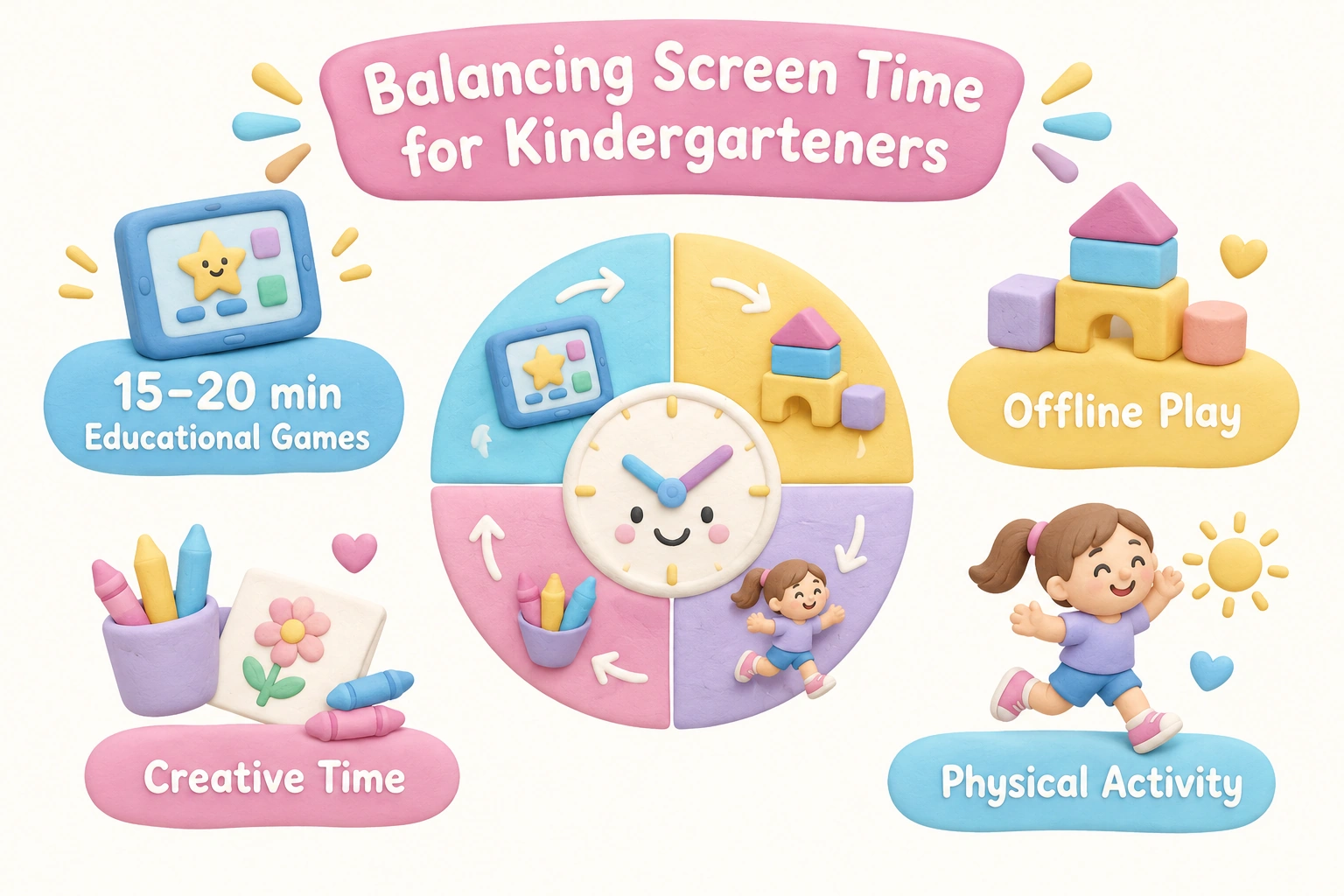
In practical terms, this means that even the best free learning games for kindergarten should be used as one component of a broader learning day rather than as a primary educational tool. A reasonable approach for most kindergarten-aged children might involve fifteen to twenty minutes of focused educational game play as part of a structured activity, followed by offline play, physical movement, or creative activity. Longer uninterrupted sessions are associated with reduced attention quality and increased frustration, particularly in children under six.
Parents should also be aware that not all browser-based games marketed as educational are equally appropriate. Some free game aggregator sites include third-party advertisements, autoplay video ads, or links to unrelated content that can expose young children to inappropriate material. Platforms such as PBS Kids, Starfall, and Cool Kindergarten are designed specifically for young children and maintain child-safe environments. When using a less familiar platform, previewing the site before a child uses it independently is a reasonable precaution.
Safety, Privacy, and COPPA Compliance
Parents reasonably want to know whether free educational game platforms collect data on their children. In the United States, the Children’s Online Privacy Protection Act (COPPA) requires that websites directed at children under thirteen obtain verifiable parental consent before collecting personal information. Platforms such as PBS Kids and Starfall are designed with COPPA compliance in mind and do not require children to create accounts or submit personal information to access free content.
Platforms that require account creation — including freemium services such as ABCMouse and SplashLearn — collect email addresses and usage data as part of their registration process. Parents should review the privacy policy of any platform before creating an account on behalf of a child. Choosing no-login-required platforms eliminates this concern entirely for families who prefer not to share personal information with educational technology providers.
Device compatibility is a related practical concern. Most truly free, browser-based kindergarten games work on any device with a modern web browser — including Chromebooks, iPads, Android tablets, and desktop computers. Platforms that require a dedicated app download may not be available on all devices or operating systems. When device compatibility matters, prioritizing browser-based games that require no download ensures the widest possible access.
Offline and Printable Alternatives to Digital Games
Digital games are not the only way to deliver play-based learning for kindergarteners, and for many families they should not be the primary way. Offline alternatives — card games, dice games, board games, and printable activities — offer many of the same cognitive and academic benefits without screen time concerns, and they naturally involve more caregiver interaction.
Simple card games such as Go Fish build number recognition and matching skills. Dice games that involve counting dots or adding two dice together develop number sense and early addition in a tactile, social context. Memory match games using printed cards build visual memory and concentration. Alphabet puzzles, letter tiles, and rhyming card sets support early literacy skills in a hands-on format that many young children find more engaging than a screen.
Printable worksheets and game boards are available free from platforms such as Teachers Pay Teachers (free section), Turtle Diary, and many school district websites. These resources are particularly useful for families with unreliable internet access or for parents who want to extend a digital game session into an offline activity — for example, playing a digital phonics game and then practicing the same letter sounds with physical letter cards.
Choosing Games by Developmental Readiness Within Kindergarten
Kindergarten spans a wider developmental range than many parents expect. A child who enters kindergarten at four years old and a child who enters at six may have significantly different literacy and numeracy foundations, attention spans, and fine motor skills. Choosing games by a child’s current skill level rather than their age or grade label leads to better engagement and more meaningful learning.
For children at the earlier end of kindergarten readiness — those still building letter recognition and one-to-one counting — games that focus on alphabet matching, letter sounds, and counting objects up to ten are most appropriate. For children who have already mastered these foundations, games that introduce CVC word blending, sight word recognition, and simple addition and subtraction will provide more useful challenge. Most of the platforms listed in this article allow parents to select games by skill or topic rather than by a fixed grade level, which makes it possible to match content to where a child actually is rather than where the calendar says they should be.
Tips for Using Free Learning Games Effectively at Home and in the Classroom
The way a game is used matters as much as which game is chosen. The following practical approaches can help parents and teachers get more developmental value from free online learning games for kindergarten.
- Set a clear purpose before starting. Choose a game that targets a specific skill the child is currently working on — for example, blending CVC words or recognizing numbers to twenty — rather than selecting randomly from a game library.
- Sit with your child for at least the first session. Co-engagement allows you to ask questions, explain unfamiliar concepts, and observe where the child struggles or succeeds. This information helps you choose better games in future sessions.
- Keep sessions short and focused. Fifteen to twenty minutes of engaged play is more valuable than forty minutes of distracted clicking. Use a visible timer so the child knows when the session will end.
- Follow up with an offline activity. After a phonics game, practice the same sounds with physical letter cards. After a counting game, count real objects around the house. Connecting digital and physical experiences reinforces learning more effectively than digital play alone.
- Rotate games regularly. Kindergarteners habituate quickly to familiar formats. Introducing a new game every week or two maintains novelty and ensures exposure to a range of skill areas.
- For classroom use, preview every platform before student use. Check for advertisements, external links, and audio levels. Platforms such as Cool Kindergarten and Room Recess are specifically designed for classroom environments and minimize these concerns.
Frequently Asked Questions
Are these free learning games really free, or do they require a subscription?
Platforms such as PBS Kids, Turtle Diary, Room Recess, Cool Kindergarten, and Storyline Online are genuinely free with no subscription required and no login needed. Others, including ABCMouse and SplashLearn, offer a free trial period but transition to a paid subscription for full access. The comparison table earlier in this article identifies which platforms are truly free versus freemium.
Do these games work on a Chromebook or iPad?
Most of the truly free, browser-based platforms listed here — including PBS Kids, Turtle Diary, Starfall, and Room Recess — work on any device with a modern web browser, including Chromebooks, iPads, Android tablets, and desktop computers. No download is needed. Platforms that require a dedicated app may have more limited device compatibility.
How long should a kindergartener play educational games each day?
The American Academy of Pediatrics advises that families with children aged six and older set consistent limits on screen time to ensure it does not displace sleep, physical activity, or in-person interaction. For most kindergarteners, fifteen to twenty minutes of focused educational game play per session is a reasonable starting point. Total daily screen time — including entertainment — should be considered as a whole rather than treating educational games as unlimited.
Are these games safe for young children in terms of ads and data privacy?
Platforms designed specifically for young children, such as PBS Kids and Starfall, maintain child-safe environments and are built with COPPA compliance in mind. General game aggregator sites may include third-party advertisements or external links. Choosing no-login-required platforms from established educational publishers reduces both data privacy and content safety concerns. Always preview a new platform before allowing independent use.
What if my child finds the games too easy or too hard?
Most platforms allow you to select games by skill area rather than by a fixed grade level. If a game is too easy, look for a version that introduces the next skill in the sequence — for example, moving from letter recognition to letter sounds, or from counting to simple addition. If a game is too hard, step back to a more foundational skill and build from there. Kindergarten spans a wide developmental range, and matching content to your child’s current level matters more than matching it to their age.
Are there good free options for English Language Learners in kindergarten?
PBS Kids and Sesame Street both offer some bilingual content and are designed to support vocabulary development in accessible, visual formats that can benefit English Language Learners. Storyline Online’s read-alouds support vocabulary and comprehension through visual storytelling. For children who are learning English alongside another home language, games that use visual matching, drag-and-drop, and audio prompts rather than text-heavy instructions tend to be more accessible.
Choosing the Right Free Learning Games for Your Kindergartener
The most useful free learning games for kindergarten are those that match a specific child’s current developmental stage, target a skill they are actively building, and can be used in short, focused sessions with some degree of caregiver involvement. No single platform covers every need, and no digital game replaces the value of hands-on play, conversation, and physical exploration that remain central to healthy kindergarten development.
For families starting out, PBS Kids and Starfall offer the broadest combination of truly free content, child-safe environments, and curriculum-relevant skill coverage across both literacy and math. Turtle Diary and Room Recess are strong secondary options for variety. For social-emotional learning, PBS Kids and Sesame Street remain the most accessible free resources. If internet access is unreliable or screen time is already at its daily limit, printable card games, dice activities, and alphabet puzzles deliver many of the same cognitive and academic benefits in an offline format.
The goal is not to find the single best platform but to build a small, intentional toolkit of two or three reliable resources that cover the skills your child is working on right now — and to use them as one part of a learning day that also includes movement, creative play, and real conversation.

Take a short quiz to find out what your everyday choices say about your parenting style
When your child is curious about something new, what’s your instinct?
Take a short quiz to find out what your everyday choices say about your parenting style
“Can I download this app?” What happens next?
Take a short quiz to find out what your everyday choices say about your parenting style
When it comes to rules at home, which sounds most like you?
Take a short quiz to find out what your everyday choices say about your parenting style
If you could give your child one life skill today, what would you pick?
Take a short quiz to find out what your everyday choices say about your parenting style
Your child gets to choose what to watch. What would your ideal setup look like?
Take a short quiz to find out what your everyday choices say about your parenting style
Pick your parenting superpower ✨