
Best Chore App Options That Combine Chores and Allowance to Help Kids Learn

 Discover a Free Education Video App for Kids
Pastory uses AI to personalize educational video content based on your child’s interests and personality. Safe, engaging, and built for curious young minds. Sign up now to stay updated and enjoy early access with a free trial

Getting kids to help with household chores has always been a challenge for parents. However, modern chore management app solutions are transforming how family members approach daily tasks. These innovative applications combine gamification, reward systems, and user-friendly interfaces to make chores engaging for children while providing parents with effective management tools.
The right chore app can significantly reduce the daily struggle of assigning tasks and tracking completion. With features designed specifically for different age groups, from toddlers to older kids, these digital solutions offer customizable approaches that work for diverse family dynamics.
Chore Apps: Key Features
Modern allowance apps help parents and kids organize household responsibilities through clear chore lists and built-in chore tracking. Parents can assign chores, define which chores and tasks need attention, and monitor progress without constant reminders. When chores are completed, updates appear within the app, making expectations transparent for everyone involved.
This structure supports consistent allowance management by linking rewards to the completion of chores. As a result, kids receive timely feedback, kids can see their progress, and families can manage chores more predictably while maintaining a routine that encourages kids to stay engaged.
Gamification Motivation
The most successful chore apps transform routine tasks into engaging games. Kids earn points, unlock achievements, and compete with siblings through friendly competition. This approach taps into children’s natural desire for play while building responsibility habits.
Research from the Singapore Management University shows that gamified systems increase task completion rates by up to 90% among children aged 6-12. The key lies in balancing challenge with achievability, ensuring kids feel motivated rather than overwhelmed.
Allowance Tracking Payment
Allowance apps support a clear connection between completed tasks and rewards, helping kids learn how effort translates into outcomes. When chores are completed, allowance payouts can be calculated automatically, reducing manual tracking and avoiding disputes. This approach allows kids to earn in a structured way and understand why payment is tied to specific responsibilities.
Built-in tools also help kids learn about money by showing balances, simple transaction history, and basic spending and saving patterns. Parents can manage allowances more consistently, while kids begin to manage their money independently within a safe, age-appropriate environment.
These systems often include:
- Virtual wallets for earnings
- Savings goal tracking
- Spending category allocation
- Real money transfer options
Visual Schedules Task Management
Visual schedules play a key role in helping children understand what chores need to be done and when. Many apps for kids rely on icons, color cues, and progress indicators to present chores and tasks in a way that is easy to follow, especially for younger kids who are not yet confident readers.
This visual approach improves chore tracking by making responsibilities concrete and predictable. Kids can see their daily or weekly tasks at a glance, while parents gain a clearer overview of how family’s chores are progressing without repeatedly explaining instructions.
Chorsee: Chores and Allowance on the App Store
Customization Profiles Rewards
Customization is a key factor in how effectively families manage chores using digital tools. Many apps to help families allow parents to set chores based on age, ability, and daily schedules, creating age-appropriate chores that feel realistic rather than overwhelming. This flexibility is especially useful when multiple children share responsibility for the family’s chores.
Personal profiles also support different reward models, including chores and rewards based on points, privileges, or allowance payouts. Kids can pick tasks from custom chore lists, track progress independently, and stay motivated by systems that encourage kids through visible achievements and consistent feedback.
- Individual child profiles with age-appropriate tasks
- Flexible reward systems (points, privileges, money)
- Adjustable difficulty levels
- Personalized achievement celebrations
Chorsee App
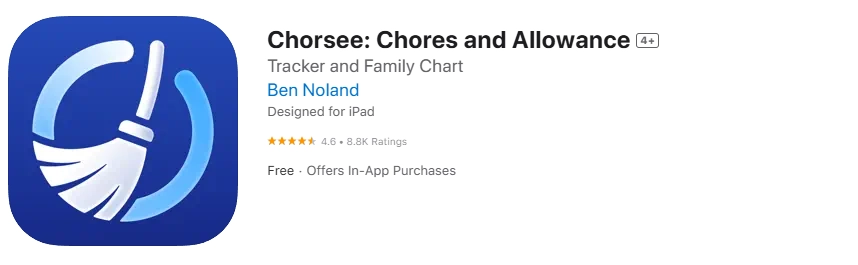
Chorsee stands out as a comprehensive family task management solution designed with both parents and children in mind. This application emphasizes simplicity while providing robust tracking capabilities.
Chorsee Benefits Parents
Chorsee helps parents manage chores through a centralized dashboard that shows how chores and tasks are distributed across the household. The system supports chore tracking in real time, allowing parents to see when chores are completed without constant check-ins. This reduces daily friction and makes routine management more predictable.
The app also helps automate allowance by linking task completion to rewards. Parents can manage allowances consistently, review progress over time, and adjust responsibilities as children grow. This balance supports long-term habit building while keeping expectations clear for everyone involved.
Key parent features include:
- Real-time task completion notifications
- Weekly and monthly progress reports
- Customizable chore difficulty ratings
- Integration with family calendars
How Chorsee Works Kids
Chorsee is designed for kids to interact with chores in a simple and intuitive way. Children see clear chore lists, understand which chores need attention, and track progress independently without relying on parents for constant guidance. When kids complete tasks, the app updates status immediately, reinforcing responsibility through visible results.
The interface keeps the experience fun for kids while remaining structured. Visual feedback, gentle prompts, and consistent routines help kids complete chores with confidence. This approach supports daily engagement and makes routine participation easier to maintain over time.
Chorsee Pricing Plan Options
Chorsee follows a flexible pricing structure that allows families to find an option that fits their needs. A free version provides access to core chore tracking features, making it easier to manage chores and test the system before committing. This approach helps parents evaluate whether the app fits their household routines.
S’moresUp App

Paid plans unlock advanced tools for allowance management, deeper progress insights, and expanded customization. These options are useful for families who want to automate allowance payouts and maintain consistent routines as children take on more responsibility.
S’moresUp Chore System Family
S’moresUp organizes family’s chores in a transparent system where responsibilities and rewards are clearly connected. Parents can assign chores, define expectations, and track chores without relying on verbal reminders. This structure helps children understand how individual effort contributes to shared household routines.
The app also supports allowance management by linking chores and rewards in a consistent way. As chores are completed, updates appear within the app, allowing kids to see progress and understand how tasks relate to earning outcomes over time.
S’moresUp Financial Tools Education
S’moresUp’s strength lies in its educational approach to money management. Kids learn budgeting concepts through interactive lessons while earning real money for completed chores.
Educational features include:
- Spending vs. saving decision scenarios
- Goal-setting workshops
- Interest calculation demonstrations
- Charitable giving options
Unique S’moresUp Features Community
The app includes community elements where children can share achievements and participate in broader challenges with other users. This social aspect motivates consistent participation while building digital citizenship skills.
Parents can control community interactions through comprehensive privacy settings, ensuring safe engagement for all age groups.
S’moresUp – Best Chores App on the App Store
Joon App
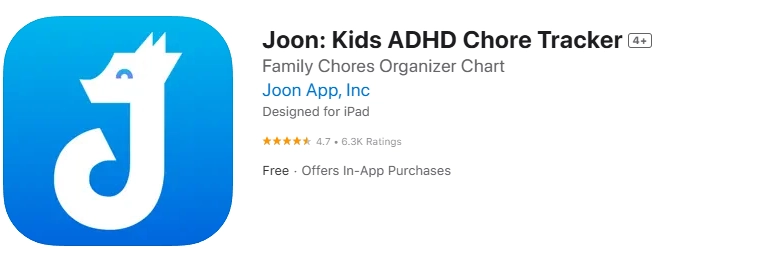
Joon takes a unique approach by combining chore management with virtual pet care, creating an immersive experience that particularly appeals to children who enjoy nurturing games.
Joon Design Kids Special Needs
Joon was specifically designed with neurodivergent children in mind, though it works excellently for all kids. The app uses clear visual cues, consistent routines, and patient pacing that accommodates different processing speeds.
Special features include:
- Sensory-friendly interface options
- Customizable reminder frequencies
- Visual success celebrations
- Predictable routine structures
Quests Virtual Pet System Joon
Children care for a virtual pet by completing real-world tasks. This connection between digital play and physical responsibilities creates powerful motivation for task completion.
The pet grows, learns new skills, and unlocks abilities based on the child’s chore completion consistency. This long-term progression system maintains engagement over months rather than days.
Setting Up Routines Joon App
Joon excels at routine establishment through its quest system. Parents can create morning, afternoon, and bedtime routine “quests” that guide children through necessary tasks systematically.
The app tracks routine completion over time, helping identify patterns and areas for improvement while celebrating consistent success.
Joon: Kids ADHD Chore Tracker on the App Store
Sweepy App

Sweepy focuses specifically on cleaning tasks, making it ideal for families who want to establish strong housekeeping habits in their children.
Sweepy Room Cleaning Focus
This application breaks down room cleaning into manageable, specific tasks that prevent children from feeling overwhelmed by large projects. Each room receives its own task list with age-appropriate responsibilities.
The app suggests cleaning frequencies for different areas, teaching kids about maintenance cycles and the importance of regular upkeep rather than intensive cleaning sessions.
Sweepy Leaderboard Teamwork
Sweepy’s family leaderboard creates friendly competition while emphasizing teamwork. Children can see how their contributions help the entire household maintain cleanliness standards.
The system rewards both individual achievement and collaborative success, teaching kids that household responsibilities are shared family commitments.
Sweepy Automating Task Scheduling
Advanced scheduling features help parents distribute cleaning tasks evenly throughout the week. The app considers each child’s schedule, ensuring chore assignments don’t conflict with school or extracurricular activities.
Automated reminders arrive at optimal times, increasing the likelihood of task completion without creating stress around tight schedules.
Sweepy: Home Cleaning Schedule on the App Store
Neat Kid App
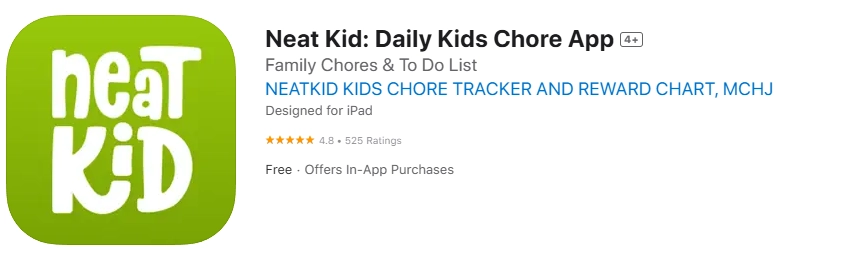
Neat Kid specializes in age-appropriate task management for younger children, focusing on skill development and positive habit formation.
Neat Kid Ages Features
The application adapts its interface and expectations based on child age groups:
- Ages 3-5: Simple tasks with picture instructions
- Ages 6-8: Basic responsibility tracking with reward systems
- Ages 9-12: More complex task management with goal setting
This progressive complexity ensures children can grow with the application rather than outgrowing it quickly.
Neat Kid Rewards Positive Reinforcement
Neat Kid emphasizes intrinsic motivation through celebration and recognition rather than purely external rewards. Children receive praise animations, success stories, and progress visualizations that build self-confidence.
The reward system includes both immediate gratification for task completion and longer-term recognition for consistent performance patterns.
Neat Kid Easy Interface
Simplicity defines Neat Kid’s approach. Large buttons, clear icons, and minimal text create an interface that young children can navigate independently without constant adult assistance.
The app uses voice instructions and audio feedback to support pre-readers and children with learning differences.
Neat Kid: Daily Kids Chore App on the App Store
Nipto App

Nipto transforms household management into competitive gaming, making it particularly appealing to families with multiple children who enjoy rivalry and achievement.
Nipto Competition Game Modes
The application offers various competition formats:
- Daily challenge modes with specific task themes
- Weekly family competitions with rotating winners
- Seasonal tournaments that span multiple months
- Individual achievement tracks that don’t require competition
This variety ensures sustained interest and accommodates different personality types within families.
Nipto Point System Rewards
Nipto’s sophisticated point system assigns values based on task difficulty, time investment, and skill development. Children learn to evaluate effort and make strategic decisions about which tasks to prioritize.
Points translate into various reward options that parents can customize according to family values and budget constraints.
Nipto Chore Split Household
The app intelligently distributes household chores among family members based on age, ability, and availability. This automated assignment reduces conflicts about fairness while ensuring all necessary tasks receive attention.
Parents can override automatic assignments when special circumstances require flexibility.
Nipto: Split Chores on the App Store
Choiceworks Calendar App

Choiceworks Calendar specializes in visual learning and routine establishment, making it particularly valuable for children who thrive with structured, predictable schedules.
Choiceworks Calendar Visual Learning Tool
This application uses picture-based scheduling that helps children understand daily expectations without relying on reading skills. Visual representations of tasks, times, and sequences support various learning styles.
The app includes extensive libraries of pre-made visual symbols plus options for custom photo integration, ensuring relevance to each family’s specific routines.
Choiceworks Calendar Time Management Sequence
Sequential learning features help children understand how tasks connect within daily routines. The app shows “first/then” relationships and helps kids anticipate what comes next in their schedules.
Time management skills develop naturally as children use the visual schedule to pace their activities throughout the day.
Choiceworks Calendar Customizable Visuals Video
Advanced customization options include video integration for complex tasks that benefit from demonstration. Parents can record short instructional videos showing proper task completion techniques.
This feature particularly benefits visual learners and children who need additional support understanding task requirements.
Choiceworks Calendar on the App Store
Habitica Gamified Task Manager
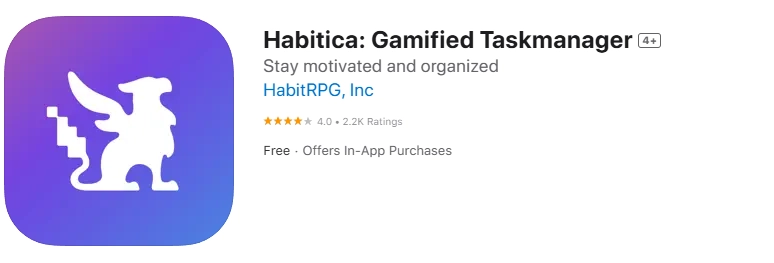
Habitica transforms life management into a role-playing game where completing real-world tasks advances a digital character through quests and adventures.
Habitica RPG Elements Productivity
The application uses complete RPG mechanics including character classes, skill trees, and equipment systems. Children choose warrior, mage, or rogue characters that gain abilities through consistent task completion.
This comprehensive gaming approach creates deep engagement that extends beyond simple chore completion into broader life skill development.
Habitica Avatar Leveling Up Progression
Character progression systems reward both short-term task completion and long-term habit development. Avatars gain levels, unlock cosmetic items, and access new areas based on real-world achievement.
The visual progression provides concrete evidence of growth and improvement, motivating continued engagement with household responsibilities.
Habitica: Gamified Taskmanager on the App Store
Habitica Parties Guilds Accountability
Social features allow families to form parties where members’ successes and failures affect the entire group. This creates accountability systems that encourage mutual support and consistent participation.
Older kids particularly benefit from the social aspects, which mirror gaming experiences they enjoy in other contexts.
Tody App

Tody approaches household management with a focus on maintenance cycles and cleaning efficiency, teaching children about the ongoing nature of home care.
Tody Cleaning Focus Organization
The application helps families establish sustainable cleaning routines by tracking when areas last received attention and predicting future needs. Children learn about maintenance versus deep cleaning concepts.
Visual indicators show which areas need immediate attention, moderate attention, or can wait, helping kids prioritize their efforts effectively.
Tody Family Sharing Customization
Collaborative features allow family members to see everyone’s contributions and coordinate efforts to avoid duplication or missed areas. The sharing system promotes teamwork and mutual appreciation.
Customization options accommodate different family structures, living situations, and cleanliness standards without judgment or rigid requirements.
Tody vs Kid-Focused Apps
While not specifically designed for children, Tody’s logical approach and clear visual feedback work well for older kids who can handle more sophisticated task management concepts.
The app bridges the gap between child-focused applications and adult organizational tools, preparing teenagers for independent living responsibilities.
Chores & Allowance Bot App
This application combines artificial intelligence with traditional chore management to create adaptive systems that learn from family patterns and preferences.
Chores & Allowance Bot Financial Literacy
The bot integrates comprehensive financial education that adapts to each child’s age and comprehension level. Lessons automatically adjust based on the child’s progress and interest areas.
Advanced features include investment simulation, budget planning tools, and real-world spending analysis that connects to actual allowance earnings.
Chores & Allowance Bot Photo Submissions
Quality control features require photo proof of task completion, teaching children about standards and accountability. The system uses image recognition to verify certain types of completed tasks.
This approach builds documentation habits while ensuring parents can trust completion reports without constant supervision.
Chores & Allowance Bot Multiple Children Support
AI algorithms optimize task distribution among multiple children, considering individual schedules, preferences, and developmental needs. The system learns from completion patterns to improve future assignments.
Advanced analytics help parents understand each child’s motivation patterns and suggest personalized approaches for improvement.
Chores & Allowance Bot on the App Store
Choosing Best Chore App Family Needs
Selecting the right application requires careful consideration of family dynamics, children’s ages, and specific goals beyond simple task completion.
Age Child Interface Importance
Interface complexity should match child developmental levels. Younger children need large buttons, simple navigation, and immediate feedback, while older kids can handle sophisticated features and delayed gratification systems.
Consider each child’s technology comfort level and learning style when evaluating interface options. Some children thrive with gamified approaches, while others prefer straightforward task lists.
Budget Subscription Model Cost
| App | Free Version | Premium Cost | Best Value |
| Chorsee | Basic features | $4.99/month | Families starting out |
| S’moresUp | Limited users | $7.99/month | Financial education focus |
| Joon | Trial period | $6.99/month | Special needs support |
| Sweepy | Full features | Free | Budget-conscious families |
Evaluate whether premium features justify ongoing costs based on your family’s commitment level and specific needs.
Core Features Gamification Allowance
Prioritize features that align with your family’s values and goals:
For Financial Education: Choose apps with robust allowance tracking and money management lessons For Habit Building: Select applications with consistent routine support and progress visualization
For Special Needs: Prioritize visual interfaces and customizable reminder systems For Large Families: Focus on multi-user support and automated task distribution
The most effective chore management app will be one that your family actually uses consistently. Consider starting with free versions to test compatibility before committing to premium subscriptions.
Remember that technology should support family relationships rather than replace them. The best apps facilitate conversations about responsibility, contribution, and family teamwork while making household management more efficient and enjoyable for everyone involved.
How do allowance apps help parents manage chores more effectively?
Allowance apps allow parents to assign chores, create clear chore lists, and monitor completion in one place. This structure simplifies daily coordination between parents and kids and reduces the need for repeated reminders.
Can kids really learn about money through chore tracking apps?
Yes, many chore tracking apps help kids learn about money by linking completed tasks to rewards. Kids can earn allowances, see how spending and saving works, and begin to manage their money in a controlled, age-appropriate environment.
Are these apps designed for kids of different ages?
Most apps for kids support age-appropriate chores and flexible task settings. Younger kids benefit from visual guidance and simple virtual chore systems, while older children can manage more complex chores and allowance tracking.
How does chore tracking improve responsibility at home?
Chore tracking makes responsibilities visible and predictable. When chores are completed and recorded within the app, kids can see progress clearly, which encourages accountability and consistent participation.
Do allowance apps support prepaid debit cards or bank accounts?
Some platforms offer advanced features such as a prepaid debit card or a virtual bank account designed for kids. These tools allow kids to receive allowance payouts and practice basic money management under parental supervision.
What should families look for when trying to find an app for chores and rewards?
The perfect app depends on family routines, children’s ages, and financial goals. Families should look for apps that help manage chores, support allowance management, and make the process fun for kids while remaining easy for parents to control.

Take a short quiz to find out what your everyday choices say about your parenting style
When your child is curious about something new, what’s your instinct?
Take a short quiz to find out what your everyday choices say about your parenting style
“Can I download this app?” What happens next?
Take a short quiz to find out what your everyday choices say about your parenting style
When it comes to rules at home, which sounds most like you?
Take a short quiz to find out what your everyday choices say about your parenting style
If you could give your child one life skill today, what would you pick?
Take a short quiz to find out what your everyday choices say about your parenting style
Your child gets to choose what to watch. What would your ideal setup look like?
Take a short quiz to find out what your everyday choices say about your parenting style
Pick your parenting superpower ✨



