
Apps Like TikTok for Kids – Kid-friendly Alternatives

 Discover a Free Education Video App for Kids
Pastory uses AI to personalize educational video content based on your child’s interests and personality. Safe, engaging, and built for curious young minds. Sign up now to stay updated and enjoy early access with a free trial
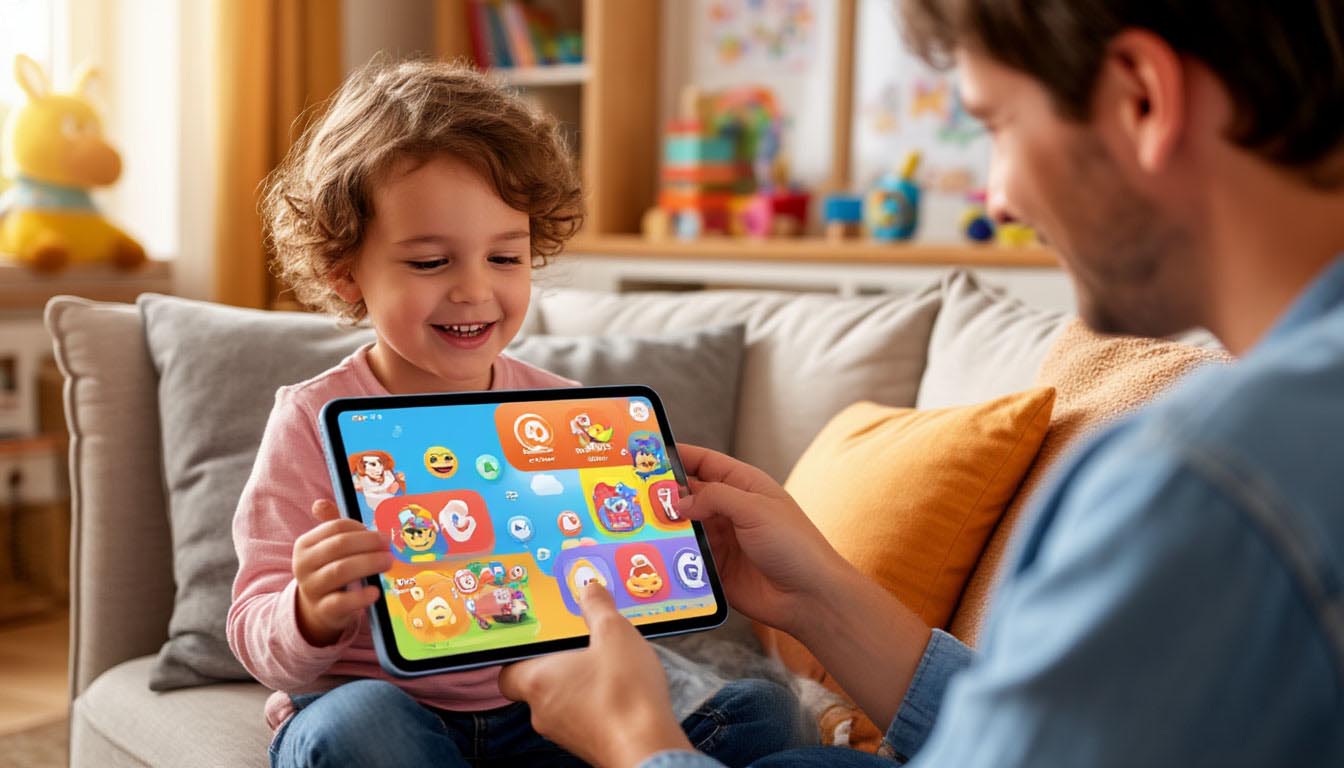
Looking for fun kid-friendly video apps that mimic TikTok app but are actually built with kids in mind? You’re not alone. As short-form video takes over kids’ screens, many parents are actively searching for safer, age-appropriate platforms that blend creativity with protection.
“Children are drawn to visual storytelling—it’s how they explore the world. But without proper guardrails, even creative apps can become risky environments”
Dr. Michelle Rogers, child psychologist and digital parenting consultant.
Apps Like TikTok for Kids – Full List
Below is a carefully vetted list of user-friendly apps like Tik Tok for kids—each reviewed for features, safety, and suitability based on current standards in child development and digital literacy.
Zigazoo – Positive social video app for kids

Zigazoo is designed specifically for kids to express themselves through video responses to fun, educational challenges. Instead of likes or comments, users interact through emoji reactions and pre-recorded replies, reducing pressure and avoiding exposure to negativity. Every video is reviewed by a human moderation team, ensuring content stays appropriate and safe. Teachers, educational brands, and museums even contribute content, giving Zigazoo strong educational value.
Pros:
- Human moderation, not just AI filtering
- Social-emotional learning baked into video prompts
- Safe, positive feedback loops with no public comments
Cons:
- Less engaging for older tweens
- Video creation tools are simple compared to TikTok
Our Recommendation: Best suited for elementary-age children in structured environments or with involved parental oversight.
🔗 Visit Zigazoo
Funimate – Creative short videos with safety layers

Funimate leans into creativity, letting users create flashy music videos, montages, and visual effects with ease. The app allows toggling between public and private profiles, and parents can monitor account settings and interactions. While not built specifically for kids, its customizable privacy options make it a safer entry point than TikTok app when paired with oversight.
Pros:
- Intuitive editing interface for beginners
- Music and effects-rich environment
- Optional account privacy settings
Cons:
- Still a public-facing platform by default
- Some user content may be too mature without supervision
Our Recommendation: Works well for kids who enjoy editing and music, but needs supervision to ensure safety settings are active.
🔗 Visit Funimate
Kidoodle.TV – Family-safe streaming plus short-form clips

Kidoodle.TV focuses on streaming curated, family-friendly content, but recently added a short-form video feed that mimics TikTok’s swipe-based experience—minus the user uploads. Its focus on safety means all content is professionally created, and parents can set viewing times and apply age-based restrictions.
Pros:
- No user-generated content = fewer risks
- Includes brand-name kids’ shows and creators
- Built-in parental dashboard
Cons:
- Less interactive than social apps
- Kids may outgrow the content quickly
Our Recommendation: Ideal for young children or families transitioning from passive video to more interactive formats.
🔗 Visit Kidoodle.TV
YouTube Kids – Controlled access to kids’ video content

YouTube Kids is the go-to for many families because it mirrors the familiarity of YouTube while giving parents granular control. Parents can set up parental controls by turning off search, setting screen time limits, approving specific channels, and reviewing viewing history. The app categorizes videos by age group and uses a mix of algorithms and manual checks to curate feeds.
Pros:
- Adjustable filters and content selection
- Easy for parents to monitor usage
- Profiles allow tailored settings per child
Cons:
- Algorithm may still let in questionable videos
- Ad content unless you subscribe
Our Recommendation: A flexible, feature-rich choice for families who already use YouTube, but want better oversight.
🔗 Visit YouTube Kids
Triller – Teen-friendly video app with stronger safety filters

Triller emphasizes artist discovery and creative video expression with built-in music rights and editing tools. Though open to the public, it lacks the aggressive viral culture of TikTok. Teens can explore trends, music, and challenges in a slightly more moderated environment, and there’s less focus on “likes” and followers.
Pros:
- Focus on music and content creation
- Less algorithmic pressure
- Verified accounts reduce impersonation risks
Cons:
- Still allows public interaction and DMs
- Some trending content may not be teen-safe
Our Recommendation: Consider Triller for teens with strong digital literacy and active parental support.
🔗 Visit Triller
Coverstar – Invite-only video app for creative sharing

Coverstar keeps things exclusive: kids can only join via invitation, and the platform focuses on performance-based videos like singing, dancing, or lip-syncing. Its strict content curation means fewer random videos and a stronger emphasis on quality and safety. The absence of open comments also supports a harassment-free environment.
Pros:
- Secure by design with closed network
- Ideal for kids with musical or artistic interests
- Focus on high-quality uploads
Cons:
- Limited reach and community size
- Only available via invite
Our Recommendation: A solid pick for kids engaged in performing arts, especially those who already use music apps.
🔗 Visit Coverstar
MuStar – Lip-sync and dance videos without open chat

MuStar mimics TikTok’s core mechanics—lip-syncing, trending dances, and filters—without open commenting or direct messaging. That design makes it one of the safer TikTok-style apps that still feels “cool” to kids. It uses chart music and simple effects to keep things engaging without drifting into risky territory.
Pros:
- No open chat or follower interaction
- TikTok-style trends in a safer setup
- Encourages creativity without pressure
Cons:
- Heavily ad-supported unless upgraded
- No real moderation beyond content guidelines
Our Recommendation: Good for kids who want to feel part of video trends without social media exposure.
🔗 Visit MuStar
Kidoz – Learning and video creation for ages 4–12

Kidoz integrates educational videos, safe browsing, and basic creation tools into a single interface. Designed for tablet users and young digital explorers, the app provides a safe introduction to video platforms. The dashboard is easy for kids to use and includes engaging content from trusted educational brands.
Pros:
- Combines learning, play, and media creation
- Controlled browsing and app usage
- Multi-device syncing
Cons:
- Creative tools are less advanced
- Some content can feel repetitive
Our Recommendation: Especially effective for early learners or households with multiple young kids.
🔗 Visit Kidoz
Likee – Short-video app with duet and live streaming (13+)

Likee offers live video, duets, and augmented reality filters, attracting many of the same users as TikTok. Though the app promotes some safety filters, the platform’s open nature demands mature usage and careful monitoring. Profiles can be private, but discoverability remains high.
Pros:
- Advanced video tools
- Huge creator library
- Popular for trend participation
Cons:
- Open DMs and public sharing
- Reports of inappropriate content slipping through
Our Recommendation: Teens only — and only with privacy settings enabled and active oversight.
🔗 Visit Likee
Why TikTok Video App Isn’t Ideal for Children
Although TikTok is widely popular, many experts caution against letting children use the app without heavy restrictions. Concerns center around developmental impact, exposure to inappropriate content, and privacy practices that don’t fully align with child safety standards.
⚠️ According to the Common Sense Media 2023 State of Kids’ Privacy Report, a significant number of parents have expressed concerns about TikTok’s moderation and data collection practices, particularly for users under 13. These concerns are rooted in observed patterns of overuse, behavioral shifts, and exposure to content that may not be age-appropriate.
Content exposure beyond age limits
Despite TikTok’s age restrictions and content filters, younger users often encounter videos that fall far outside what’s appropriate for their emotional and cognitive development.
Examples of content that raise red flags:
- Dangerous viral challenges like the “Blackout Challenge” or “Benadryl Challenge,” both of which have led to severe health consequences.
- Mature humor or language embedded in trending audio or lip-syncs.
- Violent or sexualized content that slips through due to algorithmic misclassification.
- Influencer pressure, where kids mimic adult behaviors to fit in.
The problem is compounded by TikTok’s “For You” feed, which may serve controversial or trending content regardless of the user’s stated age or viewing history. Even brief exposure to such videos can impact children’s emotional regulation and worldview.
Algorithm and addictive video patterns
TikTok’s core design is built around a highly personalized, infinite scroll algorithm, which reacts in real-time to user behavior. While effective for engagement, this model may encourage compulsive usage—especially in children, who are more susceptible to dopamine-driven feedback loops.
Behavioral studies suggest that:
- Children spend more time than intended, often exceeding 90 minutes daily without realizing it.
- Short bursts of content (10–30 seconds) disrupt attention spans and may condition the brain to crave constant stimulation.
- TikTok’s “micro-reward” structure—likes, comments, and instant feedback—can become emotionally addictive.
“The problem with TikTok isn’t just the content—it’s the format. Kids get stuck in a loop that feeds their desire for novelty without meaningful engagement.”
Dr. Anjali Mistry, child behavior specialist and media researcher.
Personal data and tracking inside the app
TikTok has faced multiple regulatory fines in both the U.S. and Europe for collecting data from underage users without adequate consent. Even when an account is set to private, the app still processes:
- Device metadata (location, contacts, IP address)
- Interaction patterns (swipes, pauses, replays)
- Voice and facial data from video uploads
For minors, this level of tracking may violate COPPA (Children’s Online Privacy Protection Act) and GDPR-K (EU’s data protection standards for children).
In 2021, the Dutch Data Protection Authority concluded that TikTok’s privacy policy was too complex for children to understand and fined the company €750,000. Similar actions have been taken in the UK and U.S., with calls to limit surveillance-driven personalization for users under 18.
Parents may not realize that even passive actions—like watching a video twice—feed TikTok’s profile of the child, affecting future content recommendations and potentially reinforcing problematic interests.
How to Choose Kid-friendly TikTok-style App
Not all short-video apps are created with children in mind. When evaluating TikTok alternatives for kids, it’s essential to balance creative freedom with digital safety. The goal is to support healthy engagement without exposing children to inappropriate content or excessive screen time.
Here are the most important criteria to use when selecting a TikTok-style app for kids:
- Safety Features
Look for apps that implement strict content moderation, limit exposure to strangers, and filter out mature content. Built-in restrictions should work automatically—without needing extensive parental setup. - Age Appropriateness
Apps should offer content that reflects the developmental stage of the user. Games, challenges, and videos should be free of suggestive themes, strong language, or complex social dynamics. - Ease of Use
A child-friendly interface is crucial. Navigation, video recording, and interaction should be intuitive, with large buttons, clear visuals, and minimal distractions. - Educational Value
Prefer platforms that enhance learning or promote creativity through guided challenges, music, or storytelling. Zigazoo, for instance, aligns content with SEL and classroom activities. - Moderation and Community Guidelines
A clear code of conduct, combined with active content review, helps create a space where bullying, spam, and inappropriate content are quickly removed. - Parental Controls
Look for apps offering dashboard access, remote monitoring, and screen time limits. Being able to lock down certain features or review viewing history provides peace of mind.
📊 Quick Comparison Table
| Feature | Essential for Ages 4–9 | Important for Ages 10–13 |
| Human moderation | ✅ | ✅ |
| Verified account creation | ✅ | ✅ |
| Educational content | ✅ | ✅ (optional) |
| Parental dashboard | ✅ | ✅ |
| Chat/message filtering | ✅ | ✅ |
| Creative tools | ⚠️ Basic | ✅ Advanced preferred |
Key Safety Features to Look For in TikTok Alternatives
Not every social media platform that looks similar to TikTok follows the same safety standards. Even among platforms like TikTok available on iOS and Android, approaches to user safety, moderation, and privacy differ significantly. A thoughtful choice for parents requires focusing on solutions designed for kids, where entertainment, creativity, and protection operate together in a secure online environment.
Below are the core criteria that distinguish safe alternatives from apps that may expose young users to unnecessary risks.
Human Moderation and Content Review
A reliable social media app for younger audiences relies on human oversight, not only automated filters. Human moderators are better at identifying context, subtle risks, and harmful trends that algorithms may overlook. Platforms that review videos before publication create an environment where kids can share videos and use video editing tools without exposure to inappropriate material. This model is especially relevant when TikTok may surface content unsuitable for children.
Verified Sign-Up and Controlled Access
Safe alternatives prioritize verified sign-up processes, often requiring parental consent. This ensures children only access age-appropriate content and reduces risks linked to anonymous social networks. Platforms designed for kids prevent underage users from bypassing restrictions commonly found on apps adults use TikTok-style features on.
Positive Interaction Models
Unlike other apps that emphasize likes, followers, and public comments, safer alternatives replace these mechanics with controlled reactions or limited feedback. This structure supports a secure environment for children, minimizing harmful online interactions and reducing social pressure. Such systems help ensure that children focus on creating and sharing content rather than competing for attention.
Screen Time Controls and Usage Limits
The best options integrate tools that allow parents to set time limits directly through the app or via iOS settings. Screen time management supports healthy digital routines and helps parents respond when usage increases. Parental control apps and built-in dashboards provide a practical choice for parents who want oversight without constant supervision.
Activity Monitoring and Transparency
Platforms suitable for kids provide clear insights into what children see, create, and interact with. Activity monitoring tools show how kids prioritize content, whether educational videos, creative challenges, or music-based clips. This visibility helps parents make informed decisions and block inappropriate content before it becomes an issue.
Social media platforms that combine strict privacy settings, curated video-sharing, and child-focused design create a safer online environment. These platforms offer a version of TikTok that supports creativity without exposure to adult-oriented trends, making them a stronger choice for parents seeking secure alternatives.
Choosing Safe TikTok Alternatives for Kids
What makes a social media platform a safe alternative to TikTok?
Safe alternatives focus on user safety, strict privacy settings, and age-appropriate content. Unlike platforms where kids may use TikTok features meant for adults, these apps create an environment for children that limits public exposure and filters online interactions.
Are platforms similar to TikTok suitable for older kids?
Some platforms like TikTok-style apps can be suitable for older kids when designed for younger audiences and supported by parental controls. The key difference lies in whether the app lets children create and share videos without exposure to open social networks.
How do parental control apps support safer social media use?
Parental control apps, including tools like mSpy, help parents monitor activity, set time limits, and respond to potential risks. These tools support secure online use by adding an extra layer of visibility across iOS and Android devices.
Can kids safely share videos on these platforms?
Yes, kids can share videos safely on platforms designed for kids that restrict who can view or interact with content. These environments ensure children share content only within controlled spaces, without exposure to strangers or inappropriate material.
Why is human moderation important on video-sharing apps?
Human moderation helps block inappropriate content that automated systems may miss. This approach ensures children only see content suitable for kids and supports a secure online environment where creativity and learning remain the priority.
How do these apps differ from traditional social networks?
Unlike other apps built as open social networks, safer alternatives limit public discovery, private messaging, and algorithm-driven exposure. This design helps kids stay safe online while still enjoying creative tools and access to a vast music library.
How can parents choose the best app for their child?
Parents who want safe online experiences should evaluate moderation practices, privacy controls, and whether the platform is designed for kids. Comparing features helps ensure children use a social media app that supports learning, creativity, and secure online interactions without unnecessary risks.

Take a short quiz to find out what your everyday choices say about your parenting style
When your child is curious about something new, what’s your instinct?
Take a short quiz to find out what your everyday choices say about your parenting style
“Can I download this app?” What happens next?
Take a short quiz to find out what your everyday choices say about your parenting style
When it comes to rules at home, which sounds most like you?
Take a short quiz to find out what your everyday choices say about your parenting style
If you could give your child one life skill today, what would you pick?
Take a short quiz to find out what your everyday choices say about your parenting style
Your child gets to choose what to watch. What would your ideal setup look like?
Take a short quiz to find out what your everyday choices say about your parenting style
Pick your parenting superpower ✨



