


Choosing a messaging app for your child is a significant milestone in their digital journey. As a parent, you want to provide them with a platform that fosters connection and creativity while ensuring a safe, controlled environment. In 2026, the landscape of messaging apps for kids has evolved, with JusTalk Kids and Messenger Kids remaining two well-known options for families introducing their children to digital communication.
This article provides a neutral, side-by-side comparison of both platforms, focusing on their suitability for young learners, safety features, parental controls, and overall value. Our analysis is based on publicly available features, current app store data, and established safety policies as of early 2026. Whether you are prioritizing privacy, a large network of relatives, or interactive fun, this guide will help you determine which messenger best aligns with your family’s needs without leaning toward a particular brand.
What Is JusTalk Kids and Who Is It For

Core Purpose of JusTalk Kids
JusTalk Kids serves as a child-focused messaging app positioned between traditional phone calls and social media platforms. It is a messaging app designed specifically for the youngest digital citizens who are just beginning to explore the internet. Unlike the standard JusTalk app, which caters to a general audience, this version is designed as a controlled communication environment. Its primary goal is to provide a safe environment for video chat and messaging, where communication is subject to parental approval and supervision. It functions as a digital sandbox where elementary-aged users can learn the basics of digital communication without the risks or noise associated with open-access platforms.
Age Targeting and Account Setup
The app is positioned for young children, with its simplified interface generally appealing most to early elementary ages. One of its standout features in 2026 remains that it eliminates the need for a phone number during the initial registration. Instead, new users create a unique JusTalk ID that is not publicly searchable.
- Parental Approval: Guardians must create their own JusTalk account to manage their child’s profile and approve connections.
- Verification: The setup involves a mandatory “Parent Account” link that gives you full control over who your son or daughter talks to, effectively acting as a digital gatekeeper.
- Ease of Use: The registration process is designed to be straightforward for adults, allowing the family to get started quickly under a controlled environment without complex technical hurdles.
Main Communication Features
The JusTalk app offers a rich suite of fun ways to stay connected that focus on creativity and interaction:
- Video Calling: Supports one-on-one and group calls, with performance optimized for various connection speeds.
- Interactive Tools: Users can doodle on the screen during calls, send stickers, and use emojis to express themselves.
- Walkie Talkie: A push-to-talk feature for quick voice messages, which is often a favorite among toddlers and younger students.
- Curated Content: The app includes a curated section with educational and entertainment content, separate from open video platforms.
Platform Availability
JusTalk Kids is available on both the App Store and Google Play, supporting a wide range of iOS and Android devices. This cross-platform compatibility makes it a flexible choice for families who use a mix of different hardware, such as an iPad for the minor and an Android phone for the parent.
What Is Messenger Kids and Who Is It For
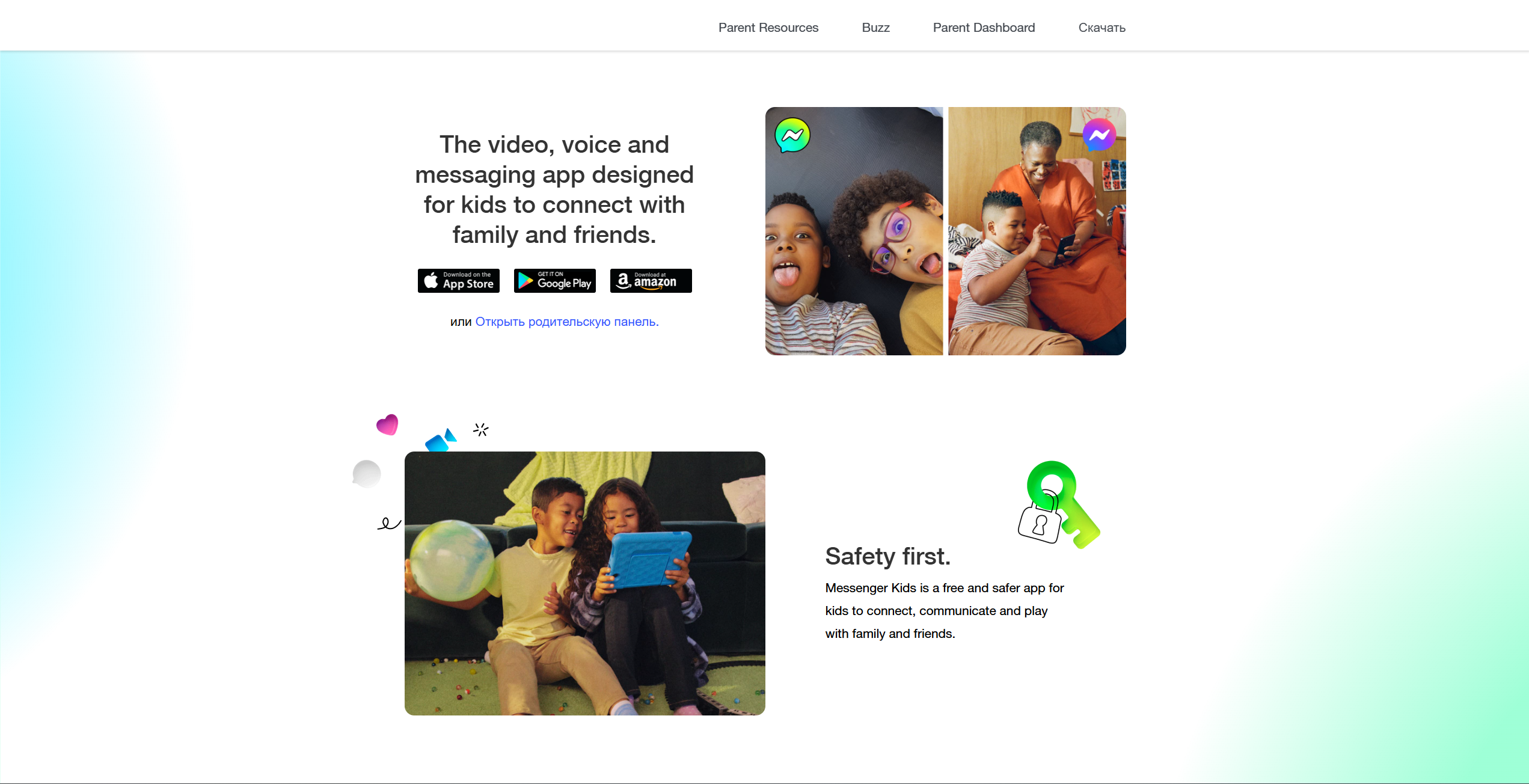
Core Purpose of Messenger Kids
Developed by Meta, Messenger Kids is a free messaging platform designed to provide parental controls and supervised communication. It is a supervised messaging experience managed through a parent or guardian’s Facebook account, without requiring the child to create a Facebook profile. It was introduced as a supervised alternative to standard Messenger for younger users. It provides a colorful, interactive space for children to connect through video and voice calls without being exposed to the wider Facebook network.
Age Targeting and Account Setup
Messenger Kids is specifically designed for young users under 13, aligning with international age-restricted guidelines for social media.
- Facebook Integration: To use the app, a parent must have an active Facebook account. There is no need for the minor to have their own Facebook profile, keeping them away from the “Main” Facebook feed.
- Setup Process: Parents create and manage the account entirely through the “Messenger Kids” section of their own Facebook app, making it very convenient for existing Meta users.
- No Phone Number: Like its competitor, Messenger Kids does not require a phone number to function, relying on the parent’s account for authentication and security updates.
Main Communication Features
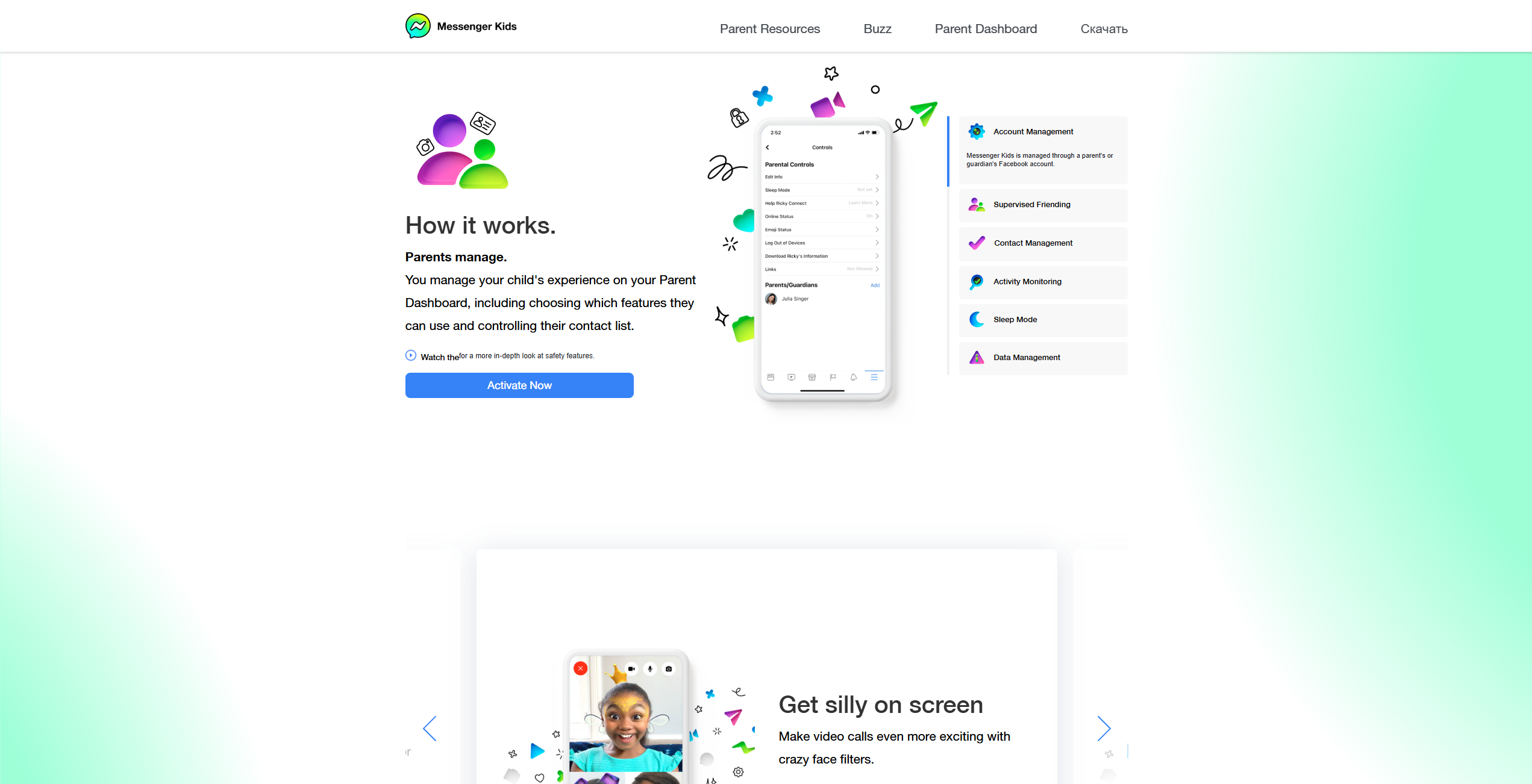
Messenger Kids includes a range of interactive features designed to engage younger users.
- AR Filters & Effects: A vast library of AR masks and filters for video calls that are frequently updated with seasonal themes.
- Group Chats: Simple tools for minors to message in groups of friends or relatives, provided all participants have been parent-approved.
- Creative Convos: Drawing tools, curated stickers, and GIFs that are strictly filtered to be appropriate for a younger audience.
- Games: The broader Messenger experience includes an option to play games during video calls, and Messenger Kids is marketed with playful interactive features for calls and chats.
Platform Availability
The app is widely available on iOS, Android, and Amazon Fire tablets. Because it is part of the Meta ecosystem, it is highly optimized for cross-device use, making family communication work across supported devices on iOS, Android, and Fire tablets.
JusTalk Kids vs Messenger Kids: Safety Features
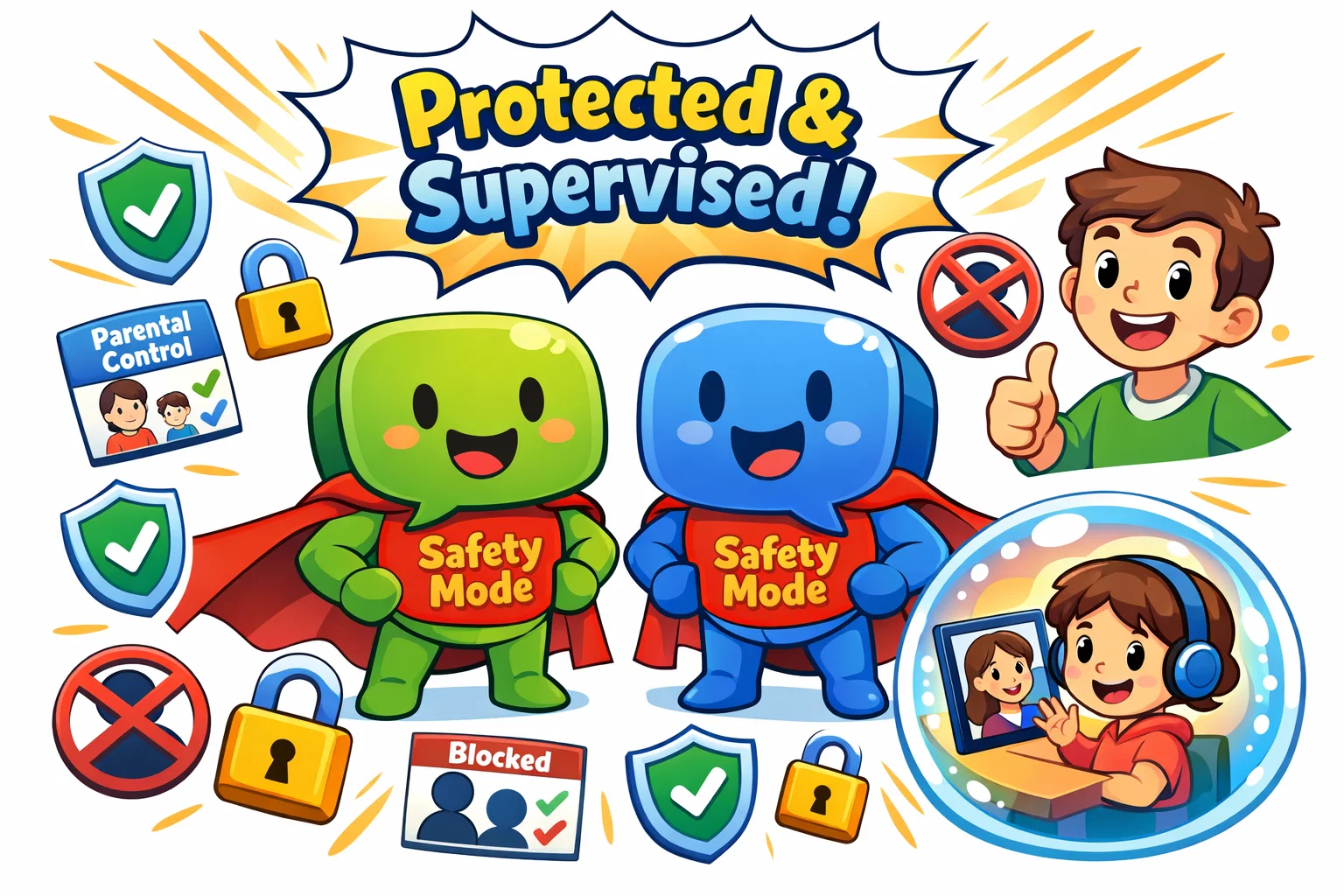
Safety is the cornerstone of any communication app for children. Both platforms provide robust parental controls, but they approach security from slightly different technical perspectives.
Comparison Table: Safety and Security
| Feature | JusTalk Kids | Messenger Kids |
| Parental Oversight | Parental controls are typically managed via a linked Parent Account through the parent’s JusTalk app. | Dashboard integrated into the Facebook app. |
| Friend Management | Parents manage their child’s contacts manually. | Parents approve contacts; “Supervised Friending” is an optional setting that can allow a child to help manage contacts while parents retain approval controls. |
| Contact Restrictions | No public profiles; strict ID-based entry. | No public profiles; hidden from all standard searches. |
| Content Filtering | Automated systems designed to detect and flag potentially inappropriate content. | Automatic filtering of web links and harmful words. |
| Monitoring | Parents can access message history and recent call activity through the dashboard. | View recent media shared and full chat history. |
Parental Control Tools
Both apps offer a parent dashboard where you can see who your loved ones are talking to and how often they interact. Messenger Kids provides a “Sleep Mode” which allows adults to set specific times—such as during school hours or after bedtime—when the app cannot be used. JusTalk Kids allows parents to set daily usage limits and volume restrictions to protect the hearing of their little ones.
Contact Approval System
In both environments, a minor cannot add a friend without the guardian’s green light. In Messenger Kids, the “Supervised Friending” feature allows older youth to send and receive requests independently, but the parent receives an immediate notification and can veto any connection instantly. This allows for a gradual increase in responsibility as the user matures.
End-to-End Encryption
JusTalk Kids states that its video calls, voice calls, and messages are end-to-end encrypted by default, meaning content is not accessible to third parties during transmission. Messenger Kids uses encrypted transmission for data in transit, according to Meta’s published security documentation.
Reporting and Blocking Tools
Both platforms include block and report functions that are easy for a minor to find. When a child blocks or reports someone on Messenger Kids, parents are notified and can review details in the Parent Dashboard.
JusTalk Kids vs Messenger Kids: Privacy and Data Policies
Data Collection Practices
Meta (the maker of Messenger Kids) has historically faced scrutiny regarding data usage. However, this specific app is designed to comply with the Children’s Online Privacy Protection Act (COPPA). It does not create a Facebook profile for the user and claims to collect only the data necessary for technical performance. JusTalk Kids also explicitly states in its privacy policy that they do not sell personal information and collect limited metadata to ensure connection quality.
Advertising Presence
One of the most significant benefits for both apps is that they are entirely ad-free. This creates a focused environment for children where they aren’t targeted by marketers, nor are they exposed to “clickbait” or sponsored content that could lead them to unverified websites.
Third-Party Sharing
Both platforms state that they limit third-party access to user data in accordance with their published privacy policies. JusTalk Kids takes this a step further by emphasizing that they do not use any data for “targeted ads” or “behavioral tracking,” which is often the primary concern for families looking to introduce their minors to technology in 2026.
JusTalk Kids vs Messenger Kids: Features Comparison

Messaging Experience
Messenger Kids feels more like a social experience, with a vibrant, high-energy interface that mimics adult platforms in a safe way. JusTalk Kids offers a more “functional” but still fun messaging experience that prioritizes clarity over visual noise.
- JusTalk Kids: Focuses on creative tools like the doodle board where two users can draw on the same canvas at once.
- Messenger Kids: Focuses on social reactions, sound effects, and a massive library of GIFs and stickers.
Video and Voice Calling Quality
Based on publicly available user feedback and performance descriptions, both apps provide stable HD video calling. However, some user reviews note strong performance on lower-bandwidth connections. This makes it a reliable choice for families who live in areas with spotty internet or who travel frequently.
Group Chats and Family Communication
Messenger Kids may make it easier for children to stay connected with relatives who already use the Messenger ecosystem. Within the JusTalk ecosystem, group calling of up to 50 participants is marketed as a Premium feature, and JusTalk Family is offered as a separate companion product for family-oriented use cases.
JusTalk Kids vs Messenger Kids: Age Suitability
Best Option for Children Under 8
For the youngest users, JusTalk Kids may be a more suitable entry point for younger users. Its interface is less cluttered, and the absence of a large social ecosystem (like Meta) makes it feel like a more isolated, controlled environment. The “Walkie Talkie” mode is particularly popular with toddlers who find typing difficult.
Best Option for Ages 8–12
As minors get older, they often prefer Messenger Kids because more of their school friends are likely to be using it. The AR filters, group games, and social interactive elements are more sophisticated, which appeals to the “tween” demographic who want a more modern feel.
Teens Transitioning to Standard Messaging
Once a user turns 13, many families transition to standard messaging apps that are designed for older users. Messenger Kids allows for an easier technical transition to the standard Messenger app, while JusTalk Kids users might naturally migrate to the regular JusTalk app or whatsapp once they reach the legal age for those services.
Pricing Comparison 2026

The cost of staying connected can vary significantly depending on which platform you choose.
| Pricing Tier | JusTalk Kids | Messenger Kids |
| Standard Version | Free to use with basic calling/texting. | 100% Free; no hidden costs. |
| Subscription | “Kids Premium” is listed at around $10.99/month (USD) on JusTalk Kids membership pages (pricing can vary by platform and region). | None. |
| In-App Purchases | Optional memberships unlock additional themes, stickers, and other premium features (availability varies by plan and platform). | No in-app purchases at all. |
| Family Plans | “Premium Family” is listed at around $19.99/month (USD) for up to 6 accounts on JusTalk membership pages (pricing can vary by platform and region). | N/A (Free). |
Overall Value for Families
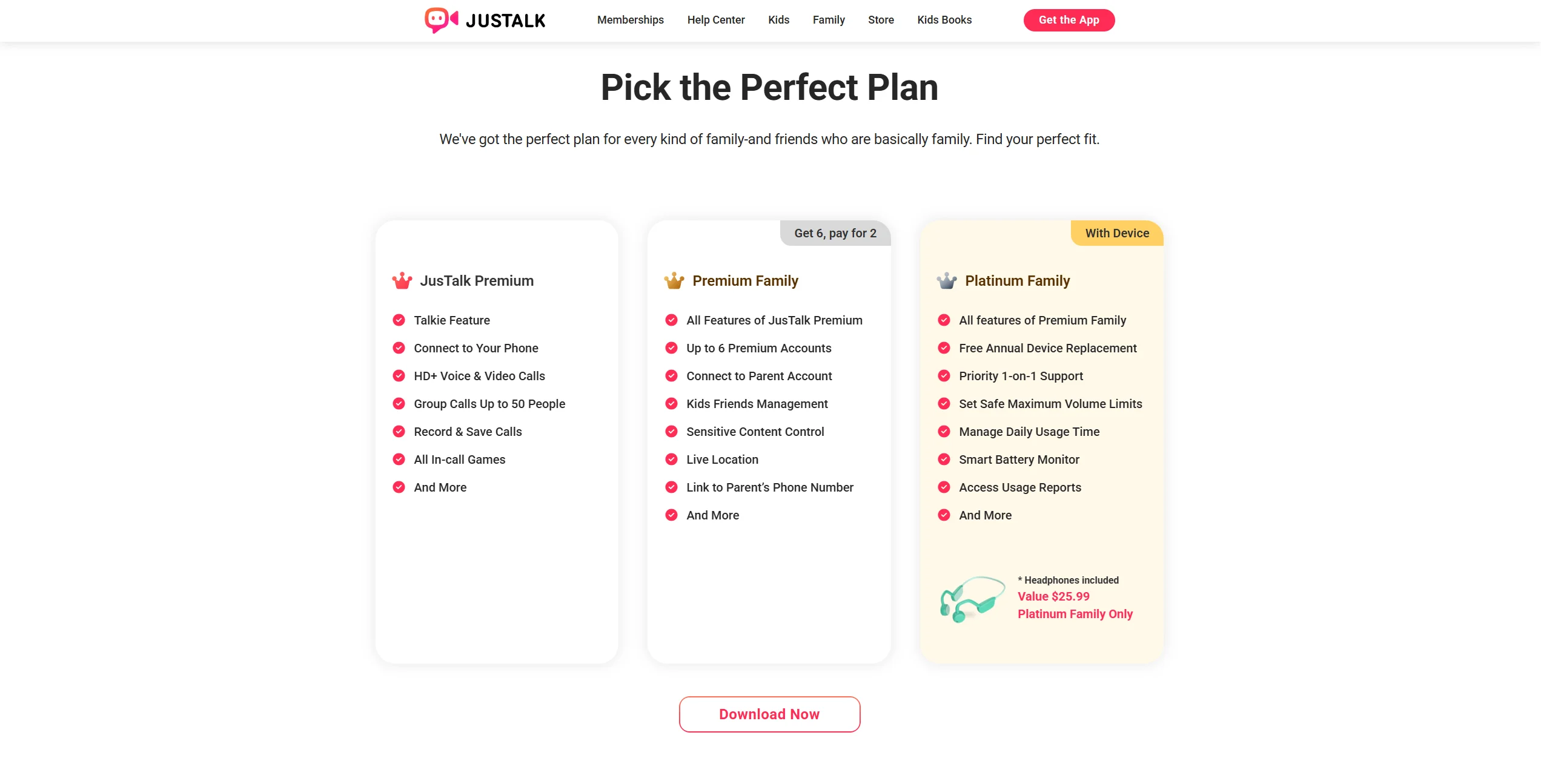
For families seeking a zero-cost solution, Messenger Kids may be the more economical option. However, for those willing to pay a small monthly fee to avoid any connection to the Facebook ecosystem and gain enhanced encryption, JusTalk Kids may offer additional value for families seeking expanded features and enhanced encryption.
Pros and Cons of JusTalk Kids
Strengths
- Privacy Focus: Strong emphasis on end-to-end encryption for all calls.
- Specialized Network: A truly isolated space that is not a sub-feature of a social media giant.
- Simple Setup: Eliminating the need for a phone number makes it ideal for Wi-Fi-only tablets used at home.
Limitations
- Smaller Network: You may have to ask other parents to download the app so your son or daughter can chat with their friends.
- Subscription Model: Some of the most creative features require a paid plan to unlock.
Pros and Cons of Messenger Kids
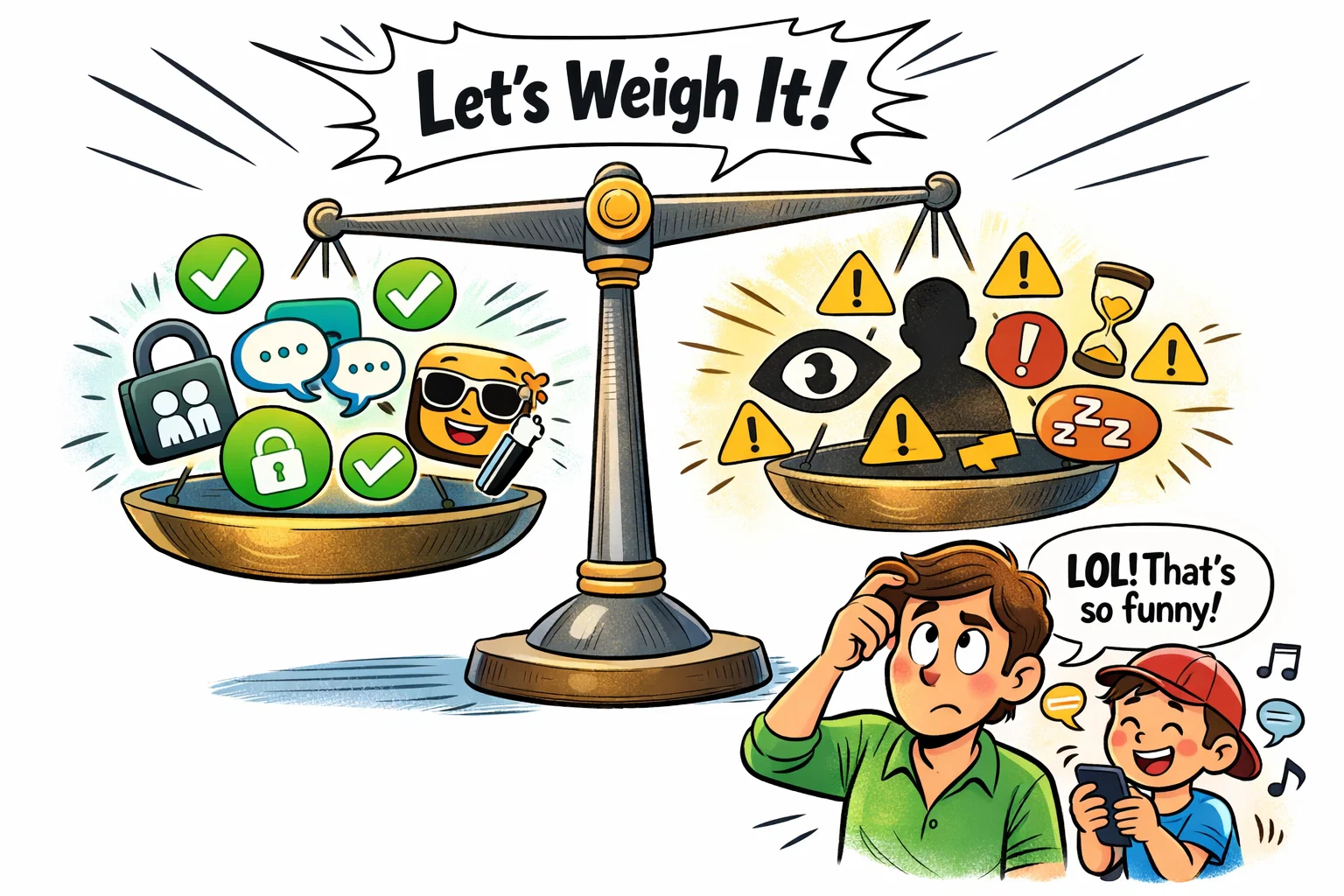
Strengths
- Large Ecosystem: Easy to stay in touch with family because most adults already have the parent app.
- Superb Parent Dashboard: The monitoring tools are extremely polished and provide deep insights into activity.
- Free Forever: No costs associated with any of the features or updates.
Limitations
- Facebook Dependency: Requires the parent to maintain an active Facebook profile.
- Social “Gateway”: May introduce children to social media concepts earlier than some parents would like.
Risks Parents Should Consider
Online Stranger Contact Risks
While both platforms are closed, parents should still be cautious. Risks of “friend request” manipulation exist if users share their unique IDs publicly on platforms like YouTube or Roblox. Parents must monitor these IDs carefully.
Cyberbullying Concerns
Bullying often happens between acquaintances. Even in a safe environment, exclusionary behavior in group chats can occur. It is vital to maintain an open dialogue with your offspring about their digital interactions.
Screen Time Management
The “gamified” nature of these apps can make them hard to put down. Use the built-in “Sleep Mode” and time limits to ensure that messaging doesn’t interfere with school or sleep.
Content Sharing Risks
Remind your youngsters that even in a “safe” app, a recipient can take a screenshot or a screen recording of a video call. Once a photo is sent, you lose control over where it might go.