


In the rapidly evolving digital world, establishing digital boundaries is no longer just about limiting minutes; it is about fostering a healthy relationship with technology that lasts a lifetime. Research cited by the American Academy of Pediatrics (AAP) suggests that children who use digital devices within a structured family media plan may show higher levels of self-regulation and better academic focus. This guide offers a practical roadmap to help you set digital boundaries, implement effective parental controls, and navigate social media and gaming with confidence. By transitioning from strict policing to collaborative coaching, you can ensure your kids stay safe online while they learn new skills and socialize in a responsible manner.
Digital Boundary Meaning & Benefits
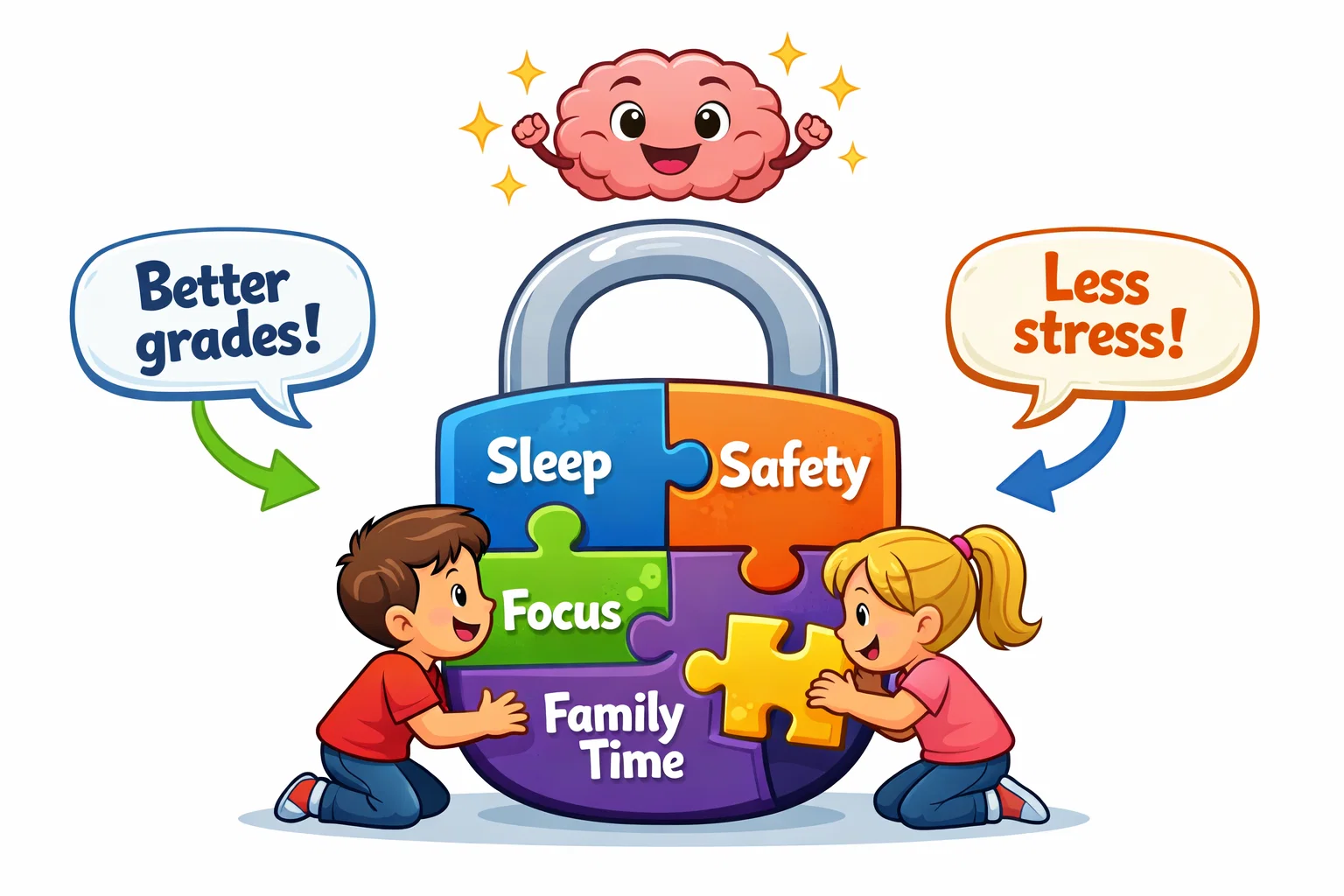
Digital boundaries are the intentional rules and physical limits placed on technology use to support a child’s developmental needs. These boundaries include screen time limits, content restrictions, and device-free zones and times that prioritize human connection over digital engagement.
Purpose of Digital Boundaries
Digital boundaries help children understand that digital devices are tools for specific tasks rather than constant companions. By defining when and how children can use their devices, parents help them develop digital literacy and autonomy. This structured approach empowers children and teens to make informed choices, effectively nurturing long-term digital citizenship and online safety.
Benefits for Mental Health & Development
Healthy digital boundaries for kids are associated with lower levels of anxiety and depression symptoms in children and teens. According to the World Health Organization (WHO), excessive sedentary screen use is associated with a higher risk of childhood obesity and sleep disruption. Implementing tech boundaries can support better sleep hygiene and improved focus by reducing the interruption of constant notifications.
Parent-Caregiver Role
Digital parenting requires a shift from being a “gatekeeper” to being a “digital mentor” who models healthy tech habits. When parents lead by example—such as putting away their smartphones during dinner—they reinforce the importance of these boundaries for their children. Consistent enforcement through open communication builds a foundation of trust, making it more likely that children will report inappropriate content or cyberbullying.
Digital Boundary Examples
Applying healthy digital boundaries means turning abstract ideas into concrete daily habits that a child can follow.
Screen Time Caps
Screen time boundaries should be adjusted based on the child’s developmental stage and the types of content they consume. The following table provides a general guideline for acceptable screen time based on clinical recommendations:
| Age Group | Recommended Daily Limit | Primary Focus |
| Under 2 years | 0 hours (except video chat) | Sensory and social play |
| 2–5 years | 1 hour per day | High-quality educational content |
| 6–12 years | 1.5–2 hours per day | Balanced school, play, and tech |
| 13–18 years | Negotiated limits | Focus on health, sleep, and chores |
Device-Free Family Zones
Device-free zones and times help protect essential family interactions from the constant pull of digital devices. Designating the dining table, bedrooms, and the car as device-free encourages children to talk with friends and family in person. Removing digital devices from bedrooms 60 minutes before sleep promotes better sleep by reducing blue light exposure and mental stimulation.
Social Media Access Levels
Social media use should be introduced through a tiered system that matches a child’s maturity level. Digital boundaries might begin with supervised video chats with relatives before progressing to restricted social media or gaming platforms. This gradual exposure allows parents to provide online etiquette coaching before the child encounters the broader public internet.
Content Rating Filters
Content restrictions often rely on established rating systems such as the ESRB (Entertainment Software Rating Board) or reviews from Common Sense Media. Parents set clear expectations by only allowing age-appropriate content that aligns with the child’s emotional resilience. Regularly checking these ratings ensures that gaming and streaming activities remain within the healthy habits established by the family.
Age-Based Roadmap

A “one-size-fits-all” approach to tech use fails to account for the rapid developmental changes that occur from infancy through adolescence.
Babies – Preschoolers (0-4)
For this age group, screen use should be minimal, with the focus remaining almost entirely on face-to-face interaction. The AAP suggests that the only acceptable screen time for infants is video chats with loved ones to maintain family bonds. Preschoolers may benefit from limited educational apps, provided a parent is “co-viewing” to help children understand what they see on the screen.
Kids (5-8)
As children enter school, digital literacy becomes an increasingly important skill, but clear boundaries remain essential. Parents should introduce educational apps that require creativity or problem-solving rather than passive consumption. Using simple visual timers helps these children visualize their screen time rules, aiding in the development of early self-regulation.
Tweens (9-12)
Tweens begin using smartphones and tablets to socialize and complete schoolwork, which calls for more nuanced tech boundaries. This is also a good time to introduce parental controls alongside self-monitoring, so the child can track their own usage against a daily time budget. Encouraging them to learn new skills, like basic coding or digital art, shifts the relationship with technology from consumption to production.
Teens (13-17)
Digital boundaries for kids in their teens should focus on privacy, the permanence of a digital footprint, and online safety. Boundaries are often negotiated rather than dictated, with privileges tied to demonstrated responsibility and academic performance. Parents should focus on teaching teens how to audit their own privacy settings and recognize the signs of unsafe online interactions.
Screen Time Limits Strategies
Managing screen time effectively requires a combination of technical tools and behavioral strategies to prevent conflict.
Daily Minute Budgeting
A daily time budget establishes how much time is available for recreational tech use after responsibilities are met. Many families find success with a “work-before-play” model, in which schoolwork and chores must be finished before gaming begins. On weekends, flexibility can be offered, perhaps adding an extra hour per day if the child participates in a physical play challenge.
Tech Curfews
Tech curfews are essential for protecting adolescent sleep cycles and ensuring the brain has time to decompress. A “device parking station” in a common area (like the kitchen) ensures that digital devices are not used behind closed doors late at night. Most experts recommend a curfew that starts at least one hour before the lights go out to mitigate the effects of blue light.
Built-In Device Controls
Both Apple (Screen Time) and Google (Family Link) provide robust, built-in parental controls to set digital boundaries at the OS level. These tools allow parents to set firm downtime schedules, block specific types of content, and approve or deny new app downloads. Utilizing these native features is often the most seamless way to set clear limits without requiring third-party software.
Third-Party Monitoring Apps
| App Name | Key Feature | Best For |
| Qustodio | Cross-platform reporting | Monitoring multiple device types |
| Bark | AI-based content scanning | Detecting cyberbullying or unsafe online talk |
| Norton Family | School time mode | Balancing remote learning and play |
Device-Free Zones & Times

Creating unplugged spaces is one of the most effective ways to build a healthy family dynamic in the digital age.
Meal-Time Connection Rituals
Making mealtimes device-free creates a dedicated space for open communication and emotional check-ins. Instead of scrolling, families can use conversation starter cards or share the “high and low” points of their day. This practice ensures that chatting with friends online does not take precedence over connecting with those sitting across the table.
Outdoor Adventure Blocks
To find a healthy balance, families should implement “sunlight before screen-light” rules. For every hour spent on screens, children should ideally spend a comparable amount of time outdoors or being physically active. This boundary promotes healthy habits and ensures that children do not become overly sedentary due to social media and gaming.
Travel Exceptions Plan
While digital boundaries are important, maintaining a healthy relationship with tech involves knowing when to be flexible. During long flights or hospital stays, increasing acceptable screen time can be a pragmatic way to manage stress. The key is to define these as “exceptions” so the child understands that the usual boundaries will resume once the trip is over.
Content Access Controls
Monitoring the type of content children consume is just as important as limiting screen time when it comes to keeping them safe online.
Rating-System Guide
Parents should familiarize themselves with the ESRB rating system for games (E, E10+, T, M) and movie age ratings. These ratings provide a quick snapshot of whether a title contains violence, strong language, or inappropriate content. Discussing why a certain rating exists helps the child develop their own internal compass for age-appropriate media.
Safe-Search & Restricted Modes
Enabling “SafeSearch” on Google and “Restricted Mode” on YouTube provides a vital layer of protection against inappropriate content. These settings should be locked at the account level to ensure they cannot be easily toggled off by the child. While not 100% foolproof, these filters significantly reduce the likelihood of accidental exposure to unsafe online material.
Regular Content Audits
Parents should perform a monthly “app audit” with their child to review which platforms are being used. This isn’t about spying; it’s about building digital literacy and checking for new features, such as live streaming or in-app purchases, that may require new boundaries. Keeping the dialogue open during these audits helps build trust and reduces the need for secrecy.
Social Media & Gaming Rules

Social media and gaming platforms are designed to be highly engaging, often making it difficult for kids to set boundaries for themselves.
Minimum Signup Ages
Most social media platforms set a minimum signup age of 13, partly because of regulations such as COPPA (the Children’s Online Privacy Protection Act). Respecting these age restrictions is crucial because these platforms are not designed for the cognitive maturity of younger children. Waiting until the appropriate age helps protect the child’s privacy and emotional well-being.
Privacy Setting Walk-Throughs
When a child is ready for their first account, parents should perform a “privacy walk-through” together. This includes setting profiles to “private,” disabling location sharing, and enabling two-factor authentication. Understanding privacy settings is a fundamental part of digital literacy that protects a child’s identity in the digital world.
Micro-transactions & Loot-Boxes
Many modern games use psychological triggers to encourage spending on loot boxes, skins, and other in-game items. Parents should set clear rules regarding in-app purchases, often by disabling one-click spending or using pre-paid gift cards. This boundary prevents financial surprises and teaches children the value of money in a digital world.
Online Etiquette Coaching
Role-playing how to handle cyberbullying or a “stranger danger” DM is a proactive way to help children. Teach them the “Block and Report” workflow immediately so they feel empowered to act when they encounter something uncomfortable. Make it clear that they should not form private online relationships without your knowledge or approval.
Family Media Agreement Steps
A family media agreement is a written pact that outlines the rights and responsibilities of every family member regarding tech use.
Collaborative Rule-Setting
Instead of imposing rules from the top down, involve your children in the process. Ask them what they think is a fair amount of screen time and what the consequences should be for breaking an agreed boundary. When children have a voice in creating a family media plan, they are significantly more likely to respect the outcomes.
Reward & Consequence Ladder
Structure your agreement so that following digital boundaries leads to earned privileges, such as an extra 30 minutes of gaming on Friday night. Conversely, losing digital devices for a set period should be the clear consequence for unauthorized social media use. This “ladder” approach provides a predictable framework and helps reduce daily arguments.
Review Calendar
Digital boundaries for kids must evolve as they grow. Set a recurring calendar reminder every three months to review and update your family media agreement. This allows you to adjust screen time limits as school loads change or as the child demonstrates increased self-regulation.
Mindful Tech Habits & Role Modelling
To build a positive relationship with technology, parents must examine their own relationship with tech.
- Parent Screen Audit: Track your own smartphone use for three days. You might be surprised at how often you check notifications during “family time.”
- Mindful Scrolling Techniques: Practice “stopping and noticing.” If you or your child feel angry or drained after social media use, it’s a sign to take a break.
- Digital Detox Weekends: Once a month, try a 24-hour period where the whole family goes device-free. Use this time for a physical play challenge or a board game marathon to reset your collective tech habits.
Privacy & Safety Skills
Protecting a child’s privacy is a cornerstone of online safety in the digital age.
- Personal Info Rules: Teach children to never share their full name, school, address, or phone number.
- Spotting Red Flags: Explain that if an online “friend” asks for photos or wants to move the chat to a private platform, those are major red flags.
- Reporting & Blocking: Ensure your child knows exactly where the “Report” button is on their favorite social media or gaming platforms.
Notification & Digital Clutter Reduction
Constant pings and red badges are designed to break focus; reducing this clutter is a key part of healthy tech habits.
Batching Notifications
Most smartphones now offer a “Scheduled Summary” feature. By scheduling notifications to arrive only twice a day, you can help children stay focused on the offline task in front of them. This simple change can significantly improve a teen’s academic productivity and relationship with technology.
App Audit Sprints
Every month, encourage your child to delete apps they haven’t used in 30 days. This “digital decluttering” reduces the data being collected on them and minimizes the temptation to mindlessly browse. Keeping the home screen clean and limited to essential tools promotes more intentional technology use.
Real-World Activity Prioritization
The ultimate goal of digital boundaries is to leave room for offline life.
Physical Play Challenges
Encourage activities that release endorphins and provide a natural dopamine hit, such as organized sports or hiking. Physical play challenges serve as a vital counterweight to the sedentary nature of gaming.
Creative Output Goals
Shift the focus from consuming content to creating it. Whether it’s learning to play a guitar, writing a story, or building a complex LEGO set, creative work builds self-esteem in a way that social media “likes” never can.
Community Involvement
Getting involved in local clubs or volunteering helps children and teens realize that the digital world is only a small part of a much larger community. These experiences provide perspective and help build a healthy sense of identity outside of their online persona.
Digital Parenting Resource Toolkit
- Common Sense Media: The gold standard for reviewing age-appropriate content.
- Wait Until 8th: A grassroots movement encouraging parents to delay smartphones until 8th grade.
- The Anxious Generation by Jonathan Haidt: A deep dive into how the “Great Rewiring” of childhood affects mental health.