
Top Tips for Parents Supporting Online Learning at Home

 Discover a Free Education Video App for Kids
Pastory uses AI to personalize educational video content based on your child’s interests and personality. Safe, engaging, and built for curious young minds. Sign up now to stay updated and enjoy early access with a free trial

The transition to online learning at home presents a distinct set of challenges for modern families. Many parents and caregivers have to juggle work commitments with a new role: supporting their child’s learning at home. Common challenges include helping children stay focused, navigating digital tools, balancing screen time, and managing technical issues.
This guide offers practical, evidence-informed strategies to help parents navigate remote learning at home. Simple changes to daily routines can reduce household stress and help children learn more effectively during periods of remote learning.
Key Takeaways
- Predictable Routines: Establishing a structured school day can reduce stress and help children stay focused.
- Dedicated Workspaces: A consistent learning space helps children shift into learning mode and stay focused.
- Proactive Communication: Early contact with teachers and school staff can help prevent students from falling behind.
- Digital Health: Balancing screen time with physical activity and offline activities supports mental health and well-being.
Remote Learning Success Starts with Routine

A predictable daily structure serves as the foundation for successful learning from home. When families establish consistent schedules, children often feel less anxious and find it easier to regulate their behavior. Knowing when lessons begin, when breaks happen, and when schoolwork ends can help children feel more secure and emotionally regulated.
Child development research suggests that predictable routines can reduce stress and support children’s focus, emotional regulation, and executive functioning.
Parents Need Clear School Communication
Successful digital learning requires clear expectations. Parents and caregivers need to know how to use the school’s learning management system (LMS), such as Google Classroom, Canvas, or Seesaw.
Uncertainty about where assignments are posted, how deadlines are tracked, and where live lesson links are shared creates unnecessary friction. A simple system for tracking teacher messages and lesson links helps families support learning without daily administrative stress.
Balanced Screen Time Supports Well-Being
While online classes are necessary for remote instruction, excessive or poorly managed screen use may contribute to eye strain, sleep disruption, and sedentary habits.
To reduce these risks, a home-learning day should balance live instruction with offline school activities, such as paper-based note-taking, independent reading, and structured physical activity.
Tech Preparedness Prevents Lesson Disruption
Technical issues are one of the biggest sources of stress during online learning at home. A child’s focus can quickly be disrupted when a live stream freezes, a device battery dies, or login details do not work.
Preparing technology in advance—checking the internet connection, charging devices overnight, organizing passwords, and keeping headphones ready—creates a useful buffer against disruption. Minimizing technical friction allows children and young people to focus more fully on the academic content of the lesson.
In This Guide
This guide provides practical behavioral and logistical strategies to help parents improve the remote learning environment. The strategies below turn child development principles into practical steps families can use right away.
Who This Guide Helps
This toolkit is designed for parents, legal guardians, foster caregivers, and homeschooling families. The advice in this article supports students across the K-12 age range, with practical tips for both younger children and more independent high school students.
How Tips Support Different Ages
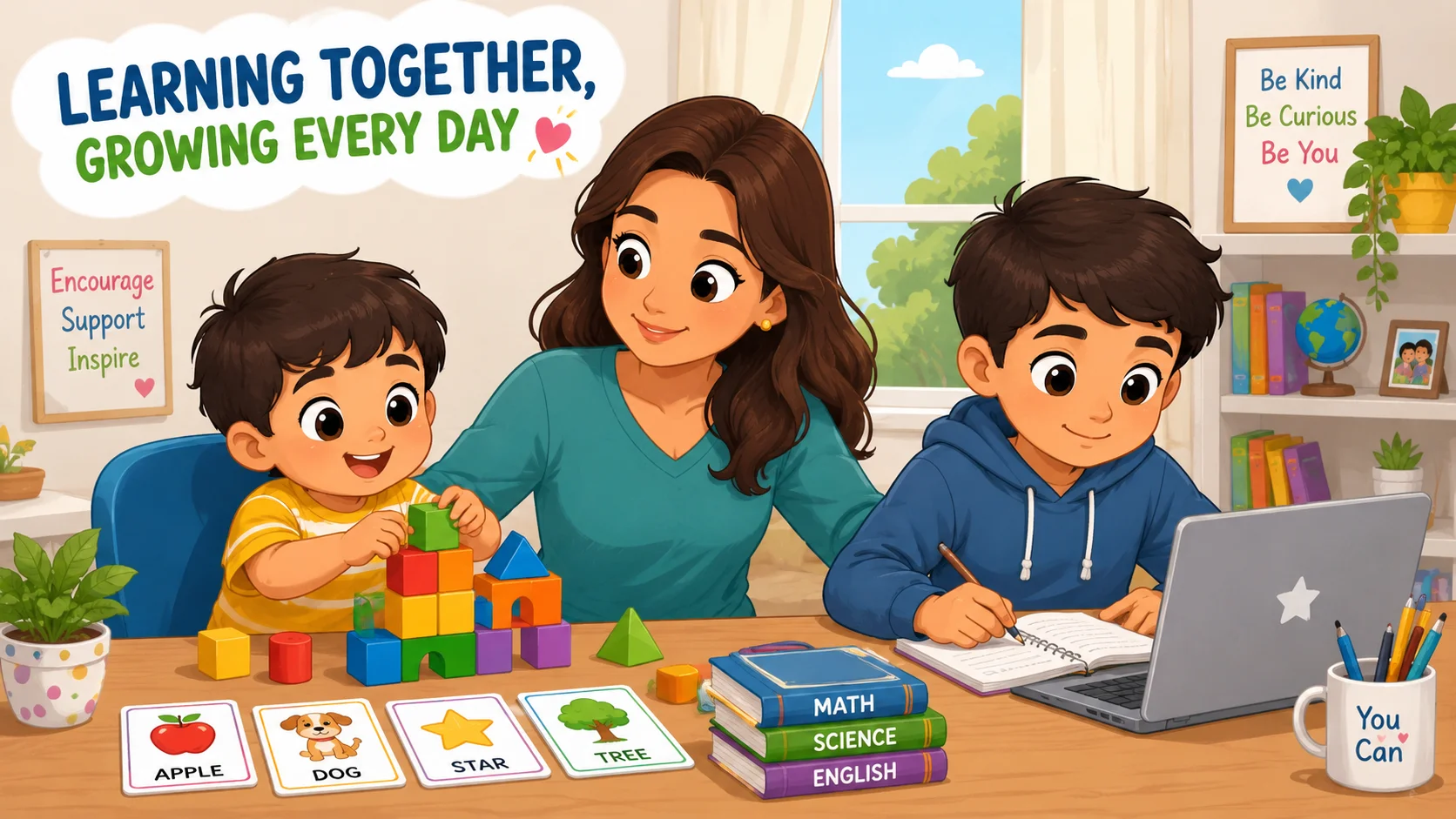
A child’s age and stage of development shape how much support they need during remote learning. Younger children often rely more on external support and may need close supervision, hands-on learning, and frequent encouragement from a caregiver.
Older students usually have stronger executive functioning skills, but they may still need structure to manage long-term deadlines, digital tools, and self-regulation.
How to Use Each Section
| Target Pain Point | Primary Section Focus | Primary Tool or Strategy |
| High Distraction / Low Focus | Section 1: Learning Space | Workspace separation and supply checks |
| Time Management / Burnout | Section 2: Routine Setup | Visual planners and movement intervals |
| Behavioral Friction / Resistance | Section 3: Expectation Review | Digital boundaries and goal-setting |
| Technical Anxiety / Disruptions | Section 5: Tech Readiness | 5-step troubleshooting protocol |
1. Create a Learning Space for Focus

Creating an effective learning environment at home can make it easier for students to focus and process information. A dedicated space signals that it is time to move from leisure to learning, which can make it easier for children to focus.
Make the Space Comfortable, Quiet, and Consistent
The physical workspace does not need to mirror a traditional school desk, but it should remain consistent. Parents can help by choosing an area with natural light, supportive seating, and minimal background noise.
The selected area should provide enough surface space to comfortably hold an open laptop or tablet, required textbooks, and a physical notebook for manual note-taking. A designated, consistent study space can help children stay focused better than shifting between places such as a bed, couch, or kitchen counter.
Prepare Supplies Before Lessons
Students often lose momentum when they have to keep leaving their seat to find basic learning tools. Caregivers can do a quick morning check to make sure all necessary tools are within reach before live online classes begin.
- Hardware Power: A dedicated device charger connected to a working wall outlet.
- Audio Tools: Functional noise-canceling headphones to help isolate teacher instruction.
- Writing Instruments: Sharpened pencils, highlighters, and designated subject notebooks.
- Organizational Assets: A printed copy of the weekly school day timetable.
- Hydration: A filled water bottle to minimize trips to the kitchen.
Reduce Household Distractions
A learning space should be protected from household distractions that compete for a child’s attention. Teachers often notice that background television, sibling interruptions, and wandering pets make it harder for students to process information.
To support focused learning, turn off household televisions, silence personal phones, and consider using app blockers on the student’s main device. If multiple family members share a workspace, use simple visual cues, like a small red flag or a desk sign, to signal when a child is participating in a live instructional session and should not be disturbed.
2. Set a Remote Learning Routine
Children tend to do better when their day follows predictable rhythms and cues. A chaotic daily routine can increase stress, while a structured schedule can help children save mental energy for academic tasks.
Build a Morning Start Ritual
A successful school day at home begins before the first live lesson. Children should wake up at a consistent time each day, get dressed, eat a balanced breakfast, and follow a simple morning routine that feels like getting ready for school.
Ask your child to log into the learning management system about ten minutes before the official start time so they can open the right tabs, check the internet connection, and get ready for class.
Use a Visual Daily Planner
Abstract time management is exceptionally difficult for young minds. A color-coded visual daily planner helps children see the day at a glance and track their responsibilities.
| Time | Activity | Color |
| 08:30–09:00 | Morning Ritual and Tech Check | Blue |
| 09:00–10:30 | Block 1: Math / Science | Orange |
| 10:30–11:00 | Movement and Hydration Break | Green |
| 11:00–12:30 | Block 2: English / Humanities | Purple |
This clear structure helps children stay focused by showing them what lessons, deadlines, and breaks are coming up.
Schedule Breaks, Meals, and Movement
Long periods of screen time without regular breaks can lead to digital fatigue. A structured learning plan should balance academic work with fixed periods of decompression.
Health authorities recommend that children and adolescents get regular physical activity and limit sedentary time, especially recreational screen time. After 30 to 45 minutes of digital learning, schedule a short offline break for stretching, drinking water, or walking around the home.
3. Review Expectations with Children
Conflicts often happen when parents and children have different expectations about what the child should do during the school day. Establishing clear, collaborative boundaries reduces power struggles and supports a more cooperative home dynamic.
Set Rules for Live Lessons
Live video instruction requires a specific set of digital manners. Parents should review expectations regularly so children understand that a virtual classroom has many of the same rules as an in-person classroom.
- Punctuality: Arrive in the virtual waiting room two minutes before the session begins.
- Audio Discipline: Keep the microphone muted unless the instructor calls on you.
- Video Presentation: Keep the camera on if the school requires it, sit where the teacher can see you clearly, and dress appropriately for class.
- Chat Decorum: Use the class chat only for academic questions related to the lesson.
Agree on Device Boundaries
To prevent cognitive fragmentation, school-issued or personal devices should be managed carefully during instructional hours. Caregivers should establish clear boundaries that separate academic platforms from recreational ones.
This means personal messaging apps, games, and social media should be off-limits during the school day. Consider using native device features to set up parental controls or limit non-educational platforms between 9:00 AM and 3:00 PM.
Define Work Completion Goals
Vague instructions like “do your schoolwork” rarely yield successful results. Instead, guide your child to establish specific, measurable daily goals that provide clear finish lines.
An actionable goal framework involves checking off all items on the daily LMS dashboard, submitting completed assignments before the afternoon deadline, and identifying at least one specific question to ask the teacher if a concept remains unclear. This focus shifts the child’s perspective from simply passing time to achieving measurable academic progress.
4. Stay Involved with Online Activities
Parental involvement in digital learning requires balancing proactive oversight with the preservation of student autonomy. Caregivers should act as encouraging guides rather than doing the work for the child.
Check Assignments Without Taking Over
When a child struggles with a complex task, a caregiver’s natural impulse may be to step in and solve the problem directly. However, this can unintentionally undermine a child’s intrinsic motivation and self-efficacy.
Instead, parents can review instructional rubrics with the student, break multi-step tasks into smaller parts, and ask open-ended questions such as, “What strategy does your teacher suggest in the assignment notes?” This approach keeps the cognitive work on the student while providing emotional support.
Monitor Platforms, Messages, and Deadlines
One helpful role for parents is keeping an overview of the student’s academic progress. Caregivers should dedicate 10 minutes at the end of each school day to check digital learning platforms.
Review completed assignment portals, check automated grade notifications, and scan teacher feedback logs. Maintaining this structure allows parents to identify learning gaps or missing schoolwork before a minor misunderstanding becomes a major academic problem.
Encourage Safe Participation in Chats
The digital spaces provided by educational institutions offer vital opportunities for peer socialization, but they also introduce distinct interpersonal risks. Parents should actively teach children how to communicate safely and respectfully via text.
Emphasize that digital text leaves a permanent footprint and that screenshots can be shared widely. Instruct your child to immediately close the screen and report to an adult if they encounter cyberbullying, exclusionary behavior, or any message that causes emotional distress.
5. Get Technology Ready Before Class
Technical problems can derail a morning of instruction and turn learning time into a stressful household moment. Creating simple hardware and software routines can reduce the risk of these problems.
Test the Internet, Camera, and Microphone
Do not wait for a live class session to begin before verifying that communication hardware is working. Caregivers should use a quick hardware check every morning.
| System Check | What to Do |
| Network | Check Wi-Fi signal strength and switch to wired Ethernet if the connection is unstable. |
| Audio | Test microphone input and headphone output clarity. |
| Video | Clean the camera lens and check framing and lighting. |
| Software | Confirm that the browser is updated to the latest version. |
This basic check reduces the chance of dropped connections or audio problems during important parts of the lesson.
Keep Login Details Organized
Managing multiple usernames, passwords, and access codes can be frustrating for families. Avoid writing passwords on scattered pieces of paper that are easily lost.
Instead, keep login details in one secure place, such as a password manager or a carefully stored written list. Securely store all school portal web links in a dedicated bookmark folder labeled “School” on the child’s primary browser for single-click access.
Create a Simple IT Troubleshooting Plan
When a technical issue occurs, students should have a clear, step-by-step troubleshooting plan they can try before asking a busy parent for help.
- Refresh: Reload the active browser page using the F5 key or refresh icon.
- Rejoin: Close the meeting application completely and re-enter using the original access link.
- Restart: Perform a full system reboot of the main device.
- Switch: Move to a backup device, such as a family tablet or smartphone, if the primary computer remains unresponsive.
- Notify: Send a short, polite message or email to the teacher explaining the technical issue.
6. Support Elementary School Children
Younger children have different developmental needs related to attention span, fine motor skills, and abstract reasoning. Tailoring home-learning structures to these developmental realities helps prevent cognitive fatigue and behavioral meltdowns.
Keep Them Close During Lessons
Elementary school-aged students are still developing the self-regulation skills required for prolonged, independent work. Expecting a seven-year-old to remain isolated in a bedroom for hours facing a screen often leads to off-task behavior.
Instead, arrange a learning environment within close proximity to your own workspace, such as a designated end of the kitchen table or a desk setup in the living room. This closeness allows caregivers to give quick reminders, redirect attention, and offer reassurance without completely interrupting their own work.
Mix Online Tasks with Offline Activities
Children often learn best when online lessons are connected to hands-on, real-world activities. To support learning, parents can look for opportunities to bring online concepts into the real world through offline activities.
| Online Concept | Offline Application |
| Fractions | Kitchen baking measurements |
| Photosynthesis | Observing leaves, sunlight, and plant growth |
| Geometric Shapes | Building block assembly |
This multi-sensory approach can deepen conceptual understanding, support critical thinking, and provide a much-needed break from digital screens.
Use Educational Apps, Games, and Printables
When supplemental learning time is required, prioritize highly curated, active educational tools over passive video consumption. Choose age-appropriate educational tools that adapt to your child’s skill level, such as phonics apps or interactive math programs.
Additionally, integrate physical worksheets and printable coloring tasks that require the use of physical writing instruments. This approach keeps children actively engaged while supporting essential fine motor development.
7. Support Middle and High School Students
Adolescents face unique challenges during remote learning, including a heightened need for social connection, identity development, and growing independence. Support for this age group should focus on building independence and long-term accountability.
Encourage Ownership Over the Timetable
For older students, parental micromanagement can trigger pushback and resistance. Shift your role from direct supervisor to executive coach.
Guide your teenager to take ownership of their academic schedule by using digital organization tools like Google Calendar or Notion. Allow them to decide the order in which they complete afternoon homework, which can help build motivation and time-management skills.
Discuss Digital Footprints and Reputation
High school students spend a significant portion of their day navigating digital spaces, often without fully understanding the permanent nature of their actions. Engage your teenager in candid discussions about digital footprints and long-term reputations.
Remind them that inappropriate comments in chat logs, screenshots of peers, and behavioral choices during live sessions can carry serious school consequences. Help them understand that these actions can have real consequences at school and online.
Involve Teens in Learning Decisions
Collaborative decision-making builds mutual respect and makes household rules easier to follow. Sit down with your teenager to co-create the boundaries of their learning day.
- Workspace Selection: Allow them to choose their study space, provided it remains free of recreational distractions.
- Break Management: Let them define their preferred method of physical decompression between study blocks.
- Communication Preferences: Establish mutually agreed-upon times for daily academic check-ins, rather than interrupting them unexpectedly.
8. Help Children Stay Focused
Staying focused on a screen requires a lot of self-regulation. Parents can use targeted behavioral strategies to help children manage their focus and reduce mental fatigue.
Use Short Tasks and Clear Timers
A long, open-ended study block can feel overwhelming to a child and quickly lead to procrastination. Break long assignments down into small, distinct steps.
Incorporate the Pomodoro Technique, a time-management framework that uses intervals of focused work followed by brief rest periods. For instance, set a visible physical timer on the desk for 20 minutes of dedicated writing, followed by a mandatory 5-minute break. A visible countdown helps children manage their attention and energy more effectively.
Encourage Self-Regulation Habits
Self-regulation is a cognitive skill that must be explicitly taught and practiced. Help your child develop mindfulness habits by teaching them to recognize the early physical signs of distraction or cognitive fatigue, such as restless fidgeting, eye strain, or sighing.
Instruct them to use a simple multi-step reset routine when these signs occur: pause the activity, close their eyes, take three deep breaths, stretch their arms upward, and then consciously refocus on the immediate task.
Reset Focus with Movement and Humor
When a child completely loses focus, trying to force them back to work through discipline is rarely effective. Instead, use a brief, high-energy pattern interrupt.
Announce a 2-minute movement challenge consisting of jumping jacks, a brief stretch sequence, or a light-hearted, funny game. Movement and humor can reduce tension and help children return to their schoolwork with renewed focus.
9. Manage Motivation and Effort
During prolonged periods of remote learning, the absence of natural peer interaction and immediate teacher presence can cause student motivation to wane. Cultivating sustained effort requires shifting focus from simple performance metrics to celebrating the learning process itself.
Start from Strengths
Starting a study session with a difficult or frustrating subject can make children want to avoid the work altogether. To build early momentum, structure the daily schedule so your child starts with an academic area where they naturally excel or feel confident.
Completing an easier, enjoyable task first can build confidence and momentum for more challenging subjects later in the day.
Give Detailed Praise
Generic feedback like “good job” or “you are so smart” does little to develop long-term academic resilience. Some research on growth mindset suggests that praising effort and strategy may be more helpful than praising innate intelligence.
Instead, use detailed, process-oriented praise that highlights specific effort, strategic choices, and measurable growth.
“I noticed how you kept trying different problem-solving methods on that third math question even when it was difficult. Your persistence really helped you find the correct solution.”
Display Work and Celebrate Progress
Children need to feel that their hard work is valued within the home. Create a physical reminder of their academic progress by designating a visible display area, such as the refrigerator door, a cork noticeboard in the kitchen, or a dedicated digital folder shared with extended family members.
Celebrating incremental progress—such as a well-written paragraph or a completed science diagram—reinforces a positive learning identity.
Use Natural Consequences Sensibly
While positive reinforcement is crucial, accountability mechanisms are also important for maintaining academic integrity. When a student spends study time on non-academic content, use fair, natural consequences without shame or excessive pressure.
Clearly explain that failing to complete assignments during the school day means that the work must be completed during time normally reserved for recreational screen time or outdoor play.
10. Protect Mental Health and Well-Being
Children learn best when they feel emotionally safe and supported. Remote learning can limit children’s usual social routines, so parents should pay close attention to their overall well-being.
Watch for Stress, Fatigue, and Isolation
Long periods away from classmates and normal school routines can contribute to stress or emotional distress. Caregivers should stay alert for subtle changes in a child’s usual behavior.
| Behavioral Domain | Subtle Stress Indicators | Proactive Intervention Strategy |
| Physical | Frequent headaches, unexplained stomach aches, persistent eye fatigue | Check screen ergonomics and increase movement breaks. |
| Emotional | Increased irritability, uncharacteristic crying spells, expressions of hopelessness | Create a safe space for open check-ins without immediate academic pressure. |
| Sleep | Resistance to bedtime routines, midnight waking, or excessive daytime tiredness | Enforce device-free zones at night and establish a consistent sleep schedule. |
| Social | Complete withdrawal from family interactions, loss of interest in peer communication | Arrange structured, safe opportunities for virtual or in-person social connection when appropriate. |
Build Social Connection with Classmates
Isolation is a significant risk factor for student burnout. Work proactively to preserve your child’s social network by coordinating structured collaborative opportunities.
Reach out to other families to establish virtual study groups where classmates can complete independent assignments together via a shared video link. Encouraging participation in teacher-led extracurricular activities and setting up monitored video chats with friends helps support essential peer-to-peer connection.
Encourage Sleep, Exercise, and Reading
A healthy mind requires solid physical habits. Protect your child’s sleep by keeping screens out of the bedroom at night and avoiding screen use during the hour before bedtime.
Aim for an average of at least 60 minutes of moderate-to-vigorous physical activity per day across the week. Finally, encourage regular, independent reading of physical books, which provides an engaging escape from digital platforms while strengthening literacy skills.
11. Manage Screen Time Wisely
Not all screen time affects children in the same way. To manage a hybrid learning environment effectively, parents should look beyond the number of screen minutes and consider the content and purpose of that screen use.
Separate Learning Screens from Entertainment
Establishing a healthy relationship with technology begins with categorizing digital activities by their cognitive value. Caregivers should maintain a clear distinction between active, productive digital use and passive, consumption-based screen time.
| Digital Consumption Type | Examples |
| Active / Constructive | Live classes, coding, collaborative writing, digital art |
| Passive / Recreational | Infinite social scrolling, video game streams, autoplay video loops |
Managing screen time wisely means prioritizing active learning and creative activities while setting sensible limits on passive entertainment.
Add Offline Learning Breaks
To prevent digital saturation, build regular offline learning breaks into the daily schedule. Instruct your child to complete specific tasks using traditional materials, such as solving math problems on scratch paper, drafting essays by hand, or conducting hands-on kitchen science experiments.
These tactile experiences engage different skills, reinforce learning, and give children’s eyes a break from the screen.
Use a Bedtime Device Routine
Disrupted sleep patterns can negatively affect a child’s focus and emotional stability. Consider establishing a household rule that devices are checked into a family charging station outside the child’s bedroom before bedtime.
Replace evening screen habits with calming offline activities, such as family board games, journaling, or reading together, to help children wind down before sleep.
12. Communicate with Teachers and School Teams

Parents should view educators as vital allies in supporting their child’s learning. Maintaining open, clear communication channels prevents educational challenges from turning into major obstacles.
Ask for Help Early
Do not wait for report cards to arrive before addressing academic or emotional difficulties. If you notice your child consistently struggling with a specific subject, experiencing technological barriers, or showing signs of school-related anxiety, contact their teacher right away.
Schools have access to helpful resources, including adjusted learning plans, digital tools, and counselor support, that can be deployed quickly when challenges arise.
Prepare Questions for Teachers
When reaching out to educational professionals, maximize the value of the interaction by coming prepared with specific, actionable questions.
- “What specific online resources or digital tools can we access at home to strengthen my child’s understanding of this unit?”
- “Are there alternative methods or modified platforms available to help my child submit this assignment?”
- “Could we ask for a brief extension on this project to help reduce my child’s immediate academic stress?”
- “What specific behaviors or focus gaps did you observe during today’s live instructional session?”
Share Technology or Learning Barriers
Teachers can provide better support when they understand the challenges a family faces at home. Be upfront with school teams about any systemic limitations in your learning environment, such as limited internet access, a lack of quiet study areas, or the need to share devices among multiple siblings.
Additionally, inform the school if your child has an Individualized Education Program (IEP) or needs specific accessibility tools so those supports can carry over into the digital learning environment.
13. Coach Children During Live Lessons
Staying engaged in a virtual classroom requires a different skill set from participating in a traditional, in-person classroom. Parents can coach their children to navigate these online spaces with confidence.
Practice Speaking with Teachers and Classmates
Many students experience significant social anxiety when speaking on camera or unmuting their microphone in front of peers. Help your child build confidence by role-playing common classroom scenarios using simple, clear scripts.
“Hi Mr. Davis, my microphone isn’t working today, so I’m going to answer that question in the class chat.”
Help Children Feel Less Exposed on Camera
Staring at a grid of faces while seeing their own reflection can make children feel self-conscious. To help reduce this pressure, show your child how to hide their self-view window within the application settings so they can focus on the teacher.
Additionally, teach them to use simple virtual backgrounds to protect family privacy and reduce worries about their home environment being visible to classmates.
Teach Respectful Online Classroom Behavior
A virtual classroom requires a strong foundation of digital manners. Remind your child regularly that standard classroom expectations apply fully to the online space.
Teach them to wait patiently for their turn to speak, use the raise-hand icon, and avoid distracting behaviors like using irrelevant emojis or posting off-topic text in the chat. Emphasize that recording video or taking screenshots of peers without explicit permission is a serious violation of privacy and school policy.
14. Use Remote Learning Resources
Beyond the direct curriculum provided by the school, parents can access high-quality external digital tools to enrich their child’s educational experience.
Digital Resilience Toolkit
Digital resilience means helping children navigate online challenges, setbacks, and interpersonal conflicts safely. Use resources from established organizations such as Common Sense Media, the UK Safer Internet Centre, or similar trusted online-safety groups.
These platforms provide free toolkits, conversation starters, and lesson plans that teach children how to verify online sources, address cyberbullying proactively, and maintain a healthy digital balance.
Educational Apps and Platforms
When selecting supplementary learning resources, prioritize platforms that emphasize critical thinking and creative expression over simple rote memorization.
- Mathematics: Look for adaptive platforms like Khan Academy or Prodigy, which use gamified problem-solving to build core skills.
- Literacy: Explore curated digital libraries like Epic! or Storyline Online for access to high-quality literature.
- Creativity: Encourage code-based thinking through platforms like Scratch (MIT) or interactive design tools that support spatial reasoning.
Online Safety Guides for Teens
As teenagers gain more autonomy online, they need clear guidance on privacy settings and digital footprints. Connect your teen with trusted resources on privacy, online safety, and reporting tools, such as the Electronic Frontier Foundation (EFF), Common Sense Media, or the UK Safer Internet Centre.
These guides can help teens secure personal accounts, identify phishing attempts, recognize online scams, and use reporting tools to address harassment.
Interactive Quizzes and Media Literacy Games
Media literacy is an essential skill for navigating today’s information landscape. Introduce your child to interactive, educational games designed to teach critical analysis skills.
Tools like Interland by Google or the Bad News simulator help teach children how to recognize misleading content, identify biased news sources, spot deepfakes, and evaluate the credibility of links before sharing them with others.
15. Create a Backup Plan for Difficult Days
Even with the strongest structures in place, some days will bring unexpected challenges, including illness, sudden technical issues, or low motivation. Having a clear backup plan prevents difficult days from becoming major household disruptions.
Plan for Missed Lessons
When an illness or an internet outage makes it impossible to attend live online classes, handle the disruption calmly and systematically. Send a brief email to the school administration explaining the situation, request a copy of the lesson recording or instructor notes, and check the LMS portal for listed homework assignments.
Focus on helping your child catch up steadily and calmly once the disruption is resolved.
Prepare Low-Energy Learning Options
On days when your child is experiencing severe screen fatigue or low energy, pivot away from intensive screen-based tasks toward gentler, lower-energy learning options. Keep a collection of educational alternatives ready:
- Listening to historical or scientific audiobooks.
- Watching high-quality documentaries from trusted sources such as PBS, National Geographic, or other age-appropriate educational platforms.
- Reviewing core concepts using physical flashcards.
- Sketching diagrams or free-writing in a personal journal.
Keep Family Expectations Realistic
No remote learning experience is flawless, and perfection should never be the goal. Some days will involve dropped connections, poor focus, and logistical challenges.
Prioritize your family’s mental health and well-being over checklist completion, and remember that a supportive, low-stress home environment is one of the best foundations for long-term learning.
FAQ
What Are the Top Tips for Parents Supporting Online Learning?
The top tips for parents are to create a consistent routine, set up a quiet learning space, check the platforms they use, prepare for tech issues, and keep communication open with teachers and school leaders. These simple tips help parents and families make learning online calmer, more predictable, and easier to manage.
How Can Parents Support Children’s Education During Remote or Homeschool Days?
Parents can support children’s education by acting as a learning coach rather than taking over the work. In a homeschool or remote learning scenario, guide the schedule, encourage your child to ask questions, and make sure they have the right supporting resources, but let them complete the learning tasks themselves.
How Can I Keep Kids Focused During Zoom or Other Live Lessons?
To keep kids focused during Zoom or other live lessons, reduce background noise, keep supplies nearby, and use short breaks between screen-based tasks. The goal is not a perfect school day, but a positive learning experience that helps children stay engaged without feeling overwhelmed.

Take a short quiz to find out what your everyday choices say about your parenting style
When your child is curious about something new, what’s your instinct?
Take a short quiz to find out what your everyday choices say about your parenting style
“Can I download this app?” What happens next?
Take a short quiz to find out what your everyday choices say about your parenting style
When it comes to rules at home, which sounds most like you?
Take a short quiz to find out what your everyday choices say about your parenting style
If you could give your child one life skill today, what would you pick?
Take a short quiz to find out what your everyday choices say about your parenting style
Your child gets to choose what to watch. What would your ideal setup look like?
Take a short quiz to find out what your everyday choices say about your parenting style
Pick your parenting superpower ✨



