12 Best Free Educational Games for Kids: Online and Offline Picks

 Discover a Free Education Video App for Kids
Pastory uses AI to personalize educational video content based on your child’s interests and personality. Safe, engaging, and built for curious young minds. Sign up now to stay updated and enjoy early access with a free trial
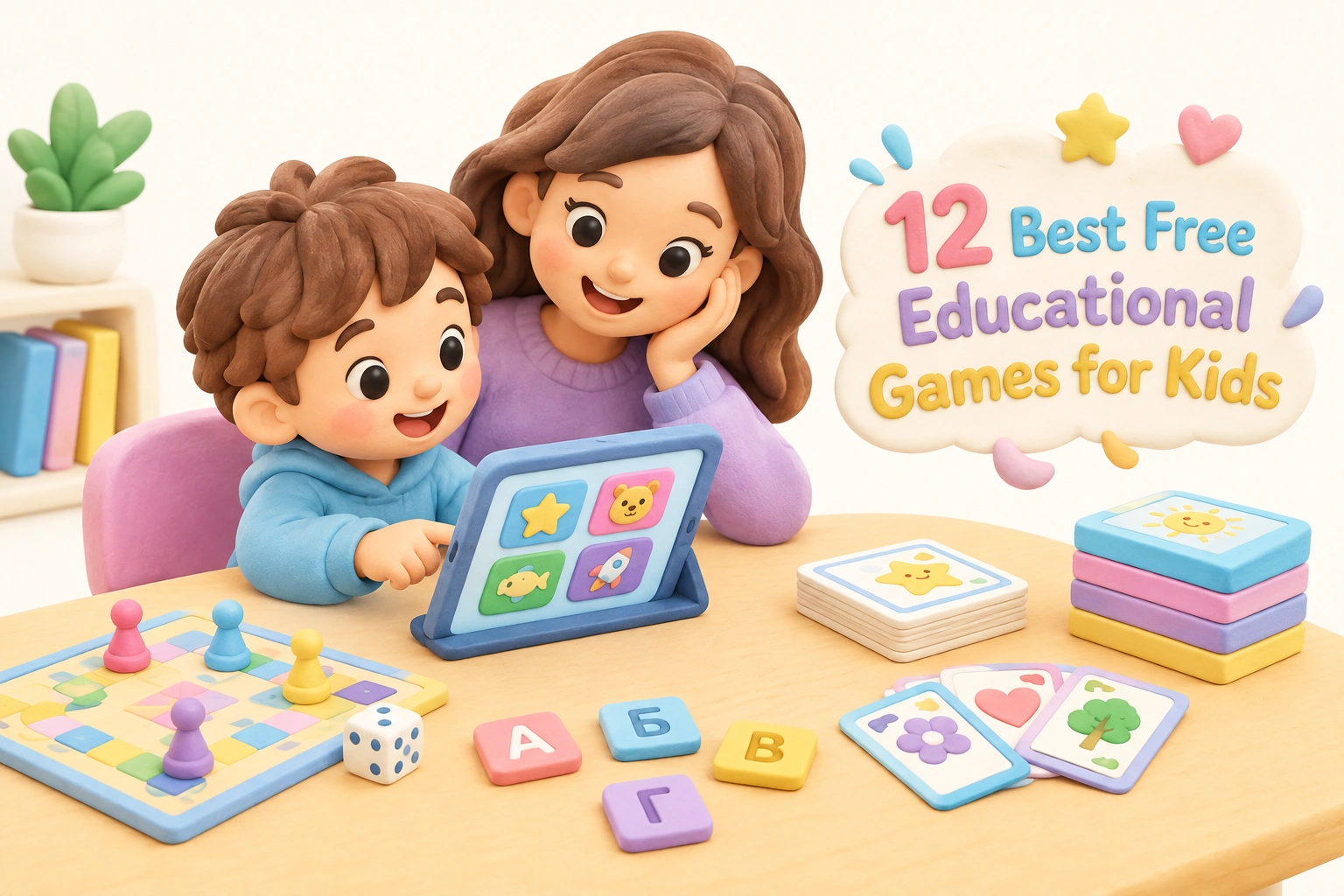
Finding genuinely free educational games for kids — ones that are age-appropriate, actually teach something, and don’t hide core features behind a paywall — takes more effort than it should. This guide cuts through the noise with 12 carefully selected picks covering both online and offline play, honest notes on what’s truly free versus freemium, safety and privacy details, and practical screen time guidance to help you make the most of game-based learning at home or in the classroom.
Key Takeaways
- The best free educational games combine clear learning outcomes with genuine engagement — look for titles that target a specific skill such as phonics, number sense, or critical thinking and problem-solving rather than vague “educational” labels.
- Many popular platforms are freemium: core content is free but progress tracking, ad removal, or advanced levels require a subscription. This guide flags each game’s actual free tier honestly.
- Offline educational games — board games, card games, and printable activities — are genuinely free or very low cost and often involve richer social interaction than screen-based alternatives.
- Screen time guidelines from the American Academy of Pediatrics (AAP) recommend that school-age children’s recreational screen time be balanced with offline activity; 20–30 minute focused sessions with a clear learning goal tend to be more effective than open-ended browsing.
- Caregiver involvement — even briefly checking in, asking questions about what a child discovered, or playing alongside — consistently improves learning outcomes from educational games.
What Makes a Free Educational Game Worth Using?
Not every game with a school subject in its title qualifies as genuinely educational. Research on game-based learning suggests that effective educational games share a few key characteristics: they embed learning within the game mechanic itself rather than interrupting play with worksheet-style questions; they adjust difficulty to keep children in a productive challenge zone; and they provide immediate, meaningful feedback. A game where a child earns a star for clicking the right answer is less effective than one where a wrong answer triggers a hint that explains the underlying concept.
When evaluating free educational games for kids, it also helps to ask four practical questions. First, what specific skill does this game build — phonemic awareness, number sense, spatial reasoning, or something else? Second, is it genuinely free, or does the free tier offer only a limited preview? Third, is it safe: does it collect personal data, show ads, or allow in-app purchases without parental approval? Fourth, does the difficulty level match your child’s current grade level and developmental stage? Games that are too easy become mindless clicking; games that are too hard become frustrating and are quickly abandoned.
Online Free Educational Games: Browser-Based Picks
The following browser-based learning games require no download and, in most cases, no signup. Each entry notes the primary subject, recommended age range, what is genuinely free, and any important safety or cost considerations.
1. Khan Academy Kids (Ages 2–8)
Khan Academy Kids is one of the most comprehensively free educational platforms available. The app covers early literacy, phonics and early literacy development, math, social-emotional learning (SEL), and reading comprehension for children from toddler age through early elementary. There are no ads, no in-app purchases, and no subscription required — the entire content library is free. Khan Academy Kids also offers an offline mode, making it one of the few genuinely no-WiFi-capable options on this list. The platform is COPPA-compliant and does not collect personal data from children. For parents who want progress tracking, a parent dashboard is available at no cost.
2. Starfall (Ages Pre-K–Grade 2)
Starfall focuses on phonics, early literacy, and foundational math through structured, curriculum-aligned activities. The free tier is substantial: the core phonics program — which covers letter sounds, blending, and sight words — is fully accessible without registration. Starfall does not show ads and does not collect children’s personal data, which makes it a strong choice for parents who prioritize privacy. A paid membership unlocks additional math and reading content, but the free phonics program alone is genuinely useful for preschool and kindergarten-age children working on early reading skills.
3. ABCya (Ages Pre-K–Grade 6)
ABCya offers hundreds of browser-based learning games sorted by grade level (K–6) and subject, covering math, reading, typing, and art. The free tier is ad-supported, which is worth knowing before handing a device to a young child. A paid subscription removes ads. Game quality varies across the library, but standout titles include place value games, fraction activities, and keyboarding skills practice. ABCya games play instantly in your browser with no download required, and many work on tablets as well as desktop computers.
4. PBS Kids Games (Ages 2–8)
PBS Kids Games draws on well-known characters from shows such as Curious George, Daniel Tiger, and Odd Squad to deliver age-appropriate educational games covering math, science, and social-emotional learning. The platform is completely free, contains no ads directed at children, and requires no registration. Because the games are tied to curriculum-aligned television content, children who watch the corresponding shows often find the transition to interactive play intuitive. PBS Kids Games is particularly strong for preschool and early elementary ages.
5. Prodigy Math (Ages 6–13, Grades 1–8)
Prodigy Math is a role-playing game that embeds math questions into a fantasy adventure, covering curriculum-aligned content from Grade 1 through Grade 8. The free tier allows unlimited gameplay and covers the full range of math topics; children answer math questions to progress through battles and quests. The platform is adaptive learning-based, adjusting question difficulty to each child’s demonstrated skill level. However, Prodigy operates on a freemium model: cosmetic items, certain in-game rewards, and the parent dashboard’s detailed progress tracking features require a paid membership. The core math practice is free, but children may encounter prompts encouraging upgrades during play, which is worth discussing with them in advance.
6. Code.org (Ages 4–18, K–12)
Code.org provides free, browser-based coding courses for children from kindergarten through high school. The platform’s “Hour of Code” activities introduce visual programming and computational thinking through familiar characters from Minecraft, Star Wars, and other popular franchises. For younger children (K–2), the drag-and-drop interface requires no prior reading ability, making it accessible to early learners. Code.org is entirely free, requires no download, and is widely used in classroom settings as well as at home. It is one of the most well-supported free resources for introducing coding for kids at the elementary level.
7. Funbrain (Ages 6–14, Grades 1–8)
Funbrain combines games, books, and videos across math, reading, and problem-solving for elementary and middle school-age children. The platform is free and browser-based, though it does display some advertising. Funbrain’s math arcade and reading games are curriculum-aligned and cover grade-level content from Grade 1 through Grade 8. The site also hosts full-length books from popular children’s series, which adds genuine reading value beyond the games themselves. It works well as a supplementary resource for upper elementary students who need engaging practice outside the classroom.
8. National Geographic Kids Games (Ages 6–12)
National Geographic Kids offers free browser-based games focused on science, geography, and nature. Children can explore animal facts, geography games, and earth science content through interactive quizzes and activities. The platform is ad-supported and does not require registration. National Geographic Kids is particularly strong for building science vocabulary, geography knowledge, and curiosity about the natural world — areas that are underrepresented in many free educational game libraries. It works well alongside classroom science units or as a starting point for a child’s independent research interest.
Offline Educational Games: Screen-Free Picks
Offline educational games — including board games, card games, and printable activities — are often overlooked in digital-first lists, but they offer meaningful advantages: richer face-to-face interaction, no screen time concerns, and in many cases stronger social-emotional learning outcomes because children must negotiate, take turns, and communicate in real time. Several of the picks below are low-cost or freely printable rather than completely free to purchase, but they represent lasting value compared to subscription-based digital alternatives.
9. Concentration / Memory Card Games (Ages 3 and up)
A standard deck of cards or a set of matching picture cards can be used to play Concentration, one of the most effective and genuinely free memory games available. Children flip pairs of cards face down and take turns finding matches, building working memory, visual discrimination, and sustained attention. For younger children, a smaller set of 10–15 pairs is appropriate; older children can handle a full 52-card deck. Printable themed versions — matching letters to pictures, numbers to quantities, or words to definitions — are freely available from educational sites and can be tailored to a child’s current learning focus.
10. Scrabble Junior / Bananagrams (Ages 5–10)
Word-building games such as Scrabble Junior and Bananagrams support spelling, vocabulary, and phonemic awareness through play-based learning. Scrabble Junior uses a double-sided board: one side shows pre-printed words for younger players to match letter tiles to, and the other side functions as a simplified version of standard Scrabble for children who are ready for more challenge. Bananagrams requires no board and moves quickly, making it well-suited to children who find slower-paced games frustrating. Both games encourage children to think about letter patterns and word structure in a low-pressure, social context.
11. Robot Turtles (Ages 4–8)
Robot Turtles is a screen-free board game designed to introduce the foundational concepts of coding — sequencing, functions, and debugging — to children as young as four. Players lay down instruction cards to guide their turtle piece toward a jewel, and a parent or older sibling acts as the “computer” executing the instructions. Robot Turtles is notable for making abstract programming logic tangible and physical, which is particularly valuable for young children who are not yet ready for screen-based coding tools. It is one of the most developmentally appropriate introductions to computational thinking for the preschool and early elementary age range.
12. Printable Math and Literacy Board Games (Ages 4–10)
Free printable board games from educational resource sites cover a wide range of subjects — number recognition, addition facts, sight words, phonics blends, and more — and can be printed, laminated, and reused indefinitely. These genuinely free offline educational games are particularly useful for homeschool families and classroom teachers who need curriculum-aligned practice materials without a budget. Many printable games can be differentiated easily: the same board game format can be used with different question cards to target different grade levels or skill areas, making them flexible tools for mixed-age households.
Free vs. Freemium: What’s Actually Free?
One of the most common frustrations parents encounter is discovering that a game listed as “free” is actually a limited preview of a paid product. Understanding the difference between genuinely free platforms and freemium models helps set realistic expectations before a child becomes attached to content that requires a subscription to continue.
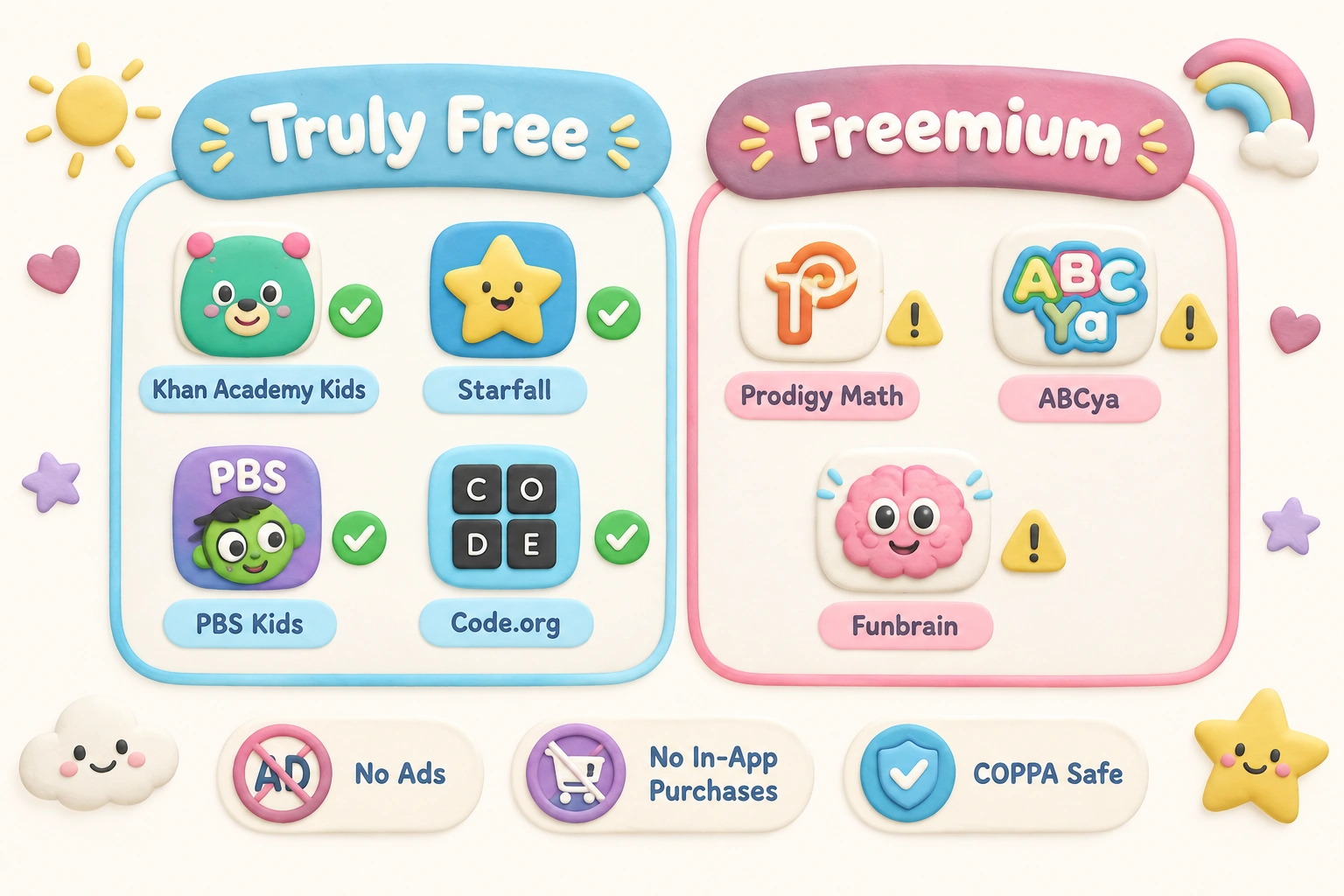
| Platform | Truly Free? | Ads? | In-App Purchases? | Progress Tracking Free? |
|---|---|---|---|---|
| Khan Academy Kids | Yes — full content | No | No | Yes |
| Starfall (core phonics) | Yes — core program | No | No | Limited |
| ABCya | Partial — ad-supported | Yes (free tier) | No | No |
| PBS Kids Games | Yes — full content | No | No | No |
| Prodigy Math | Partial — freemium | No | Yes (cosmetic) | Paid only |
| Code.org | Yes — full content | No | No | Yes |
| Funbrain | Partial — ad-supported | Yes | No | No |
| National Geographic Kids | Partial — ad-supported | Yes | No | No |
| Concentration (card game) | Yes — completely free | N/A | N/A | N/A |
| Printable Board Games | Yes — completely free | N/A | N/A | N/A |
For families who want a completely ad-free, no-in-app-purchases experience, Khan Academy Kids, Starfall’s core phonics program, PBS Kids Games, and Code.org are the strongest browser-based options. Offline games and printable activities are the most reliably free of all, with no ongoing costs or privacy considerations.
Safety, Privacy, and Child-Safe Design
Child safety online involves more than blocking inappropriate content. For younger children especially, it also means limiting exposure to advertising, protecting personal data, and avoiding design patterns that pressure children into spending money. When evaluating whether a platform is genuinely safe for kids, look for COPPA compliance (the US Children’s Online Privacy Protection Act), which requires that platforms serving children under 13 obtain verifiable parental consent before collecting personal data. Khan Academy Kids, Starfall, PBS Kids Games, and Code.org all meet this standard and are widely cited as child-safe platforms by educators and child development organizations.
Ad-supported platforms such as ABCya and Funbrain are not inherently unsafe, but ads directed at children raise concerns about commercial influence on young audiences. If you use ad-supported platforms, consider sitting with your child during sessions and using the experience to discuss advertising — what it is, why it exists, and how to recognize it. This kind of media literacy conversation is itself a valuable learning outcome. For very young children (under six), ad-free environments are generally preferable because young children have limited ability to distinguish advertising from content.
Screen Time Guidance for Educational Games
The American Academy of Pediatrics recommends that parents of school-age children (ages 6 and older) establish consistent limits on recreational screen time and ensure that digital activity does not displace sleep, physical activity, or face-to-face interaction. The AAP does not specify a single daily minute limit for school-age children, but child development researchers generally suggest that focused, purposeful sessions of 20–30 minutes tend to produce better learning outcomes than extended, open-ended play sessions where engagement drifts into passive clicking.
Educational games are most effective when they are used with a clear learning goal in mind — for example, practicing multiplication facts for 20 minutes before switching to an offline activity — rather than as a general screen time filler. Caregiver involvement, even at a low level such as asking “What did you learn today?” or “Can you show me how that works?”, consistently improves children’s retention and engagement with educational content. Play-based learning is most powerful when it is social, and digital games are no exception to this principle.
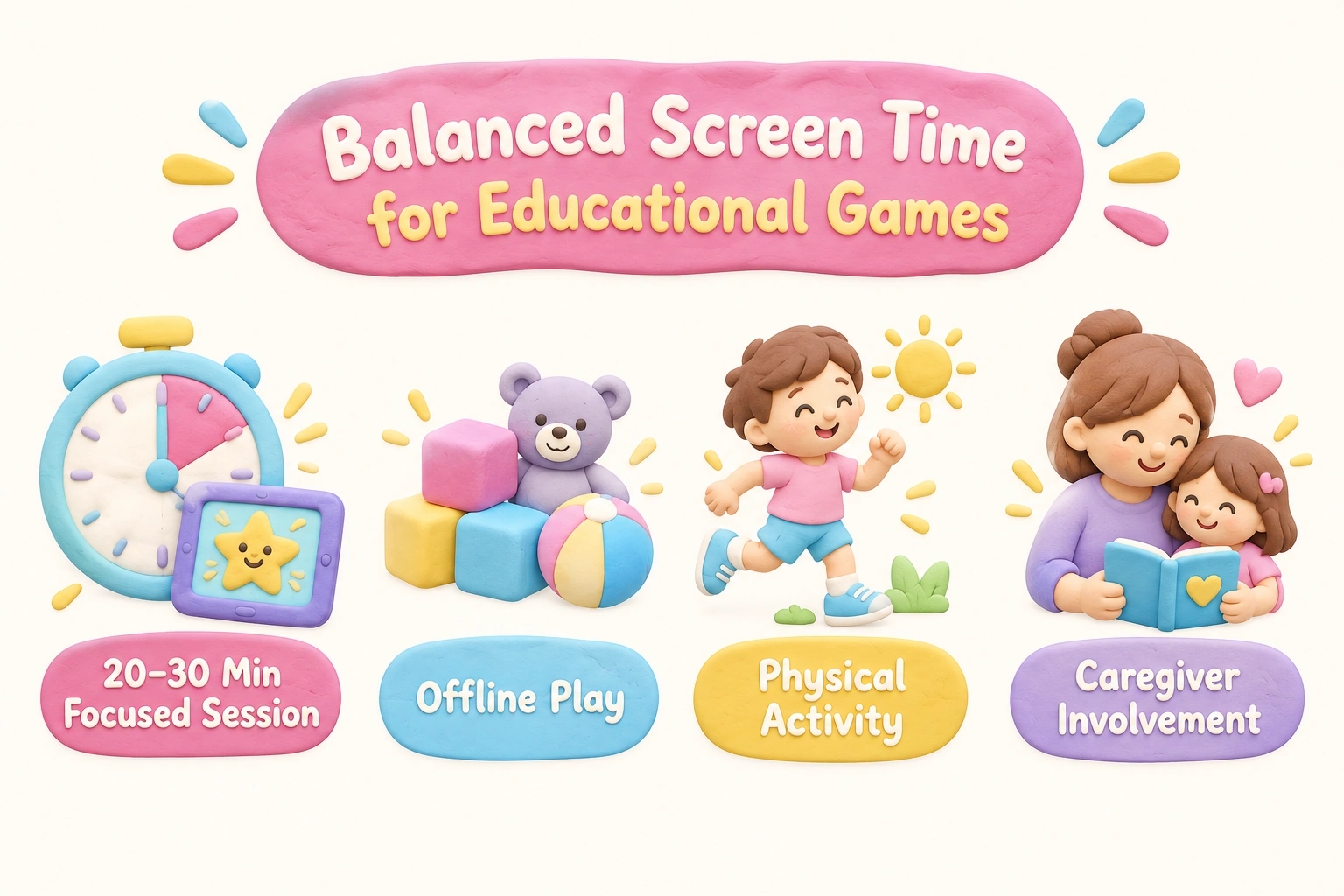
For children under six, the AAP recommends that any screen-based educational content be used with a caregiver present, since young children learn significantly better from interactive co-viewing than from independent screen use. Offline educational games are particularly valuable for this age group because they naturally involve adult participation and conversation.
Choosing the Right Game for Your Child’s Age and Stage
Age-appropriate educational games match both the cognitive demands of the content and the interface design to a child’s developmental stage. A game that requires fluent reading to navigate menus is not accessible to a pre-reader, regardless of how educational its content is. Similarly, a game designed for kindergarteners will not hold the attention of a ten-year-old who needs more complex problem-solving challenges.
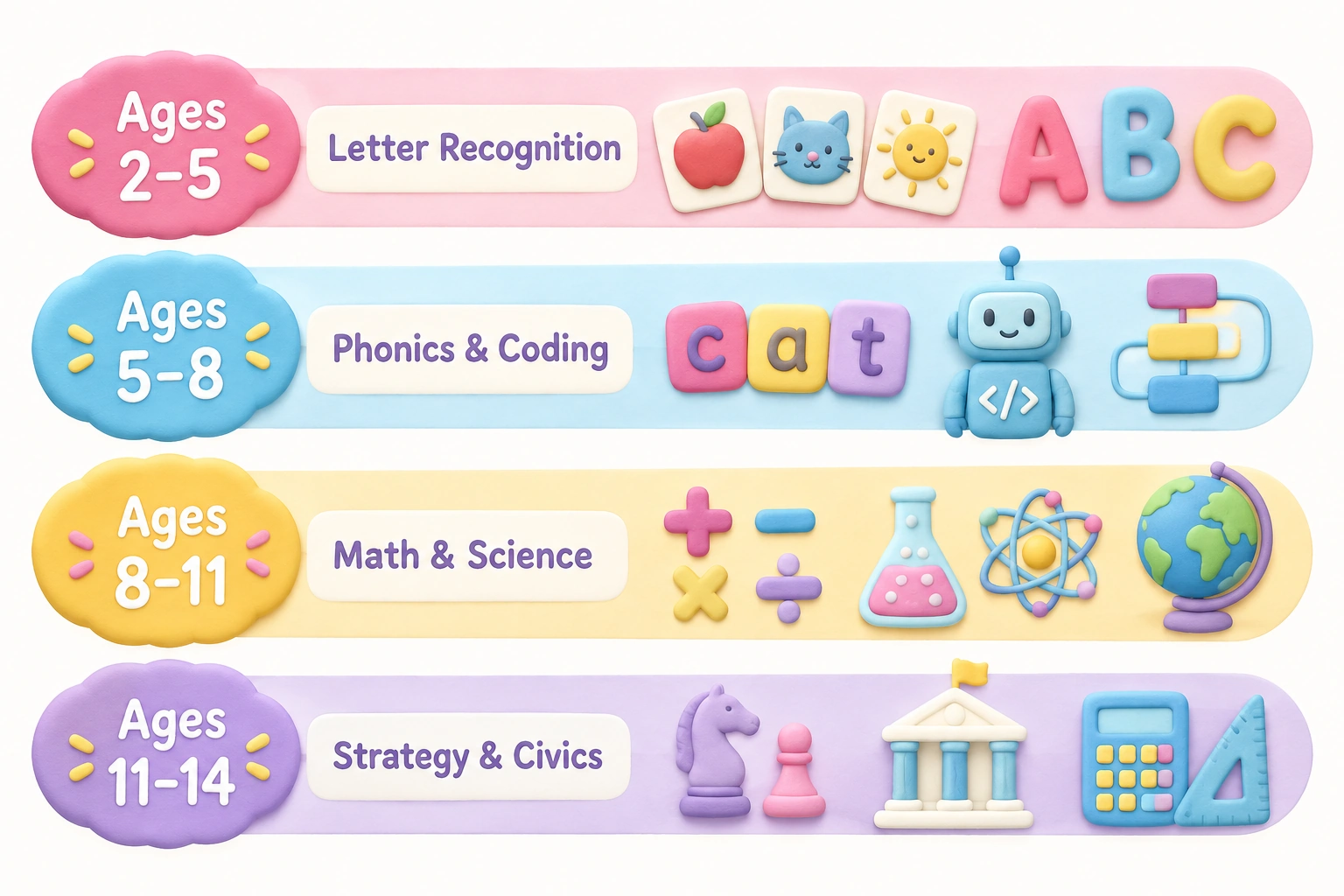
- Ages 2–5 (Toddlers and Preschool): Look for games with simple touch or click mechanics, large visual targets, audio instructions rather than text, and content focused on letter recognition, number recognition, colors, and shapes. Khan Academy Kids and PBS Kids Games are well-suited to this range. Offline, Concentration with picture cards and simple matching games work well.
- Ages 5–8 (Kindergarten and Early Elementary): Children at this stage can handle more complex game mechanics, early reading tasks, and basic math operations. Starfall, ABCya’s lower grade levels, and Robot Turtles (offline) are appropriate. Phonics games, sight word activities, and early coding tools such as Code.org’s K–2 courses fit this range.
- Ages 8–11 (Upper Elementary): Children in this range benefit from games that involve multi-step problem-solving, reading comprehension, multiplication and fractions, and introductory science concepts. Prodigy Math, Funbrain, National Geographic Kids, and Code.org’s intermediate courses are well-matched. Offline, Scrabble Junior, Bananagrams, and printable math games with more complex rules work well.
- Ages 11–14 (Middle School): Older children benefit from games that involve strategic thinking, geography, civics, and more advanced math. Code.org’s upper courses, iCivics (free, browser-based civics games), and logic-based offline games such as chess or dominoes are appropriate for this age group.
Classroom vs. Home Use: Key Differences
Several of the platforms listed here are designed with both classroom and home use in mind, but the features that matter most differ between contexts. Teachers typically need progress tracking dashboards that show performance across a whole class, the ability to assign specific content to individual students, and multiplayer or collaborative learning modes that work within a school network. Prodigy Math and Code.org both offer free teacher accounts with class management tools, making them strong choices for classroom use. Khan Academy Kids provides a parent dashboard rather than a full classroom management system, making it better suited to home use.
For homeschool families, the most useful platforms are those that are curriculum-aligned to recognized grade-level standards, offer a broad subject range, and provide some form of progress tracking so parents can identify gaps. Khan Academy Kids (for younger children) and Code.org (for coding) are particularly well-regarded in homeschool communities. Offline printable games are also highly valued by homeschoolers because they can be tailored to a specific curriculum and used without any screen time.
Frequently Asked Questions
Are these games really free, or do they require a subscription?
It depends on the platform. Khan Academy Kids, PBS Kids Games, Starfall’s core phonics program, and Code.org are completely free with no subscription required. Prodigy Math, ABCya, and Funbrain offer free tiers but also have paid upgrades. The comparison table in this article summarizes what each platform offers at no cost.
Do these online games require a download or account?
Most of the browser-based games listed here — including ABCya, PBS Kids Games, Funbrain, and National Geographic Kids — play instantly in your browser with no download required and no registration. Khan Academy Kids and Starfall offer optional accounts for progress tracking but can be used without one. Code.org allows guest access for most activities.
How much screen time is appropriate when using educational games?
The American Academy of Pediatrics recommends that parents of school-age children set consistent, reasonable limits on recreational screen time. For educational game sessions, 20–30 minutes of focused play with a clear learning goal is generally more effective than longer, open-ended sessions. Always balance screen-based learning with offline activities, physical play, and face-to-face interaction.
At what age can children start using educational games?
Simple educational games designed for toddlers — such as picture matching and letter recognition activities — may be appropriate from around age two to three, ideally with a caregiver present. The AAP recommends that children under 18–24 months avoid screen media other than video chatting. For children aged two to five, high-quality, interactive content used with a caregiver is preferable to independent screen use.
Are offline educational games as effective as digital ones?
Offline educational games can be highly effective, and in some respects offer advantages over digital alternatives: they involve face-to-face interaction, require children to manage physical components, and naturally include adult participation. Research on play-based learning consistently shows that social, hands-on play supports language development, executive function, and problem-solving skills. Offline games are not inherently superior to digital ones, but they offer a valuable complement — particularly for younger children and for families managing screen time carefully.
What should I look for to know if a game is safe for my child?
Look for COPPA compliance, a clear privacy policy stating that no personal data is collected from children, no advertising directed at children, and no in-app purchases accessible without parental approval. Platforms such as Khan Academy Kids, Starfall, and PBS Kids Games meet all of these criteria. For ad-supported platforms, consider whether the ad content is appropriate and whether your child is old enough to distinguish advertising from game content.
Choosing Free Educational Games That Actually Work for Your Family
The most effective free educational games — whether online or offline — are the ones that match your child’s current developmental stage, target a skill they are actively working on, and hold their genuine interest long enough to produce meaningful practice. No single platform or game will suit every child, and the “best” choice will shift as your child grows and their learning needs change.
For families prioritizing privacy and a completely ad-free experience, Khan Academy Kids, Starfall’s phonics program, PBS Kids Games, and Code.org are the strongest browser-based options. For families who want to reduce screen time without sacrificing learning, offline picks such as Concentration, Scrabble Junior, Robot Turtles, and free printable board games offer genuine educational value with no device required. Prodigy Math and ABCya are worth exploring for older children who respond well to gamified learning, provided parents are aware of the freemium model and ad-supported design.
Whichever games you choose, brief caregiver involvement — asking what a child learned, playing a round together, or connecting game content to real-world experiences — consistently improves outcomes. Learning through play is most powerful when it is shared, and that principle applies equally to a browser-based math adventure and a card game at the kitchen table.

Take a short quiz to find out what your everyday choices say about your parenting style
When your child is curious about something new, what’s your instinct?
Take a short quiz to find out what your everyday choices say about your parenting style
“Can I download this app?” What happens next?
Take a short quiz to find out what your everyday choices say about your parenting style
When it comes to rules at home, which sounds most like you?
Take a short quiz to find out what your everyday choices say about your parenting style
If you could give your child one life skill today, what would you pick?
Take a short quiz to find out what your everyday choices say about your parenting style
Your child gets to choose what to watch. What would your ideal setup look like?
Take a short quiz to find out what your everyday choices say about your parenting style
Pick your parenting superpower ✨