
App for School That Helps Students Learn Through Curated YouTube Videos
Pastory creates structured learning feeds inside the app using selected YouTube videos, ready-made curricula and AI-generated learning paths. UK families and schools can use Pastory to make video learning more purposeful, safer and aligned with educational goals — without changing what children see on YouTube itself


What Is Pastory?
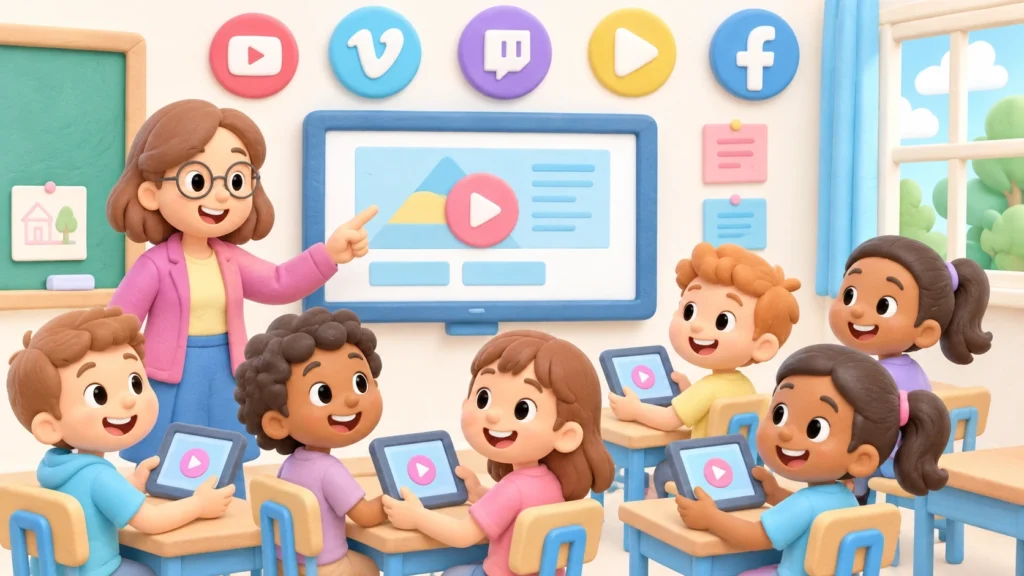
Pastory is an AI-powered educational app that builds curated learning feeds inside its own environment using YouTube videos. The app does not modify a child’s YouTube account or influence YouTube recommendations. Instead, Pastory pulls selected videos into the app through the YouTube API, where parents and educators manage what children watch.
The platform offers ready-made curricula for different age groups, AI-generated learning paths and category-based screen time controls. All content is organised around four areas: Education, Entertainment, Exercise and Creativity.
How Pastory Works
Parents or educators select a ready-made age-based curriculum or use AI to generate a custom learning path from a short prompt
Relevant videos are sourced through the YouTube API and organised inside the app according to the chosen curriculum

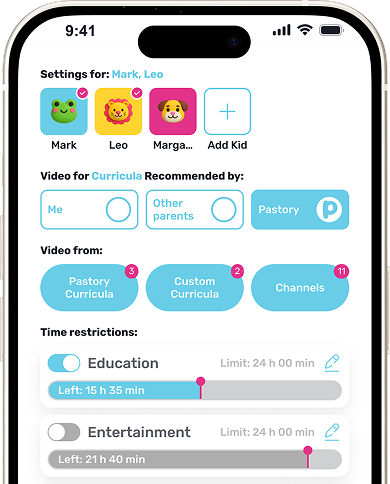
Trusted YouTube channels can be added. Specific videos or playlists can be removed. Screen time limits can be set separately for each category and each child

The viewing experience takes place entirely within the app — structured, age-appropriate and connected to clear learning goals
For Parents
Pastory gives parents practical control over children’s video learning at home without removing access to YouTube content entirely. Parents can support school-related topics, manage daily viewing time by category and remove any video or playlist that does not meet family expectations.
Practical benefits include:
- Supporting homework and school topics through curated video content
- Setting separate screen time limits for Education, Entertainment, Exercise and Creativity
- Adding trusted YouTube channels to the child's feed
- Removing specific videos or playlists that are unsuitable
- Encouraging curiosity in science, history, maths, language learning and creativity
- Aligning home media habits with school expectations


For Schools
Schools need digital tools that support learning outcomes, safeguarding expectations and consistent communication with families. Pastory can function as a complementary app for curriculum-aligned enrichment, homework support and video-based learning continuity between school and home.
Pastory has already been introduced in a London school context, with feedback collected from real users
See the London school launch update from Pastory's Founder and CEO →School benefits include:
- Curriculum-aligned video content for core subjects and enrichment
- Safer video discovery aligned with safeguarding priorities
- Support for homework, after-school learning and enrichment clubs
- A practical tool for parent engagement and home-school learning continuity


For Students
Pastory supports students by presenting curated YouTube videos in formats they already understand — visual explanations, demonstrations, topic-based playlists and age-appropriate discovery. The app organises content around clear educational categories so students can explore subjects with purpose rather than browsing without direction.
Student benefits include:
- Learning school topics through engaging, clearly organised videos
- Discovering content matched to age and educational level
- Building curiosity beyond standard classroom materials
- Practising independent learning inside a structured content environment
- Exploring STEM, languages, history, creativity, exercise and emotional skills
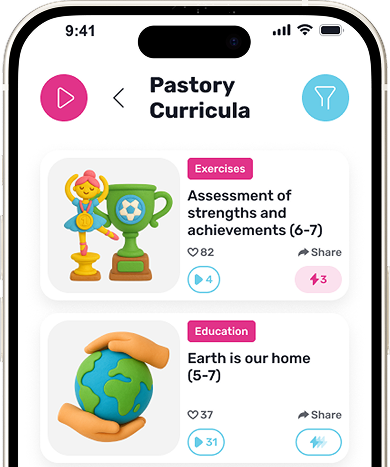


Ready-Made and AI-Generated Curricula

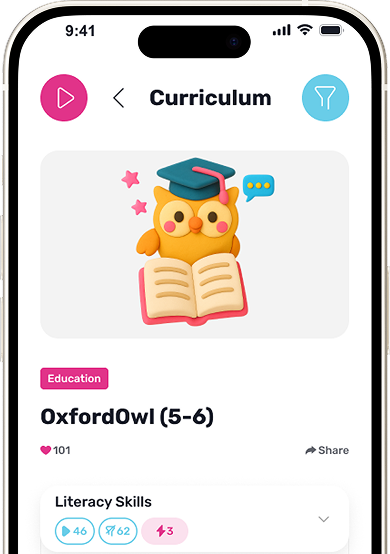
Pastory offers structured curricula organised by age group and educational stage. These curricula cover academic subjects, creativity, life skills and social-emotional learning — making them suitable for home reinforcement and school-aligned enrichment without additional setup

Parents or educators can create a custom curriculum by entering a short prompt describing a learning goal. Pastory’s AI generates relevant topics and selects appropriate YouTube videos for that goal. This allows families and schools to build learning paths around specific subjects, upcoming school projects or individual interests
Screen Time Control by Category
Pastory organises all content into four categories:
Parents can set daily viewing time limits for each category independently, and limits can be configured separately for each child in the family.
This approach allows families to support balanced screen time routines without applying a single blanket restriction. A child can have more time allocated to Education on school nights and more Creativity time at weekends — based on family priorities rather than platform defaults.

Pastory vs Unrestricted YouTube Watching
The Education Endowment Foundation notes that digital technology should be used with a clear learning purpose, and not treated as an automatic improvement in itself

Online Safety and Content Control
Pastory gives parents direct control over the child’s content environment inside the app. All viewing takes place within Pastory rather than on YouTube directly, which helps reduce exposure to unrelated recommendations, comment sections and autoplay content outside the curated learning feed.
Key content control features include:
can be added to the child’s feed, so video sources come from reliable educational creators
can be removed when content is unsuitable, off-topic or low quality
can be deleted from the child’s feed if they no longer match the learning goal
keeps children inside Pastory instead of sending them to YouTube
help limit random browsing and keep content aligned with parent-approved topics
means children are not directly exposed to YouTube comments, unrelated recommendations or external autoplay sequences
makes Pastory a complementary educational layer alongside existing safeguarding and digital safety policies
UK statutory guidance requires schools and colleges to safeguard and promote the welfare of children. Pastory supports this responsibility by helping create a more controlled educational viewing environment inside the app
Stay informed with expert parenting insights
Frequently Asked Questions
What is an app for school?
An app for school helps students, parents and educators support learning outside the classroom. Pastory creates curated YouTube learning feeds inside the app, organised around ready-made or AI-generated curriculums — giving families and schools a structured video learning environment aligned with educational goals.
Does Pastory change a child's YouTube feed?
No. Pastory does not modify a child’s YouTube account or influence YouTube recommendations in any way. The app creates a separate curated learning feed inside Pastory itself, using videos sourced through the YouTube API. Children watch selected content inside the app, not on YouTube directly.
How does Pastory create learning feeds?
Pastory creates learning feeds by matching selected YouTube videos to a chosen curriculum — either a ready-made age-based curriculum or a custom curriculum generated by AI from a short prompt. Parents and educators can also add trusted YouTube channels and remove specific videos or playlists from the feed.
Can schools use Pastory for curriculums?
Yes. Pastory supports school-aligned curriculums through both ready-made learning paths and AI-generated custom curriculums. Educators can create a learning path around a specific subject or school topic by entering a short prompt, and the app will generate relevant topics and select appropriate videos.
Can parents create their own curriculum?
Yes. Parents can use Pastory’s AI to generate a custom curriculum by describing a learning goal in a short prompt. The app creates a structured set of topics and selects relevant YouTube videos for that goal — suitable for homework support, subject revision or interest-led exploration.
How does screen time control work?
Pastory allows parents to set daily viewing time limits for each of the four content categories: Education, Entertainment, Exercise and Creativity. Limits can be configured separately for each child, giving families flexible control over how video time is distributed across different types of content.
Can parents remove videos from the child's feed?
Yes. Parents can remove specific videos or playlists from the child’s feed at any time inside the app. Trusted YouTube channels can also be added to ensure content comes from reliable educational sources. This gives parents ongoing control over the content environment without requiring constant supervision.
